StoneDamager
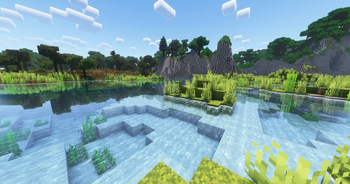
🟡 Updated this year🖼️ Gallery (1 images)
🔍 Analysis
- 👍 0.6% endorsement rate
- 🏆 #826 of 1560 bukkit mods in this game by downloads
📋 About This Mod
!(https://github.com/Streamline-Essentials/StreamlineWiki/blob/main/website/images/Dependencies.png?raw=true) (https://modrinth.com/plugin/bukkitofutils)
!(https://github.com/Streamline-Essentials/StreamlineWiki/blob/main/website/images/JoinTheDiscord.png?raw=true) Please join the Streamline Hub Discord in order to get updates and for me to fully assist you with bugs, questions, or suggestions.
Discord: [click here](https://dsc.gg/streamline)
!(https://github.com/Streamline-Essentials/StreamlineWiki/blob/main/website/images/Summary.png?raw=true) Stonecutter functionality everyone wants. (Allow stonecutters to hurt entities with or without also hurting players.)
!(https://github.com/Streamline-Essentials/StreamlineWiki/blob/main/website/images/WhyThis.png?raw=true) This offers a very simple configuration and setup all while remaining very light-weight. Straight and to the point: damage entities on top of a stonecutter -- including or excluding players and inside or outside of certain worlds.
!(https://github.com/Streamline-Essentials/StreamlineWiki/blob/main/website/images/HowToInstall.png?raw=true) 1. Download and install BukkitOfUtils. Found here: (https://modrinth.com/plugin/bukkitofutils) 2. Download the correct version of this plugin for you server version. 3. Place in your `plugins` folder. 4. Stop server. 5. Start server. 6. Use to your liking.
!(https://github.com/Streamline-Essentials/StreamlineWiki/blob/main/website/images/MoreInfo.png?raw=true) ## How to Add/Remove Whitelisted/Blacklisted Worlds 1. Install plugin. (Shown above.) 2. Go to the configuration (`config.yml`). 3. Add or remove the world name from the `names` list under `worlds`. 4. Change the setting `is-whitelist` to `true` or `false`. - NOTE: `false` means that it is a blacklist.
## How to Add/Remove Whitelisted/Blacklisted Entity Types. 1. Install plugin. (Shown above.) 2. Go to the configuration (`config.yml`). 3. Add or remove the world name from the `types` list under `entities`. 4. Change the setting `is-whitelist` to `true` or `false`. - NOTE: `false` means that it is a blacklist.
## Functionability Blacklist/whitelist worlds. Blacklist/whitelist entity types. Set amount of damage. * Set amount of game ticks between each damage tick.
!(https://github.com/Streamline-Essentials/StreamlineWiki/blob/main/website/images/CommandsAndPermissions.png?raw=true)
## Commands
`
- No commands! Easy as that!
📊 Mod Details
- Game
- Minecraft Plugins
- Author
- MrDrak
- Version
- 1.11.0
- Downloads
- 2,640
- Endorsements
- 16
- Category
- bukkit
- Created
- 3/6/2024
- Updated
- 11/29/2025
- Game Versions
- 1.14, 1.14.1, 1.14.2, 1.14.3, 1.14.4
- Tags
- game-mechanics, utility
🔧 How to Install Minecraft Plugins Mods
Download from Modrinth. Use Prism Launcher or drop into your mods folder.
📖 Full step-by-step install guide for Minecraft Plugins →
Visit the official mod page for specific installation instructions for this mod.
🎮 Need cheat codes or console commands? Check ur gaming wiki for Minecraft Plugins commands, item IDs, and more.
❓ Frequently Asked Questions
Which Minecraft Plugins versions does StoneDamager support?
The author lists 1.14, 1.14.1, 1.14.2, 1.14.3, 1.14.4, 1.15. Other versions may work but are untested by the author.
What is the latest version of StoneDamager?
Version 1.11.0, published 2025-11-29 with 2,640 downloads recorded at the source.
Keep browsing — more Minecraft Plugins mods await