SkyGridx
🟡 Updated this year🖼️ Gallery (12 images)
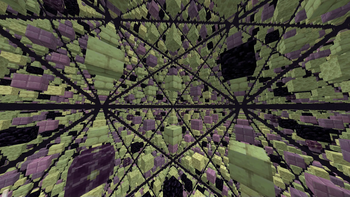
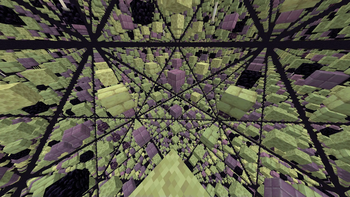
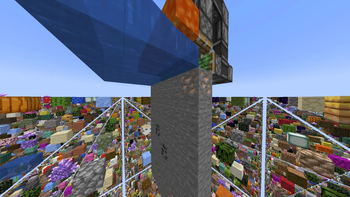
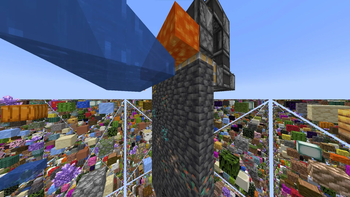
🔍 Analysis
- 👍 0.3% endorsement rate
- 🏆 #448 of 1560 bukkit mods in this game by downloads
📋 About This Mod
# SkyGridx - Official Support & Downloads Join our **Discord Community** for help, support, issues, feedback, and discussions! Click here to join: **(https://discord.gg/nSWCXFp4UA)** ## Download Links: - (https://www.davids-repo.dev/skygridx/assets/SkyGrid-26.2.jar) ## Overview The SkyGrid Plugin offers access to the latest blocks (26.2) and empowers users to fully customize the grids in the Overworld, Nether, and End dimensions. The initial generation process, which typically takes ~1 minute, adapts to the server's capabilities. Subsequently, all generation activities occur efficiently in real-time. This plugin also includes a built-in random teleport command for each dimension, ensuring that players can safely explore their chosen realm. Furthermore, it features an ore generator that can modify stone generation to create various blocks of your choice. While currently configured primarily for ores, the possibilities are virtually endless. !(https://www.davids-repo.dev/mc/sg3.webp) ## **Key Features:** ## **Block Selection:** - Create a unique SkyGrid with a variety of blocks from the (https://hub.spigotmc.org/javadocs/bukkit/org/bukkit/Material.html). - Customize block types and percentages effortlessly. ## **Real-time Generation:** - SkyGrid generates in real-time as you explore. ## **Built-in Fog Feature:** - Fog feature accompanied by a texture pack. Admins can enable it using `/fogon` and disable with `/fogoff`. This feature allows lower render distances without disrupting immersion. - Feature is included in the settings file if you would like to enable it by default, it will come as disabled by default. ## **Material Distribution:** - Define personalized materials for block placement per world. - Fine-tune material distribution percentages for a distinct experience. - Choose parent materials as well as materials for all the sides and ends of said parent block material ## **Biome-Specific Grids:** - Customize grids in Overworld, Nether, and End with unique blocks at the (https://hub.spigotmc.org/javadocs/bukkit/org/bukkit/block/Biome.html) level. ## **Ore Generation:** - Seamlessly integrated into the gameplay, this feature replaced generated stone, cobblestone or basalt with any blocks you want. - The block types generated, and their percentages can be effortlessly modified to suit your preferences in the ores.yml file inside the OreGenBlock folder, and work on all worlds where stone, cobblestone or basalt can be generated. ## **Teleportation Command:** - Securely teleport to random locations in - Overworld (/**tpr overworld**) or (**/tpro**) - Nether (**/tpr nether**) or (**/tprn**) - End (**/tpr end**) or (**/tpre**). - Range can be customized in the settings - Settings also include cooldown for per world command reuse - All have their own individualize permissions ## **Spawner Settings:** - The available entities for use can be found at (https://hub.spigotmc.org/javadocs/bukkit/org/bukkit/entity/EntityType.html) - Fine-tune spawner settings for entities, delay, max nearby entities, and more. - Random entity selection based on spawn weights for added unpredictability. - Customize spawners for specific biomes at the block level, adding a new layer of customization. For example, if you specify the biome as `DEEP_DARK,` you can configure spawners to spawn `WARDEN` entities exclusively in that biome. ## **Chest Loot Customization:** - Tailor chest loot settings with precision, specifying items, percentages, amounts, custom names, Enchantments , lore colors and more. - Tiered loot distribution for added variety, each tier with its own set of items and probabilities. - Customize chest loot for specific biomes, allowing for a more immersive and thematic distribution of items based on the environment. ## **Mini Chunk Regeneration** - Periodically regenerate selected chunks on a timer without touching the surrounding world. - Configure with `/miniregen` or `MiniRegen/mini_regen_settings.yml` once chunks have been chosen. - Supports custom material distributions and grouping for bulk removal. ## **Enhanced Eye of Ender** - Eyes follow a smooth arc to the nearest registered portal, hover for 5 s with particles, then refund the eye. - If no portal exists, they pop instantly with a small explosion and refund. - Portal coordinates stored in an efficient binary file (`portals.dat`). - This is only for `END_PORTAL` materials used in the grid, and serves as a replacement for the missing stronghold structure. --- ## Commands: - `/tpr `: Random teleport in the Overworld, Nether, or End. - `/tpro`: Random teleport in the Overworld. - `/tprn`: Random teleport in the Nether. - `/tpre`: Random teleport in the End. - `/fogon`: Enable fog. - `/fogoff`: Disable fog. - `/eclogson`: Enable
# SkyGridx - Official Support & Downloads
Join our Discord Community for help, support, issues, feedback, and discussions! Click here to join: (https://discord.gg/nSWCXFp4UA)**
## Download Links: - [Paper, Pufferfish, Purpur, Leaf, Folia](https://www.davids-repo.dev/skygridx/assets/SkyGrid-26. 2.jar)
## Overview
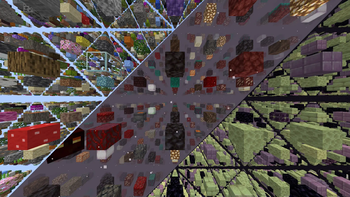
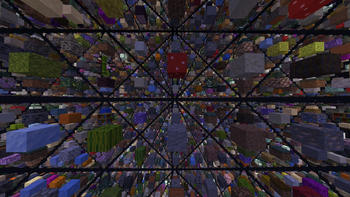
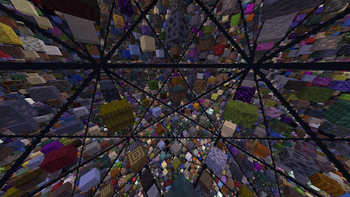
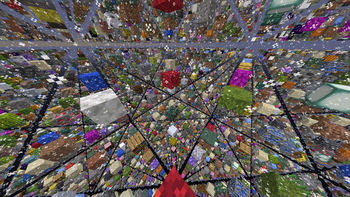
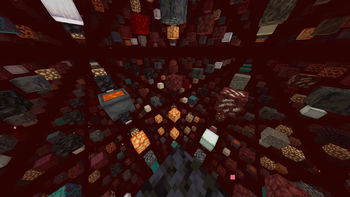
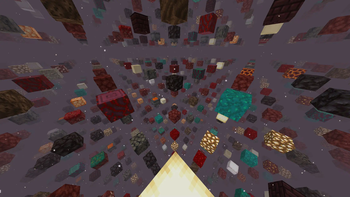
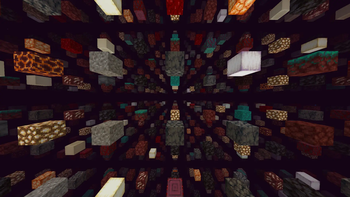
The SkyGrid Plugin offers access to the latest blocks (26. 2) and empowers users to fully customize the grids in the Overworld, Nether, and End dimensions. The initial generation process, which typically takes ~1 minute, adapts to the server's capabilities. Subsequently, all generation activities occur efficiently in real-time.
This plugin also includes a built-in random teleport command for each dimension, ensuring that players can safely explore their chosen realm. Furthermore, it features an ore generator that can modify stone generation to create various blocks of your choice. While currently configured primarily for ores, the possibilities are virtually endless.
!(https://www.davids-repo.dev/mc/sg3.webp)
## Key Features:
## Block Selection: - Create a unique SkyGrid with a variety of blocks from the (https://hub.spigotmc.org/javadocs/bukkit/org/bukkit/Material.html). - Customize block types and percentages effortlessly.
## Real-time Generation: - SkyGrid generates in real-time as you explore.
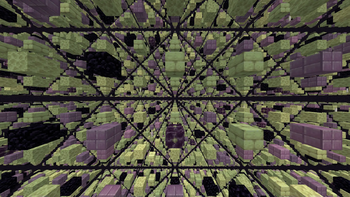
## Built-in Fog Feature: - Fog feature accompanied by a texture pack. Admins can enable it using `/fogon` and disable with `/fogoff`. This feature allows lower render distances without disrupting immersion. - Feature is included in the settings file if you would like to enable it by default, it will come as disabled by default.
## Material Distribution: - Define personalized materials for block placement per world. - Fine-tune material distribution percentages for a distinct experience. - Choose parent materials as well as materials for all the sides and ends of said parent block material
## Biome-Specific Grids: - Customize grids in Overworld, Nether, and End with unique blocks at the (https://hub.spigotmc.org/javadocs/bukkit/org/bukkit/block/Biome.html) level.
## Ore Generation: - Seamlessly integrated into the gameplay, this feature replaced generated stone, cobblestone or basalt with any blocks you want. - The block types generated, and their percentages can be effortlessly modified to suit your preferences in the ores.yml file inside the OreGenBlock folder, and work on all worlds where stone, cobblestone or basalt can be generated.
## Teleportation Command: - Securely teleport to random locations in - Overworld (/tpr overworld) or (/tpro) - Nether (/tpr nether) or (/tprn) - End (/tpr end) or (/tpre). - Range can be customized in the settings - Settings also include cooldown for per world command reuse - All have their own individualize permissions
## Spawner Settings: - The available entities for use can be found at (https://hub.spigotmc.org/javadocs/bukkit/org/bukkit/entity/EntityType.html) - Fine-tune spawner settings for entities, delay, max nearby entities, and more. - Random entity selection based on spawn weights for added unpredictability. - Customize spawners for specific biomes at the block level, adding a new layer of customization. For example, if you specify the biome as `DEEP_DARK,` you can configure spawners to spawn `WARDEN` entities exclusively in that biome.
## Chest Loot Customization: - Tailor chest loot settings with precision, specifying items, percentages, amounts, custom names, Enchantments , lore colors and more. - Tiered loot distribution for added variety, each tier with its own set of items and probabilities. - Customize chest loot for specific biomes, allowing for a more immersive and thematic distribution of items based on the environment.
## Mini Chunk Regeneration - Periodically regenerate selected chunks on a timer without touching the surrounding world. - Configure with `/miniregen` or `MiniRegen/mini_regen_settings.yml` once chunks have been chosen. - Supports custom material distributions and grouping for bulk removal.
## Enhanced Eye of Ender** - Eyes follow a smooth arc to the nearest registered portal, hover for 5 s with particles, then refund the eye. - If no portal exists, they pop instantly with a small explosion and refund. - Portal coordinates stored in an efficient binary file (`portals.dat`). - This is only for `END_PORTAL` materials used in the grid, and serves as a replacement for the missing stronghold structure.
## Commands:
- `/tpr `: Random teleport in the Overworld, Nether, or End.
- `/tpro`: Random teleport in the Overworld.
- `/tprn`: Random teleport in the Nether.
- `/tpre`: Random teleport in the End.
- `/fogon`: Enable fog.
- `/fogoff`: Disable fog.
- `/eclogson`: Enable
📊 Mod Details
- Game
- Minecraft Plugins
- Author
- Go0fy_Go0ber
- Version
- 26.2-1.21-backport
- Downloads
- 6,667
- Endorsements
- 19
- Category
- bukkit
- Created
- 10/17/2023
- Updated
- 7/16/2026
- Game Versions
- 1.21, 1.21.1, 1.21.2, 1.21.3, 1.21.4
- Tags
- game-mechanics, utility, worldgen
🔧 How to Install Minecraft Plugins Mods
Download from Modrinth. Use Prism Launcher or drop into your mods folder.
📖 Full step-by-step install guide for Minecraft Plugins →
Visit the official mod page for specific installation instructions for this mod.
🎮 Need cheat codes or console commands? Check ur gaming wiki for Minecraft Plugins commands, item IDs, and more.
❓ Frequently Asked Questions
Which Minecraft Plugins versions does SkyGridx support?
The author lists 1.21, 1.21.1, 1.21.2, 1.21.3, 1.21.4, 1.21.5. Other versions may work but are untested by the author.
What is the latest version of SkyGridx?
Version 26.2-1.21-backport, published 2026-07-16 with 6,667 downloads recorded at the source.
Keep browsing — more Minecraft Plugins mods await