SellHopper
🟡 Updated this year🖼️ Gallery (3 images)

🔍 Analysis
- 🏆 #100 of 109 economy mods in this game by downloads
📋 About This Mod
# <p align="center"><img src="https://cdn.modrinth.com/data/c6lGw2Hz/images/dc7049a9cb4a8887a032efdb0ad79a198a979894.png" width="50%" /></p> # 💸 CrashShop Addon: Sell Hoppers *Automate your economy. Turn items into cash instantly.* <div align="center"> (https://img.shields.io/badge/CodeRefactor-A%2B-success?style=for-the-badge)](https://www.codefactor.io/repository/github/crashwho/sellhopper) !(https://img.shields.io/badge/Minecraft-1.21%2B-blue) !(https://img.shields.io/badge/Category-Economy-green) </div> --- ## ⚡ Introduction **Tired of manually clicking through GUI shops to sell your loot?** Take your server's economy to the next level with **SellHopper**. This lightweight, high-performance addon bridges the gap between AFK farming and your server's economy. Perfect for **Skyblock** and **Survival** servers, this plugin introduces a special "Sell Hopper" that automatically sells any item that passes through it. It seamlessly hooks into **CrashShop** to retrieve real-time item prices, ensuring your economy stays balanced without any extra configuration! --- ## 🔥 Key Features * **🔗 Seamless CrashShop Integration:** No need to set prices twice! The hopper pulls sell prices directly from your existing CrashShop configuration. If an item doesn't have a price in CrashShop, the hopper simply ignores it. * **🛡️ Lag-Free Performance:** Optimized to handle massive amounts of items from mob farms or quarries without ticking the main thread. * **📊Update View:** The GUI automatically update when a sellable item enter the hopper, even if a player has already opened the inventory. * **⚙️ Fully Configurable:** Customize messages, sounds, particles, and the sell interval time. --- ## 📸 Screenshots <div align="center"> <img src="https://cdn.modrinth.com/data/c6lGw2Hz/images/a37da53ea6a214fc15008eacef9e1ba8bc496a03.png" width="70%" /> <img src="https://cdn.modrinth.com/data/c6lGw2Hz/images/34a069b138252a3f929f5b45c69bdb5bdf76099a.png" width="70%" /> <img> </div> --- ## 🛠️ How It Works 1. **Collection:** The player places the hopper connected to a chest or at the bottom of a mob farm. 3. **Processing:** * When an item enters the hopper, the plugin checks **CrashShop**. * **Is there a price?** The item is consumed, and the cash is instantly deposited into the hopper balance. * **No price?** The item doesn't enter in the hopper. 4. You can also drop an item on the hopper and it still works. You can also drop a shulker box, the hopper automatically takes only the items that can be sold, and leaves the shulker box in top of it with the other items. --- ## 💻 Commands & Permissions ### Commands * `/sellhopper give <player> <amount>` - Give a specific player a Sell Hopper. * `/sellhopper reload` - Reload the configuration file. ### Permissions * `sellhopper.use` - Access to give commands. * `sellhopper.reload` - Access to reload gommang. --- ## 📦 Dependencies > **⚠️ IMPORTANT:** This is an **ADDON**. You must have the following plugins installed for this to work: 1. **CrashShop** (Required for pricing logic) 2. **Vault** (Required for economy handling) --- ## 📂 Configuration Preview ```yaml items: hopper: displayname: "<gradient:#84fab0:#8fd3f4><b>ꜱᴇʟʟʜᴏᴘᴘᴇʀ</b></gradient>" inventory: material: PAPER displayname: "<green><money>" slot: 2 messages: prefix: "<gradient:#84fab0:#8fd3f4><b>ꜱᴇʟʟʜᴏᴘᴘᴇʀ</b></gradient> <dark_gray>»<reset> " reload: "<white>Configuration reloaded!" give: "<white>You gave <#84fab0>x<amount> <white>ꜱᴇʟʟʜᴏᴘᴘᴇʀ to <#84fab0><player><white>!" deposit: "<white>You collected <#84fab0><money> <white>from the ꜱᴇʟʟʜᴏᴘᴘᴇʀ!"
#

# 💸 CrashShop Addon: Sell Hoppers Automate your economy. Turn items into cash instantly.
[!(https://img.shields.io/badge/CodeRefactor-A%2B-success?style=for-the-badge)](https://www.codefactor.io/repository/github/crashwho/sellhopper)
!(https://img.shields.io/badge/Minecraft-1. 21%2B-blue) !(https://img.shields.io/badge/Category-Economy-green)
## ⚡ Introduction Tired of manually clicking through GUI shops to sell your loot? Take your server's economy to the next level with SellHopper. This lightweight, high-performance addon bridges the gap between AFK farming and your server's economy.
Perfect for Skyblock and Survival servers, this plugin introduces a special "Sell Hopper" that automatically sells any item that passes through it. It seamlessly hooks into CrashShop to retrieve real-time item prices, ensuring your economy stays balanced without any extra configuration!
## 🔥 Key Features
🔗 Seamless CrashShop Integration: No need to set prices twice! The hopper pulls sell prices directly from your existing CrashShop configuration. If an item doesn't have a price in CrashShop, the hopper simply ignores it. 🛡️ Lag-Free Performance: Optimized to handle massive amounts of items from mob farms or quarries without ticking the main thread. 📊Update View: The GUI automatically update when a sellable item enter the hopper, even if a player has already opened the inventory. ⚙️ Fully Configurable: Customize messages, sounds, particles, and the sell interval time.
## 📸 Screenshots
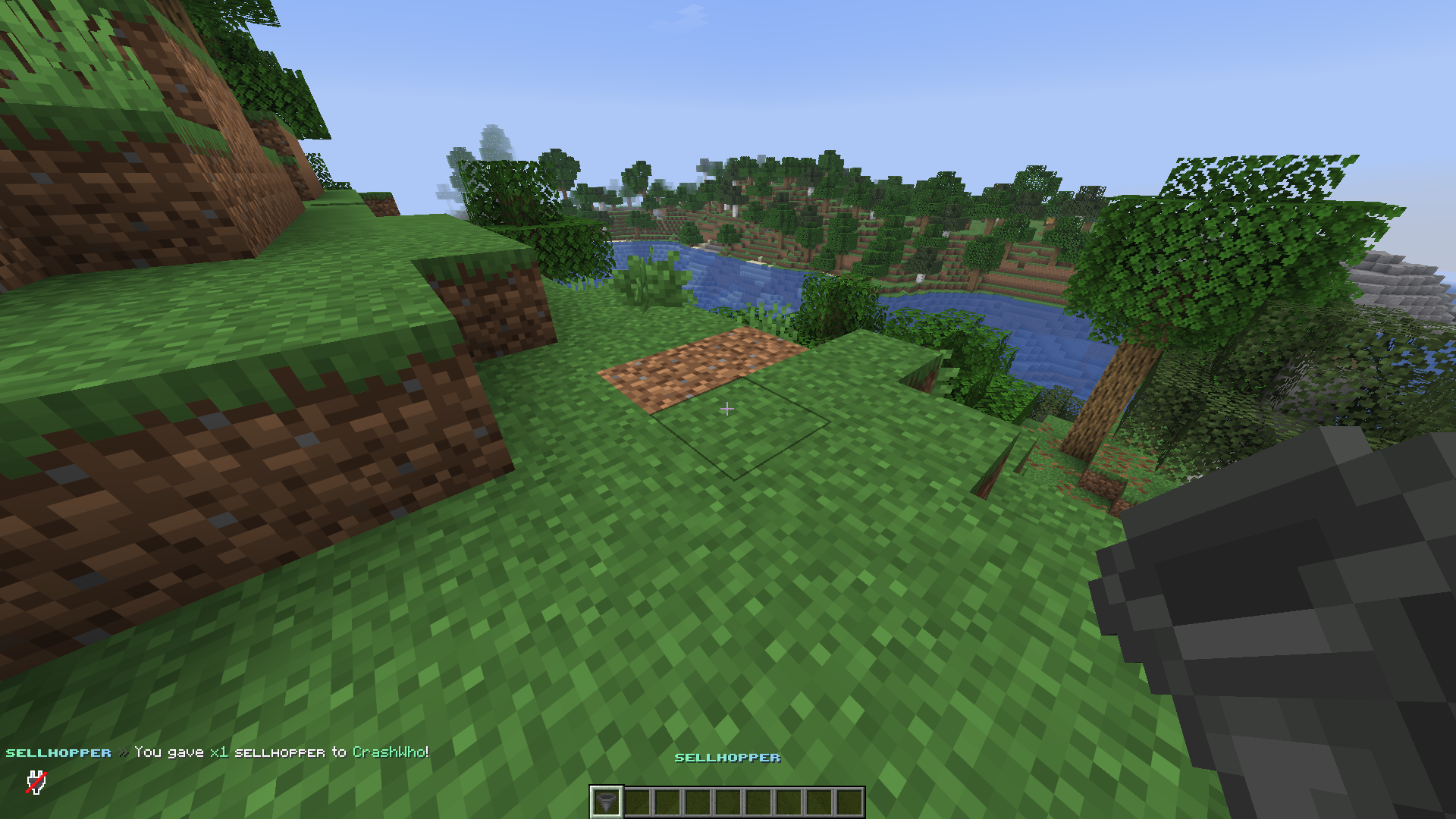
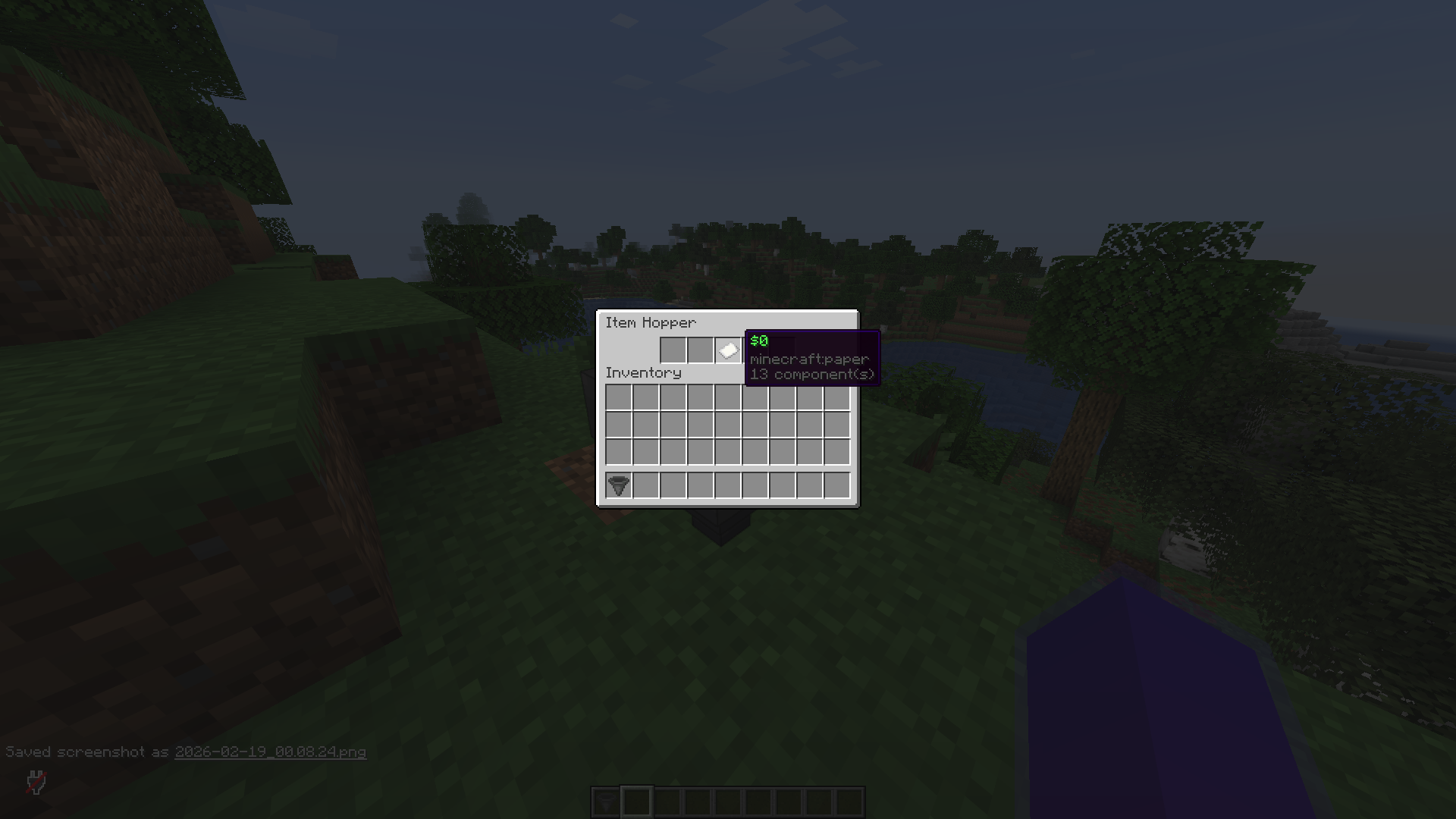
## 🛠️ How It Works
1. Collection: The player places the hopper connected to a chest or at the bottom of a mob farm. 3. Processing: When an item enters the hopper, the plugin checks CrashShop. Is there a price? The item is consumed, and the cash is instantly deposited into the hopper balance. No price? The item doesn't enter in the hopper. 4. You can also drop an item on the hopper and it still works. You can also drop a shulker box, the hopper automatically takes only the items that can be sold, and leaves the shulker box in top of it with the other items.
## 💻 Commands & Permissions
### Commands
`/sellhopper give
### Permissions `sellhopper.use` - Access to give commands. * `sellhopper.reload` - Access to reload gommang.
## 📦 Dependencies
> ⚠️ IMPORTANT: This is an ADDON. You must have the following plugins installed for this to work:
1. CrashShop (Required for pricing logic) 2. Vault (Required for economy handling)
## 📂 Configuration Preview
```yaml
items:
hopper:
displayname: "
messages:
prefix: "
📊 Mod Details
- Game
- Minecraft Plugins
- Author
- CrashhWho
- Version
- 1.0
- Downloads
- 82
- Endorsements
- 0
- Category
- economy
- Created
- 2/19/2026
- Updated
- 2/18/2026
- Game Versions
- 1.21, 1.21.1, 1.21.2, 1.21.3, 1.21.4
- Tags
- economy, game-mechanics, utility
🔧 How to Install Minecraft Plugins Mods
Download from Modrinth. Use Prism Launcher or drop into your mods folder.
📖 Full step-by-step install guide for Minecraft Plugins →
Visit the official mod page for specific installation instructions for this mod.
🎮 Need cheat codes or console commands? Check ur gaming wiki for Minecraft Plugins commands, item IDs, and more.
❓ Frequently Asked Questions
Which Minecraft Plugins versions does SellHopper support?
The author lists 1.21, 1.21.1, 1.21.2, 1.21.3, 1.21.4, 1.21.5. Other versions may work but are untested by the author.
What is the latest version of SellHopper?
Version 1.0, published 2026-02-18 with 82 downloads recorded at the source.
Keep browsing — more Minecraft Plugins mods await