SaveCMD
⚪ Last updated 2023🖼️ Gallery (1 images)
🔍 Analysis
- 👍 0.5% endorsement rate
- 🏆 #1435 of 1560 bukkit mods in this game by downloads
📋 About This Mod
# Plugin Information this plugin is a per-player help menu which players can create for their own help GUI means players can save commands in a GUI so they can later run them with one click **Note:** The future development and maintenance of this plugin depend on its popularity and usefulness, as there may be other alternative plugins available. ## Features - Easy-to-use - can add or remove command - Display information through messages - permission-based ## Installation 1. Download the plugin. 2. Place the downloaded files into the 'plugins' folder of your Minecraft server. 3. Restart the server to load the plugin. 4. Grant the necessary permissions to players as desired. ## Permission - sc.player - sc.admin (open anyone gui and run commands) - sc.slot9 (1 row gui) - sc.slot27 (3 row gui) - sc.slot54 (6 row gui) ## Command - /savecmd/sc (will open GUI) - /savecmd add <slot number> <command without "/"> - /savecmd remove <slot number> - /savecmd set public/private - /savecmd open <player> - /savecmd history - /scadmin reload - /scadmin history <player> ## Donators - no one so far 🥲 ## FAQ Q1. Why would someone want to use this? A: did it ever happened when want to make a help menu for a server and you ask the community to tell which should be included and depends on server there are lots of commands and every player want different command to be there and don't want to remember it any so, this plugin comes in play this allows players to save commands in a GUI which they later can use/run the commands by clicking in the GUI. ## Disclaimer Your feedback and suggestions for improvements are always welcome. If you encounter any issues, please use the discussion section of the plugin or contact us via Discord. ### Donation If you would like to make a donation to support the development of this plugin, you can contribute via (https://paypal.me/portal2001).
# Plugin Information
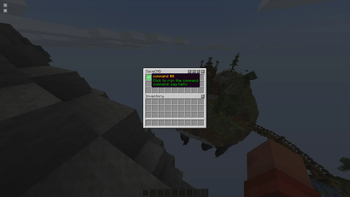
this plugin is a per-player help menu which players can create for their own help GUI means players can save commands in a GUI so they can later run them with one click
## Features
- Easy-to-use
- can add or remove command
- Display information through messages
- permission-based
## Installation
1. Download the plugin. 2. Place the downloaded files into the 'plugins' folder of your Minecraft server. 3. Restart the server to load the plugin. 4. Grant the necessary permissions to players as desired.
## Permission
- sc.player
- sc.admin (open anyone gui and run commands)
- sc.slot9 (1 row gui)
- sc.slot27 (3 row gui)
- sc.slot54 (6 row gui)
## Command
- /savecmd/sc (will open GUI)
- /savecmd add
## Donators
- no one so far 🥲
## FAQ Q1. Why would someone want to use this? A: did it ever happened when want to make a help menu for a server and you ask the community to tell which should be included and depends on server there are lots of commands and every player want different command to be there and don't want to remember it any so, this plugin comes in play this allows players to save commands in a GUI which they later can use/run the commands by clicking in the GUI.
## Disclaimer
Your feedback and suggestions for improvements are always welcome. If you encounter any issues, please use the discussion section of the plugin or contact us via Discord.
### Donation
If you would like to make a donation to support the development of this plugin, you can contribute via (https://paypal.me/portal2001).
📊 Mod Details
- Game
- Minecraft Plugins
- Author
- Portal2001
- Version
- 1.0
- Downloads
- 1,218
- Endorsements
- 6
- Category
- bukkit
- Created
- 10/23/2023
- Updated
- 11/11/2023
- Game Versions
- 1.13, 1.13.1, 1.13.2, 1.14, 1.14.1
- Tags
- game-mechanics, management, utility
🔧 How to Install Minecraft Plugins Mods
Download from Modrinth. Use Prism Launcher or drop into your mods folder.
📖 Full step-by-step install guide for Minecraft Plugins →
Visit the official mod page for specific installation instructions for this mod.
🎮 Need cheat codes or console commands? Check ur gaming wiki for Minecraft Plugins commands, item IDs, and more.
❓ Frequently Asked Questions
Which Minecraft Plugins versions does SaveCMD support?
The author lists 1.13, 1.13.1, 1.13.2, 1.14, 1.14.1, 1.14.2. Other versions may work but are untested by the author.
What is the latest version of SaveCMD?
Version 1.0, published 2023-11-11 with 1,218 downloads recorded at the source.
Keep browsing — more Minecraft Plugins mods await