PotionCoreX
🟡 Updated this yearPreview

🔍 Analysis
- 🏆 #943 of 1317 bukkit mods in this game by downloads
📋 About This Mod
# PotionCoreX I made PotionCoreX because I wanted a plugin that lets potions stack properly without breaking brewing stands, hopper automation or normal inventory behavior. After testing a lot of other stackable potion plugins, this is personally the best one for me when the goal is simply to stack potions cleanly and reliably. ## Why I made it A lot of stack plugins can increase stack sizes, but they often do it in a very general way. That can cause annoying problems with brewing stands, hopper automation or potion handling in survival. I wanted something that focuses specifically on potions and water bottles and handles them in a much cleaner way. ## What PotionCoreX does - makes potions stackable - supports normal potions, splash potions, lingering potions, water bottles and base brewing potions - keeps brewing stand potion slots safe - allows hopper automation without deleting or bugging potions - keeps vanilla-like inventory behavior in survival - includes an in-game settings GUI - lets me create, save, load and delete presets - supports reloads and automatic config key updates - includes update notifications for admins - includes bStats - supports multiple languages ## Main focus The main focus of PotionCoreX is simple: **make potion stacking work properly without creating brewing bugs, hopper issues or weird inventory behavior.** ## In-game preview ### Stack size settings Here I can directly change the stack sizes for the different potion categories in the GUI. <img src="https://mcpacks.de/daten/StackSize.gif" alt="Stack Size Settings" width="600"> ### Save and apply This shows how I can save my settings and apply them immediately without restarting the server. <img src="https://mcpacks.de/daten/SaveApply.gif" alt="Save and Apply" width="600"> ### Presets Here I can save my own preset setup and load it again later with just a few clicks. <img src="https://mcpacks.de/daten/Presents.gif" alt="Presets" width="600"> ### Languages PotionCoreX also supports multiple languages and lets me switch them directly in-game. <img src="https://mcpacks.de/daten/Sprachen.gif" alt="Languages" width="600"> ## For server owners I made this plugin for server owners who want potion stacking to feel practical, stable and clean instead of hacked together. If you only want a plugin for stacking potions and want that part to work properly, this is the plugin I would personally use over all the others I tested. !(https://bstats.org/signatures/bukkit/PotionCoreX.svg)
# PotionCoreX
I made PotionCoreX because I wanted a plugin that lets potions stack properly without breaking brewing stands, hopper automation or normal inventory behavior.
After testing a lot of other stackable potion plugins, this is personally the best one for me when the goal is simply to stack potions cleanly and reliably.
## Why I made it
A lot of stack plugins can increase stack sizes, but they often do it in a very general way. That can cause annoying problems with brewing stands, hopper automation or potion handling in survival.
I wanted something that focuses specifically on potions and water bottles and handles them in a much cleaner way.
## What PotionCoreX does
- makes potions stackable
- supports normal potions, splash potions, lingering potions, water bottles and base brewing potions
- keeps brewing stand potion slots safe
- allows hopper automation without deleting or bugging potions
- keeps vanilla-like inventory behavior in survival
- includes an in-game settings GUI
- lets me create, save, load and delete presets
- supports reloads and automatic config key updates
- includes update notifications for admins
- includes bStats
- supports multiple languages
## Main focus
The main focus of PotionCoreX is simple:
make potion stacking work properly without creating brewing bugs, hopper issues or weird inventory behavior.
## In-game preview
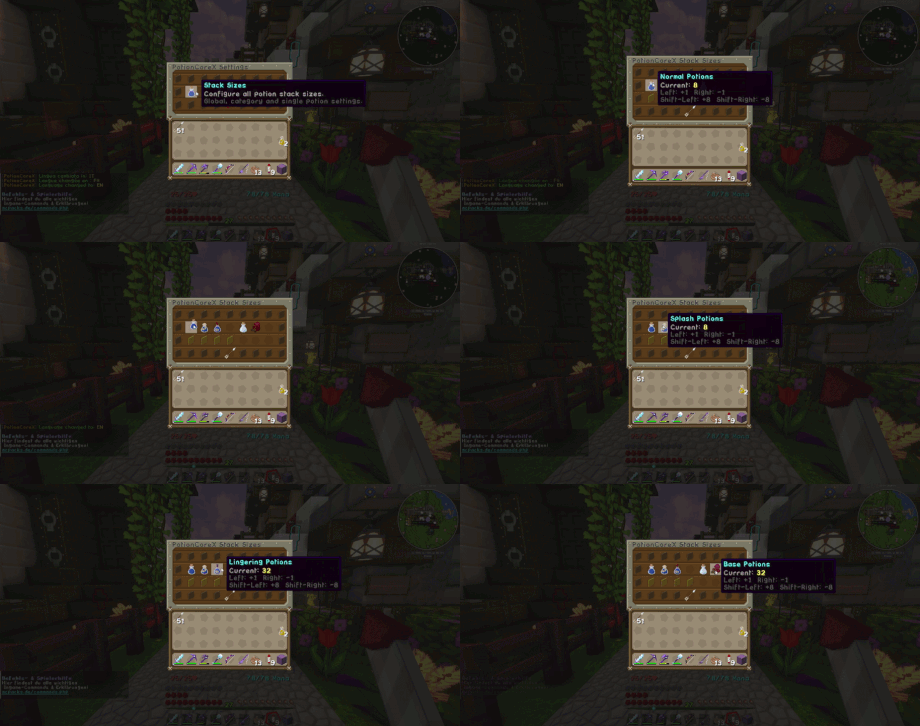
### Stack size settings
Here I can directly change the stack sizes for the different potion categories in the GUI.
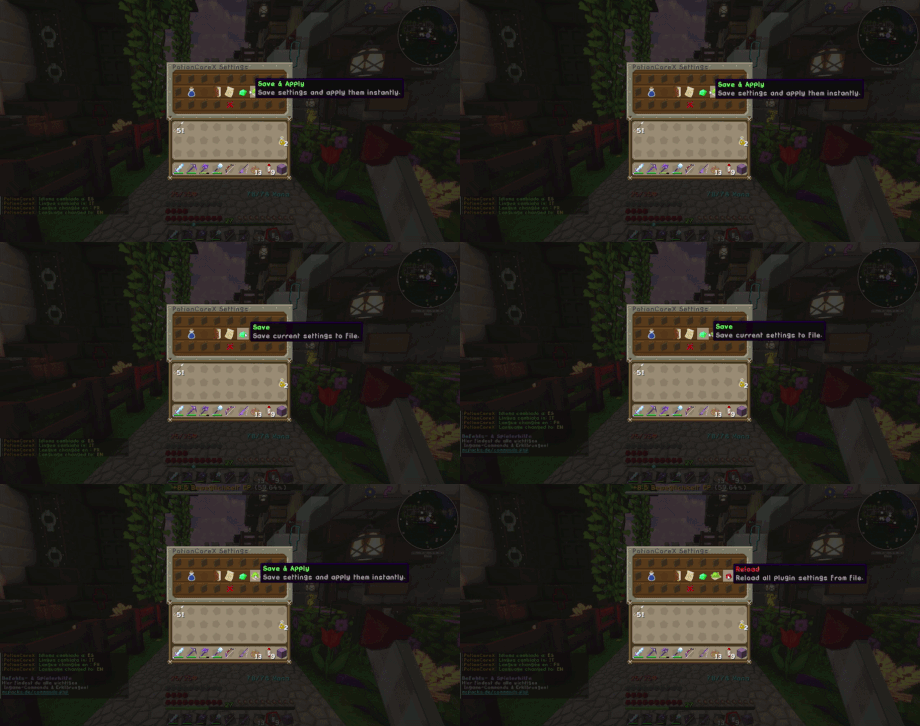
### Save and apply
This shows how I can save my settings and apply them immediately without restarting the server.
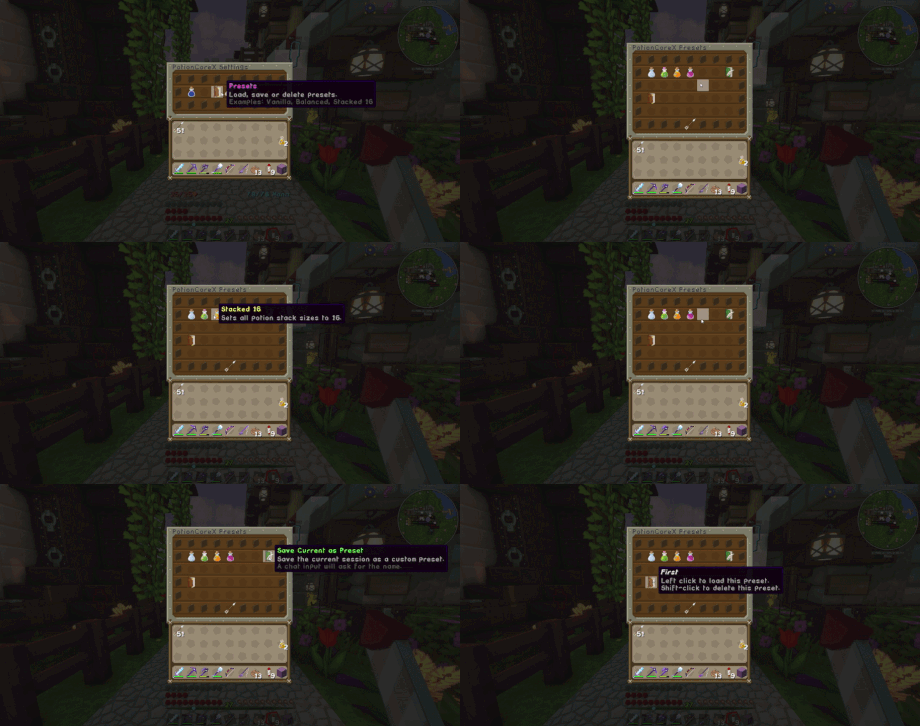
### Presets
Here I can save my own preset setup and load it again later with just a few clicks.
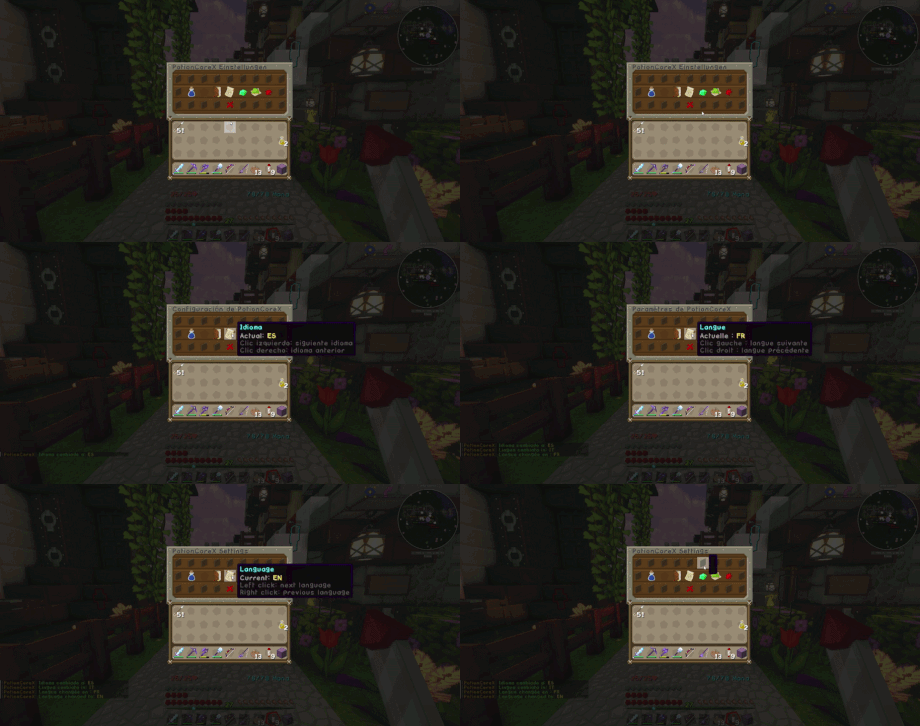
### Languages
PotionCoreX also supports multiple languages and lets me switch them directly in-game.
## For server owners
I made this plugin for server owners who want potion stacking to feel practical, stable and clean instead of hacked together.
If you only want a plugin for stacking potions and want that part to work properly, this is the plugin I would personally use over all the others I tested.
!(https://bstats.org/signatures/bukkit/PotionCoreX.svg)
📊 Mod Details
- Game
- Minecraft Plugins
- Author
- Fedex1991
- Version
- 1.0.5
- Downloads
- 203
- Endorsements
- 0
- Category
- bukkit
- Created
- 4/30/2026
- Updated
- 5/2/2026
- Game Versions
- 1.21, 1.21.1, 1.21.2, 1.21.3, 1.21.4
- Tags
- food, game-mechanics, storage
🔧 How to Install Minecraft Plugins Mods
Download from Modrinth. Use Prism Launcher or drop into your mods folder.
📖 Full step-by-step install guide for Minecraft Plugins →
Visit the official mod page for specific installation instructions for this mod.
🎮 Need cheat codes or console commands? Check ur gaming wiki for Minecraft Plugins commands, item IDs, and more.
❓ Frequently Asked Questions
Which Minecraft Plugins versions does PotionCoreX support?
The author lists 1.21, 1.21.1, 1.21.2, 1.21.3, 1.21.4, 1.21.5. Other versions may work but are untested by the author.
What is the latest version of PotionCoreX?
Version 1.0.5, published 2026-05-02 with 203 downloads recorded at the source.
Keep browsing — more Minecraft Plugins mods await