PlayerCrasher
🟠 Updated over a year ago🖼️ Gallery (1 images)
🔍 Analysis
- 👍 0.5% endorsement rate
- 🏆 #408 of 1560 bukkit mods in this game by downloads
📋 About This Mod
<div align="center"> <h1>PlayerCrasher</h1> <img alt="Build" src="https://github.com/Bram1903/MinecraftPlayerCrasher/actions/workflows/gradle.yml/badge.svg"> <img alt="CodeQL" src="https://github.com/Bram1903/MinecraftPlayerCrasher/actions/workflows/codeql.yml/badge.svg"> <img alt="GitHub Release" src="https://img.shields.io/github/release/Bram1903/MinecraftPlayerCrasher.svg"> <br> <a href="https://modrinth.com/plugin/playercrasher"><img alt="Modrinth" src="https://img.shields.io/badge/-Modrinth-green?style=for-the-badge&logo=Modrinth"></a> <a href="https://discord.deathmotion.com"><img alt="Discord" src="https://img.shields.io/badge/-Discord-5865F2?style=for-the-badge&logo=discord&logoColor=white"></a> </div> ## Overview An easy-to-use Minecraft plugin that enables the crashing of a player's game through the use of a command. ### Requires PacketEvents Ensure the (https://modrinth.com/plugin/packetevents) library is installed on your server. ## Table of Contents - (#overview) - (#requires-packetevents) - (#showcase) - (#supported-platforms--versions) - (#spoofers) - (#commands) - (#permission-nodes) - (#installation) - (#compiling-from-source) - (#prerequisites) - (#steps) - (#credits) - (#license) ## Showcase !(https://cdn.modrinth.com/data/cached_images/4d5972c029713dfaf34d62bf7c81d62a076a1668.png) ## Supported Platforms & Versions | Platform | Supported Versions | |------------------------------------|--------------------| | Bukkit (Spigot, Paper, Folia etc.) | 1.8.8 - 1.21.3 | | Velocity | Latest Major | | BungeeCord (or any forks) | Latest Major | ## Features - **Completely Asynchronous** - The plugin is designed to be as lightweight as possible. All packet modifications are done asynchronously, so the main thread is never blocked. - **Folia Support** - The plugin integrates with (https://papermc.io/software/folia), which is a Paper fork that adds regionised multithreading to the server. - **Crash Detector** - By sending both a keep alive and transaction packet, the plugin can detect if a player has crashed, even if the player is still connected. - **Configurable** - The plugin is highly configurable, allowing you to adjust the settings to your liking. - **Update Checker** - The plugin automatically checks for updates on startup. If a new version is available, a message will be sent to the console. ## Usage/Examples - `/crash (player) ` > **Note:** The method parameter is optional. If no method is provided, the plugin will use the most appropriate method > based on the player's version. **Methods:** - `Explosion` - `Particle` - `Position` ## Commands - `/pc` - Displays the plugin's version and author. - `/crash (player) ` - Crashes the specified player's game. - `/crashinfo ` - Displays the client brand and version of the specified player. ## Permission Nodes Players that are OP (Operators) have these permissions by default. - `PlayerCrasher.Crash` Allows the player to use the /crash command. - `PlayerCrasher.Bypass` Exempts the player from being crashed when the /crash command is used on them. - `PlayerCrasher.Alerts` Makes the player receive alerts when a player is being crashed by another player. - `PlayerCrasher.CrashInfo` - Allows the player to use the /crashinfo command. - `PlayerCrasher.UpdateNotify` Makes the player receive an update notification when a new version is available. ## Installation 1. **Prerequisites**: Install (https://modrinth.com/plugin/packetevents). 2. **Download**: Get the latest release from the (https://github.com/Bram1903/MinecraftPlayerCrasher/releases/latest). 3. **Installation**: Move the downloaded plugin to your server's plugins directory. 4. **Configuration**: Customize settings in `config.yml`. 5. **Restart**: Restart the server for changes to take effect. ## Compiling From Source ### Prerequisites - Java Development Kit (JDK) version 21 or higher - (https://git-scm.com/downloads) ### Steps 1. **Clone the Repository**: ```bash git clone https://github.com/Bram1903/MinecraftPlayerCrasher.git ``` 2. **Navigate to Project Directory**: ```bash cd MinecraftPlayerCrasher ``` 3. **Compile the Source Code**: Use the Gradle wrapper to compile and generate the plugin JAR file: <details> <summary><strong>Linux / macOS</strong></summary> ```bash ./gradlew build ``` </details> <details> <summary><strong>Windows</strong></summary> ```cmd .\gradlew build ``` </details> ## Credits Special thanks to: - **(https://github.com/retrooper)**: Author of (https://github.com/retrooper/
PlayerCrasher





## Overview
An easy-to-use Minecraft plugin that enables the crashing of a player's game through the use of a command.
### Requires PacketEvents
Ensure the (https://modrinth.com/plugin/packetevents) library is installed on your server.
## Table of Contents
- (#overview)
- - (#requires-packetevents)
- (#showcase)
- (#supported-platforms--versions)
- (#spoofers)
- (#commands)
- (#permission-nodes)
- (#installation)
- (#compiling-from-source)
- - (#prerequisites)
- - (#steps)
- (#credits)
- (#license)
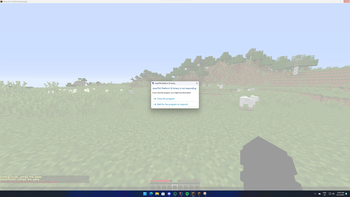
## Showcase
!(https://cdn.modrinth.com/data/cached_images/4d5972c029713dfaf34d62bf7c81d62a076a1668.png)
## Supported Platforms & Versions
| Platform | Supported Versions | |------------------------------------|--------------------| | Bukkit (Spigot, Paper, Folia etc.) | 1. 8. 8 - 1. 21. 3 | | Velocity | Latest Major | | BungeeCord (or any forks) | Latest Major |
## Features
- Completely Asynchronous - The plugin is designed to be as lightweight as possible.
- All packet modifications are done asynchronously, so the main thread is never blocked.
- Folia Support - The plugin integrates with (https://papermc.io/software/folia), which is a Paper fork that
- adds regionised multithreading to the server.
- Crash Detector - By sending both a keep alive and transaction packet, the plugin can detect if a player has
- crashed, even if the player is still connected.
- Configurable - The plugin is highly configurable, allowing you to adjust the settings to your liking.
- Update Checker - The plugin automatically checks for updates on startup.
- If a new version is available, a message will be sent to the console.
## Usage/Examples
- `/crash (player) `
> Note: The method parameter is optional. If no method is provided, the plugin will use the most appropriate method > based on the player's version.
Methods:
- `Explosion`
- `Particle`
- `Position`
## Commands
- `/pc` - Displays the plugin's version and author.
- `/crash (player) ` - Crashes the specified player's game.
- `/crashinfo ` - Displays the client brand and version of the specified player.
## Permission Nodes
Players that are OP (Operators) have these permissions by default.
- `PlayerCrasher. Crash` Allows the player to use the /crash command.
- `PlayerCrasher. Bypass` Exempts the player from being crashed when the /crash command is used on them.
- `PlayerCrasher. Alerts` Makes the player receive alerts when a player is being crashed by another player.
- `PlayerCrasher. CrashInfo` - Allows the player to use the /crashinfo command.
- `PlayerCrasher. UpdateNotify` Makes the player receive an update notification when a new version is available.
## Installation
1. Prerequisites: Install (https://modrinth.com/plugin/packetevents). 2. Download: Get the latest release from the (https://github.com/Bram1903/MinecraftPlayerCrasher/releases/latest). 3. Installation: Move the downloaded plugin to your server's plugins directory. 4. Configuration: Customize settings in `config.yml`. 5. Restart: Restart the server for changes to take effect.
## Compiling From Source
### Prerequisites
- Java Development Kit (JDK) version 21 or higher
- (https://git-scm.com/downloads)
1. Clone the Repository: ```bash git clone https://github.com/Bram1903/MinecraftPlayerCrasher.git ```
2. Navigate to Project Directory: ```bash cd MinecraftPlayerCrasher ```
3. Compile the Source Code: Use the Gradle wrapper to compile and generate the plugin JAR file:
Linux / macOS
```bash
./gradlew build
```
Windows
```cmd .\gradlew build ```
Special thanks to:
- **[@Retrooper](https://github.com/retrooper)**: Author of (https://github.com/retrooper/
📊 Mod Details
- Game
- Minecraft Plugins
- Author
- DevBram
- Version
- 3.0.2
- Downloads
- 7,693
- Endorsements
- 40
- Category
- bukkit
- Created
- 2/28/2024
- Updated
- 11/4/2024
- Game Versions
- 1.8.8, 1.8.9, 1.9, 1.9.1, 1.9.2
- Tags
- cursed, magic, utility
🔧 How to Install Minecraft Plugins Mods
Download from Modrinth. Use Prism Launcher or drop into your mods folder.
📖 Full step-by-step install guide for Minecraft Plugins →
Visit the official mod page for specific installation instructions for this mod.
🎮 Need cheat codes or console commands? Check ur gaming wiki for Minecraft Plugins commands, item IDs, and more.
❓ Frequently Asked Questions
Which Minecraft Plugins versions does PlayerCrasher support?
The author lists 1.8.8, 1.8.9, 1.9, 1.9.1, 1.9.2, 1.9.3. Other versions may work but are untested by the author.
What is the latest version of PlayerCrasher?
Version 3.0.2, published 2024-11-04 with 7,693 downloads recorded at the source.
Keep browsing — more Minecraft Plugins mods await