PineLib
🟡 Updated this year🖼️ Gallery (7 images)





🔍 Analysis
- 🏆 #14 of 25 library mods in this game by downloads
📋 About This Mod
PineLib is a modern minecraft plugin library designed with simplicity in mind while still offering powerful features.
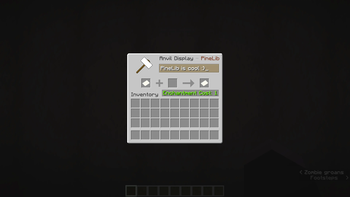
We have a simple menu system that allows you to create menus with ease. Whether it's a simple chest menu, renaming items with anvils, displaying recipes with droppers/crafters or even a fully custom UI, PineLib gives you the tools to create it all.
\anvils require (https://github.com/dmulloy2/ProtocolLib) installed in order to work.
## Countdowns
We also have countdowns which both support Bukkit and Adventure API. These countdowns will automatically update themselves such as draining boss bars; they can also display information about themselves such as the time remaining using placeholders. (Not PlaceholderAPI)
### Placeholders
Placeholders are a simple template you can use to display information within the countdowns. All placeholders are formatted as `%%{placeholder}%%` and the following placeholders can be used:
- `seconds` \- The number of seconds remaining.
- `minutes` \- The number of minutes remaining.
- `hours` \- The number of hours remaining.
- `percentage` \- The percentage of the countdown remaining.
- `progress` \- The amount of ticks remaining.
- `raw_progress` \- `percentage` but represented as a number between 0 and 1.
# Installation
To utilize PineLib, you obviously need to have it installed on your server. You can just download it from the (https://modrinth.com/plugin/PineLib) page and place it in your servers plugin folder; however, if you want to use PineLib in your own plugin, first we need to set PineLib as a dependency like so:
```yaml name: PineLibUser version: '1. 0-SNAPSHOT' main: com.example.pinelibuser. PineLibUser api-version: '1. 21' prefix: PineLib authors: [ Piny ] description: Cool plugin using cool libraries website: https://example.com depend: - PineLib ``` now to actually use PineLib in your plugin, you will need to add it to your `build.gradle` file like so:
```groovy repositories { maven { url 'https://jitpack.io' } }
dependencies { compileOnly 'com.github. NotPiny:PineLib:v1. 2. 0-BETA' } ``` # Usage
Using PineLib in your plugin is simple and designed to feel just as natural as using any code within your own plugin. You don't need to worry about getting the instance of PineLib when you use the features it provides. For information on how to use specific features, please refer to the documentation in the wiki.
📊 Mod Details
- Game
- Minecraft Plugins
- Author
- MisremEmberEd
- Version
- 26.2
- Downloads
- 257
- Endorsements
- 1
- Category
- library
- Created
- 8/22/2025
- Updated
- 8/27/2026
- Game Versions
- 1.21.10, 1.21.11, 26.1, 26.1.1, 26.1.2
- Tags
- library
🔧 How to Install Minecraft Plugins Mods
Download from Modrinth. Use Prism Launcher or drop into your mods folder.
📖 Full step-by-step install guide for Minecraft Plugins →
Visit the official mod page for specific installation instructions for this mod.
🎮 Need cheat codes or console commands? Check ur gaming wiki for Minecraft Plugins commands, item IDs, and more.
❓ Frequently Asked Questions
Which Minecraft Plugins versions does PineLib support?
The author lists 1.21.10, 1.21.11, 26.1, 26.1.1, 26.1.2, 26.2. Other versions may work but are untested by the author.
What is the latest version of PineLib?
Version 26.2, published 2026-08-27 with 257 downloads recorded at the source.
Keep browsing — more Minecraft Plugins mods await