MaxGraves
🟢 Updated this month🖼️ Gallery (8 images)
🔍 Analysis
- 👍 0.5% endorsement rate
- 🏆 #131 of 351 adventure mods in this game by downloads
📋 About This Mod
Graves and more graves for your Minecraft server
[!(https://cdn.modrinth.com/data/cached_images/fa2950ed394cc441cf8a6dad867be5e7b458357b.png)](https://mixelnodes.com/?aff=12)
WIKI: https://github.com/ZkAleeJoo/MaxGraves/blob/main/README.md
# MaxGraves
MaxGraves is a lightweight graves plugin for modern Minecraft servers. When a player dies, the plugin can store their items and experience in a temporary grave at or near the death location, give the player a locator map after respawn, and let them recover their contents safely.
## Features
- Creates a grave when a player dies and stores their dropped items and experience.
- Prevents the original death drops and dropped experience from duplicating after a grave is created.
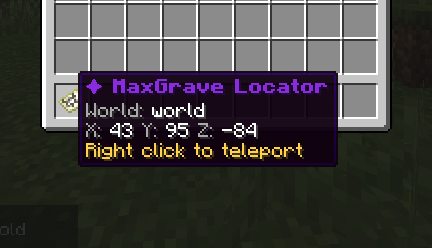
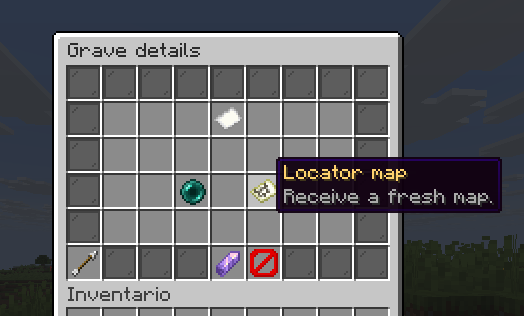
- Gives the owner a locator map after respawn for every active grave that does not already have a locator in the player's inventory.
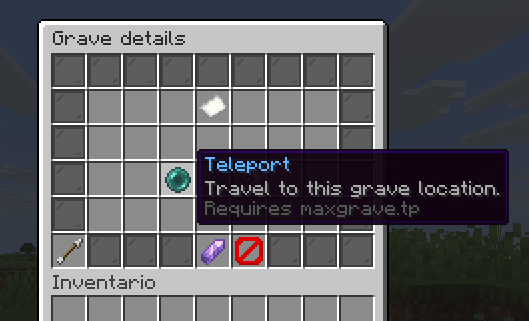
- Lets players right click their locator map to teleport to the linked grave when they have permission.
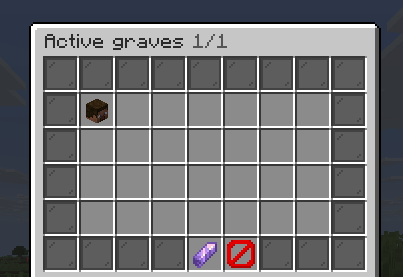
- Supports multiple active graves per player, sorted by remaining lifetime in the info menu.
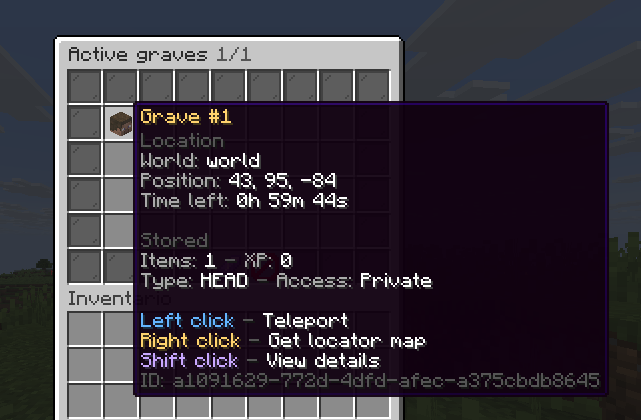
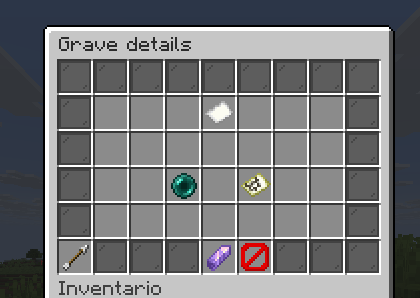
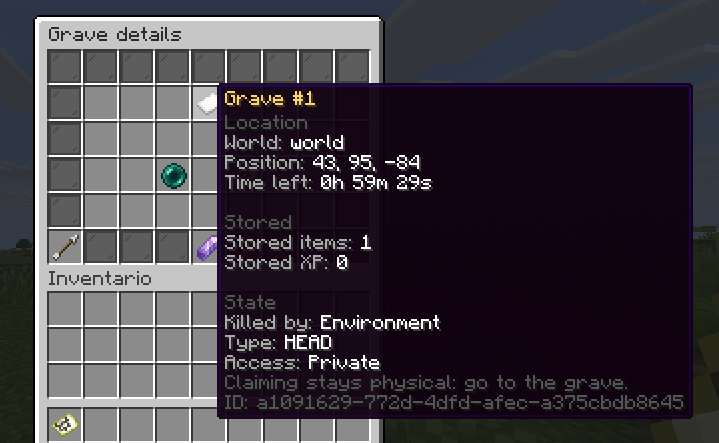
- Opens a GUI with the player's active graves through `/maxgraves info`.
- Shows each grave's world, coordinates, remaining time, and internal grave ID in the info menu.
- Automatically equips recovered armor and off-hand items when the matching equipment slot is empty.
- Drops recovered overflow items at the player when their inventory is full.
- Stores and returns experience when the grave is claimed.
- Removes expired graves automatically after the configured lifetime.
- Removes the owner's locator when the linked grave is claimed or expires.
- Searches nearby blocks for a safe grave position when the exact death location is blocked.
- Supports world blacklists where graves should never be created.
- Respects `keepInventory`; no grave is created when the death event keeps the player's inventory.
- Supports private graves by default.
- Can optionally make graves from player kills public through `grave.access.public-player-kill`.
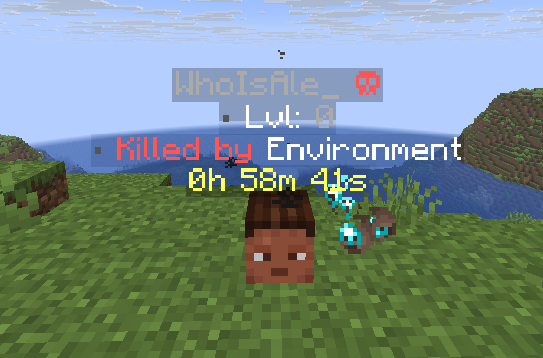
- Detects player killers, projectile killers, tamed entity owners, named mobs, and environmental deaths for hologram placeholders.
- Supports two grave marker modes: player head graves and chest graves.
- Protects grave blocks from normal breaking, explosions, fire, flowing blocks, pistons, and hopper-style item movement.
- Supports configurable holograms with placeholders.
- Supports configurable particles and ambient sounds for head graves.
- Supports configurable claim animations with visual lightning and sound.
- Supports bilingual message files through `general.language` (`en` and `es` are bundled).
- Automatically adds missing keys from bundled YAML files to existing config and language files.
- Supports runtime reload of settings, messages, grave visuals, update checks, and bStats state.
- Includes optional update checks and admin join notifications when a new version is detected.
- Includes optional anonymous bStats metrics.
- Includes death-event debug logging for troubleshooting drop or experience conflicts.
## Requirements
- Java 21.
- A modern Paper/Spigot-compatible server with API version `1. 21`.
- Targets Paper API `26. 1. 2.build. 53-stable`.
# REMEMBER TO CHECK THE WIKI TO STAY UP-TO-DATE ON PERMISSIONS AND COMMANDS
## Commands
The main command is `/maxgraves`.
- `/maxgrave`
- `/mg`
- `/graves`
| Command | Permission | Default | Description | | --- | --- | --- | --- | | `/maxgraves` | None | Everyone | Shows the command usage message. | | `/maxgraves info` | `maxgrave.info` | Everyone | Opens a menu with the player's active graves. Player-only command. | | `/maxgraves reload` | `maxgrave.admin` | Operators | Reloads configuration, messages, grave settings, update checks, and bStats state. |
All aliases support the same subcommands, for example `/mg info` and `/mg reload`.
## Permissions
| Permission | Default | Used for | | --- | --- | --- | | `maxgrave.admin` | `op` | Allows `/maxgraves reload`, receives update notifications on join, and inherits `maxgrave.tp` and `maxgrave.info`. | | `maxgrave.info` | `true` | Allows `/maxgraves info`. | | `maxgrave.tp` | `false` | Allows the owner to teleport to their grave by right clicking a MaxGrave locator map. |
Grave claiming is not controlled by a Bukkit permission. It is controlled by ownership and the configured access policy:
- Owners can claim or open their own graves.
- Non-owners cannot claim private graves.
- If `grave.access.public-player-kill` is enabled, graves created by player kills can be opened or looted by other players.
- Locator maps can only be used by the owner of the linked grave, even when teleport permission is granted.
## Grave Marker Modes
### Head Mode
`grave.marker.type: "HEAD"`
Head graves place a player head marker. This mode supports:
- Holograms.
- Particle effects.
- Ambient grave sound.
- One-click claiming by right clicking or breaking the grave marker.
- Claim animation before rewards are returned.
### Chest Mode
`grave.marker.type: "CHEST"`
Chest graves place
📊 Mod Details
- Game
- Minecraft Plugins
- Author
- ZkAleeJoo
- Version
- 26.2
- Downloads
- 654
- Endorsements
- 3
- Category
- adventure
- Created
- 3/3/2026
- Updated
- 9/10/2026
- Game Versions
- 1.21, 1.21.1, 1.21.2, 1.21.3, 1.21.4
- Tags
- adventure, technology, utility
🔧 How to Install Minecraft Plugins Mods
Download from Modrinth. Use Prism Launcher or drop into your mods folder.
📖 Full step-by-step install guide for Minecraft Plugins →
Visit the official mod page for specific installation instructions for this mod.
🎮 Need cheat codes or console commands? Check ur gaming wiki for Minecraft Plugins commands, item IDs, and more.
❓ Frequently Asked Questions
Which Minecraft Plugins versions does MaxGraves support?
The author lists 1.21, 1.21.1, 1.21.2, 1.21.3, 1.21.4, 1.21.5. Other versions may work but are untested by the author.
What is the latest version of MaxGraves?
Version 26.2, published 2026-09-10 with 654 downloads recorded at the source.
Keep browsing — more Minecraft Plugins mods await