MailBox
🟡 Updated this year🖼️ Gallery (12 images)

🔍 Analysis
- 👍 0.5% endorsement rate
- 🏆 #97 of 169 folia mods in this game by downloads
📋 About This Mod
# MailBox A powerful mail system plugin for Minecraft PaperMC servers that enables players to send and receive messages and items through an intuitive GUI interface with economy integration. ## Version Support Policy | Minecraft Version | Support Status | Notes | |-------------------|------------------------|------------------------| | 26.x | ✅ Main Target | Current target version | | 1.21.6 ~ 1.21.11 | ✅ Supported | support will end by 27.x | | 1.21 ~ 1.21.5 | 🚧 No Longer Supported | Use legacy version | | < 1.20 | ❌ Not Supported | Not compatible | **Support Policy:** - Active support for current Minecraft version and recent minor versions - No support for versions older than 1.20 - Legacy versions available for older servers ## Features - **Intuitive GUI**: User-friendly interface for managing mail and items. - **Economy Integration**: Seamless integration with popular economy plugins for item transactions. - **Customizable Settings**: Flexible configuration options to tailor the plugin to your server's needs ## Installation 1. Download the latest version of MailBox from the (https://modrinth.com/plugin/mailbox) page. 2. Place the downloaded JAR file into your server's `plugins` directory. 3. Restart your server to generate the configuration files. 4. Customize the settings in the generated `config.yml` file as needed. 5. Use the `/mail` command to access the plugin's features and manage your mail. ## Quick Action Press `G` to open the mail dialogue GUI, allowing you to quickly access your inbox and creating new mails without typing commands. ## Commands - `/mail inbox` - Open the mail inbox GUI. - `/sendmail <player>` - Send a mail to another player. - `/mail reload` - Reload the plugin configuration. - `/mail template` - Manage mail templates (admin only). - `/mail template create <name>` - Create a new mail template (admin only). - `/mail template delete <name>` - Delete an existing mail template (admin only). - `/mail template edit <name> <field> <value>` - Edit a mail template field (admin only). - `/mail template edit <name> attachment add <item>` - Add an item attachment to a mail template (admin only). - `/mail template edit <name> attachment delete <item>` - Remove an item attachment from - `/mail template edit <name> attachment list` - List all item attachments in a mail template (admin only). - `/mail template send <player> <template>` - Send a mail using a template (admin only).
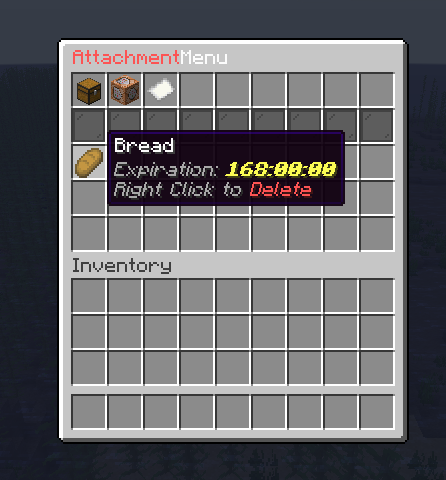
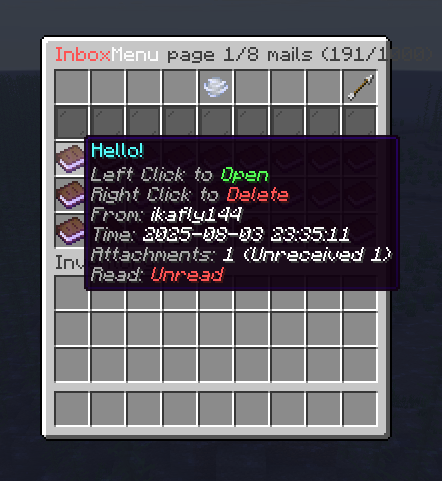
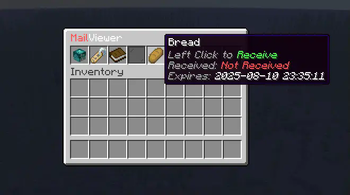
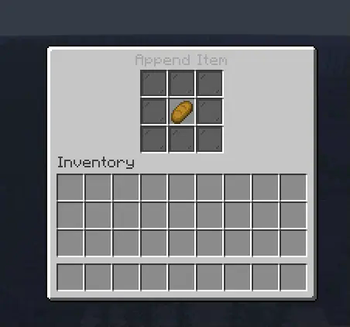
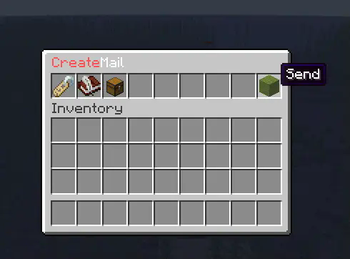
A powerful mail system plugin for Minecraft PaperMC servers that enables players to send and receive messages and items through an intuitive GUI interface with economy integration.
## Version Support Policy
| Minecraft Version | Support Status | Notes | |-------------------|------------------------|------------------------| | 26.x | ✅ Main Target | Current target version | | 1. 21. 6 ~ 1. 21. 11 | ✅ Supported | support will end by 27.x | | 1. 21 ~ 1. 21. 5 | 🚧 No Longer Supported | Use legacy version | | < 1. 20 | ❌ Not Supported | Not compatible |
Support Policy:
- Active support for current Minecraft version and recent minor versions
- No support for versions older than 1. 20
- Legacy versions available for older servers
## Features
- Intuitive GUI: User-friendly interface for managing mail and items.
- Economy Integration: Seamless integration with popular economy plugins for item transactions.
- Customizable Settings: Flexible configuration options to tailor the plugin to your server's needs
## Installation
1. Download the latest version of MailBox from the (https://modrinth.com/plugin/mailbox) page. 2. Place the downloaded JAR file into your server's `plugins` directory. 3. Restart your server to generate the configuration files. 4. Customize the settings in the generated `config.yml` file as needed. 5. Use the `/mail` command to access the plugin's features and manage your mail.
## Quick Action
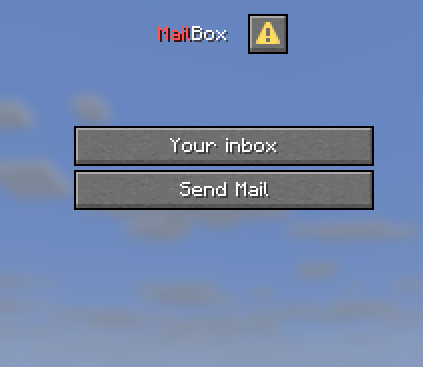
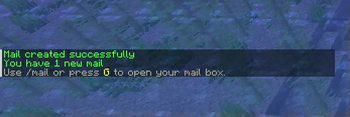
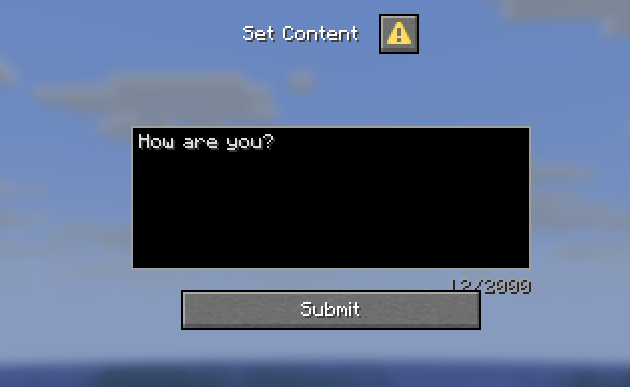
Press `G` to open the mail dialogue GUI, allowing you to quickly access your inbox and creating new mails without typing commands.
## Commands
- `/mail inbox` - Open the mail inbox GUI.
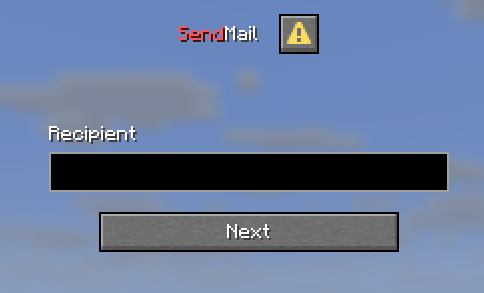
- `/sendmail
` - Send a mail to another player. - `/mail reload` - Reload the plugin configuration.
- `/mail template` - Manage mail templates (admin only).
- `/mail template create
` - Create a new mail template (admin only). - `/mail template delete
` - Delete an existing mail template (admin only). - `/mail template edit
` - Edit a mail template field (admin only). - `/mail template edit
attachment add - ` - Add an item attachment to a mail template (admin only).
- `/mail template edit
attachment delete - ` - Remove an item attachment from
- `/mail template edit
attachment list` - List all item attachments in a mail template (admin only). - `/mail template send
` - Send a mail using a template (admin only).
📊 Mod Details
- Game
- Minecraft Plugins
- Author
- ikafly144
- Version
- 1.1.0
- Downloads
- 2,583
- Endorsements
- 13
- Category
- folia
- Created
- 8/10/2024
- Updated
- 7/6/2026
- Game Versions
- 1.21.6, 1.21.7, 1.21.8, 1.21.9, 1.21.10
- Tags
- game-mechanics, management, social
🔧 How to Install Minecraft Plugins Mods
Download from Modrinth. Use Prism Launcher or drop into your mods folder.
📖 Full step-by-step install guide for Minecraft Plugins →
Visit the official mod page for specific installation instructions for this mod.
🎮 Need cheat codes or console commands? Check ur gaming wiki for Minecraft Plugins commands, item IDs, and more.
❓ Frequently Asked Questions
Which Minecraft Plugins versions does MailBox support?
The author lists 1.21.6, 1.21.7, 1.21.8, 1.21.9, 1.21.10, 1.21.11. Other versions may work but are untested by the author.
What is the latest version of MailBox?
Version 1.1.0, published 2026-07-06 with 2,583 downloads recorded at the source.
Keep browsing — more Minecraft Plugins mods await