JHolograms
🟡 Updated this year🖼️ Gallery (8 images)
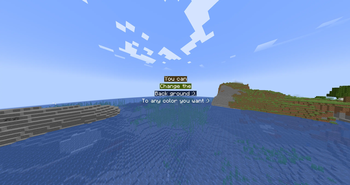
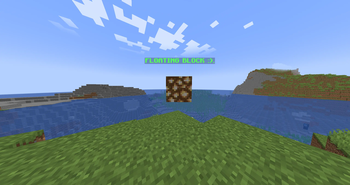
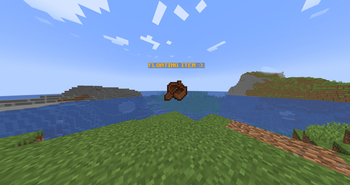
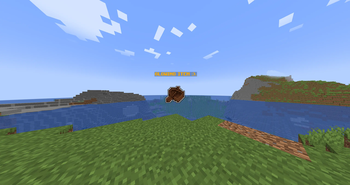
🔍 Analysis
- 🏆 #44 of 55 decoration mods in this game by downloads
📋 About This Mod
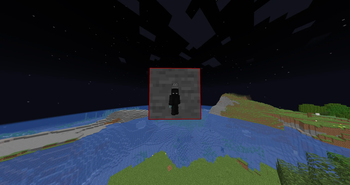
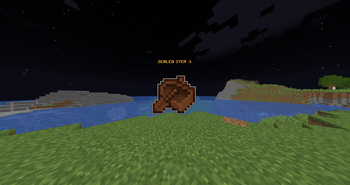
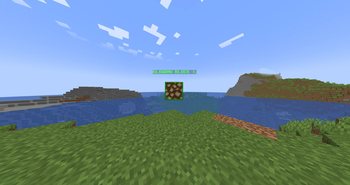
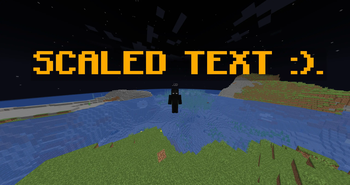
# JHolograms **Advanced holograms built on Minecraft's modern Display entities** no ProtocolLib, no armor stands, no client mods. JHolograms uses the native `TextDisplay`, `ItemDisplay`, and `BlockDisplay` entities introduced in 1.19.4, giving you crisp, lightweight holograms with full control over text, items, blocks, color, animation, and visibility. Built for Paper **1.19.4 through 26.x**, with optional PlaceholderAPI integration. --- ## Features - **Three line types** - stack text, floating items, and floating blocks freely within a single hologram. - **MiniMessage formatting** - full `<gradient>`, `<rainbow>`, and `<#RRGGBB>` hex support, plus classic `&` and `&#RRGGBB` legacy codes. Use whichever you prefer; both work. - **Per-player text** - flag a hologram as per-player and every viewer sees their own copy, with PlaceholderAPI placeholders resolved live for them individually. - **Conditional visibility** - show or hide a hologram per player using permission checks, placeholder comparisons (`%player_level% >= 10`), and `&&` chaining. - **Animation** - cycle text through frames on a configurable tick interval, kept perfectly in sync across all viewers. - **Full transform control** - set scale, rotation, and position on any line. - **Glow** - toggle an entity outline glow with a custom glow color on any line type. - **Text styling** - alignment, background color and opacity, text shadow, and see-through rendering. - **Billboard modes** - `fixed`, `center`, `vertical`, and `horizontal` facing. - **Persistent and safe** - everything is stored in SQLite, entities never save into your world files, and orphaned holograms left behind by a crash are cleaned up automatically on startup. --- ## Formatting examples ``` /jh addline spawn <gradient:#3fe0d0:#ffb454>Welcome to Spawn</gradient> /jh addline spawn <bold><#ffaa00>Limited Offer /jh addline spawn &7Balance: &a$%vault_eco_balance% ``` Gradients and hex colors are rendered so they display correctly across the entire 1.19.4–1.21.x range, with no resource pack required. --- ## Commands All commands run under `/jholo` (aliases `/jh`, `/holo`). Lines are referenced by a zero-based index. | Command | Description | | --- | --- | | `/jh create <name>` | Create a hologram at your location | | `/jh addline <name> <text>` | Add a text line | | `/jh additem <name> <material>` | Add a floating item | | `/jh addblock <name> <material>` | Add a floating block | | `/jh animate <name> <i> <interval> <f1\|f2\|...>` | Animate a text line | | `/jh scale <name> <i> <x> <y> <z>` | Scale a line | | `/jh rotate <name> <i> <x> <y> <z>` | Rotate a line (degrees) | | `/jh glow <name> <i> <true\|false>` | Toggle glow | | `/jh perplayer <name> <true\|false>` | Per-player rendering | | `/jh condition <name> <expression>` | Set visibility condition | ...and many more for backgrounds, opacity, alignment, billboard, view range, line spacing, and editing. Type `/jh help` in game for the full list. --- ## Requirements - **Paper** 1.19.4 – 1.21.x (Display entities are required, so 1.19.4 is the minimum) - **Java 17+** - **PlaceholderAPI** *(optional)* - only needed if you want placeholder support --- ## Permissions - `jholograms.admin` - full access to all hologram management commands (default: op)
# JHolograms
Advanced holograms built on Minecraft's modern Display entities no ProtocolLib, no armor stands, no client mods. JHolograms uses the native `TextDisplay`, `ItemDisplay`, and `BlockDisplay` entities introduced in 1. 19. 4, giving you crisp, lightweight holograms with full control over text, items, blocks, color, animation, and visibility.
Built for Paper 1. 19. 4 through 26.x, with optional PlaceholderAPI integration.
## Features
- Three line types - stack text, floating items, and floating blocks freely within a single hologram.
- MiniMessage formatting - full `
`, ` `, and `<#RRGGBB>` hex support, plus classic `&` and `&#RRGGBB` legacy codes. Use whichever you prefer; both work. - Per-player text - flag a hologram as per-player and every viewer sees their own copy, with PlaceholderAPI placeholders resolved live for them individually.
- Conditional visibility - show or hide a hologram per player using permission checks, placeholder comparisons (`%player_level% >= 10`), and `&&` chaining.
- Animation - cycle text through frames on a configurable tick interval, kept perfectly in sync across all viewers.
- Full transform control - set scale, rotation, and position on any line.
- Glow - toggle an entity outline glow with a custom glow color on any line type.
- Text styling - alignment, background color and opacity, text shadow, and see-through rendering.
- Billboard modes - `fixed`, `center`, `vertical`, and `horizontal` facing.
- Persistent and safe - everything is stored in SQLite, entities never save into your world files, and orphaned holograms left behind by a crash are cleaned up automatically on startup.
## Formatting examples
```
/jh addline spawn
Gradients and hex colors are rendered so they display correctly across the entire 1. 19. 4–1. 21.x range, with no resource pack required.
## Commands
All commands run under `/jholo` (aliases `/jh`, `/holo`). Lines are referenced by a zero-based index.
| Command | Description |
| --- | --- |
| `/jh create
...and many more for backgrounds, opacity, alignment, billboard, view range, line spacing, and editing. Type `/jh help` in game for the full list.
## Requirements
- Paper 1. 19. 4 – 1. 21.x (Display entities are required, so 1. 19. 4 is the minimum)
- Java 17+
- PlaceholderAPI (optional) - only needed if you want placeholder support
## Permissions
- `jholograms.admin` - full access to all hologram management commands (default: op)
📊 Mod Details
- Game
- Minecraft Plugins
- Author
- J2D
- Version
- JoJsFwTu
- Downloads
- 40
- Endorsements
- 1
- Category
- decoration
- Created
- 6/7/2026
- Updated
- 6/6/2026
- Game Versions
- JoJsFwTu
- Tags
- decoration, utility
🔧 How to Install Minecraft Plugins Mods
Download from Modrinth. Use Prism Launcher or drop into your mods folder.
📖 Full step-by-step install guide for Minecraft Plugins →
Visit the official mod page for specific installation instructions for this mod.
🎮 Need cheat codes or console commands? Check ur gaming wiki for Minecraft Plugins commands, item IDs, and more.
❓ Frequently Asked Questions
Which Minecraft Plugins versions does JHolograms support?
The author lists JoJsFwTu. Other versions may work but are untested by the author.
What is the latest version of JHolograms?
Version JoJsFwTu, published 2026-06-06 with 40 downloads recorded at the source.
Keep browsing — more Minecraft Plugins mods await