Insights
🟡 Updated this yearPreview

🔍 Analysis
- 👍 0.9% endorsement rate
- 🏆 #31 of 169 folia mods in this game by downloads
📋 About This Mod
# Insights <div align="center"> <a href="https://github.com/FrankHeijden/Insights/actions"> <img alt="GitHub Actions" src="https://github.com/FrankHeijden/Insights/workflows/Java%20CI%20with%20Gradle/badge.svg?branch=master"/> </a> <a href="https://repo.fvdh.dev/#/releases/dev/frankheijden/insights/Insights"> <img alt="FvdH Repository" src="https://repo.fvdh.dev/api/badge/latest/releases/dev/frankheijden/insights/Insights?color=40c14a&name=fvdh-repository"/> </a> <a href="https://github.com/FrankHeijden/Insights/releases/latest"> <img alt="GitHub Releases" src="https://img.shields.io/github/release/FrankHeijden/Insights.svg?label=GitHub%20Releases&color=40c14a"/> </a> <a href="https://www.spigotmc.org/resources/56489/"> <img alt="Spigot Downloads" src="https://img.shields.io/badge/dynamic/json.svg?color=40c14a&label=Downloads%20%28SpigotMC%29&query=%24.downloads&url=https%3A%2F%2Fapi.spiget.org%2Fv2%2Fresources%2F56489"/> </a> <a href="https://www.spigotmc.org/resources/56489/"> <img alt="Spigot Ratings" src="https://img.shields.io/badge/dynamic/json.svg?color=40c14a&label=Ratings%20%28SpigotMC%29&query=%24.rating.average&suffix=%20%2F%205&url=https%3A%2F%2Fapi.spiget.org%2Fv2%2Fresources%2F56489"/> </a> <a href="https://discord.gg/WJGvzue"> <img alt="Discord" src="https://img.shields.io/discord/580773821745725452.svg?label=&logo=discord&logoColor=ffffff&color=7389D8&labelColor=6A7EC2"/> </a> </div> Insights is a plugin which scans arbitrary regions and applies block limitations on them. Insights' limits are super configurable, allowing for group limits, individual (permission-based) limits, and tile limits. Each limit is able to be bypassed through permissions, which you can customize in the limits configuration. Apart from all placeable materials, Insights also supports the limitation of the following static entities: * Item Frames * Glow Item Frames * Armor Stands * Paintings * End Crystals Insights applies a mapreduce design pattern to perform scans asynchronously, thus keeping the main thread free from counting materials. Insights also provides an extensive developer API to create your own custom defined region addons, or to perform arbitrary scans and process those. For a full description of this plugin, please refer to SpigotMC: https://www.spigotmc.org/resources/56489/ <div align="center" style="margin-top: 16px;"> <a href="https://bstats.org/plugin/bukkit/Insights/7272"> <img alt="bStats" src="https://bstats.org/signatures/bukkit/Insights.svg"> </a> </div> ## Extensions These plugins are extensions on Insights, they must be placed in your `plugins/` folder. * (https://github.com/InsightsPlugin/InsightsWorldEditExtension) - Block materials through WorldEdit modifications. Supports Insights' limits & disallows any placement of limited blocks. ## Addons Addons define regions for Insights to limit blocks in. Instead of a limit per chunk, when a block is placed in such a region, it will first count all blocks in that region, and after enforce limits in that region. Regions are cached to not bother with scans each time a block has been placed. * (https://github.com/InsightsPlugin/BentoBoxAddon/releases) - Limit blocks in your BentoBox world (includes bSkyBlock & AcidIslands) * (https://github.com/InsightsPlugin/GriefPreventionAddon/releases) - Limit blocks in your GriefPrevention claims! * (https://github.com/InsightsPlugin/USkyBlockAddon/releases) - Limit blocks in your USB islands! * (https://github.com/InsightsPlugin/IridiumSkyblockAddon/releases) - Limit blocks in your Iridium islands! * (https://github.com/InsightsPlugin/PlotSquaredAddon/releases) - Limit blocks in your PlotSquared plots! * (https://github.com/InsightsPlugin/SuperiorSkyblock2Addon/releases) - Limit blocks in your SS islands! * (https://github.com/InsightsPlugin/LandsAddon/releases) - Limit blocks in your lands! * (https://github.com/InsightsPlugin/TownyAddon/releases) - Limit blocks in your towns! * (https://github.com/galexrt/InsightsGriefDefenderAddon/releases) by (https://github.com/galexrt) - Limit your GriefDefender claims! ## Compiling Insights There are two ways to compile Insights: ### 1. Installing gradle (recommended) 1. Make sure you have (https://gradle.org/install/) installed. 2. Run the project with `gradle build` to compile it with dependencies. ### 2. Using the wrapper **Windows**: `gradlew.bat build` <br> **Linux/macOS**: `./gradlew build` ## Developer API ### Repository / Dependency If you wish to use snapshot version of Insights, you can use the following repo: ``` https://repo.fvdh.dev/snapshots ``` #### Gradle: ```kotlin repositories { compileOnly("dev.frankheijden.insights:Insights:VERSION") } dependencies { maven("https://rep
# Insights





Insights is a plugin which scans arbitrary regions and applies block limitations on them. Insights' limits are super configurable, allowing for group limits, individual (permission-based) limits, and tile limits. Each limit is able to be bypassed through permissions, which you can customize in the limits configuration.
Apart from all placeable materials, Insights also supports the limitation of the following static entities: Item Frames Glow Item Frames Armor Stands Paintings End Crystals
Insights applies a mapreduce design pattern to perform scans asynchronously, thus keeping the main thread free from counting materials. Insights also provides an extensive developer API to create your own custom defined region addons, or to perform arbitrary scans and process those.
For a full description of this plugin, please refer to SpigotMC: https://www.spigotmc.org/resources/56489/
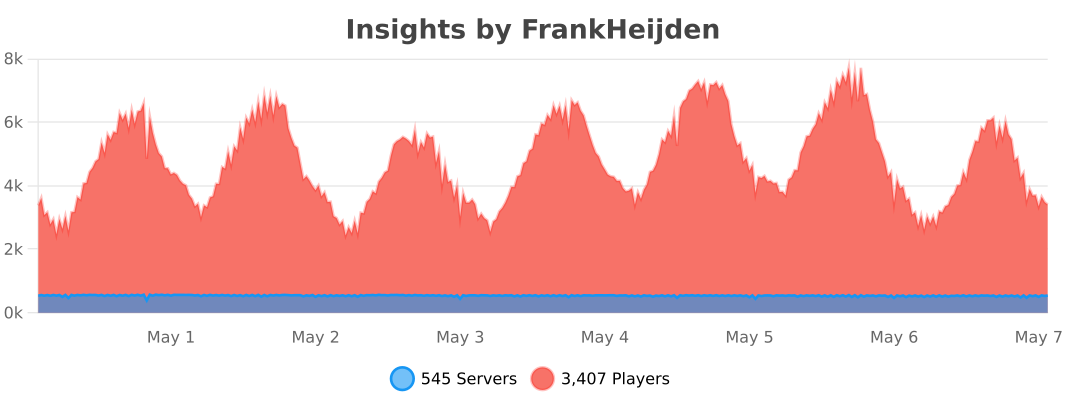
## Extensions These plugins are extensions on Insights, they must be placed in your `plugins/` folder. (https://github.com/InsightsPlugin/InsightsWorldEditExtension) - Block materials through WorldEdit modifications. Supports Insights' limits & disallows any placement of limited blocks.
## Addons Addons define regions for Insights to limit blocks in. Instead of a limit per chunk, when a block is placed in such a region, it will first count all blocks in that region, and after enforce limits in that region. Regions are cached to not bother with scans each time a block has been placed. (https://github.com/InsightsPlugin/BentoBoxAddon/releases) - Limit blocks in your BentoBox world (includes bSkyBlock & AcidIslands) (https://github.com/InsightsPlugin/GriefPreventionAddon/releases) - Limit blocks in your GriefPrevention claims! (https://github.com/InsightsPlugin/USkyBlockAddon/releases) - Limit blocks in your USB islands! (https://github.com/InsightsPlugin/IridiumSkyblockAddon/releases) - Limit blocks in your Iridium islands! (https://github.com/InsightsPlugin/PlotSquaredAddon/releases) - Limit blocks in your PlotSquared plots! (https://github.com/InsightsPlugin/SuperiorSkyblock2Addon/releases) - Limit blocks in your SS islands! (https://github.com/InsightsPlugin/LandsAddon/releases) - Limit blocks in your lands! (https://github.com/InsightsPlugin/TownyAddon/releases) - Limit blocks in your towns! * (https://github.com/galexrt/InsightsGriefDefenderAddon/releases) by (https://github.com/galexrt) - Limit your GriefDefender claims!
## Compiling Insights There are two ways to compile Insights: ### 1. Installing gradle (recommended) 1. Make sure you have (https://gradle.org/install/) installed. 2. Run the project with `gradle build` to compile it with dependencies. ### 2. Using the wrapper Windows: `gradlew.bat build`
Linux/macOS: `./gradlew build`
## Developer API ### Repository / Dependency If you wish to use snapshot version of Insights, you can use the following repo: ``` https://repo.fvdh.dev/snapshots ```
#### Gradle: ```kotlin repositories { compileOnly("dev.frankheijden.insights:Insights:VERSION") }
dependencies { maven("https://rep
📊 Mod Details
- Game
- Minecraft Plugins
- Author
- FrankHeijden
- Version
- 6.22.3
- Downloads
- 13,424
- Endorsements
- 123
- Category
- folia
- Created
- 10/6/2022
- Updated
- 7/8/2026
- Game Versions
- 1.21.11, 26.1.2, 26.2
- Tags
- utility
🔧 How to Install Minecraft Plugins Mods
Download from Modrinth. Use Prism Launcher or drop into your mods folder.
📖 Full step-by-step install guide for Minecraft Plugins →
Visit the official mod page for specific installation instructions for this mod.
🎮 Need cheat codes or console commands? Check ur gaming wiki for Minecraft Plugins commands, item IDs, and more.
❓ Frequently Asked Questions
Which Minecraft Plugins versions does Insights support?
The author lists 1.21.11, 26.1.2, 26.2. Other versions may work but are untested by the author.
What is the latest version of Insights?
Version 6.22.3, published 2026-07-08 with 13,424 downloads recorded at the source.
Keep browsing — more Minecraft Plugins mods await