HereAlky
🟡 Updated this year🖼️ Gallery (3 images)
🔍 Analysis
- 🏆 #142 of 599 bukkit mods in this game by downloads
📋 About This Mod
# HereAlky A premium (https://papermc.io) Minecraft plugin for **automated potion brewing** — systematically fill water bottles, feed ingredients sequentially, manage multi-stage in-place brewing, and harvest completed potions while gaining Vanilla and AuraSkills Alchemy experience! --- ## Features - **Automated In-Place Multi-Stage Brewing**: - Automatically handles the entire brewing pipeline directly within your registered brewing stands. - Takes empty glass bottles, fills them at your mapped water source, and loads them into stands. - Sequentially feeds Stage 1, Stage 2, and Stage 3 ingredients into stands. - Monitors brewing completions using the Spigot `BrewEvent` to advance to the next ingredient automatically. - **Flexible Bounding Stand Selection**: - Define a 3D region (Point A & Point B bounding box) surrounding one or more brewing stands. - The plugin automatically registers all stands in the selection, allowing high-throughput parallel batch processing. - **Dynamic Potion Recipes GUI**: - Interactive double-chest (54 slots) recipe configuration GUI (`/ha config`). - **Dynamic Stained Glass Background Indicators**: Directly beneath each potion item, a stained glass indicator displays availability based on your active inventory items: * **`GRAY_STAINED_GLASS_PANE`** (Available): You have all necessary ingredients. * **`RED_STAINED_GLASS_PANE`** (Missing): At least one ingredient is missing. - Hover tooltips provide a complete green/red list of what is in your inventory. - **Resilient Fuel-Aware Handling**: - The plugin obeys vanilla physics and does not automate fuel; players must manually supply Blaze Powder in slot 4. - **Smart Fuel Checks**: If a stand runs out of Blaze Powder, the automation loop gracefully **skips** it and continues processing other fueled stands. - **Graceful Auto-Stopping**: - Automatically shuts down the active brewing run and notifies the player via chat if they deplete bottles, run out of recipe ingredients, or if the Output Box becomes full. - **Multi-Stage Experience (Vanilla, AuraSkills & HereRolePlay)**: - Connects optionally with AuraSkills' Alchemy skill and HereRolePlay. - Awards Vanilla Brewing XP, AuraSkills Alchemy XP, and HereRolePlay Craft XP **immediately at every completed stage** (Stage 1 completion, Stage 2 completion, and Stage 3 completion) rather than only on final box deposit. - Experience gains automatically respect active player Wisdom statistics and leveling multipliers! --- ## Commands All commands can be run with `/ha` or `/alky` instead of `/herealky`. | Command | Description | Permission | |---------|-------------|------------| | `/herealky start` (or `/ha start`) | Scans your bounding box, registers stands, and starts active batch-brewing | `herealky.use` | | `/herealky stop` (or `/ha stop`) | Stops the active brewing batch or setup wizard | `herealky.use` | | `/herealky select` (or `/ha select`) | Toggles selection mode (use Empty Glass Bottle to set Point A & Point B stand boundaries) | `herealky.use` | | `/herealky config` (or `/ha config`) | Opens the potion recipe configurations and dynamic checklist GUI | `herealky.config` | | `/herealky setup` (or `/ha setup`) | Runs the 4-step wizard to map out containers and water source locations | `herealky.setup` | | `/herealky info` (or `/ha info`) | Displays your Alchemy levels, active recipes, and physical mapping slots | `herealky.use` | --- ## Permissions | Permission | Description | Default | |------------|-------------|---------| | `herealky.use` | Allows use of `/herealky` commands | `true` | | `herealky.setup` | Allows use of the setup wizard | `true` | | `herealky.config` | Allows use of the config GUI | `true` | --- ## How to Use ### 1. Station Setup 1. Hold an **Empty Glass Bottle** in your main hand. 2. Run `/ha setup` to initiate the mapping wizard. 3. Follow the chat instructions: * **Step 1**: Right-Click the **Ingredient Box** (chest/barrel where all ingredients are stored). * **Step 2**: Right-Click the **Empty Bottle Box** (chest where empty glass bottles are stored). * **Step 3**: Right-Click the **Output Box** (chest where finished potions are deposited). * **Step 4**: Right-Click the **Water Source** (water block, waterlogged block, or cauldron; smart scan detects adjacent blocks). 4. Setup is complete! Configurations are saved under `setup-configs/{playerId}.yml`. ### 2. Recipe & Stands Configuration 1. Run `/ha config` to open the recipe menu. 2. Click on a potion recipe to select it. Hovering over status glass panes shows your available/missing ingredient checks. 3. Run `/ha select` to enable tool selection mode. 4. Sneak-Right-Click a block with an Empty Glass Bottle to set **Bounding Point A**. 5. Normal Right-Click a block to set **Bounding Point B** (ensure the region covers all brewing stands you want to use). ### 3. Start Batch Brewing 1. Put all recipe ingredients in the mapped Ingredien
A premium (https://papermc.io) Minecraft plugin for automated potion brewing — systematically fill water bottles, feed ingredients sequentially, manage multi-stage in-place brewing, and harvest completed potions while gaining Vanilla and AuraSkills Alchemy experience!
## Features
- Automated In-Place Multi-Stage Brewing:
- - Automatically handles the entire brewing pipeline directly within your registered brewing stands.
- - Takes empty glass bottles, fills them at your mapped water source, and loads them into stands.
- - Sequentially feeds Stage 1, Stage 2, and Stage 3 ingredients into stands.
- - Monitors brewing completions using the Spigot `BrewEvent` to advance to the next ingredient automatically.
- Flexible Bounding Stand Selection:
- - Define a 3D region (Point A & Point B bounding box) surrounding one or more brewing stands.
- - The plugin automatically registers all stands in the selection, allowing high-throughput parallel batch processing.
- Dynamic Potion Recipes GUI:
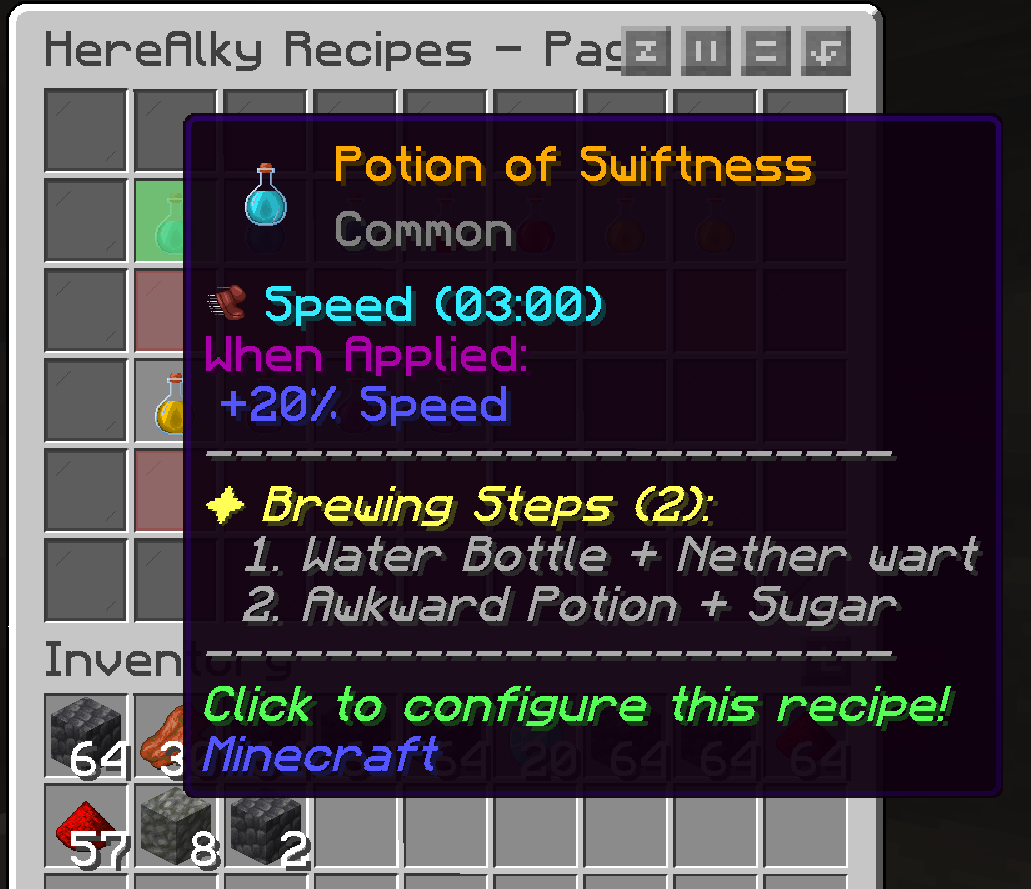
- - Interactive double-chest (54 slots) recipe configuration GUI (`/ha config`).
- - Dynamic Stained Glass Background Indicators: Directly beneath each potion item, a stained glass indicator displays availability based on your active inventory items:
- `GRAY_STAINED_GLASS_PANE` (Available): You have all necessary ingredients.
- `RED_STAINED_GLASS_PANE` (Missing): At least one ingredient is missing.
- - Hover tooltips provide a complete green/red list of what is in your inventory.
- Resilient Fuel-Aware Handling:
- - The plugin obeys vanilla physics and does not automate fuel; players must manually supply Blaze Powder in slot 4.
- - Smart Fuel Checks: If a stand runs out of Blaze Powder, the automation loop gracefully skips it and continues processing other fueled stands.
- Graceful Auto-Stopping:
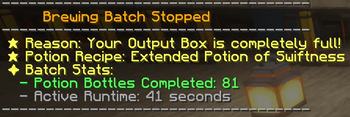
- - Automatically shuts down the active brewing run and notifies the player via chat if they deplete bottles, run out of recipe ingredients, or if the Output Box becomes full.
- Multi-Stage Experience (Vanilla, AuraSkills & HereRolePlay):
- - Connects optionally with AuraSkills' Alchemy skill and HereRolePlay.
- - Awards Vanilla Brewing XP, AuraSkills Alchemy XP, and HereRolePlay Craft XP immediately at every completed stage (Stage 1 completion, Stage 2 completion, and Stage 3 completion) rather than only on final box deposit.
- - Experience gains automatically respect active player Wisdom statistics and leveling multipliers!
## Commands
All commands can be run with `/ha` or `/alky` instead of `/herealky`.
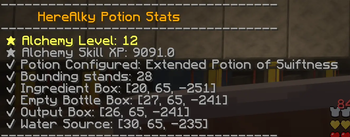
| Command | Description | Permission | |---------|-------------|------------| | `/herealky start` (or `/ha start`) | Scans your bounding box, registers stands, and starts active batch-brewing | `herealky.use` | | `/herealky stop` (or `/ha stop`) | Stops the active brewing batch or setup wizard | `herealky.use` | | `/herealky select` (or `/ha select`) | Toggles selection mode (use Empty Glass Bottle to set Point A & Point B stand boundaries) | `herealky.use` | | `/herealky config` (or `/ha config`) | Opens the potion recipe configurations and dynamic checklist GUI | `herealky.config` | | `/herealky setup` (or `/ha setup`) | Runs the 4-step wizard to map out containers and water source locations | `herealky.setup` | | `/herealky info` (or `/ha info`) | Displays your Alchemy levels, active recipes, and physical mapping slots | `herealky.use` |
## Permissions
| Permission | Description | Default | |------------|-------------|---------| | `herealky.use` | Allows use of `/herealky` commands | `true` | | `herealky.setup` | Allows use of the setup wizard | `true` | | `herealky.config` | Allows use of the config GUI | `true` |
## How to Use
### 1. Station Setup 1. Hold an Empty Glass Bottle in your main hand. 2. Run `/ha setup` to initiate the mapping wizard. 3. Follow the chat instructions: Step 1: Right-Click the Ingredient Box (chest/barrel where all ingredients are stored). Step 2: Right-Click the Empty Bottle Box (chest where empty glass bottles are stored). Step 3: Right-Click the Output Box (chest where finished potions are deposited). Step 4: Right-Click the Water Source (water block, waterlogged block, or cauldron; smart scan detects adjacent blocks). 4. Setup is complete! Configurations are saved under `setup-configs/{playerId}.yml`.
### 2. Recipe & Stands Configuration 1. Run `/ha config` to open the recipe menu. 2. Click on a potion recipe to select it. Hovering over status glass panes shows your available/missing ingredient checks. 3. Run `/ha select` to enable tool selection mode. 4. Sneak-Right-Click a block with an Empty Glass Bottle to set Bounding Point A. 5. Normal Right-Click a block to set Bounding Point B (ensure the region covers all brewing stands you want to use).
### 3. Start Batch Brewing 1. Put all recipe ingredients in the mapped Ingredien
📊 Mod Details
- Game
- Minecraft Plugins
- Author
- Merlointhesky
- Version
- 1.2.2
- Downloads
- 27
- Endorsements
- 0
- Category
- bukkit
- Created
- 6/18/2026
- Updated
- 6/18/2026
- Game Versions
- 1.21, 1.21.1, 1.21.2, 1.21.3, 1.21.4
- Tags
- game-mechanics, management, utility
🔧 How to Install Minecraft Plugins Mods
Download from Modrinth. Use Prism Launcher or drop into your mods folder.
📖 Full step-by-step install guide for Minecraft Plugins →
Visit the official mod page for specific installation instructions for this mod.
🎮 Need cheat codes or console commands? Check ur gaming wiki for Minecraft Plugins commands, item IDs, and more.
❓ Frequently Asked Questions
Which Minecraft Plugins versions does HereAlky support?
The author lists 1.21, 1.21.1, 1.21.2, 1.21.3, 1.21.4, 1.21.5. Other versions may work but are untested by the author.
What is the latest version of HereAlky?
Version 1.2.2, published 2026-06-18 with 27 downloads recorded at the source.
Keep browsing — more Minecraft Plugins mods await