Fill Hole
🟡 Updated this year🖼️ Gallery (2 images)

🔍 Analysis
- 👍 0.3% endorsement rate
- 🏆 #7 of 13 optimization mods in this game by downloads
📋 About This Mod
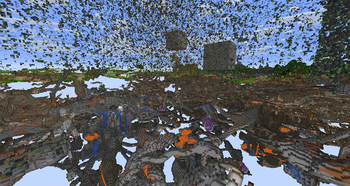
# Fill Hole Plugin **Fill Hole** is a Minecraft plugin designed to efficiently fill holes in a selected region. It integrates with **WorldEdit** and leverages the **FAWE API** for optimal performance. ## Main Command ### `/fillhole <pattern>` This command detects and fills holes in the selected region with the specified pattern. - **Usage**: Select a region using WorldEdit, then execute the command with a pattern (e.g., `stone`, `dirt`, or combinations like `stone,dirt`). - **Undoable**: Changes made by the command can be reverted using WorldEdit's **undo** command. - **Task-Based Execution**: Uses Bukkit tasks to handle large regions without crashing. - **Progress Bar**: Displays completion status while filling holes. You can also use the alias `/fh`. ## Extend Cuboid Selection You can extend a WorldEdit selection when you hold the WorldEdit wand, it works like the Axiom's selection. ### `/extendsel <enable | disable>` The command allow to enable/disable the extending selection features ## New Masks ### `#translucent` Filters out translucent blocks when selecting terrain. ### `#full_cube` Filters blocks to include only full cubes, useful for terrain cleanup. These masks are useful when starting **Terraforming** or fixing broken terrain. --- ## Configuration ### `max_selection_size` (default: **10,000,000**) Defines the maximum allowed selection size. ### `reload_delay` (default: **5 minutes**) Controls how often the configuration auto-reloads. ### Task Control Settings These options optimize performance by controlling processing cycles: - `fill_hole_processed_cycle` - `fill_hole_tick_cycle` - `task_bar_delay` ### `tag.disable_extend_selection` (default: **fillhole_disable_extend_sel**) You can modify the tag that disable the extending selection features option with this option --- ## Installation ### Requirements - **Minecraft Paper Server**: Version **1.20.6 or later**. - **FAWE (Fast Async WorldEdit)**: Ensure **FAWE** is installed. ### Steps 1. Download the `.jar` file from (https://modrinth.com/plugin/fill-hole/versions). 2. Place the file in your server’s `plugins` folder. 3. Restart your server. --- ## Permissions - **`fillhole.use`**: Required to execute the `/fillhole` command. Players without this permission will receive an error message. --- ## Useful Links - **Issue Tracker**: (https://github.com/Nacharon/Fill-Hole/issues). - **Source Code**: (https://github.com/Nacharon/Fill-Hole/). - **Releases**: (https://modrinth.com/plugin/fill-hole/versions). --- ## Author Developed by **Nacharon**. For questions or support, please use the **issue tracker**.
# Fill Hole Plugin
Fill Hole is a Minecraft plugin designed to efficiently fill holes in a selected region. It integrates with WorldEdit and leverages the FAWE API for optimal performance.
## Main Command
### `/fillhole
This command detects and fills holes in the selected region with the specified pattern.
- Usage: Select a region using WorldEdit, then execute the command with a pattern (e.g., `stone`, `dirt`, or combinations like `stone,dirt`).
- Undoable: Changes made by the command can be reverted using WorldEdit's undo command.
- Task-Based Execution: Uses Bukkit tasks to handle large regions without crashing.
- Progress Bar: Displays completion status while filling holes.
You can also use the alias `/fh`.
## Extend Cuboid Selection
You can extend a WorldEdit selection when you hold the WorldEdit wand, it works like the Axiom's selection.
### `/extendsel
The command allow to enable/disable the extending selection features
## New Masks
### `#translucent`
Filters out translucent blocks when selecting terrain.
### `#full_cube`
Filters blocks to include only full cubes, useful for terrain cleanup.
These masks are useful when starting Terraforming or fixing broken terrain.
## Configuration
### `max_selection_size` (default: 10,000,000)
Defines the maximum allowed selection size.
### `reload_delay` (default: 5 minutes)
Controls how often the configuration auto-reloads.
### Task Control Settings
These options optimize performance by controlling processing cycles:
- `fill_hole_processed_cycle`
- `fill_hole_tick_cycle`
- `task_bar_delay`
### `tag.disable_extend_selection` (default: fillhole_disable_extend_sel)
You can modify the tag that disable the extending selection features option with this option
## Installation
### Requirements
- Minecraft Paper Server: Version 1. 20. 6 or later.
- FAWE (Fast Async WorldEdit): Ensure FAWE is installed.
1. Download the `.jar` file from (https://modrinth.com/plugin/fill-hole/versions). 2. Place the file in your server’s `plugins` folder. 3. Restart your server.
## Permissions
- `fillhole.use`: Required to execute the `/fillhole` command.
- Players without this permission will receive an error message.
## Useful Links
- Issue Tracker: (https://github.com/Nacharon/Fill-Hole/issues).
- Source Code: (https://github.com/Nacharon/Fill-Hole/).
- Releases: (https://modrinth.com/plugin/fill-hole/versions).
Developed by Nacharon. For questions or support, please use the issue tracker.
📊 Mod Details
- Game
- Minecraft Plugins
- Author
- Nacharon
- Version
- 1.4.0
- Downloads
- 699
- Endorsements
- 2
- Category
- optimization
- Created
- 1/20/2025
- Updated
- 6/11/2026
- Game Versions
- 1.21.5, 1.21.6, 1.21.7, 1.21.8, 1.21.9
- Tags
- optimization, utility
🔧 How to Install Minecraft Plugins Mods
Download from Modrinth. Use Prism Launcher or drop into your mods folder.
📖 Full step-by-step install guide for Minecraft Plugins →
Visit the official mod page for specific installation instructions for this mod.
🎮 Need cheat codes or console commands? Check ur gaming wiki for Minecraft Plugins commands, item IDs, and more.
❓ Frequently Asked Questions
Which Minecraft Plugins versions does Fill Hole support?
The author lists 1.21.5, 1.21.6, 1.21.7, 1.21.8, 1.21.9, 1.21.10. Other versions may work but are untested by the author.
What is the latest version of Fill Hole?
Version 1.4.0, published 2026-06-11 with 699 downloads recorded at the source.
Keep browsing — more Minecraft Plugins mods await