EnchantShop
🟠 Updated over a year ago🖼️ Gallery (1 images)
🔍 Analysis
- 🏆 #11 of 92 equipment mods in this game by downloads
📋 About This Mod
# EnchantShop A complete enchanting system with a GUI shop, a high-stakes enchantment gambler, a disenchanter, and powerful admin tools. !(https://cdn.modrinth.com/data/cached_images/d41c85f9d9e28396f458e50b036badd274a3032e.png) (https://img.shields.io/badge/Requires-Vault-yellow?style=for-the-badge)](https://www.spigotmc.org/resources/vault.34315/) (https://img.shields.io/badge/Built%20For-Paper%201.21+-blue?style=for-the-badge)](https://papermc.io/) After a long battle with the code demons, EnchantShop has emerged victorious! This plugin provides a seamless way for your players to spend their hard-earned in-game money to get the exact enchantments they want, bypassing the randomness of the vanilla enchanting table. (YES I'M PUTTING THIS BECAUSE THIS IS MY FIRST PLUGIN AND I WANT TO SHOW YOU HOW HARD IT WAS) --- ## Features ✨ - **NEW! Enchantment Gambler:** A high-stakes "double or nothing" system! Players can wager the existing enchantments on an item for a chance to win a new random enchant, but risk losing them all if the gamble fails! - **Intuitive GUI Menu (`/eshop`):** A main menu lets players choose between the classic, safe Enchant Shop and the risky new Gambler. - **Enchanted Book Support:** The shop works for both enchanting items directly and creating tradable Enchanted Books. - **Disenchanting System (`/disenchant`):** A separate GUI allows players to remove enchantments for a configurable refund. - **Powerful Admin Tools:** - `/enchanter <player> <enchant> <level>`: Instantly apply any enchant. - `/eshop reload`: Reload the config on the fly. - **Deep Configuration:** Control everything from costs, gamble chances, blacklisted enchants, and max level overrides to all messages and sounds. --- ## Installation ⚙️ **Important:** If updating from a previous version, you **must delete your old `config.json`** to allow the new gambling settings to generate. 1. **Stop your server.** 2. Download the latest `EnchantShop.jar` from the Modrinth page. 3. **Install the dependencies:** You must have (https://www.spigotmc.org/resources/vault.34315/) and an economy plugin (like (https://essentialsx.net/)) installed. 4. Place all `.jar` files into your server's `/plugins` folder. 5. **Start your server** to generate the new `config.json`. 6. Edit the `config.json` to your liking, then use `/eshop reload`! --- ## How to Use 🎮 **For Players:** - `/eshop`: Hold an item to open the main menu, then choose "Enchant Item" or "Gamble Item". - `/disenchant`: Hold an enchanted item to open the disenchanting menu. **For Admins:** - `/eshop reload`: Reloads the configuration file. - `/enchanter <player> <enchant> <level>`: Gives an enchant to a player. --- ## Configuration 🔧 You can configure every aspect of the shop in the `plugins/EnchantShop/config.json` file. The file is automatically generated with sane defaults. ```json { "costFormula": "base_cost * (level * level)", "enchantmentBaseCosts": { "minecraft:sharpness": 1000.0, "minecraft:mending": 10000.0 }, "mainMenuTitle": "&8Main Menu", "successSound": "ENTITY_PLAYER_LEVELUP", "failSound": "ENTITY_VILLAGER_NO", "gambleTickSound": "BLOCK_NOTE_BLOCK_HAT", "gambleWinSound": "ENTITY_FIREWORK_ROCKET_TWINKLE", "gambleLoseSound": "ENTITY_VILLAGER_DEATH", "gambleDoubleSound": "UI_TOAST_CHALLENGE_COMPLETE", "gambleChanceToWinPercent": 50, "gambleChanceForSecondEnchantPercent": 20, "messages": { "prefix": "&8 &r", "gamble_no_enchants": "&cThe item you are holding must have at least one enchantment to gamble!", "gamble_win": "&a&lVICTORY! &fYour item has been enchanted with &e{enchant} {level}&f!", "gamble_win_extra": "&6&lJACKPOT! &fYou won an &eEXTRA&f random enchantment!", "gamble_lose": "&c&lDEFEAT! &fAll enchantments on your item have been &cWIPED&f!" }, "perEnchantPermissions": false, "enchantmentBlacklist": , "maxLevelOverrides": {}, "disenchantRefundPercentage": 50.0 } ``` --- ## Permissions 🛡️ EnchantShop has a robust permission system for ultimate control. - **`enchantshop.disenchant`**: Allows use of the `/disenchant` command. (Default: true) - **`enchantshop.reload`**: Allows use of the `/eshop reload` subcommand. (Default: op) - **`enchantshop.enchanter`**: Allows use of the `/enchanter` admin command. (Default: op) - **`enchantshop.buy.<enchant_name>`**: Required to buy an enchant if `perEnchantPermissions` is enabled. - **`enchantshop.admin`**: A parent node that grants all administrative permissions. --- ## Join Our Community! 💬 Have a question, a suggestion, or just want to hang out? Join the official Duckalds' Mods Discord server! Click the banner below to join. (https://discord.com/api/guilds/1399734531719692318/widget.png?style=banner2)](https://discord.gg/pWMgxggj)
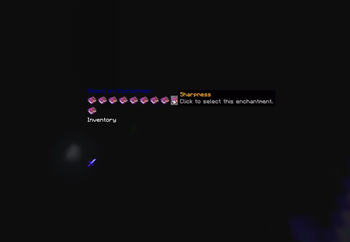
# EnchantShop A complete enchanting system with a GUI shop, a high-stakes enchantment gambler, a disenchanter, and powerful admin tools.
!(https://cdn.modrinth.com/data/cached_images/d41c85f9d9e28396f458e50b036badd274a3032e.png)
[!(https://img.shields.io/badge/Requires-Vault-yellow?style=for-the-badge)](https://www.spigotmc.org/resources/vault. 34315/) [!(https://img.shields.io/badge/Built%20For-Paper%201. 21+-blue?style=for-the-badge)](https://papermc.io/)
After a long battle with the code demons, EnchantShop has emerged victorious! This plugin provides a seamless way for your players to spend their hard-earned in-game money to get the exact enchantments they want, bypassing the randomness of the vanilla enchanting table. (YES I'M PUTTING THIS BECAUSE THIS IS MY FIRST PLUGIN AND I WANT TO SHOW YOU HOW HARD IT WAS)
## Features ✨
- NEW! Enchantment Gambler: A high-stakes "double or nothing" system! Players can wager the existing enchantments on an item for a chance to win a new random enchant, but risk losing them all if the gamble fails!
- Intuitive GUI Menu (`/eshop`): A main menu lets players choose between the classic, safe Enchant Shop and the risky new Gambler.
- Enchanted Book Support: The shop works for both enchanting items directly and creating tradable Enchanted Books.
- Disenchanting System (`/disenchant`): A separate GUI allows players to remove enchantments for a configurable refund.
- Powerful Admin Tools:
- - `/enchanter
`: Instantly apply any enchant. - - `/eshop reload`: Reload the config on the fly.
- Deep Configuration: Control everything from costs, gamble chances, blacklisted enchants, and max level overrides to all messages and sounds.
## Installation ⚙️
1. Stop your server. 2. Download the latest `EnchantShop.jar` from the Modrinth page. 3. Install the dependencies: You must have (https://www.spigotmc.org/resources/vault. 34315/) and an economy plugin (like (https://essentialsx.net/)) installed. 4. Place all `.jar` files into your server's `/plugins` folder. 5. Start your server to generate the new `config.json`. 6. Edit the `config.json` to your liking, then use `/eshop reload`!
## How to Use 🎮
For Players: - `/eshop`: Hold an item to open the main menu, then choose "Enchant Item" or "Gamble Item". - `/disenchant`: Hold an enchanted item to open the disenchanting menu.
For Admins:
- `/eshop reload`: Reloads the configuration file.
- `/enchanter
## Configuration 🔧
You can configure every aspect of the shop in the `plugins/EnchantShop/config.json` file. The file is automatically generated with sane defaults.
```json { "costFormula": "base_cost (level level)", "enchantmentBaseCosts": { "minecraft:sharpness": 1000. 0, "minecraft:mending": 10000. 0 }, "mainMenuTitle": "&8Main Menu", "successSound": "ENTITY_PLAYER_LEVELUP", "failSound": "ENTITY_VILLAGER_NO", "gambleTickSound": "BLOCK_NOTE_BLOCK_HAT", "gambleWinSound": "ENTITY_FIREWORK_ROCKET_TWINKLE", "gambleLoseSound": "ENTITY_VILLAGER_DEATH", "gambleDoubleSound": "UI_TOAST_CHALLENGE_COMPLETE", "gambleChanceToWinPercent": 50, "gambleChanceForSecondEnchantPercent": 20, "messages": { "prefix": "&8[&6EnchantShop&8] &r", "gamble_no_enchants": "&cThe item you are holding must have at least one enchantment to gamble!", "gamble_win": "&a&lVICTORY! &fYour item has been enchanted with &e{enchant} {level}&f!", "gamble_win_extra": "&6&lJACKPOT! &fYou won an &eEXTRA&f random enchantment!", "gamble_lose": "&c&lDEFEAT! &fAll enchantments on your item have been &cWIPED&f!" }, "perEnchantPermissions": false, "enchantmentBlacklist": [ "minecraft:binding_curse" ], "maxLevelOverrides": {}, "disenchantRefundPercentage": 50. 0 } ```
## Permissions 🛡️
EnchantShop has a robust permission system for ultimate control.
- `enchantshop.disenchant`: Allows use of the `/disenchant` command. (Default: true)
- `enchantshop.reload`: Allows use of the `/eshop reload` subcommand. (Default: op)
- `enchantshop.enchanter`: Allows use of the `/enchanter` admin command. (Default: op)
- `enchantshop.buy.
` : Required to buy an enchant if `perEnchantPermissions` is enabled. - `enchantshop.admin`: A parent node that grants all administrative permissions.
## Join Our Community! 💬
Have a question, a suggestion, or just want to hang out? Join the official Duckalds' Mods Discord server! Click the banner below to join.
[!(https://discord.com/api/guilds/1399734531719692318/widget.png?style=banner2)](https://discord.gg/pWMgxggj)
📊 Mod Details
- Game
- Minecraft Plugins
- Author
- Vxie
- Version
- 3.0.0
- Downloads
- 322
- Endorsements
- 1
- Category
- equipment
- Created
- 8/21/2025
- Updated
- 8/23/2025
- Game Versions
- 1.21, 1.21.1, 1.21.2, 1.21.3, 1.21.4
- Tags
- equipment
🔧 How to Install Minecraft Plugins Mods
Download from Modrinth. Use Prism Launcher or drop into your mods folder.
📖 Full step-by-step install guide for Minecraft Plugins →
Visit the official mod page for specific installation instructions for this mod.
🎮 Need cheat codes or console commands? Check ur gaming wiki for Minecraft Plugins commands, item IDs, and more.
❓ Frequently Asked Questions
Which Minecraft Plugins versions does EnchantShop support?
The author lists 1.21, 1.21.1, 1.21.2, 1.21.3, 1.21.4, 1.21.5. Other versions may work but are untested by the author.
What is the latest version of EnchantShop?
Version 3.0.0, published 2025-08-23 with 322 downloads recorded at the source.
Keep browsing — more Minecraft Plugins mods await