DupePlus
🟡 Updated this year🖼️ Gallery (4 images)
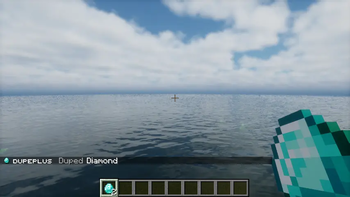
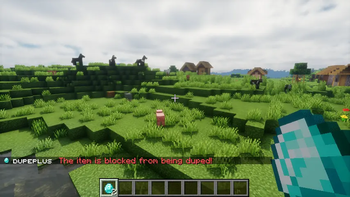
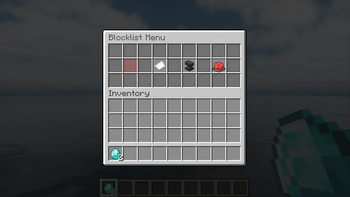
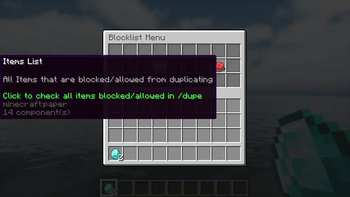
🔍 Analysis
- 👍 0.1% endorsement rate
- 🏆 #176 of 1560 bukkit mods in this game by downloads
📋 About This Mod
<center><img src="https://cdn.modrinth.com/data/cached_images/c37c728a99ba59a425ff67a8992354ca5368f1d2.png" alt="DupePlus Icon"></center> <br/> <center> <a href="https://github.com/meme20200/dupeplus"> <img src="https://github.com/intergrav/devins-badges/raw/refs/heads/v3/assets/cozy/available/github_vector.svg" alt="GitHub"> </a> <a href="https://bstats.org/plugin/bukkit/DupePlus/18772"> <img src="https://github.com/intergrav/devins-badges/raw/refs/heads/v3/assets/cozy/available/bstats_vector.svg" alt="bStats"> </a> <a href="https://github.com/meme20200/dupeplus/issues"> <img src="https://github.com/intergrav/devins-badges/raw/refs/heads/v3/assets/cozy/documentation/issues_vector.svg" alt="Issues"> </a> </center> <br/> > (https://github.com/meme20200/dupeplus/issues/new/choose) > > or (https://github.com/meme20200/dupeplus/issues) # <center>DupePlus</center> The best duplication plugin for your Dupe server. DupePlus is a fully modular plugin that allows you to turn off/on any feature that you desire! DupePlus also provides you with a user-friendly configuration with comments that help you understand what each section means in the YML. It will also make your survival easier just by duplicating. Just send "/dupe" in chat! ## <center>Setup Guide</center> ### 1. Installation Download the plugin from the First Version in the Featured Versions or from the Versions Tab, then click Download and upload it to the `/plugins` folder in your Minecraft Server Files. ### 2. Configuration The config file will be placed in the `/plugins/DupePlus` folder in your Minecraft Server Files. Previous config versions will be renamed to old.config.yml or deleted. If you ever manage to break the `config.yml` or accidentally erase it. Then here is the default `config.yml` <details> <summary>config.yml</summary> ```yml # DupePlus's Settings # Message Variables: # <item_type> = The Duplicated item # <item_name> = The Item's Display Name # <old_item_count> = The Item Count before dupe # <new_item_count> = The Item Count after dupe # <item_count> = Item Count # <prefix> = The default prefix or the prefix you set # <max> = The maximum # <min> = The minimum # <world> = The world name # <link> = Where you can download the new version # <currentversion> = The current version installed in the server. # <newversion> = The new version # Use this website to help you customize your messages # https://webui.advntr.dev # If you want to request a feature or notice any issues with the Plugin. Then create an issue in the GitHub Repository. # https://github.com/meme20200/dupeplus/issues dupe: # The prefix that is added before each message. prefix: "<green>DupePlus</green> <dark_gray>|</dark_gray>" # Make it false to let everyone allowed to use this command (Default: false) # Permission: dupeplus.dupe permission: false # Settings to change the Dupe Command into a Custom command. custom-command: # Make it false to disable the custom command, make it true to enable it. (Default: false) enabled: false # The name used to create the custom command (Default: "dupe") # /<name> name: "dupe" # Other ways of using /dupe aliases: # The message sent to the player when try to execute dupe or reloadconfig no permission (Only if the above is true) (Default: "<prefix> <dark_gray>|</dark_gray> <red>You are not allowed to use this command</red>") # Allowed Message Variables: <prefix> # Leave blank for no message permission-message: "<prefix> <red>You are not allowed to use this command</red>" # The message sent to the player when you duplicate an item. (Default: "<prefix> <dark_gray>|</dark_gray> <gray>Duped <item_name></gray>") # Allowed Message Variables: <prefix>, <item_type>, <item_name>, <old_item_count>, <new_item_count> message: "<prefix> <gray>Duped <white><item_name></gray>" # The message sent whenever the player tries to dupe nothing (Air) (Default: "") # Leave blank for no message duping-nothing-message: "" # Settings to block or allow /dupe in specific worlds. worlds: # Make it false to disable this feature. enabled: false # Mode: whitelist, blacklist (Default: blacklist) # whitelist will block all worlds but only allow /dupe in the worlds list. # blacklist will allow all worlds but block /dupe in the worlds list. mode: blacklist # If the player tries to dupe in a blocked world. (Default: "<prefix> <dark_gray>|</dark_gray> <red>The world is banned from using /dupe!</red>") # Allowed message variable: <prefix>, <item_type>, <item_name>, <item_count>, <world> # Leave blank for no message blocked-message: "<prefix> <red>The world is banned from using /dupe!</red>" # Add or rem



> (https://github.com/meme20200/dupeplus/issues/new/choose) > > or (https://github.com/meme20200/dupeplus/issues)
#
The best duplication plugin for your Dupe server. DupePlus is a fully modular plugin that allows you to turn off/on any feature that you desire! DupePlus also provides you with a user-friendly configuration with comments that help you understand what each section means in the YML. It will also make your survival easier just by duplicating. Just send "/dupe" in chat!
##
Download the plugin from the First Version in the Featured Versions or from the Versions Tab, then click Download and upload it to the `/plugins` folder in your Minecraft Server Files.
### 2. Configuration
The config file will be placed in the `/plugins/DupePlus` folder in your Minecraft Server Files.
Previous config versions will be renamed to old.config.yml or deleted.
If you ever manage to break the `config.yml` or accidentally erase it. Then here is the default `config.yml`
config.yml
```yml
# DupePlus's Settings
# Message Variables:
#
# Use this website to help you customize your messages # https://webui.advntr.dev
# If you want to request a feature or notice any issues with the Plugin. Then create an issue in the GitHub Repository.
# https://github.com/meme20200/dupeplus/issues
dupe:
# The prefix that is added before each message.
prefix: "
# Make it false to let everyone allowed to use this command (Default: false) # Permission: dupeplus.dupe permission: false
# Settings to change the Dupe Command into a Custom command. custom-command: # Make it false to disable the custom command, make it true to enable it. (Default: false) enabled: false
# The name used to create the custom command (Default: "dupe")
# /
# Other ways of using /dupe aliases: [ "duplicate" ]
# The message sent to the player when try to execute dupe or reloadconfig no permission (Only if the above is true) (Default: "
# The message sent to the player when you duplicate an item. (Default: "
# The message sent whenever the player tries to dupe nothing (Air) (Default: "") # Leave blank for no message duping-nothing-message: ""
# Settings to block or allow /dupe in specific worlds. worlds: # Make it false to disable this feature. enabled: false
# Mode: whitelist, blacklist (Default: blacklist) # whitelist will block all worlds but only allow /dupe in the worlds list. # blacklist will allow all worlds but block /dupe in the worlds list. mode: blacklist
# If the player tries to dupe in a blocked world. (Default: "
# Add or rem
📊 Mod Details
- Game
- Minecraft Plugins
- Author
- galaxydevel0per
- Version
- 1.4.3
- Downloads
- 29,210
- Endorsements
- 22
- Category
- bukkit
- Created
- 6/22/2023
- Updated
- 6/25/2026
- Game Versions
- 1.20, 1.20.1, 1.20.2, 1.20.3, 1.20.4
- Tags
- equipment, game-mechanics, magic
🔧 How to Install Minecraft Plugins Mods
Download from Modrinth. Use Prism Launcher or drop into your mods folder.
📖 Full step-by-step install guide for Minecraft Plugins →
Visit the official mod page for specific installation instructions for this mod.
🎮 Need cheat codes or console commands? Check ur gaming wiki for Minecraft Plugins commands, item IDs, and more.
❓ Frequently Asked Questions
Which Minecraft Plugins versions does DupePlus support?
The author lists 1.20, 1.20.1, 1.20.2, 1.20.3, 1.20.4, 1.20.5. Other versions may work but are untested by the author.
What is the latest version of DupePlus?
Version 1.4.3, published 2026-06-25 with 29,210 downloads recorded at the source.
Keep browsing — more Minecraft Plugins mods await