DeadChest
🟡 Updated this year🖼️ Gallery (3 images)


🔍 Analysis
- 👍 0.3% endorsement rate
- 🏆 #790 of 1560 bukkit mods in this game by downloads
📋 About This Mod
<p align="center"> <img src="https://media.forgecdn.net/attachments/1573/192/deadchest-logo.png" alt="DeadChest logo" width="800"> </p> <p align="center"> <a href="https://discordapp.com/invite/jCsvJxS" rel="nofollow"> <img src="https://media.forgecdn.net/attachments/1574/957/discord-png.png" alt="Join Discord" width="212"> </a> <a href="https://github.com/stellionix/Deadchest" rel="nofollow"> <img src="https://media.forgecdn.net/attachments/355/455/get-it-on-github.png" alt="View on GitHub" width="207"> </a> <a href="https://www.paypal.com/cgi-bin/webscr?return=https://dev.bukkit.org/projects/322434?gameCategorySlug=bukkit-plugins&projectSlug=deadchest&cn=Add%20special%20instructions%20to%20the%20addon%20author()&business=arthur.pavarino@gmail.com&bn=PP-DonationsBF:btn_donateCC_LG.gif:NonHosted&cancel_return=https://dev.bukkit.org/projects/322434?gameCategorySlug=bukkit-plugins&projectSlug=deadchest&lc=US&item_name=DeadChest%20(from%20bukkit.org)&cmd=_donations&rm=1&no_shipping=1&currency_code=USD" rel="nofollow"> <img src="https://showertimer.world/wp-content/uploads/2020/12/paypal-donate-button.png" alt="Donate with PayPal" width="204"> </a> </p> ## <p align="center">The ultimate solution to protect player inventories on death</p> <p> <img src="https://media.forgecdn.net/attachments/476/271/dc_description.png" alt="Description" width="600"> </p> DeadChest automatically converts a player's dropped inventory into a secure chest at the exact location of death. Each chest displays a hologram with the owner's name and a configurable countdown timer. When the timer expires, the chest and its contents are permanently removed. Fully customizable: define custom durations, create infinite chests, and choose between private (owner/admin only) or public access. <p> <img src="https://media.forgecdn.net/attachments/1558/315/description.png" alt="DeadChest description preview" width="1150"> </p> <p> <img src="https://media.forgecdn.net/attachments/476/276/dc_features.png" alt="Features" width="600"> </p> ## Key Features - Automatically stores the entire player inventory on death, including armor - Chest spawns at the exact death location - Holographic display showing owner and remaining time - Private or public chest access - Optional XP storage - Grief protection (explosion and destruction control) - WorldGuard integration - Fully compatible with Minecraft 1.13.2 to 26.1 - **Folia support** ## Advanced Features - Unlimited players and unlimited chests - Per-world configuration - Gamemode-based management - Item filtering and management - Choose between chest or player head container - Citizens 2 compatibility - Detailed logging system for every DeadChest event - Advanced permission system ## Fully Customizable - Chest duration - Chest access (private/public) - Hologram content - Text colors - Griefable chests (enable/disable destruction) - Maximum number of chests per player - Multi-language support - Drop behavior customization - And much more > ### (https://stellionix.github.io/Deadchest/latest/) *Since version 4.5.0, DeadChest uses bStats to collect anonymous usage statistics to help improve the plugin.* <p> <img src="https://media.forgecdn.net/attachments/476/277/dc_preview.png" alt="Preview" width="600"> </p> ### DeadChests are <strong>FULLY</strong> customizable! <p> <img src="https://media.forgecdn.net/attachments/302/488/deadchestdemo.gif" alt="DeadChest customization" width="800"> </p> <p> <img src="https://media.forgecdn.net/attachments/476/278/dc_commands.png" alt="Commands" width="600"> </p> ## Commands | Command | Description | Permission | |---|---|---| | `/dc reload` | Reload the plugin | `deadchest.admin` | | `/dc remove` | Remove all DeadChests of the current player | `deadchest.remove.own` | | `/dc remove <player>` | Remove all DeadChests of a player | `deadchest.remove.other` | | `/dc removeinfinite` | Remove all infinite chests | `deadchest.admin` | | `/dc removeall` | Remove all DeadChests | `deadchest.admin` | | `/dc list` | List all DeadChests of the current player | `deadchest.list.own` | | `/dc list all` | List all DeadChests | `deadchest.list.other` | | `/dc list <player>` | List all DeadChests of a player | `deadchest.list.other` | | `/dc giveBack <player>` | Return the oldest DeadChest inventory to a player | `deadchest.giveBack` | | `/dc ignore` | Open the ignore list inventory to add ignored items | `deadchest.admin` | ### Additional Permissions - `deadchest.generate` — Allow a player to generate DeadChests - `deadchest.chestPass` — Allow a player to access all DeadChests - `deadchest.infinityChest` — Allow a player to have an infinite chest <p> <img src="https://media.forgecdn.net/attachments/476/279/dc_installation.png" alt="Installation" width="600"> </p> <h2>First Installation</h2> <ol> <li>Download <strong>DeadChest.jar</strong></li> <li>Place it in y



&business=arthur.pavarino@gmail.com&bn=PP-DonationsBF:btn_donateCC_LG.gif:NonHosted&cancel_return=https://dev.bukkit.org/projects/322434?gameCategorySlug=bukkit-plugins&projectSlug=deadchest&lc=US&item_name=DeadChest%20(from%20bukkit.org)&cmd=_donations&rm=1&no_shipping=1¤cy_code=USD)
##
The ultimate solution to protect player inventories on death

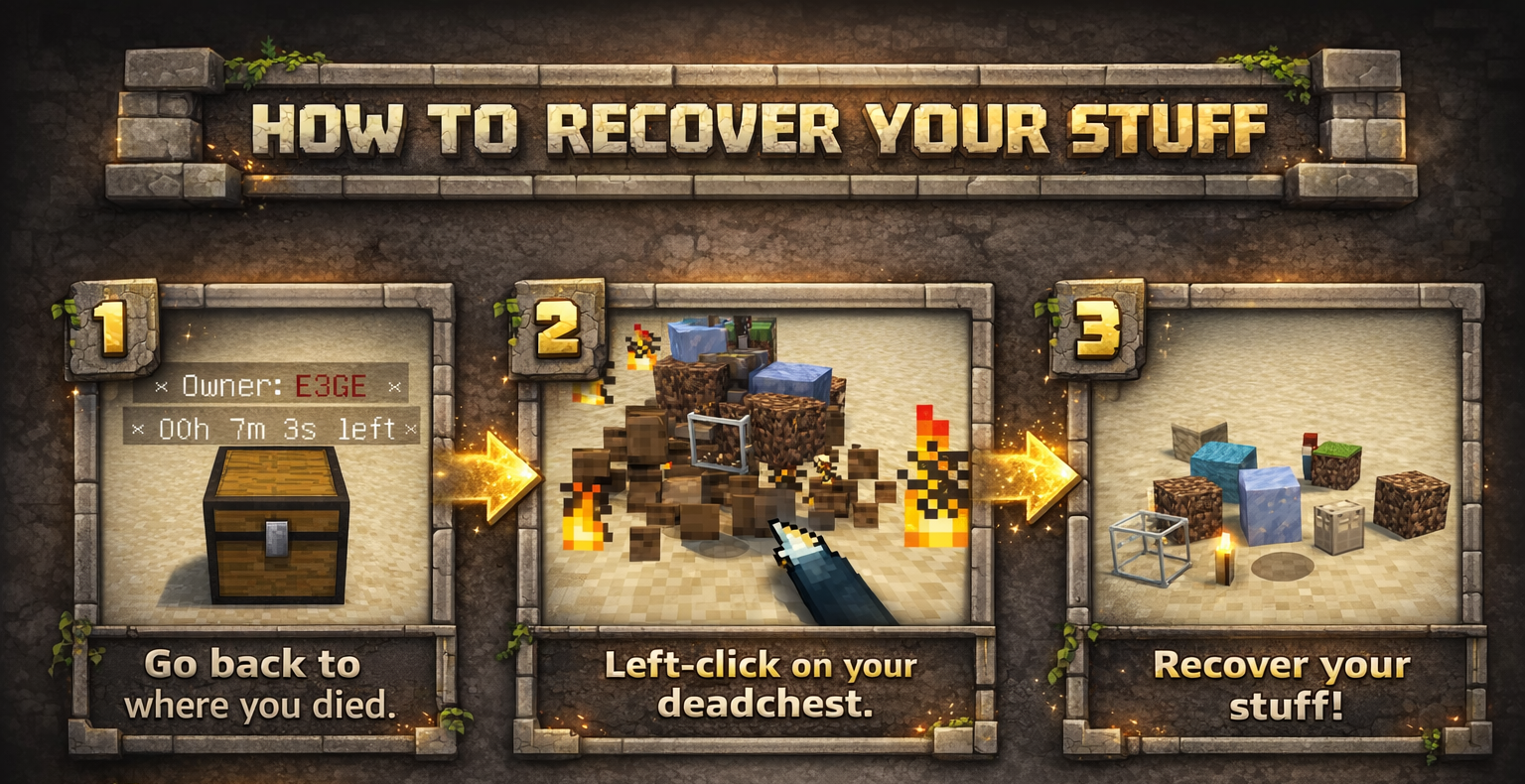
DeadChest automatically converts a player's dropped inventory into a secure chest at the exact location of death.
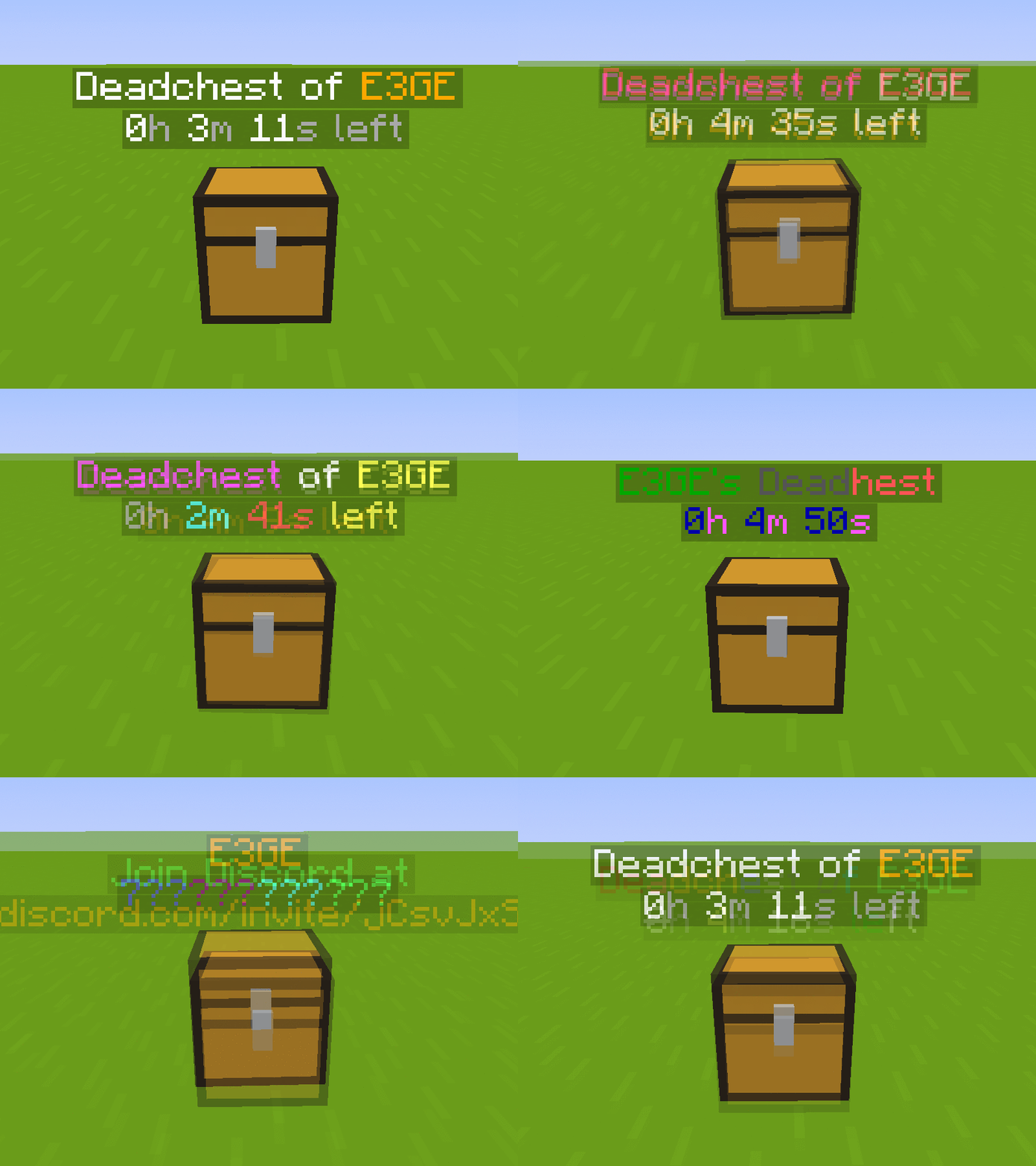
Each chest displays a hologram with the owner's name and a configurable countdown timer. When the timer expires, the chest and its contents are permanently removed.
Fully customizable: define custom durations, create infinite chests, and choose between private (owner/admin only) or public access.

## Key Features
- Automatically stores the entire player inventory on death, including armor
- Chest spawns at the exact death location
- Holographic display showing owner and remaining time
- Private or public chest access
- Optional XP storage
- Grief protection (explosion and destruction control)
- WorldGuard integration
- Fully compatible with Minecraft 1. 13. 2 to 26. 1
- Folia support
## Advanced Features
- Unlimited players and unlimited chests
- Per-world configuration
- Gamemode-based management
- Item filtering and management
- Choose between chest or player head container
- Citizens 2 compatibility
- Detailed logging system for every DeadChest event
- Advanced permission system
## Fully Customizable
- Chest duration
- Chest access (private/public)
- Hologram content
- Text colors
- Griefable chests (enable/disable destruction)
- Maximum number of chests per player
- Multi-language support
- Drop behavior customization
- And much more
> ### (https://stellionix.github.io/Deadchest/latest/)
Since version 4. 5. 0, DeadChest uses bStats to collect anonymous usage statistics to help improve the plugin.

### DeadChests are FULLY customizable!

## Commands
| Command | Description | Permission |
|---|---|---|
| `/dc reload` | Reload the plugin | `deadchest.admin` |
| `/dc remove` | Remove all DeadChests of the current player | `deadchest.remove.own` |
| `/dc remove
### Additional Permissions
- `deadchest.generate` — Allow a player to generate DeadChests
- `deadchest.chestPass` — Allow a player to access all DeadChests
- `deadchest.infinityChest` — Allow a player to have an infinite chest

First Installation
- Download DeadChest.jar
- Place it in y
📊 Mod Details
- Game
- Minecraft Plugins
- Author
- Crylonz
- Version
- 4.30.0
- Downloads
- 2,863
- Endorsements
- 10
- Category
- bukkit
- Created
- 3/11/2026
- Updated
- 4/10/2026
- Game Versions
- 1.13, 1.13.1, 1.13.2, 1.14, 1.14.1
- Tags
- game-mechanics, storage, utility
🔧 How to Install Minecraft Plugins Mods
Download from Modrinth. Use Prism Launcher or drop into your mods folder.
📖 Full step-by-step install guide for Minecraft Plugins →
Visit the official mod page for specific installation instructions for this mod.
🎮 Need cheat codes or console commands? Check ur gaming wiki for Minecraft Plugins commands, item IDs, and more.
❓ Frequently Asked Questions
Which Minecraft Plugins versions does DeadChest support?
The author lists 1.13, 1.13.1, 1.13.2, 1.14, 1.14.1, 1.14.2. Other versions may work but are untested by the author.
What is the latest version of DeadChest?
Version 4.30.0, published 2026-04-10 with 2,863 downloads recorded at the source.
Keep browsing — more Minecraft Plugins mods await