CompassLocator
🟡 Updated this year🖼️ Gallery (7 images)
🔍 Analysis
- 🏆 #126 of 333 adventure mods in this game by downloads
📋 About This Mod
<div align="center"> <img src="https://cdn.modrinth.com/data/cached_images/028c729a257b8817fc93c931f769dab6f3efa248.png" alt="CompassLocator Banner" width="100%"> !(https://img.shields.io/badge/version-3.6.0-1E90FF?style=for-the-badge) !(https://img.shields.io/badge/Minecraft-1.21.6+-4C9A2A?style=for-the-badge) !(https://img.shields.io/badge/Platform-Paper%20%7C%20Spigot%20%7C%20Purpur-FF6B35?style=for-the-badge) !(https://img.shields.io/badge/Java-21+-ED8B00?style=for-the-badge&logo=openjdk&logoColor=white) (https://img.shields.io/modrinth/dt/compasslocator?style=for-the-badge&logo=modrinth&logoColor=white&color=00AF5C&label=downloads)](https://modrinth.com/plugin/compasslocator) !(https://img.shields.io/badge/side-server-9B4DCA?style=for-the-badge) (https://img.shields.io/badge/Telegram-channel-26A5E4?style=for-the-badge&logo=telegram&logoColor=white)](https://t.me/prostoimpery) </div> > 📌 **This is a server-side plugin.** A client-side mod version for Fabric/Forge is also available → (https://modrinth.com/mod/compasslocator-kasperoid) · (https://www.curseforge.com/minecraft/mc-mods/compasslocator) --- ## 📌 What is this? **CompassLocator** is the best, most flexible and functional plugin that adds useful information about the compass (and more) directly to the action bar. **The only plugin that combines a compass, death compass, locator bar radar, and a clock HUD in one tool.** No more opening F3. Just hold a compass and see: - where you are - which direction you're facing - what biome you're in - where you died last time - what time it is (with a clock in hand) --- ## ✨ What does the compass show? **Normal Compass** - Coordinates (adjustable precision — integer or decimal) - Current biome - Cardinal direction (North/South or N/S — as you prefer) - Time of day (optional) - World name (optional) - If the compass is linked to a lodestone — shows lodestone coordinates - If the lodestone is broken — shows "broken" or last known coordinates (configurable) **Recovery Compass** - Where you last died (coordinates) - Which world - Time since death - Distance to death location - The marker indicates the point of your death in the locator bar (v3.6.0) - Height difference (up/down arrow) to your death point (v3.6.0) **Combined Mode** - Hold a normal compass in one hand and a recovery compass in the other - The action bar shows information from both at once --- ## 📡 Locator Bar (for 1.21.6+) With a normal compass in hand, you can see other players on the radar (like a minimap). Range is configurable — up to the entire world. **New in v3.6.0:** - Death point markers on the locator bar (colored dot where you died) - Lodestone markers on the locator bar (colored dot where your compass is bound) - Hide low-health players from the radar (configurable) - Per-world control — turn it off completely in specific worlds --- ## 🕐 Clock HUD (v3.6.0) Starting from version 3.6.0, **CompassLocator** adds a **clock HUD** — hold a clock in your hand and see the in-game time, day number, and weather right in the action bar. **Features:** - Shows exact time (24h or 12h format — configurable) - Displays the current day number - Shows current weather (Clear / Rain / Thunder) - Works independently of compasses — hold it alongside a compass or on its own - Fully configurable: choose which info to show, toggle 24h format, use custom display presets, and more --- ## 💎 Why CompassLocator is the best choice **Unlike other solutions that give you just ONE feature, CompassLocator offers EVERYTHING in one plugin — no commands, no extra installations, no compromises.** Instead of installing a plugin for coordinates, a plugin for biome, a plugin for direction, a plugin for death compass, a separate datapack for radar, a mod for radar markers, and something else for clock HUD — **just one plugin: CompassLocator.** --- ### ⚡ Lightweight & Performance **CompassLocator is so lightweight you won't even notice it on your server.** - Minimal load — updates only when data actually changes (head rotation, movement, slot change), not every tick. - Optimized events — `PlayerMoveEvent` only triggers on block changes, not every step. - No unnecessary loops — built on events, not constant checks. - Runs on any server — from small setups to large projects with hundreds of players. Compare this to other plugins that refresh the action bar every second regardless of changes. CompassLocator is smarter — it updates only when needed. --- ### 🛠️ Full control — like coding your own plugin **In CompassLocator, you can customize absolutely everything. Every feature can be toggled on and off independently. No limits.** - Modular system — want only coordinates? Disable everything else. Need only radar? Done. Don't want clock HUD? One parameter turns it off. - Every parameter is configurable — coordinate precision, time format, cardinal directions (f
!(https://img.shields.io/badge/version-3. 6. 0-1E90FF?style=for-the-badge) !(https://img.shields.io/badge/Minecraft-1. 21. 6+-4C9A2A?style=for-the-badge) !(https://img.shields.io/badge/Platform-Paper%20%7C%20Spigot%20%7C%20Purpur-FF6B35?style=for-the-badge) !(https://img.shields.io/badge/Java-21+-ED8B00?style=for-the-badge&logo=openjdk&logoColor=white)
[!(https://img.shields.io/modrinth/dt/compasslocator?style=for-the-badge&logo=modrinth&logoColor=white&color=00AF5C&label=downloads)](https://modrinth.com/plugin/compasslocator) !(https://img.shields.io/badge/side-server-9B4DCA?style=for-the-badge) [!(https://img.shields.io/badge/Telegram-channel-26A5E4?style=for-the-badge&logo=telegram&logoColor=white)](https://t.me/prostoimpery)
> 📌 This is a server-side plugin. A client-side mod version for Fabric/Forge is also available → (https://modrinth.com/mod/compasslocator-kasperoid) · (https://www.curseforge.com/minecraft/mc-mods/compasslocator) ---
## 📌 What is this?
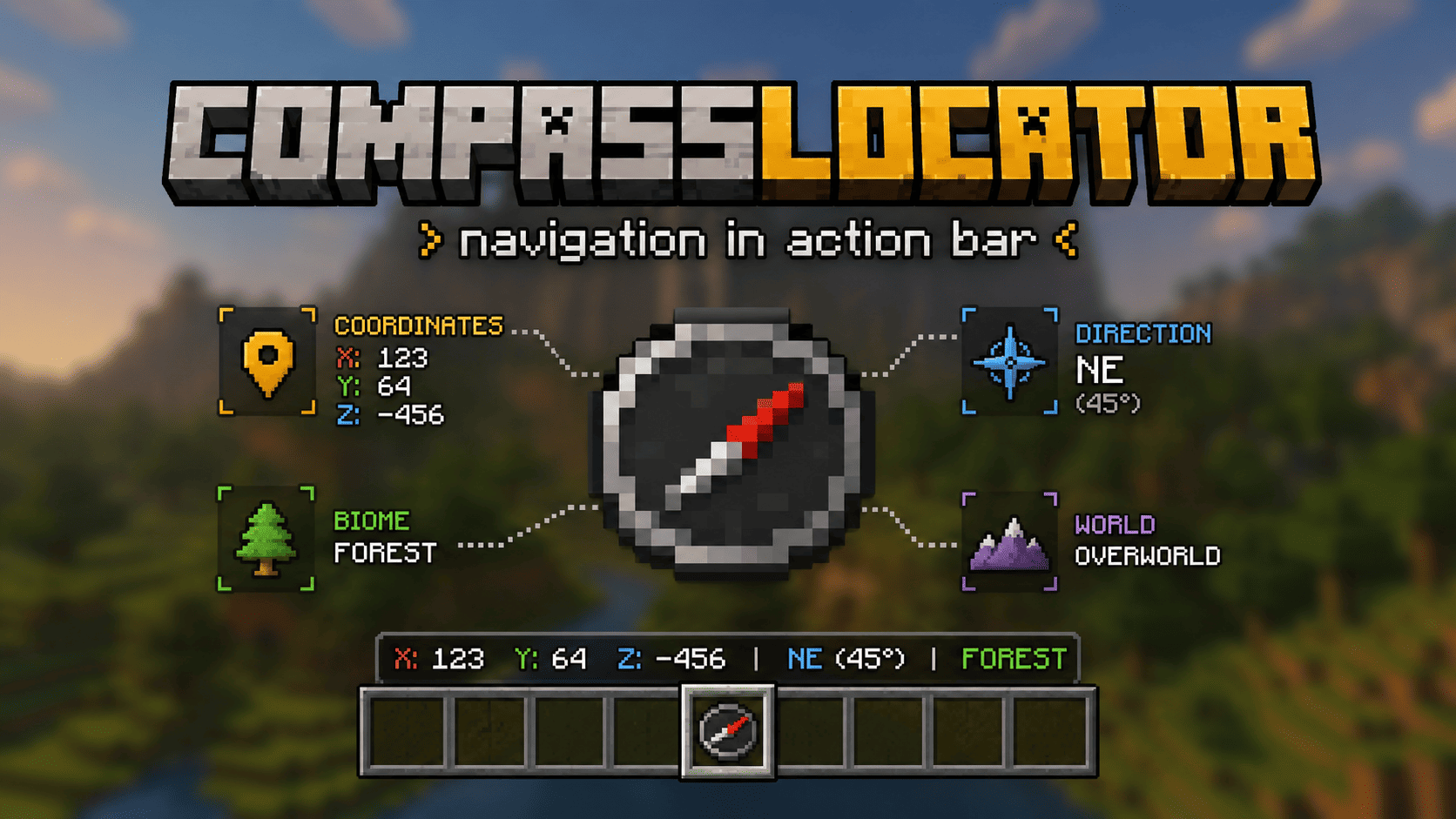
CompassLocator is the best, most flexible and functional plugin that adds useful information about the compass (and more) directly to the action bar. The only plugin that combines a compass, death compass, locator bar radar, and a clock HUD in one tool.
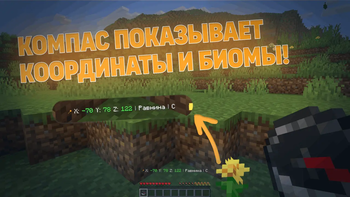
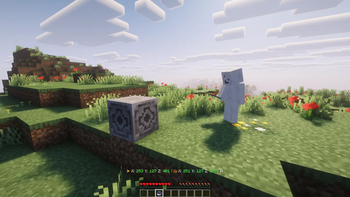
No more opening F3. Just hold a compass and see:
- where you are
- which direction you're facing
- what biome you're in
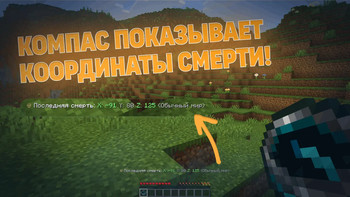
- where you died last time
- what time it is (with a clock in hand)
## ✨ What does the compass show?
Normal Compass - Coordinates (adjustable precision — integer or decimal) - Current biome - Cardinal direction (North/South or N/S — as you prefer) - Time of day (optional) - World name (optional) - If the compass is linked to a lodestone — shows lodestone coordinates - If the lodestone is broken — shows "broken" or last known coordinates (configurable)
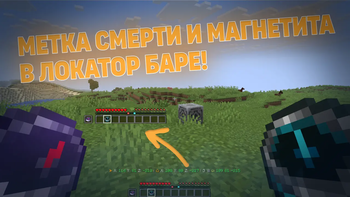
Recovery Compass - Where you last died (coordinates) - Which world - Time since death - Distance to death location - The marker indicates the point of your death in the locator bar (v3. 6. 0) - Height difference (up/down arrow) to your death point (v3. 6. 0)
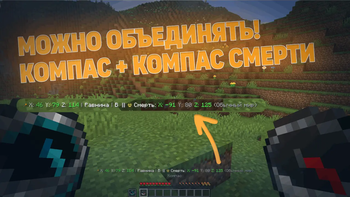
Combined Mode - Hold a normal compass in one hand and a recovery compass in the other - The action bar shows information from both at once
## 📡 Locator Bar (for 1. 21. 6+)
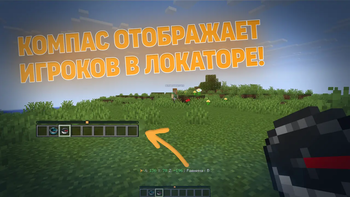
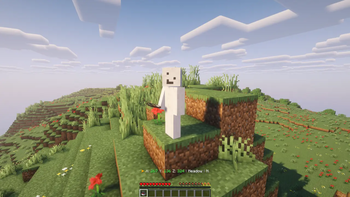
With a normal compass in hand, you can see other players on the radar (like a minimap). Range is configurable — up to the entire world.
New in v3. 6. 0: - Death point markers on the locator bar (colored dot where you died) - Lodestone markers on the locator bar (colored dot where your compass is bound) - Hide low-health players from the radar (configurable) - Per-world control — turn it off completely in specific worlds
## 🕐 Clock HUD (v3. 6. 0)
Starting from version 3. 6. 0, CompassLocator adds a clock HUD — hold a clock in your hand and see the in-game time, day number, and weather right in the action bar.
Features: - Shows exact time (24h or 12h format — configurable) - Displays the current day number - Shows current weather (Clear / Rain / Thunder) - Works independently of compasses — hold it alongside a compass or on its own - Fully configurable: choose which info to show, toggle 24h format, use custom display presets, and more
## 💎 Why CompassLocator is the best choice
Unlike other solutions that give you just ONE feature, CompassLocator offers EVERYTHING in one plugin — no commands, no extra installations, no compromises.
Instead of installing a plugin for coordinates, a plugin for biome, a plugin for direction, a plugin for death compass, a separate datapack for radar, a mod for radar markers, and something else for clock HUD — just one plugin: CompassLocator.
### ⚡ Lightweight & Performance
CompassLocator is so lightweight you won't even notice it on your server.
- Minimal load — updates only when data actually changes (head rotation, movement, slot change), not every tick.
- Optimized events — `PlayerMoveEvent` only triggers on block changes, not every step.
- No unnecessary loops — built on events, not constant checks.
- Runs on any server — from small setups to large projects with hundreds of players.
Compare this to other plugins that refresh the action bar every second regardless of changes. CompassLocator is smarter — it updates only when needed.
### 🛠️ Full control — like coding your own plugin
In CompassLocator, you can customize absolutely everything. Every feature can be toggled on and off independently. No limits.
- Modular system — want only coordinates? Disable everything else. Need only radar? Done. Don't want clock HUD? One parameter turns it off.
- Every parameter is configurable — coordinate precision, time format, cardinal directions (f
📊 Mod Details
- Game
- Minecraft Plugins
- Author
- kasperoid
- Version
- 3.6.0
- Downloads
- 259
- Endorsements
- 4
- Category
- adventure
- Created
- 3/29/2026
- Updated
- 7/17/2026
- Game Versions
- 1.21, 1.21.1, 1.21.2, 1.21.3, 1.21.4
- Tags
- adventure, game-mechanics, social
🔧 How to Install Minecraft Plugins Mods
Download from Modrinth. Use Prism Launcher or drop into your mods folder.
📖 Full step-by-step install guide for Minecraft Plugins →
Visit the official mod page for specific installation instructions for this mod.
🎮 Need cheat codes or console commands? Check ur gaming wiki for Minecraft Plugins commands, item IDs, and more.
❓ Frequently Asked Questions
Which Minecraft Plugins versions does CompassLocator support?
The author lists 1.21, 1.21.1, 1.21.2, 1.21.3, 1.21.4, 1.21.5. Other versions may work but are untested by the author.
What is the latest version of CompassLocator?
Version 3.6.0, published 2026-07-17 with 259 downloads recorded at the source.
Keep browsing — more Minecraft Plugins mods await