ChestSorter
🟡 Updated this year🖼️ Gallery (4 images)
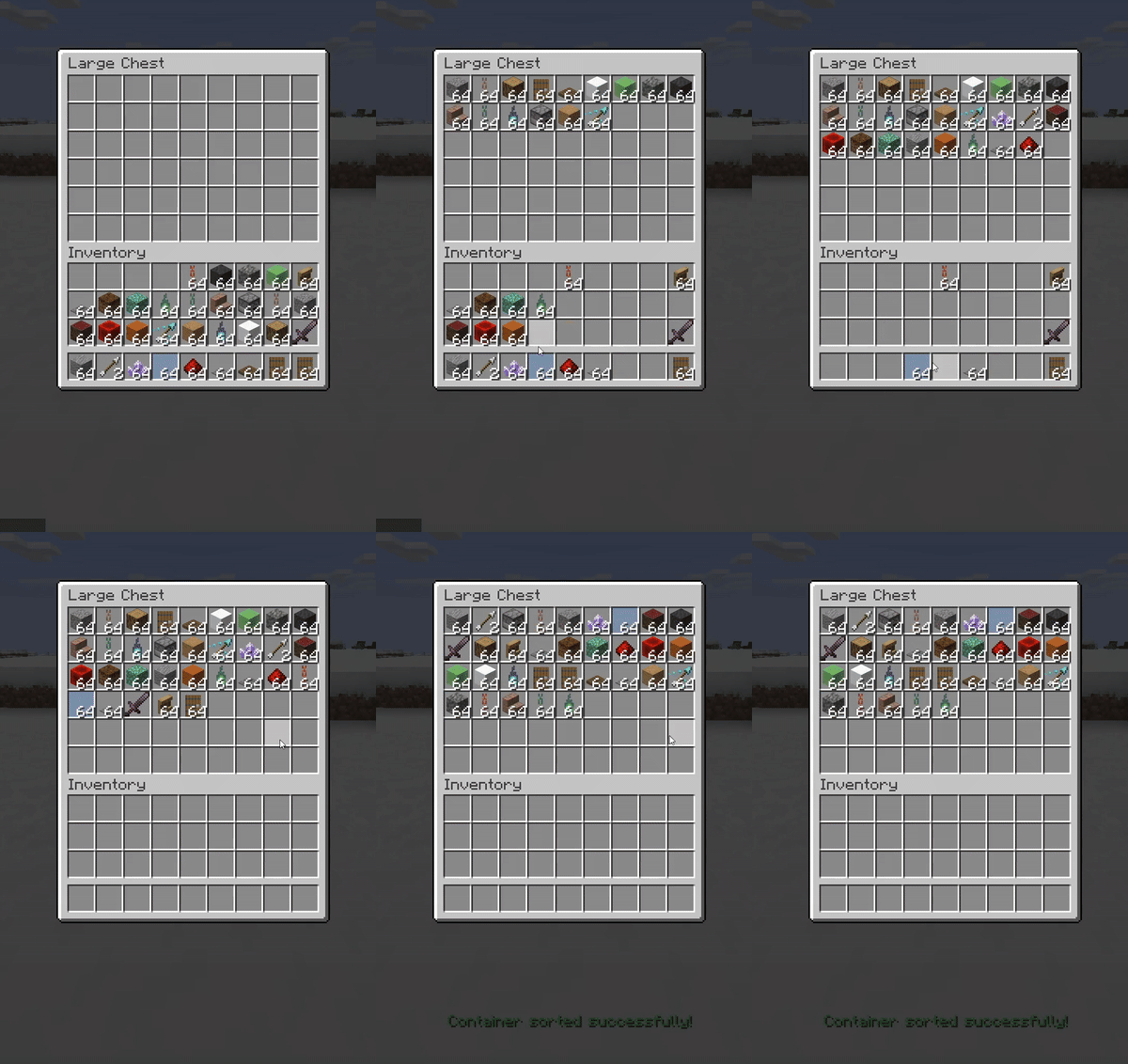
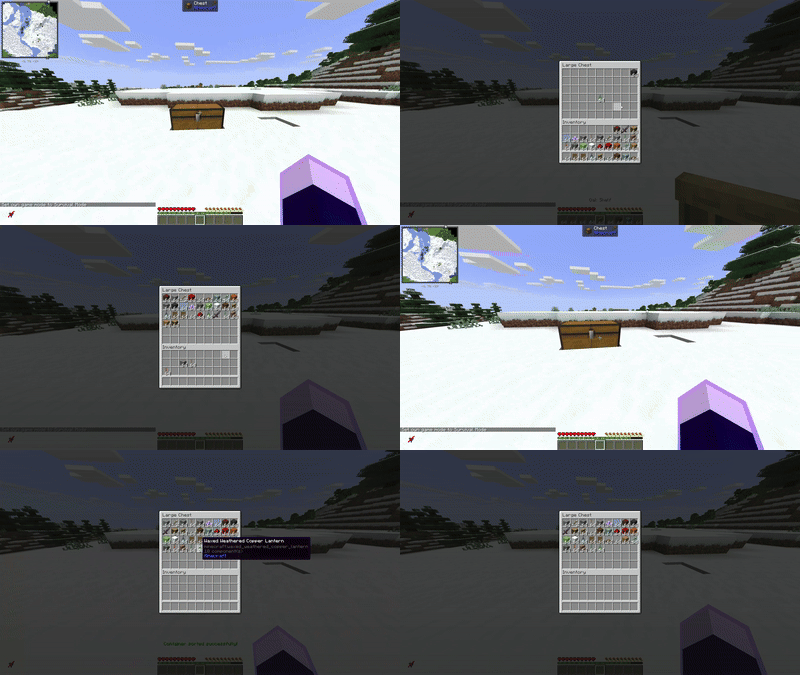
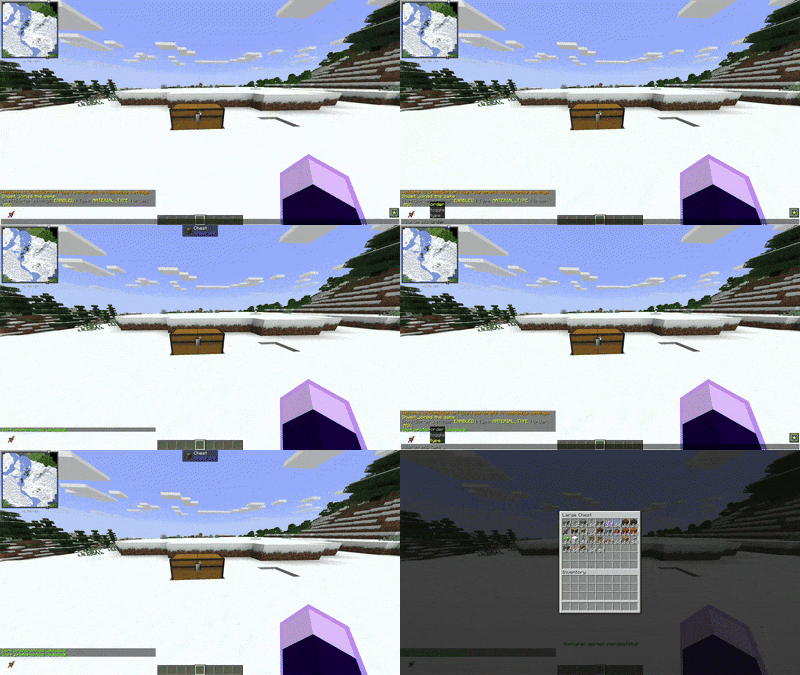

🔍 Analysis
- 👍 0.3% endorsement rate
- 🏆 #596 of 1560 bukkit mods in this game by downloads
📋 About This Mod
# ChestSorter - The Ultimate Inventory Management Solution **Stop wasting time organizing chests!** ChestSorter is a powerful and intuitive plugin that brings automatic chest sorting to your Minecraft Paper server. ## ✨ Why Choose ChestSorter? - **🖱️ Multiple Sorting Methods** - Sort chests your way: middle-click, sneak + left-click, or commands - **⚙️ Per-Player Customization** - Every player can set their own sorting preferences - **🎯 Smart & Non-Intrusive** - Blacklist specific containers and works alongside client-side mods - **🚀 Modern & Fast** - Built with Paper 1.21+ APIs for optimal performance - **🔧 Highly Configurable** - Customize everything from sounds to default behaviors --- ## 🎮 Features ### 🔄 Flexible Sorting Options Sort your containers in **4 different ways**: - **📝 By Name** - Alphabetical sorting (A-Z or Z-A) - **📦 By Quantity** - Stack size sorting (largest to smallest or vice versa) - **🧱 By Material Type** - Group similar items together - **⚒️ By Durability** - Sort tools and armor by remaining durability Each sorting method supports both **ascending** and **descending** order! ### 🎯 Multiple Sorting Methods **1. Middle-Click Sorting** (In-Container) - Open any chest, barrel, or container - Middle-click anywhere inside - Instant sorting based on your preferences! **2. Sneak + Left-Click** (External) - Look at a container - Sneak + Left-Click - Sort without opening the container! **3. Command-Based Sorting** - Sort specific containers by coordinates - Sort player inventories (including others as admin) - Override sorting preferences on-the-fly ### 👤 Per-Player Preferences Every player can customize their experience: ``` /sortprefs # View your current settings /sortprefs type QUANTITY # Sort by stack size /sortprefs order DESC # Largest stacks first /sortprefs toggle # Disable/enable sorting ``` Perfect for servers where some players use client-side sorting mods! ### 🚫 Smart Blacklist System Prevent specific containers from being sorted: - **Location-based blacklist** - Protect important chests at specific coordinates - **Container-type blacklist** - Automatically exclude hoppers, furnaces, etc. --- ## 📋 Commands | Command | Description | Permission | |---------|-------------|------------| | `/sortcontainer` (or `/sc`) | Sort the container you're looking at | `chestsorter.sort.container` | | `/sortcontainer <x> <y> <z>` | Sort a container at coordinates | `chestsorter.sort.container` | | `/sortcontainer <x> <y> <z> <type> <order>` | Sort with specific settings | `chestsorter.sort.container` | | `/sortplayer` (or `/sp`) | Sort your own inventory | `chestsorter.sort.player.self` | | `/sortplayer <player>` | Sort another player's inventory (admin) | `chestsorter.sort.player.others` | | `/sortprefs` | View your sort preferences | (none) | | `/sortprefs toggle` | Enable/disable sorting | (none) | | `/sortprefs type <type>` | Set default sort type | (none) | | `/sortprefs order <order>` | Set default sort order | (none) | --- ## 🔐 Permissions | Permission | Description | Default | |------------|-------------|---------| | `chestsorter.sort.container` | Use container sorting | ✅ true | | `chestsorter.sort.player.self` | Sort own inventory | ✅ true | | `chestsorter.sort.player.others` | Sort other players' inventories | ⚠️ op | | `chestsorter.sneak.sort` | Use sneak + left-click sorting | ✅ true | | `chestsorter.middleclick.sort` | Use middle-click sorting | ✅ true | | `chestsorter.*` | All permissions | ⚠️ op | --- ## ⚙️ Configuration Highly customizable via `config.yml`: ```yaml # Default sorting settings default-sort-type: NAME # NAME, QUANTITY, MATERIAL_TYPE, DURABILITY default-sort-order: ASC # ASC, DESC # Sound settings sound: enabled: true success: ITEM_BOOK_PAGE_TURN volume: 0.5 pitch: 1.0 # Feature toggles sneak-sort: enabled: true middle-click: enabled: true # Blacklist blacklist: locations: # Example: - "world:100:64:200" container-types: - "minecraft:hopper" ``` --- ## 💡 Use Cases ### For Survival Players - Quickly organize storage rooms with hundreds of items - Sort shulker boxes before long trips - Keep your base tidy without the tedious manual work ### For Creative Builders - Organize massive material collections instantly - Sort themed build palettes - Manage large-scale project inventories ### For Server Admins - Give players quality-of-life improvements - Reduce server lag from players manually organizing items - Fully compatible with existing plugins --- ## 🔧 Installation 1. Download the latest version from this page 2. Place the JAR file in your server's `plugins/` folder 3. Restart or reload your server 4. (Optional) Configure settings in `plugins/ChestSorter/config.yml` 5. Done! Players can start sorting immediately --- ## 📦 Requirements - **Server:** Paper 1.21+ (or Folia 1.21+) - **Java:** Java 21 or higher - **Dependencies:** None (PaperLib is
# ChestSorter - The Ultimate Inventory Management Solution
Stop wasting time organizing chests! ChestSorter is a powerful and intuitive plugin that brings automatic chest sorting to your Minecraft Paper server.
## ✨ Why Choose ChestSorter?
- 🖱️ Multiple Sorting Methods - Sort chests your way: middle-click, sneak + left-click, or commands
- ⚙️ Per-Player Customization - Every player can set their own sorting preferences
- 🎯 Smart & Non-Intrusive - Blacklist specific containers and works alongside client-side mods
- 🚀 Modern & Fast - Built with Paper 1. 21+ APIs for optimal performance
- 🔧 Highly Configurable - Customize everything from sounds to default behaviors
## 🎮 Features
### 🔄 Flexible Sorting Options
Sort your containers in 4 different ways: - 📝 By Name - Alphabetical sorting (A-Z or Z-A) - 📦 By Quantity - Stack size sorting (largest to smallest or vice versa) - 🧱 By Material Type - Group similar items together - ⚒️ By Durability - Sort tools and armor by remaining durability
Each sorting method supports both ascending and descending order!
### 🎯 Multiple Sorting Methods
1. Middle-Click Sorting (In-Container) - Open any chest, barrel, or container - Middle-click anywhere inside - Instant sorting based on your preferences!
2. Sneak + Left-Click (External) - Look at a container - Sneak + Left-Click - Sort without opening the container!
3. Command-Based Sorting - Sort specific containers by coordinates - Sort player inventories (including others as admin) - Override sorting preferences on-the-fly
### 👤 Per-Player Preferences
Every player can customize their experience: ``` /sortprefs # View your current settings /sortprefs type QUANTITY # Sort by stack size /sortprefs order DESC # Largest stacks first /sortprefs toggle # Disable/enable sorting ```
Perfect for servers where some players use client-side sorting mods!
### 🚫 Smart Blacklist System
Prevent specific containers from being sorted: - Location-based blacklist - Protect important chests at specific coordinates - Container-type blacklist - Automatically exclude hoppers, furnaces, etc.
## 📋 Commands
| Command | Description | Permission |
|---------|-------------|------------|
| `/sortcontainer` (or `/sc`) | Sort the container you're looking at | `chestsorter.sort.container` |
| `/sortcontainer
## 🔐 Permissions
| Permission | Description | Default | |------------|-------------|---------| | `chestsorter.sort.container` | Use container sorting | ✅ true | | `chestsorter.sort.player.self` | Sort own inventory | ✅ true | | `chestsorter.sort.player.others` | Sort other players' inventories | ⚠️ op | | `chestsorter.sneak.sort` | Use sneak + left-click sorting | ✅ true | | `chestsorter.middleclick.sort` | Use middle-click sorting | ✅ true | | `chestsorter.*` | All permissions | ⚠️ op |
## ⚙️ Configuration
Highly customizable via `config.yml`:
```yaml # Default sorting settings default-sort-type: NAME # NAME, QUANTITY, MATERIAL_TYPE, DURABILITY default-sort-order: ASC # ASC, DESC
# Sound settings sound: enabled: true success: ITEM_BOOK_PAGE_TURN volume: 0. 5 pitch: 1. 0
# Feature toggles sneak-sort: enabled: true middle-click: enabled: true
# Blacklist blacklist: locations: [] # Example: - "world:100:64:200" container-types: - "minecraft:hopper" ```
## 💡 Use Cases
### For Survival Players - Quickly organize storage rooms with hundreds of items - Sort shulker boxes before long trips - Keep your base tidy without the tedious manual work
### For Creative Builders - Organize massive material collections instantly - Sort themed build palettes - Manage large-scale project inventories
### For Server Admins - Give players quality-of-life improvements - Reduce server lag from players manually organizing items - Fully compatible with existing plugins
## 🔧 Installation
1. Download the latest version from this page 2. Place the JAR file in your server's `plugins/` folder 3. Restart or reload your server 4. (Optional) Configure settings in `plugins/ChestSorter/config.yml` 5. Done! Players can start sorting immediately
## 📦 Requirements
- Server: Paper 1. 21+ (or Folia 1. 21+)
- Java: Java 21 or higher
- Dependencies: None (PaperLib is
📊 Mod Details
- Game
- Minecraft Plugins
- Author
- Shweit
- Version
- 2.1.0-mc26.2
- Downloads
- 4,280
- Endorsements
- 14
- Category
- bukkit
- Created
- 9/8/2024
- Updated
- 7/15/2026
- Game Versions
- 26.2
- Tags
- storage, utility
🔧 How to Install Minecraft Plugins Mods
Download from Modrinth. Use Prism Launcher or drop into your mods folder.
📖 Full step-by-step install guide for Minecraft Plugins →
Visit the official mod page for specific installation instructions for this mod.
🎮 Need cheat codes or console commands? Check ur gaming wiki for Minecraft Plugins commands, item IDs, and more.
❓ Frequently Asked Questions
Which Minecraft Plugins versions does ChestSorter support?
The author lists 26.2. Other versions may work but are untested by the author.
What is the latest version of ChestSorter?
Version 2.1.0-mc26.2, published 2026-07-15 with 4,280 downloads recorded at the source.
Keep browsing — more Minecraft Plugins mods await