Chat2QQ+
🟡 Updated this yearPreview

🔍 Analysis
- 👍 0.6% endorsement rate
- 🏆 #14 of 173 folia mods in this game by downloads
📋 About This Mod
## Chat2QQ+ 这个插件专注于实现更好的消息显示, 并以模块的方式集成了一些其他的功能 - **🚧 说明** - (https://github.com/ApliNi/Chat2QQ) 是包含 (https://github.com/DreamVoid/Chat2QQ) 几乎所有功能的插件, 经过重写并添加了许多功能. - v2 版本无需 MiraiMC 等依赖插件, 可直接连接 OneBot 服务. <p></p> - **📦 下载** - 在 (https://github.com/ApliNi/Chat2QQ/releases) 中下载最新的jar文件. - 如果需要开发版本, 可以点击 (https://github.com/ApliNi/Chat2QQ/actions), 打开第一个, 找到最下面的jar文件. <p></p> - **📄 其他** - 订阅更新: 点击右上角 `Watch` 按钮, 选择 `Custom` 中的 `Releases` ! - 使用量统计: (https://bstats.org/plugin/bukkit/ApliNi-Chat2QQ/17587) <p></p> <a href="https://bstats.org/plugin/bukkit/ApliNi-Chat2QQ/17587">!(https://bstats.org/signatures/bukkit/ApliNi-Chat2QQ.svg)</a> ### ✨ 图片 运行指令 !(https://user-images.githubusercontent.com/59365724/227127511-a149cc33-9683-4bd9-9640-fd938546859d.png) 群名片过滤 !(https://user-images.githubusercontent.com/59365724/227157788-d9259da8-46e6-438e-b32b-3926a2d3a9a3.png) !(https://user-images.githubusercontent.com/59365724/227157812-a0245843-66e9-44bc-8bc2-e0935ebc2d2b.png) 特殊消息预处理 !(https://user-images.githubusercontent.com/59365724/227128189-8f217293-04e9-472d-a09e-daad7eef79f0.png) !(https://user-images.githubusercontent.com/59365724/227128209-f6be73c2-efd1-4ca2-b85b-b2c2b84dad7d.png) 多行文本和长文本显示优化 !(https://user-images.githubusercontent.com/59365724/227128013-013e0514-771e-4075-8d4d-c28557cfa126.png) !(https://user-images.githubusercontent.com/59365724/227127980-628d662d-cc47-4468-9437-2e5298a6d6c3.png) !(https://user-images.githubusercontent.com/59365724/227158659-b35ac9b3-113e-4d3d-80d7-f214c8064b02.png) !(https://user-images.githubusercontent.com/59365724/227158697-45a16e51-f4b1-4f97-8296-03d4074d3efb.png) 引用回复显示优化 !(https://user-images.githubusercontent.com/59365724/227128959-ff5fcdab-f09e-4ed8-bee9-08ade7cf7ef3.png) !(https://user-images.githubusercontent.com/59365724/227128919-092545b6-6d38-4324-b8b8-1903cb522a05.png) !(https://user-images.githubusercontent.com/59365724/227159155-8a731828-c929-44f8-b0c1-5f380da403cc.png) !(https://user-images.githubusercontent.com/59365724/227159055-02e5cdcd-3a5e-4c20-8fda-85b0df90062a.png) !(https://user-images.githubusercontent.com/59365724/227159023-7333b385-c687-45a4-965b-e9b066af0e6f.png) !(https://user-images.githubusercontent.com/59365724/227159083-e8d6b7e7-9ba6-41e8-9562-e7a174f87be5.png) 更好的名称显示 !(https://user-images.githubusercontent.com/59365724/227157070-c8fa51ca-b623-4167-a7ef-f02239d84aef.png) !(https://user-images.githubusercontent.com/59365724/227157097-d6b226e4-2158-4b3b-a36b-db21acfeff2e.png) 自动回复 !(https://user-images.githubusercontent.com/59365724/227129074-9a8316e1-8b8f-4abe-9e74-ad73f212f9ec.png) ### 完整配置和功能 ```yaml OneBot: # 连接配置 host: "ws://127.0.0.1:3003" token: "xxx" # 断开连接时自动重连等待时间 (秒) retry-time: 10 # 游戏内配置 # QQ -> MC 的消息 general: # 转发哪些QQ群的消息 group-ids: - 1000000 - 1000001 # 群聊天前缀 (聊天需要带有指定前缀才能发送到服务器) requite-special-word-prefix: enabled: false prefix: - '#' # 当群名片不存在时是否尝试获取昵称 use-nick-if-namecard-null: true # QQ群消息广播到游戏内聊天的格式 格式化代码: § # %groupname% - 群名称 # %groupid% - 群号 # %nick% - 发送者群名片 # %regex_nick% - 使用正则匹配到的名称, 需要开启 aplini.cleanup-name 模块 # %qq% - 发送者QQ号 # %message% - 消息内容, 支持预处理模块 aplini.pretreatment # %_reply_% - 如果是回复消息..., 配置在 aplini.reply-message 模块 in-game-chat-format: '§f %_reply_%§7%message%' # 为每个群使用不同的格式, 如果没有则使用上方的 in-game-chat-format special: 1000000: '§f %_reply_%§7%message%' 1000001: '§7 %_reply_%%message%' # 机器人配置 # MC -> QQ 的消息 bot: # 使用哪些QQ号处理消息 # 只能添加一个 bot-accounts: - 2000000 # 将消息转发到那些QQ群 group-ids: - 1000000 # 玩家在以下世界中聊天才会被转发 available-worlds: #- world # 将以上配置作为黑名单, 玩家不在以上世界中聊天才会被转发 available-worlds-use-as-blacklist: true # 游戏聊天前缀 (聊天需要带有指定前缀才能发送到QQ群) requite-special-word-prefix: enabled: true prefix: - '#' # 是否转发被其他插件取消过的聊天消息事件, 用于修复一些兼容性问题 ignoreCancelled: false # 服务器消息发送到QQ群的格式 # %player% - 玩家名称 # %message% - 消息内容 group-chat-format: ' %message%' # 是否发送玩家进出服务器的消息 # %player% - 玩家显示昵称 send-player-join-quit-message: false # 加入 player-join-message: '%player% 进入服务器' # 退出 player-quit-message: '%player% 离开服务器' # 防刷屏, 在此时间内多次进出服务器不会发送消息 (秒 player-join-quit-message-interval: 0 # 黑名单, 可用于添加其他QQ机器人 # 优先级大于上方配置 blacklist: # 不转发以下QQ号的聊天消息 qq: #- 2000001 # 不转发以下玩家名的聊天消息 player: #- playerName # ############### # # 以下为功能模块配置 # # ############### # aplini: ## 1 # 在QQ群中运行指令 # 此模块不处理黑名单 blacklist run-command: enabled: false # 启用的 QQ群 qq-group: - 1000001 # 指令前缀, 可以是多个字符, 比如 "~$" command-prefix: '/' # 指令最大长度 (不包括指令前缀) command-max-length: 255 # 判断指令返回为空的正则, 匹配多行文本. (经过 pretreatment-command-message 处理后) retur
## Chat2QQ+
这个插件专注于实现更好的消息显示, 并以模块的方式集成了一些其他的功能
- 🚧 说明
- - (https://github.com/ApliNi/Chat2QQ) 是包含 (https://github.com/DreamVoid/Chat2QQ) 几乎所有功能的插件, 经过重写并添加了许多功能.
- - v2 版本无需 MiraiMC 等依赖插件, 可直接连接 OneBot 服务.
- 📦 下载
- - 在 [`Releases`](https://github.com/ApliNi/Chat2QQ/releases) 中下载最新的jar文件.
- - 如果需要开发版本, 可以点击 [`Actions`](https://github.com/ApliNi/Chat2QQ/actions), 打开第一个, 找到最下面的jar文件.
- 📄 其他
- - 订阅更新: 点击右上角 `Watch` 按钮, 选择 `Custom` 中的 `Releases` !
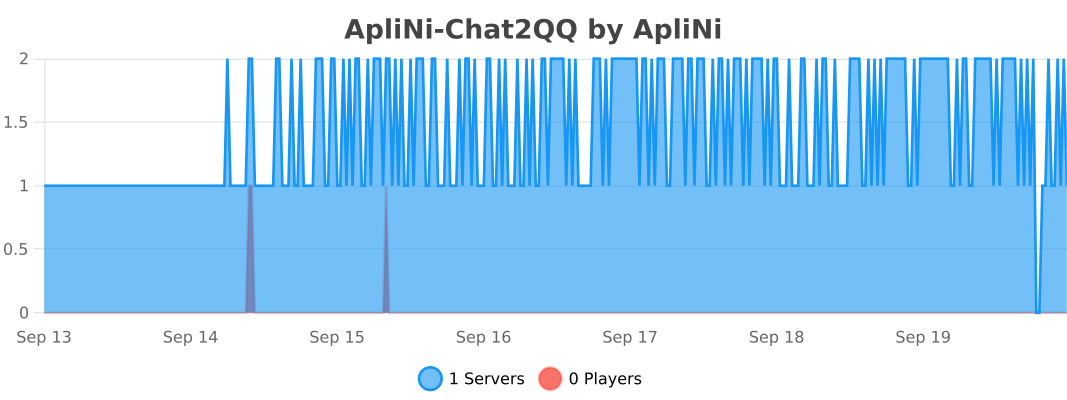
- - 使用量统计: (https://bstats.org/plugin/bukkit/ApliNi-Chat2QQ/17587)
!(https://user-images.githubusercontent.com/59365724/227127511-a149cc33-9683-4bd9-9640-fd938546859d.png)
!(https://user-images.githubusercontent.com/59365724/227157788-d9259da8-46e6-438e-b32b-3926a2d3a9a3.png) !(https://user-images.githubusercontent.com/59365724/227157812-a0245843-66e9-44bc-8bc2-e0935ebc2d2b.png)
!(https://user-images.githubusercontent.com/59365724/227128189-8f217293-04e9-472d-a09e-daad7eef79f0.png) !(https://user-images.githubusercontent.com/59365724/227128209-f6be73c2-efd1-4ca2-b85b-b2c2b84dad7d.png)
多行文本和长文本显示优化
!(https://user-images.githubusercontent.com/59365724/227128013-013e0514-771e-4075-8d4d-c28557cfa126.png) !(https://user-images.githubusercontent.com/59365724/227127980-628d662d-cc47-4468-9437-2e5298a6d6c3.png)
!(https://user-images.githubusercontent.com/59365724/227158659-b35ac9b3-113e-4d3d-80d7-f214c8064b02.png) !(https://user-images.githubusercontent.com/59365724/227158697-45a16e51-f4b1-4f97-8296-03d4074d3efb.png)
!(https://user-images.githubusercontent.com/59365724/227128959-ff5fcdab-f09e-4ed8-bee9-08ade7cf7ef3.png) !(https://user-images.githubusercontent.com/59365724/227128919-092545b6-6d38-4324-b8b8-1903cb522a05.png)
!(https://user-images.githubusercontent.com/59365724/227159155-8a731828-c929-44f8-b0c1-5f380da403cc.png) !(https://user-images.githubusercontent.com/59365724/227159055-02e5cdcd-3a5e-4c20-8fda-85b0df90062a.png)
!(https://user-images.githubusercontent.com/59365724/227159023-7333b385-c687-45a4-965b-e9b066af0e6f.png) !(https://user-images.githubusercontent.com/59365724/227159083-e8d6b7e7-9ba6-41e8-9562-e7a174f87be5.png)
!(https://user-images.githubusercontent.com/59365724/227157070-c8fa51ca-b623-4167-a7ef-f02239d84aef.png) !(https://user-images.githubusercontent.com/59365724/227157097-d6b226e4-2158-4b3b-a36b-db21acfeff2e.png)
!(https://user-images.githubusercontent.com/59365724/227129074-9a8316e1-8b8f-4abe-9e74-ad73f212f9ec.png)
### 完整配置和功能 ```yaml
OneBot: # 连接配置 host: "ws://127. 0. 0. 1:3003" token: "xxx" # 断开连接时自动重连等待时间 (秒) retry-time: 10
# 游戏内配置 # QQ -> MC 的消息 general: # 转发哪些QQ群的消息 group-ids: - 1000000 - 1000001
# 群聊天前缀 (聊天需要带有指定前缀才能发送到服务器) requite-special-word-prefix: enabled: false prefix: - '#'
# 当群名片不存在时是否尝试获取昵称 use-nick-if-namecard-null: true
# QQ群消息广播到游戏内聊天的格式 格式化代码: § # %groupname% - 群名称 # %groupid% - 群号 # %nick% - 发送者群名片 # %regex_nick% - 使用正则匹配到的名称, 需要开启 aplini.cleanup-name 模块 # %qq% - 发送者QQ号 # %message% - 消息内容, 支持预处理模块 aplini.pretreatment # %_reply_% - 如果是回复消息..., 配置在 aplini.reply-message 模块 in-game-chat-format: '§f[§7%nick%§r§f] %_reply_%§7%message%' # 为每个群使用不同的格式, 如果没有则使用上方的 in-game-chat-format special: 1000000: '§f[§7主群 %nick%§r§f] %_reply_%§7%message%' 1000001: '§7[外群 %nick%] %_reply_%%message%'
# 机器人配置 # MC -> QQ 的消息 bot: # 使用哪些QQ号处理消息 # 只能添加一个 bot-accounts: - 2000000
# 将消息转发到那些QQ群 group-ids: - 1000000
# 玩家在以下世界中聊天才会被转发 available-worlds: #- world # 将以上配置作为黑名单, 玩家不在以上世界中聊天才会被转发 available-worlds-use-as-blacklist: true
# 游戏聊天前缀 (聊天需要带有指定前缀才能发送到QQ群) requite-special-word-prefix: enabled: true prefix: - '#'
# 是否转发被其他插件取消过的聊天消息事件, 用于修复一些兼容性问题 ignoreCancelled: false
# 服务器消息发送到QQ群的格式 # %player% - 玩家名称 # %message% - 消息内容 group-chat-format: '[%player%] %message%'
# 是否发送玩家进出服务器的消息 # %player% - 玩家显示昵称 send-player-join-quit-message: false # 加入 player-join-message: '%player% 进入服务器' # 退出 player-quit-message: '%player% 离开服务器' # 防刷屏, 在此时间内多次进出服务器不会发送消息 (秒 player-join-quit-message-interval: 0
# 黑名单, 可用于添加其他QQ机器人 # 优先级大于上方配置 blacklist: # 不转发以下QQ号的聊天消息 qq: #- 2000001
# 不转发以下玩家名的聊天消息 player: #- playerName
# ############### # # 以下为功能模块配置 # # ############### #
## 1 # 在QQ群中运行指令 [需要单独添加QQ群] # 此模块不处理黑名单 blacklist run-command: enabled: false # 启用的 QQ群 qq-group: - 1000001
# 指令前缀, 可以是多个字符, 比如 "~$" command-prefix: '/' # 指令最大长度 (不包括指令前缀) command-max-length: 255 # 判断指令返回为空的正则, 匹配多行文本. (经过 pretreatment-command-message 处理后) retur
📊 Mod Details
- Game
- Minecraft Plugins
- Author
- ApliNi
- Version
- 2.0.0
- Downloads
- 995
- Endorsements
- 6
- Category
- folia
- Created
- 4/22/2023
- Updated
- 8/11/2026
- Game Versions
- 1.18, 1.18.1, 1.18.2, 1.19, 1.19.1
- Tags
- social
🔧 How to Install Minecraft Plugins Mods
Download from Modrinth. Use Prism Launcher or drop into your mods folder.
📖 Full step-by-step install guide for Minecraft Plugins →
Visit the official mod page for specific installation instructions for this mod.
🎮 Need cheat codes or console commands? Check ur gaming wiki for Minecraft Plugins commands, item IDs, and more.
❓ Frequently Asked Questions
Which Minecraft Plugins versions does Chat2QQ+ support?
The author lists 1.18, 1.18.1, 1.18.2, 1.19, 1.19.1, 1.19.2. Other versions may work but are untested by the author.
What is the latest version of Chat2QQ+?
Version 2.0.0, published 2026-08-11 with 995 downloads recorded at the source.
Keep browsing — more Minecraft Plugins mods await