CalcMod
🟡 Updated this year🖼️ Gallery (8 images)

🔍 Analysis
- 👍 0.0% endorsement rate
- 🏆 #1 of 99 fabric mods in this game by downloads
📋 About This Mod
!(https://i.ibb.co/gWjwWXv/calcmodsmall.png) [!(https://cdn.jsdelivr.net/npm/@intergrav/devins-badges@3/assets/compact-minimal/available/github_vector.svg)](https://github.com/js802025/calcmod) [!(https://cdn.jsdelivr.net/npm/@intergrav/devins-badges@3/assets/compact-minimal/available/modrinth_vector.svg)](https://modrinth.com/mod/calcmod) [!(https://cdn.jsdelivr.net/npm/@intergrav/devins-badges@3/assets/compact-minimal/available/curseforge_vector.svg) ](https://www.curseforge.com/minecraft/mc-mods/calcmod)
|/calc 3+(28/8)^2|
|:-:|
| |
|
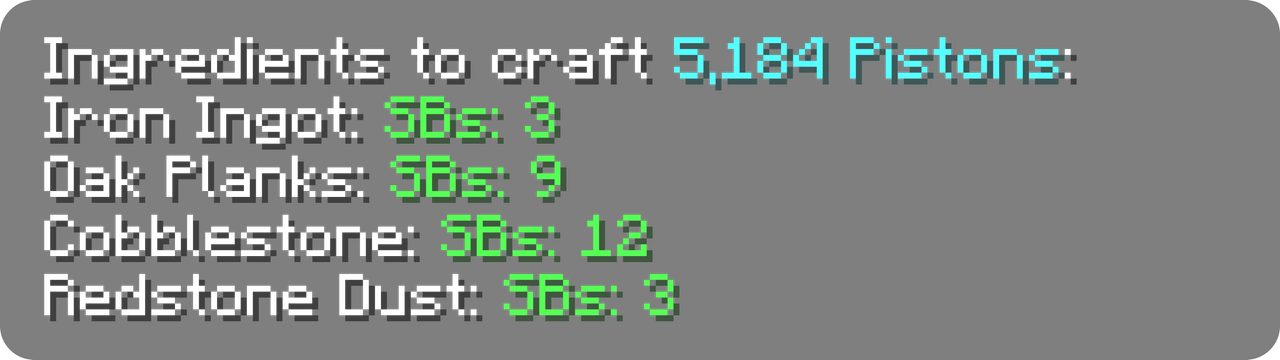
|/calc craft piston 3 sb|
|:-:|
| |
|
|/calc nether ~ ~ ~|
|:-:|
| |
|
Click any green text to copy it to your clipboard!
# 🔄 Compatibility CalcMod supports (https://fabricmc.net), (https://files.minecraftforge.net/net/minecraftforge/forge/), (https://quiltmc.org/en), (https://papermc.io/), and (https://neoforged.net/) mod loaders, down to Minecraft version 1. 12.
CalcMod can be installed on both the client and server, and also works on clients without requiring servers to have the mod (and vice versa.)
# ✅ Features:
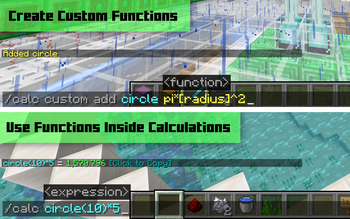
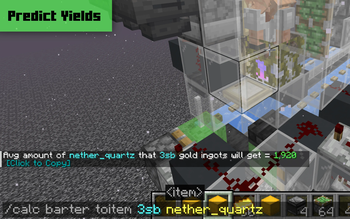
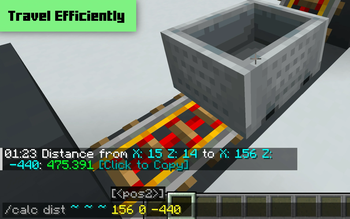
See a few examples in (https://modrinth.com/mod/calcmod/gallery)
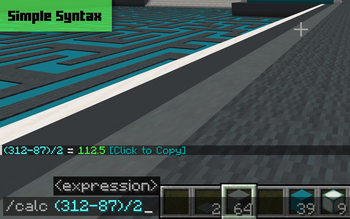
🔢 Simple Calculator
An intuitive calculator with some handy variables. To see a list of variables run /calc variables.
Supported Operators
| Symbol(s) | Syntax | Operation | |:-------------:|:----------:|:----------------------:| | + | a+b | Addition | | – | a–b | Subtraction | | , × , ∙ | ab | Multiplication | | / , : , ÷ | a/b | Division | | ^ | a^b | Exponentiation (power) | | ! | n! | Factorial | | # | a#b | Modulo | | % | x% | Percentage | | ^^ | a^^b | Tetration | | √ | √x | Square root | | ∛ | ∛x | Cube root | | ∜ | ∜x | Fourth root |
> CalcMod has some more advanced functions and variables that can be used within expressions in (https://docs.google.com/spreadsheets/d/1L3jCFO6ZiUymXbRJKOJIWGpcOQjfvU3TpCcFPeUJDNA/edit?usp=sharing).
>Usage: ```/calc
📦 Storage Utils
When given a rate of items per hour (expressions allowed), returns the minimum number of item sorters needed to sort in time. Additional input for multiple times hopper speed sorters, and a separate command for Allay based non stackable sorters.
>Usage: ```/calc storage
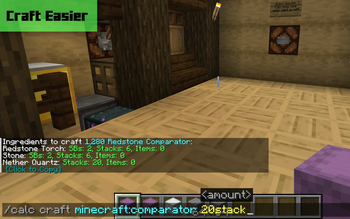
🛠️ Crafting Utils
When given an amount of a recipe to craft (expressions allowed), returns all the items required to craft that quantity of the recipe.
(CalcMod 1. 3. 2+) The optional depth argument specifies how many levels of recursive crafting to perform on the recipe. Default depth is 1.
>Usage: ```/calc craft
(New!) When the craftinv command is given an item, it returns the maximum number of that item the player can craft using their current inventory (including items in shulker boxes).
>Usage: ```/calc craftinv
(Minecraft 1. 21. 3+) Due to Minecraft's crafting system updates, CalcMod's craft command can now only use recipes unlocked in the user's recipe book in single player mode.
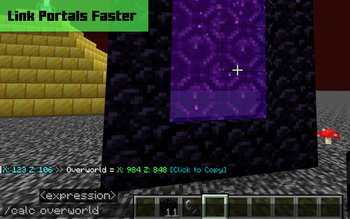
🌐 Portal Linking Coords
When given a block position, returns the dimension in the command's corresponding coordinates. If no coordinates are given, command assumes current player position.
>Usage: ```/calc nether
🌾 Farm Rates Calculator
When given an amount of items and a farm run time in seconds (expressions allowed)*, returns the items per hour of the farm.
>Usage: ```/calc rates
CalcMod brings a powerful calculator to Minecraft chat, supporting everything from basic math to crafting recipes and nether coordinate conversion. It works across multiple mod loaders and versions, with 760 endorsements and 3.1M downloads. The mod is highly versatile, offering both client and server installation options.
✨ Key Features
📊 Pros & Cons
✅ Pros
- Huge user base with 3.1M downloads and 760 endorsements, proving reliability.
- Multi-loader support means it works on almost any modded setup.
- Handy features like crafting and nether conversion save time in-game.
⚠️ Cons
- Limited to chat commands, so no GUI or HUD integration.
- May conflict with other chat-modifying mods, though not specified.
- No explicit version compatibility details beyond 1.12+.
This is for technical players who love optimizing gameplay with quick calculations. It's also great for builders and redstone engineers who need precise math without alt-tabbing. Casual players might find it useful for crafting recipes and nether travel.
💡 Beginner Tips
- Try /calc variables to see all available variables for calculations.
- Use /calc craft <item> <count> to quickly check crafting recipes.
- When converting coordinates, use ~ for your current position.
📊 Mod Details
- Game
- Minecraft Plugins
- Author
- js802025
- Version
- 1.5.2+paper.26.2
- Downloads
- 3,131,343
- Endorsements
- 760
- Category
- fabric
- Created
- 8/4/2022
- Updated
- 7/29/2026
- Game Versions
- 26.2
- Tags
- utility
🔧 How to Install Minecraft Plugins Mods
Download from Modrinth. Use Prism Launcher or drop into your mods folder.
📖 Full step-by-step install guide for Minecraft Plugins →
Visit the official mod page for specific installation instructions for this mod.
🎮 Need cheat codes or console commands? Check ur gaming wiki for Minecraft Plugins commands, item IDs, and more.
❓ Frequently Asked Questions
Which Minecraft Plugins versions does CalcMod support?
The author lists 26.2. Other versions may work but are untested by the author.
What is the latest version of CalcMod?
Version 1.5.2+paper.26.2, published 2026-07-29 with 3.1M downloads recorded at the source.
Keep browsing — more Minecraft Plugins mods await