BlockProt
🟡 Updated this yearPreview

🔍 Analysis
- 👍 0.6% endorsement rate
- 🏆 #335 of 1560 bukkit mods in this game by downloads
📋 About This Mod
BlockProt is a easy-to-use block and chest protection plugin. Players can lock chests, furnaces, doors and much more. Unlike traditional chest lock plugins, this uses a simple GUI with buttons to click. This removes the struggle of crafting signs or remembering commands. Especially for beginners, this plugin is very easy to grasp and use.
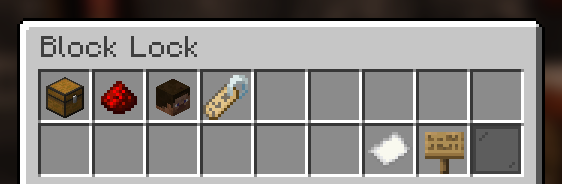
Features -------- - Protect chests, furnaces, shulker boxes etc. - Players can configure their blocks with an easy to use GUI. - Players can add friends to individual blocks and configure what those friends can do. - Players can configure the redstone protection in the GUI. - All protections are saved as UUIDs. - OP Users and players with the blockprot.admin permission can remove chests and manage them. - Full compatibility with WorldGuard, Towny and PlaceholderAPI! - Available in 10 languages! - And much more!
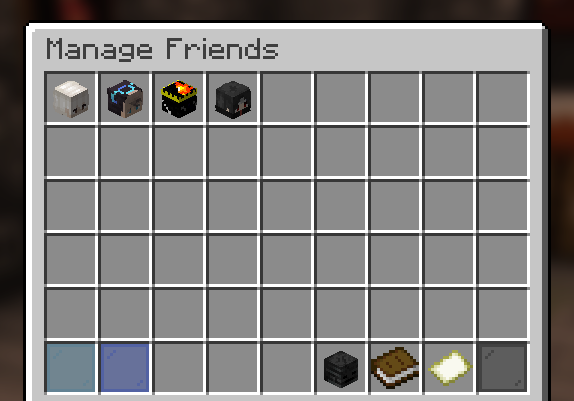
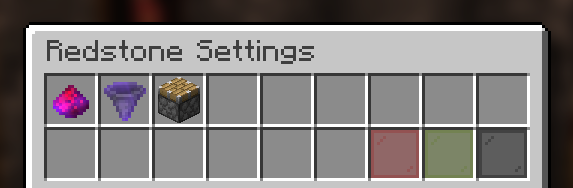
Permissions -------- Permissions are a Bukkit feature and not a custom thing of this plugin! Please refer to the (https://bukkit.fandom.com/wiki/Permissions.yml "permissions.yml") file in your server or find another plugin to manage permissions (these usually have a lot of features and functionality).
- `blockprot.lock`: Allows players to lock blocks and access them.
- `blockprot.info`: Allows players to see the owner and friends of a locked block.
- `blockprot.admin`: Allows players to unlock blocks that they do not own
- `blockprot.bypass`: Allows players to bypass any protections, but doesn't allow them to edit blocks.
Translating -------- If you know a language that isn't supported by this plugin (yet) or found some translation error we'd love if you could translate for us!
You can do so easily by going to (https://gitlocalize.com/repo/6775/) or sending me the translations on Discord.
Support -------- Please do not use reviews or my profile for support, instead use you can file an issue over at (https://github.com/spnda/BlockProt/issues ""). If you require more support or want to ask questions, please use (https://discord.gg/WVy6DHScFb "") for chatting.
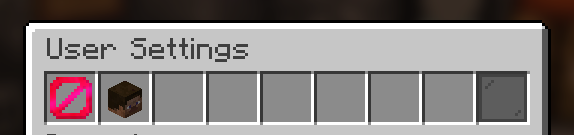
Usage -------- Once in game, crouch and right click a lockable block with an empty hand and you will see the GUI to lock/unlock blocks. For this to work properly, give the default player group the blockprot.lock permission. By default, the block gets locked upon placing it., though one can disable this for themselves with the command /blockprot settings. All settings in that command are per-player. To give yourself the permissions listed above, use Bukkit's permission.yml file or see to some permission management plugin.
This plugin requires at least Spigot. CraftBukkit is not supported and shouldn't be used for non-development purposes anyway.
📊 Mod Details
- Game
- Minecraft Plugins
- Author
- spnda
- Version
- 1.2.6
- Downloads
- 10,758
- Endorsements
- 67
- Category
- bukkit
- Created
- 11/13/2022
- Updated
- 11/12/2025
- Game Versions
- 1.18, 1.18.1, 1.18.2, 1.19, 1.19.1
- Tags
- management, utility
🔧 How to Install Minecraft Plugins Mods
Download from Modrinth. Use Prism Launcher or drop into your mods folder.
📖 Full step-by-step install guide for Minecraft Plugins →
Visit the official mod page for specific installation instructions for this mod.
🎮 Need cheat codes or console commands? Check ur gaming wiki for Minecraft Plugins commands, item IDs, and more.
❓ Frequently Asked Questions
Which Minecraft Plugins versions does BlockProt support?
The author lists 1.18, 1.18.1, 1.18.2, 1.19, 1.19.1, 1.19.2. Other versions may work but are untested by the author.
What is the latest version of BlockProt?
Version 1.2.6, published 2025-11-12 with 10,758 downloads recorded at the source.
Keep browsing — more Minecraft Plugins mods await