AutoTorch
⚪ Last updated 2024🖼️ Gallery (2 images)
🔍 Analysis
- 🏆 #56 of 333 adventure mods in this game by downloads
📋 About This Mod
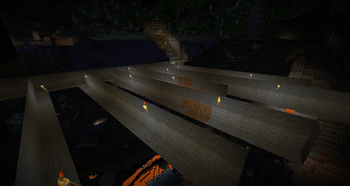
**Have you or your players had enough of placing torches when you are mining, exploring a cave or just wondering at night? Then this plugin is for you!** ## Main features: - WorldGuard region support (don't place torches in build deny) - Support Spigot/Paper 1.16.5+ - Torches can be taken from inventory, off hand or primary hand - Torches can be placed at certain light levels with a radius - Blacklist of blocks that torches can be placed on - Boundaries for the y axis - Place torches on walls - Translate file for player-facing UI ## Permissions: - autotorch.auto - Permits the player to turn on auto torch placing on and off - autotorch.admin - Allows the player to view plugin information, reset the config, reset the list of players who have autotorch enabled and check for updates - autotorch.* - All permissions listed above ## Commands: - /at - Open the AutoTorch GUI where players can enabled/disable torch placing. They can also modify their settings. - /ata - Plugin details ## Installation: All you need to do is to download and copy the file into your plugins folder. If you need to configure anything you will first need to start up the server, then you can go into the AutoTorch folder where you can find global.yml (for settings that apply to all users) and player.yml where you can specify the player's default settings.
Have you or your players had enough of placing torches when you are mining, exploring a cave or just wondering at night? Then this plugin is for you! ## Main features: - WorldGuard region support (don't place torches in build deny) - Support Spigot/Paper 1. 16. 5+ - Torches can be taken from inventory, off hand or primary hand - Torches can be placed at certain light levels with a radius - Blacklist of blocks that torches can be placed on - Boundaries for the y axis - Place torches on walls - Translate file for player-facing UI
## Permissions: - autotorch.auto - Permits the player to turn on auto torch placing on and off - autotorch.admin - Allows the player to view plugin information, reset the config, reset the list of players who have autotorch enabled and check for updates - autotorch.* - All permissions listed above
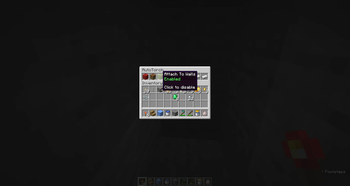
## Commands: - /at - Open the AutoTorch GUI where players can enabled/disable torch placing. They can also modify their settings. - /ata - Plugin details
## Installation: All you need to do is to download and copy the file into your plugins folder. If you need to configure anything you will first need to start up the server, then you can go into the AutoTorch folder where you can find global.yml (for settings that apply to all users) and player.yml where you can specify the player's default settings.
📊 Mod Details
- Game
- Minecraft Plugins
- Author
- ploppyperson
- Version
- 2.2.1
- Downloads
- 304
- Endorsements
- 4
- Category
- adventure
- Created
- 7/1/2024
- Updated
- 7/24/2024
- Game Versions
- 1.16.5, 1.17, 1.17.1, 1.18, 1.18.1
- Tags
- adventure, game-mechanics, utility
🔧 How to Install Minecraft Plugins Mods
Download from Modrinth. Use Prism Launcher or drop into your mods folder.
📖 Full step-by-step install guide for Minecraft Plugins →
Visit the official mod page for specific installation instructions for this mod.
🎮 Need cheat codes or console commands? Check ur gaming wiki for Minecraft Plugins commands, item IDs, and more.
❓ Frequently Asked Questions
Which Minecraft Plugins versions does AutoTorch support?
The author lists 1.16.5, 1.17, 1.17.1, 1.18, 1.18.1, 1.18.2. Other versions may work but are untested by the author.
What is the latest version of AutoTorch?
Version 2.2.1, published 2024-07-24 with 304 downloads recorded at the source.
Keep browsing — more Minecraft Plugins mods await