ArenaParkour
🟡 Updated this year🖼️ Gallery (2 images)
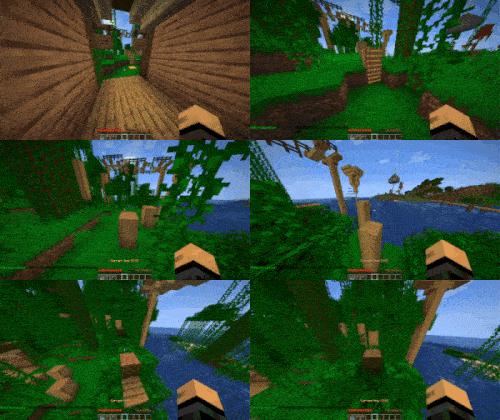
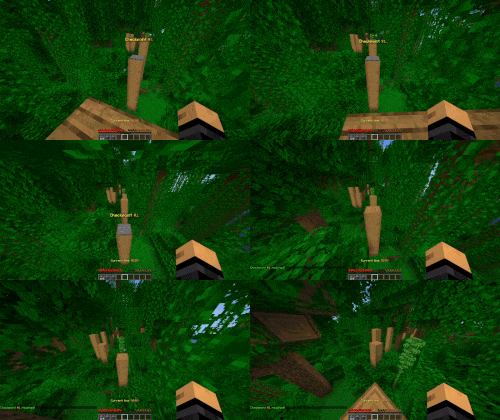
🔍 Analysis
- 👍 0.6% endorsement rate
- 🏆 #11 of 16 minigame mods in this game by downloads
📋 About This Mod
!(https://cdn.modrinth.com/data/cached_images/c6a13407162e126474a5e54b3dbb8b1610e9d91d.png) [!(https://cdn.modrinth.com/data/cached_images/5ec4881abd7dc494f25ce29e6a5ee7e47aa89c68.png)](https://modrinth.com/plugin/battlearena)
A parkour plugin using (https://modrinth.com/plugin/battlearena)
ArenaParkour is a parkour plugin using BattleArena, allowing you to create your own parkour courses with configurable checkpoints. Supports creating parkour minigames, or integrating into existing areas (i.e. lobby parkours).
## Parkour Templates ArenaParkour includes a couple templates for pre-made parkour games. These are the parkour minigame, which act as a standard minigame for parkour, and the lobby parkour which is less of a minigame but sits in an existing lobby.
You can find these modes in the (https://github.com/BattlePlugins/ArenaParkour/tree/master/templates) folder.
## Requirements - A Paper server (or other derivative) running 1. 19. 4 or above - The (https://modrinth.com/plugin/battlearena) plugin
## Map Creation 1. The first step follows the same steps as outlined in the BattleArena (https://docs.battleplugins.org/books/user-guide/page/map-creation) documentation. For ArenaParkour, you will use the /parkour command to initiate the map creation. 2. Once you have created a map, you now need to set the parkour checkpoints. Run /parkour checkpoint add to start the process. - A wizard will open, asking you to set the checkpoint position. Follow the instructions in chat to set the checkpoint position. - The first checkpoint position will become the start of the parkour, with every subsequent checkpoint becoming the "end" position. - After setting the checkpoints, you may need to run /battlearena reload to reload the checkpoints, and the parkour will start.
## Configuration
The default configuration for Parkour can be found in plugins/ArenaParkour/arenas/parkour.yml. This can be modified in any way. See the (https://docs.battleplugins.org/books/user-guide/page/arena-configuration) page for more details.
Additionally, configs for other parkour templates can be found (https://github.com/BattlePlugins/ArenaParkour/tree/master/templates).
Full documentation for ArenaParkour can be found on the (https://docs.battleplugins.org/books/additional-gamemodes/chapter/parkour) website.
## Permissions | Permission | Command | |-----------------------------------------|----------------------| | battlearena.command.parkour.checkpoint.add | /parkour checkpoint add | | battlearena.command.parkour.checkpoint.remove | /parkour checkpoint remove | | battlearena.command.parkour.checkpoint.clear | /parkour checkpoint clear | | battlearena.command.parkour.checkpoint.index | /parkour checkpoint index | | battlearena.command.parkour.checkpoint.list | /parkour checkpoint list | | battlearena.command.parkour.checkpoint | /parkour checkpoint |
## Links - Website: (https://www.battleplugins.org) - Discord: (https://discord.com/invite/J3Hjjb8) - Donate: (https://patreon.com/battleplugins)
📊 Mod Details
- Game
- Minecraft Plugins
- Author
- Redned
- Version
- 2.0.0
- Downloads
- 1,573
- Endorsements
- 9
- Category
- minigame
- Created
- 12/30/2024
- Updated
- 5/24/2026
- Game Versions
- 1.19.4, 1.20, 1.20.1, 1.20.2, 1.20.3
- Tags
- minigame
🔧 How to Install Minecraft Plugins Mods
Download from Modrinth. Use Prism Launcher or drop into your mods folder.
📖 Full step-by-step install guide for Minecraft Plugins →
Visit the official mod page for specific installation instructions for this mod.
🎮 Need cheat codes or console commands? Check ur gaming wiki for Minecraft Plugins commands, item IDs, and more.
❓ Frequently Asked Questions
Which Minecraft Plugins versions does ArenaParkour support?
The author lists 1.19.4, 1.20, 1.20.1, 1.20.2, 1.20.3, 1.20.4. Other versions may work but are untested by the author.
What is the latest version of ArenaParkour?
Version 2.0.0, published 2026-05-24 with 1,573 downloads recorded at the source.
Keep browsing — more Minecraft Plugins mods await