AdvancedDisplays
🟡 Updated this year🖼️ Gallery (3 images)
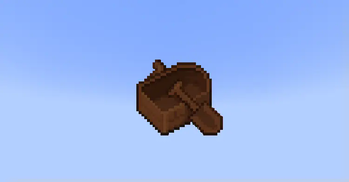

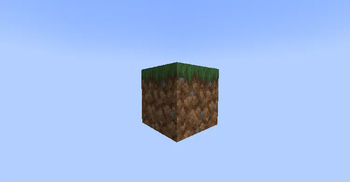
🔍 Analysis
- 👍 0.7% endorsement rate
- 🏆 #65 of 70 decoration mods in this game by downloads
📋 About This Mod
!(https://i.imgur.com/OJLYxz3.png) AdvancedDisplays is a plugin that allows users to create block, item and text displays! The plugin includes these features: * Displays are fully customizable. * YAML configuration files. Data is saved in YAML files for easy configuration. * 1.19.4 - 26.1.x support. * Minimessage support. * Per-player placeholders. * Animated texts. * Developer API. * Click actions. * In-game editor. * View & click conditions. Future features & updates: * In-game editor for actions. * Multiline displays (a display with text and items, for example) * Animated item and block displays * Entity metadata system (modify what entities in Entity Displays look like, such as wolf variant) !(https://i.imgur.com/1YE7vl7.png) * /ad help - none - Shows information about the commands that THE USER has access to. * /ad reload - ad.reload - Reloads the plugin. * /ad create - ad.create - Creates a new display. For ATTACHED type, see (https://lucaaa.gitbook.io/advanceddisplays/usage/commands-and-permissions/create-attached-display). * /ad remove - ad.remove - Removes an existing display. * /ad movehere \<center> - ad.movehere - Moves a display to the player's location. * /ad moveto <world/~/\*> - ad.moveto - Moves a display to the given location. See (https://lucaaa.gitbook.io/advanceddisplays/usage/actions#relative-positions) for more information. * /ad teleport - ad.teleport - Teleports the player to the display's location. * /ad convert - More info (https://lucaaa.gitbook.io/advanceddisplays/usage/commands-and-permissions/convert-subcommand) * /ad list - ad.admin - Shows the list of the existing displays. * /ad edit - ad.edit - Opens the GUI editor for a certain display. * /ad finish - none - Stops what you are currently doing (creating an ATTACHED display or editing a display). * /ad nextPage - ad.page - Switches to the next page of a text display. * /ad previousPage - ad.page - Switches to the previous page of a text display. * /ad setPage - ad.page - Switches to the given page of a text display. * /ad reset - ad.page - Makes the page that the player is seeing be the same as the display's page. !(https://i.imgur.com/myXuXAo.png) Text display:\ !(https://i.imgur.com/iy7YbEa.png) Block display:\ !(https://i.imgur.com/ejoddFY.png) Item display:\ !(https://i.imgur.com/MvmPxKo.png) !(https://i.imgur.com/dZEvYil.png) - Wiki: (https://lucaaa.gitbook.io/advanceddisplays/) - Source code on GitHub: (https://github.com/Luncaaa/AdvancedDisplays) - Javadocs: (https://jitpack.io/com/github/Luncaaa/AdvancedDisplays/main-SNAPSHOT/javadoc/) - Dev build: (https://github.com/Luncaaa/AdvancedDisplays/releases/tag/dev) If you need help, found a bug or want to suggest something, please do it in any of these places: - Issues on GitHub: (https://github.com/luncaaa/advanceddisplays) - Contact me on Discord: Lucaaa#6268 / luncaaa
!(https://i.imgur.com/OJLYxz3.png) AdvancedDisplays is a plugin that allows users to create block, item and text displays! The plugin includes these features:
Displays are fully customizable. YAML configuration files. Data is saved in YAML files for easy configuration. 1. 19. 4 - 26. 1.x support. Minimessage support. Per-player placeholders. Animated texts. Developer API. Click actions. In-game editor. View & click conditions.
Future features & updates:
In-game editor for actions. Multiline displays (a display with text and items, for example) Animated item and block displays Entity metadata system (modify what entities in Entity Displays look like, such as wolf variant)
!(https://i.imgur.com/1YE7vl7.png) /ad help - none - Shows information about the commands that THE USER has access to.
/ad reload - ad.reload - Reloads the plugin.
/ad create - ad.create - Creates a new display. For ATTACHED type, see (https://lucaaa.gitbook.io/advanceddisplays/usage/commands-and-permissions/create-attached-display).
/ad remove - ad.remove - Removes an existing display.
/ad movehere \ - ad.movehere - Moves a display to the player's location.
/ad moveto
/ad teleport - ad.teleport - Teleports the player to the display's location.
/ad convert - More info (https://lucaaa.gitbook.io/advanceddisplays/usage/commands-and-permissions/convert-subcommand)
/ad list - ad.admin - Shows the list of the existing displays.
/ad edit - ad.edit - Opens the GUI editor for a certain display.
/ad finish - none - Stops what you are currently doing (creating an ATTACHED display or editing a display).
/ad nextPage - ad.page - Switches to the next page of a text display.
/ad previousPage - ad.page - Switches to the previous page of a text display.
/ad setPage - ad.page - Switches to the given page of a text display.
* /ad reset - ad.page - Makes the page that the player is seeing be the same as the display's page.
!(https://i.imgur.com/myXuXAo.png) Text display:\ !(https://i.imgur.com/iy7YbEa.png)
Block display:\ !(https://i.imgur.com/ejoddFY.png)
Item display:\ !(https://i.imgur.com/MvmPxKo.png)
!(https://i.imgur.com/dZEvYil.png) - Wiki: (https://lucaaa.gitbook.io/advanceddisplays/) - Source code on GitHub: (https://github.com/Luncaaa/AdvancedDisplays) - Javadocs: (https://jitpack.io/com/github/Luncaaa/AdvancedDisplays/main-SNAPSHOT/javadoc/) - Dev build: (https://github.com/Luncaaa/AdvancedDisplays/releases/tag/dev)
If you need help, found a bug or want to suggest something, please do it in any of these places: - Issues on GitHub: (https://github.com/luncaaa/advanceddisplays) - Contact me on Discord: Lucaaa#6268 / luncaaa
📊 Mod Details
- Game
- Minecraft Plugins
- Author
- Luncaaa
- Version
- 1.7.1
- Downloads
- 1,315
- Endorsements
- 9
- Category
- decoration
- Created
- 7/30/2024
- Updated
- 5/28/2026
- Game Versions
- 1.19.4, 1.20.1, 1.20.2, 1.20.3, 1.20.4
- Tags
- decoration, utility
🔧 How to Install Minecraft Plugins Mods
Download from Modrinth. Use Prism Launcher or drop into your mods folder.
📖 Full step-by-step install guide for Minecraft Plugins →
Visit the official mod page for specific installation instructions for this mod.
🎮 Need cheat codes or console commands? Check ur gaming wiki for Minecraft Plugins commands, item IDs, and more.
❓ Frequently Asked Questions
Which Minecraft Plugins versions does AdvancedDisplays support?
The author lists 1.19.4, 1.20.1, 1.20.2, 1.20.3, 1.20.4, 1.20.5. Other versions may work but are untested by the author.
What is the latest version of AdvancedDisplays?
Version 1.7.1, published 2026-05-28 with 1,315 downloads recorded at the source.
Keep browsing — more Minecraft Plugins mods await