Advanced Resource Packs
🟠 Updated over a year ago🖼️ Gallery (4 images)
🔍 Analysis
- 🏆 #468 of 1317 bukkit mods in this game by downloads
📋 About This Mod
### **Advanced Resource Packs** _Commands:_ **/Openpacks**: a menu that shows you the texture packs in items or blocks, when you click on one of them and if it is configured previously in the config.yml, a resourcepack will be applied, and to remove it you have to open the menu again and click on the one you have chosen previously. Example of how to configure in config.yml: The texture packs in the config.yml come empty by default so that whoever wants to use it can configure it to their liking, block, name, and link. 1: name: ‘Resource pack 1’ (here is the name that will appear in the menu) url: ‘link’ (Here is the link to the resourcepack) icon: ‘GRASS_BLOCK’ (Here goes the ID of the block or item that you want the resourcepack to have in the menu) and to add a new texture pack if you have already used the 6 that are by default, copy and paste a new one changing the number and the rest. 7: name: ‘Resource Pack 7’ url: ‘link’ icon: ‘GOLDEN_APPPLE’ Tutorial: Step 1: Go to Google Drive and upload the texture pack you want in .zip format. 2° Step: Enter the file > Share > Change the privacy settings to ‘Anyone with this link’. !(https://cdn.modrinth.com/data/cached_images/0f728f88db6b3aaea4546bc1886f79eaeb8295f4.png) !(https://cdn.modrinth.com/data/cached_images/3821f6b58ae8beca25a8b861003aa735c2c1da4e_0.webp) 3° Step: Copy the link that gives you an example of the one in the picture: https://drive.google.com/file/d/1R_DtnoJhdxkPx34YBTcl2Gon0ghetTKO/view?usp=sharing 4° Step: get the ID of the previous link that would be ‘1R_DtnoJhdxkPx34YBTcl2Gon0ghetTKO’, to get the ID is to look at the ID of numbers and letters that comes out after file/d/ and there follows the ID that is until /view 5° Step: With this format here: https://drive.google.com/uc?export=download&id=ID_FILE_ID Replace ID_FILE_ID by the ID of your download link, in the case of this example it would be ‘1R_DtnoJhdxkPx34YBTcl2Gon0ghetTKO’ and it would look like this: https://drive.google.com/uc?export=download&id=1R_DtnoJhdxkPx34YBTcl2Gon0ghetTKO Now this link is the one to put in the config.yml. ## **Note**: it is also useful to put links that take you DIRECT to a download, that is to say you put the link in your browser and it downloads without the need of a ‘download’ button if it is like this it is totally useful to avoid using the long process of Google Drive.
### Advanced Resource Packs
_Commands:_
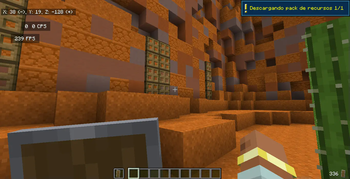
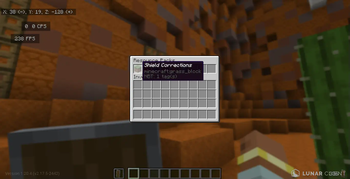
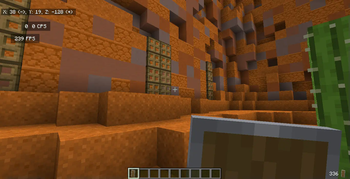
/Openpacks: a menu that shows you the texture packs in items or blocks, when you click on one of them and if it is configured previously in the config.yml, a resourcepack will be applied, and to remove it you have to open the menu again and click on the one you have chosen previously.
Example of how to configure in config.yml:
The texture packs in the config.yml come empty by default so that whoever wants to use it can configure it to their liking, block, name, and link.
1: name: ‘Resource pack 1’ (here is the name that will appear in the menu) url: ‘link’ (Here is the link to the resourcepack) icon: ‘GRASS_BLOCK’ (Here goes the ID of the block or item that you want the resourcepack to have in the menu)
and to add a new texture pack if you have already used the 6 that are by default, copy and paste a new one changing the number and the rest.
7: name: ‘Resource Pack 7’ url: ‘link’ icon: ‘GOLDEN_APPPLE’
Step 1: Go to Google Drive and upload the texture pack you want in .zip format.
2° Step: Enter the file > Share > Change the privacy settings to ‘Anyone with this link’.
!(https://cdn.modrinth.com/data/cached_images/0f728f88db6b3aaea4546bc1886f79eaeb8295f4.png)
!(https://cdn.modrinth.com/data/cached_images/3821f6b58ae8beca25a8b861003aa735c2c1da4e_0.webp)
3° Step: Copy the link that gives you an example of the one in the picture: https://drive.google.com/file/d/1R_DtnoJhdxkPx34YBTcl2Gon0ghetTKO/view?usp=sharing
4° Step: get the ID of the previous link that would be ‘1R_DtnoJhdxkPx34YBTcl2Gon0ghetTKO’, to get the ID is to look at the ID of numbers and letters that comes out after file/d/ and there follows the ID that is until /view
5° Step: With this format here:
https://drive.google.com/uc?export=download&id=ID_FILE_ID
Replace ID_FILE_ID by the ID of your download link, in the case of this example it would be ‘1R_DtnoJhdxkPx34YBTcl2Gon0ghetTKO’ and it would look like this:
https://drive.google.com/uc?export=download&id=1R_DtnoJhdxkPx34YBTcl2Gon0ghetTKO
Now this link is the one to put in the config.yml.
## Note: it is also useful to put links that take you DIRECT to a download, that is to say you put the link in your browser and it downloads without the need of a ‘download’ button if it is like this it is totally useful to avoid using the long process of Google Drive.
📊 Mod Details
- Game
- Minecraft Plugins
- Author
- iMrAgus
- Version
- 1.4
- Downloads
- 270
- Endorsements
- 4
- Category
- bukkit
- Created
- 11/17/2024
- Updated
- 11/12/2024
- Game Versions
- 1.19, 1.20, 1.20.1, 1.20.2, 1.20.3
- Tags
- game-mechanics, management, utility
🔧 How to Install Minecraft Plugins Mods
Download from Modrinth. Use Prism Launcher or drop into your mods folder.
📖 Full step-by-step install guide for Minecraft Plugins →
Visit the official mod page for specific installation instructions for this mod.
🎮 Need cheat codes or console commands? Check ur gaming wiki for Minecraft Plugins commands, item IDs, and more.
❓ Frequently Asked Questions
Which Minecraft Plugins versions does Advanced Resource Packs support?
The author lists 1.19, 1.20, 1.20.1, 1.20.2, 1.20.3, 1.20.4. Other versions may work but are untested by the author.
What is the latest version of Advanced Resource Packs?
Version 1.4, published 2024-11-12 with 270 downloads recorded at the source.
Keep browsing — more Minecraft Plugins mods await