AdminToolsPro+
🟡 Updated this year🖼️ Gallery (4 images)

🔍 Analysis
- 🏆 #59 of 378 game-mechanics mods in this game by downloads
📋 About This Mod
# Admin Tools **A lightweight admin utility plugin for Paper 1.21.1** > No external dependencies. Drop the jar into your plugins folder and go. --- ## ✨ Features ### 📦 InvSee View and edit any player's **full inventory** — armor, offhand, hotbar, and main inventory all in one GUI. Works for **offline players** too. Editing can be set to read-only in the config. ### 🟣 EcSee Browse and edit any player's **enderchest**, even while they're offline. Same offline support and read-only option as InvSee. ### 👻 Vanish Go invisible to regular players with a single command. - Admins and operators still see you - `/msg` sent to a vanished player returns "not online" for non-admins - Vanish state is correctly handled on join/quit ### 🎭 FakePlayer Simulate players joining or leaving the server. - Broadcasts the vanilla join/leave message in the client's language - Optional tab-list entry (configurable) - `/msg` to a fake player is silently routed to all online admins --- ## 🖥️ Commands | Command | Description | |---------|-------------| | `/invsee <player>` | Open a player's inventory (online or offline) | | `/ecsee <player>` | Open a player's enderchest (online or offline) | | `/vanish <on\|off>` | Toggle your vanish state | | `/fakeplayer join <name>` | Simulate a player joining | | `/fakeplayer leave <name>` | Simulate a player leaving | | `/fakeplayer list` | List all active fake players | | `/admintools help` | Show the in-game help page (alias: `/at help`) | | `/admintools reload` | Reload config.yml without restarting | --- ## 🔑 Permissions | Permission node | Description | |----------------|-------------| | `admintools.invsee` | Use /invsee | | `admintools.ecsee` | Use /ecsee | | `admintools.vanish` | Use /vanish and see vanished players | | `admintools.fakeplayer` | Use /fakeplayer and see fake /msg routing | | `admintools.admintools` | Use /admintools reload | > Default is `op` for all commands. Set any permission to `all` or a custom node in `config.yml`. --- ## ⚙️ Configuration ```yaml permissions: invsee: op ecsee: op vanish: op fakeplayer: op admintools: op invsee: editable: true ecsee: editable: true fakeplayer: show-in-tab: true ``` Reload the config at any time with `/admintools reload` — no restart needed. --- ## 💾 Data Storage Player inventories and enderchests are automatically saved to YAML when a player logs out. No database required. ``` plugins/AdminTools/ ├── config.yml ├── inventories/<uuid>.yml └── enderchests/<uuid>.yml ``` --- ## ⚠️ Requirements - **Paper 1.21.1** — Spigot and CraftBukkit are not supported - Java 21+ - No external plugins or libraries needed
# Admin Tools A lightweight admin utility plugin for Paper 1. 21. 1
> No external dependencies. Drop the jar into your plugins folder and go.
## ✨ Features
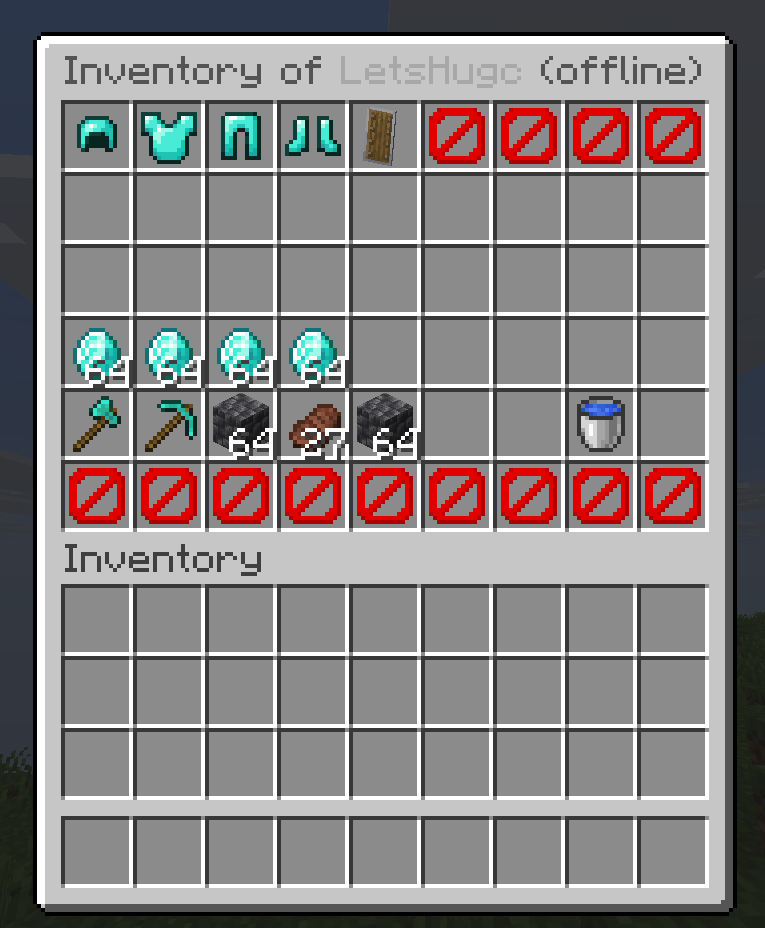
### 📦 InvSee View and edit any player's full inventory — armor, offhand, hotbar, and main inventory all in one GUI. Works for offline players too. Editing can be set to read-only in the config.
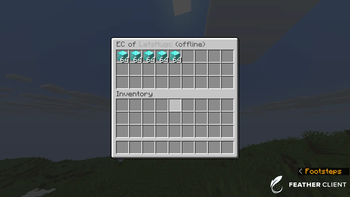
### 🟣 EcSee Browse and edit any player's enderchest, even while they're offline. Same offline support and read-only option as InvSee.
### 👻 Vanish Go invisible to regular players with a single command. - Admins and operators still see you - `/msg` sent to a vanished player returns "not online" for non-admins - Vanish state is correctly handled on join/quit
### 🎭 FakePlayer Simulate players joining or leaving the server. - Broadcasts the vanilla join/leave message in the client's language - Optional tab-list entry (configurable) - `/msg` to a fake player is silently routed to all online admins
## 🖥️ Commands
| Command | Description |
|---------|-------------|
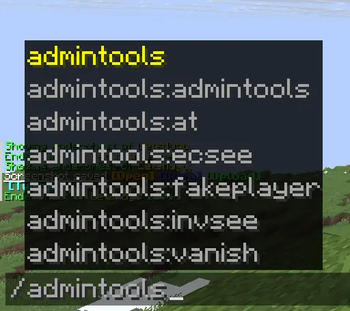
| `/invsee
## 🔑 Permissions
| Permission node | Description | |----------------|-------------| | `admintools.invsee` | Use /invsee | | `admintools.ecsee` | Use /ecsee | | `admintools.vanish` | Use /vanish and see vanished players | | `admintools.fakeplayer` | Use /fakeplayer and see fake /msg routing | | `admintools.admintools` | Use /admintools reload |
> Default is `op` for all commands. Set any permission to `all` or a custom node in `config.yml`.
## ⚙️ Configuration
```yaml permissions: invsee: op ecsee: op vanish: op fakeplayer: op admintools: op
invsee: editable: true
ecsee: editable: true
fakeplayer: show-in-tab: true ```
Reload the config at any time with `/admintools reload` — no restart needed.
## 💾 Data Storage
Player inventories and enderchests are automatically saved to YAML when a player logs out. No database required.
```
plugins/AdminTools/
├── config.yml
├── inventories/
## ⚠️ Requirements
- Paper 1. 21. 1 — Spigot and CraftBukkit are not supported
- Java 21+
- No external plugins or libraries needed
📊 Mod Details
- Game
- Minecraft Plugins
- Author
- MiCodeStudios
- Version
- 3.1.0
- Downloads
- 69
- Endorsements
- 1
- Category
- game-mechanics
- Created
- 5/11/2026
- Updated
- 5/9/2026
- Game Versions
- 1.21, 1.21.1, 1.21.2, 1.21.3, 1.21.4
- Tags
- game-mechanics, management, utility
🔧 How to Install Minecraft Plugins Mods
Download from Modrinth. Use Prism Launcher or drop into your mods folder.
📖 Full step-by-step install guide for Minecraft Plugins →
Visit the official mod page for specific installation instructions for this mod.
🎮 Need cheat codes or console commands? Check ur gaming wiki for Minecraft Plugins commands, item IDs, and more.
❓ Frequently Asked Questions
Which Minecraft Plugins versions does AdminToolsPro+ support?
The author lists 1.21, 1.21.1, 1.21.2, 1.21.3, 1.21.4, 1.21.5. Other versions may work but are untested by the author.
What is the latest version of AdminToolsPro+?
Version 3.1.0, published 2026-05-09 with 69 downloads recorded at the source.
Keep browsing — more Minecraft Plugins mods await