Zoooom
🟠 Updated over a year ago⚠️ Install Order · 2 steps
Install in this order, then this mod last — most mods fail to load without their framework and dependencies in place.
🖼️ Gallery (2 images)
🔍 Analysis
- 👍 0.1% endorsement rate
- 🏆 #590 of 892 fabric mods in this game by downloads
📋 About This Mod
# Zoooom – Simple, Configurable Zoom for Minecraft! Ever wished you could zoom in to get a better look at distant objects? Zoooom is a lightweight mod that adds a simple yet powerful zoom feature to Minecraft! Perfect for scouting terrain, spotting mobs from afar, or just taking in the scenery with more detail. ## 🔎 Features Hold-to-Zoom: Press and hold Z to zoom in effortlessly. Configurable Zoom Level: Adjust how far you zoom in with a simple client config setting. Smooth Camera: No extra fluff - enable the smooth camera option for smooth camera movement while zooming. ## ⚙️ Configuration Options Customize the zoom level to fit your needs with the client config file: ```toml #Zoom distance zoomDistance = 0.23 #Enable smooth camera while zooming smoothCameraEnabled = false ``` Simply tweak the zoomAmount value in the config to increase or decrease the zoom depth. Enable smooth camera while zooming in the config should you wish. ## 🕹️ How to Use Press and hold "Z" to zoom in. Release "Z" to return to normal vision. Adjust the zoom level in the config file if needed. ✨ That’s it! ✨ No complicated mechanics - just a simple, effective zoom feature to enhance your gameplay.
# Zoooom – Simple, Configurable Zoom for Minecraft!
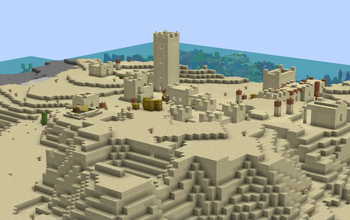
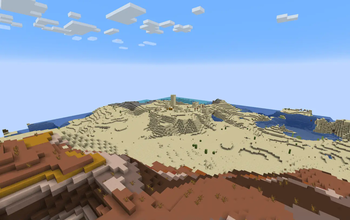
Ever wished you could zoom in to get a better look at distant objects? Zoooom is a lightweight mod that adds a simple yet powerful zoom feature to Minecraft! Perfect for scouting terrain, spotting mobs from afar, or just taking in the scenery with more detail.
## 🔎 Features
Hold-to-Zoom: Press and hold Z to zoom in effortlessly. Configurable Zoom Level: Adjust how far you zoom in with a simple client config setting. Smooth Camera: No extra fluff - enable the smooth camera option for smooth camera movement while zooming.
## ⚙️ Configuration Options
Customize the zoom level to fit your needs with the client config file: ```toml
#Zoom distance zoomDistance = 0. 23 #Enable smooth camera while zooming smoothCameraEnabled = false ```
Simply tweak the zoomAmount value in the config to increase or decrease the zoom depth. Enable smooth camera while zooming in the config should you wish.
## 🕹️ How to Use
Press and hold "Z" to zoom in. Release "Z" to return to normal vision. Adjust the zoom level in the config file if needed.
✨ That’s it! ✨ No complicated mechanics - just a simple, effective zoom feature to enhance your gameplay.
📊 Mod Details
- Game
- Minecraft Mods
- Author
- ryankshah
- Version
- 1.0.0
- Downloads
- 1,346
- Endorsements
- 2
- Category
- fabric
- Created
- 3/5/2025
- Updated
- 3/3/2025
- Game Versions
- 1.21.1, 1.21.2, 1.21.3, 1.21.4
- Tags
- game-mechanics, utility
🔧 How to Install Minecraft Mods Mods
Download from Modrinth. Use Prism Launcher or drop into your mods folder.
📖 Full step-by-step install guide for Minecraft Mods →
Visit the official mod page for specific installation instructions for this mod.
🎮 Need cheat codes or console commands? Check ur gaming wiki for Minecraft Mods commands, item IDs, and more.
❓ Frequently Asked Questions
Which Minecraft Mods versions does Zoooom support?
The author lists 1.21.1, 1.21.2, 1.21.3, 1.21.4. Other versions may work but are untested by the author.
What is the latest version of Zoooom?
Version 1.0.0, published 2025-03-03 with 1,346 downloads recorded at the source.
Keep browsing — more Minecraft Mods mods await