Yet Another Keystrokes Overlay
🟠 Updated over a year ago⚠️ Install Order · 2 steps
Install in this order, then this mod last — most mods fail to load without their framework and dependencies in place.
🖼️ Gallery (6 images)
🔍 Analysis
- 👍 0.2% endorsement rate
- 🏆 #254 of 874 fabric mods in this game by downloads
📋 About This Mod
# Yet Another Keystrokes Overlay (YAKO) **YAKO** is a design-focused keystrokes overlay for Minecraft 1.20.1 (Fabric). It shows your **WASD**, **mouse buttons**, **sneak**, **jump**, and **sprint** inputs — fully customizable to match your layout and visual preferences. From rounded and transparent strokes to sound profiles and profile switching, YAKO is built with flexibility and user experience in mind. --- ## Features - **Visual Keystrokes HUD** Shows real-time feedback for WASD, LMB/RMB, Shift, Ctrl, and Space. You can customize the layout, look, and text for each key individually. - **Customizable Layout** Drag and resize each keystroke freely. Supports transparent strokes, outlines, rounded borders, and custom labels. - **Interactive Mouse Controls** Intuitive mouse-based interactions let you build or edit your layout without menus (see controls below). - **Sound Feedback System** Enable keystroke sounds for a tactile typing experience. Choose between `linear`, `tactile`, or `clicky` sound profiles. Volume and sound state can be adjusted per layout profile. - **Profile System** Save and switch between multiple keystroke layouts using the `/yako` command. Each profile stores strokes, layout, sound settings, and more. - **Command-Based Customization** Use the `/yako` command to manage layouts, toggle features, switch lettering and adjust sound settings. - **Keypress Counter** Ever wonder how many times you pressed a specific button? With this feature you would have an answer! --- ## Controls > These controls apply to layout editing mode (opened via the **R** key): - **Left Click**: - On stroke: Select or drag to move - On blank space: Drag to select multiple strokes - **Middle Click**: - On stroke: Delete it - On blank space: Create a new keystroke - **Right Click**: - Resize a keystroke (drag to scale) - **R** (default keybind): - Opens the YAKO menu - If hovering over a stroke, opens its individual menu - **K** (default keybind): - Toggle the entire overlay on/off --- ## Commands (`/yako`) Use `/yako help` for command hints in-game. Here's what you can do: ### Profile Management - `/yako list` – List all saved profiles - `/yako create <name>` – Create a new profile - `/yako set <name>` – Switch to a specific profile - `/yako remove <name>` – Delete the current profile (cannot delete the last one) - `/yako rename <profile> <name>` – Rename a profile - `/yako reset` – Resets the entire config ### Settings - `/yako settings` – Show all controls and interactions as a quick reference - `/yako lettering` – Toggle alternate keystroke lettering (not profile-persistent) ### Keystroke Sounds - `/yako sounds` – Toggle sound on/off for keystrokes - `/yako sounds <linear|tactile|clicky>` – Set sound profile - `/yako volume ` – Show or set current volume (range: 0.01 to 25) ### Help Menu - `/yako help` – Show available command categories - `/yako help <command>` – Get usage for specific command --- ## Future Features - **Gradient & Rainbow Colors** Instead of single colors, give your keystrokes gradient or cycling rainbow colors! - **Keystroke Animations** Add animations to your Keystrokes, on press, while pressing or on release. - **Custom Input Types** Instead of being limited to the existing Input types, add your own to track new keys! --- ## Early Development Disclaimer YAKO is still in its early stages, so you may encounter the occasional bug or jank. Feedback and suggestions are always welcome! --- ## Dependencies - Minecraft **1.20.1** - Fabric Loader **≥ 0.14.0**
# Yet Another Keystrokes Overlay (YAKO)
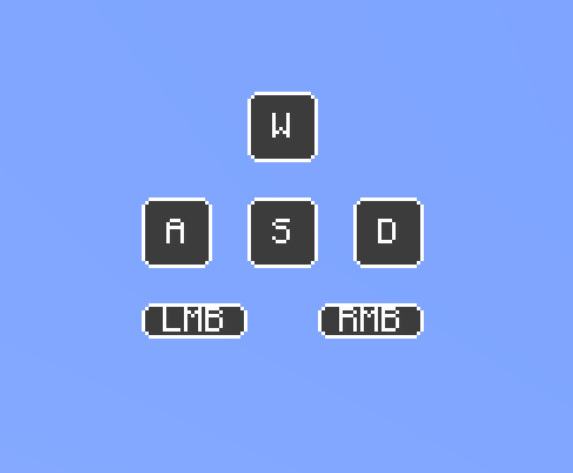
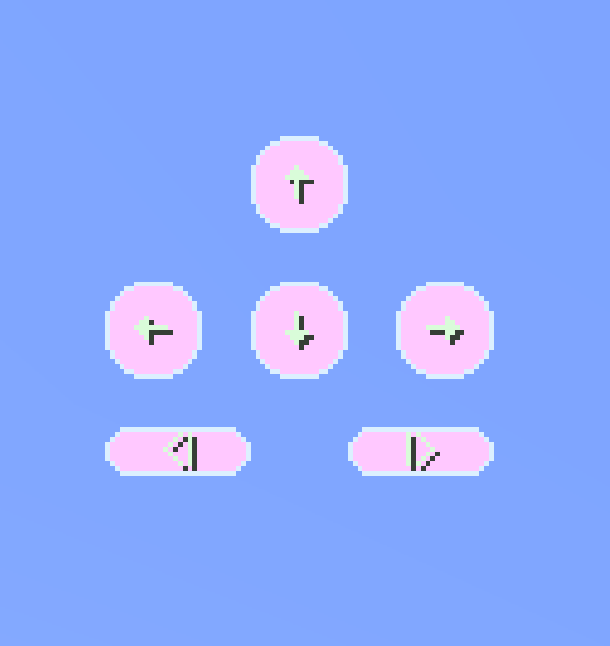
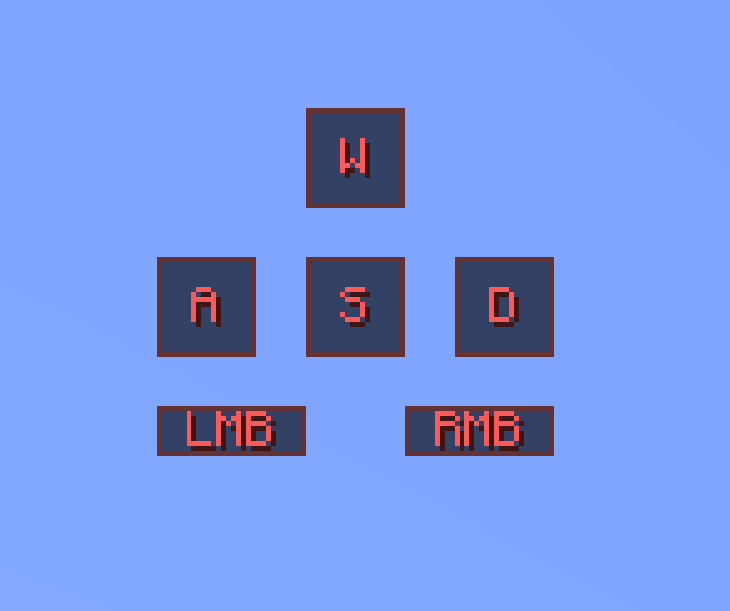
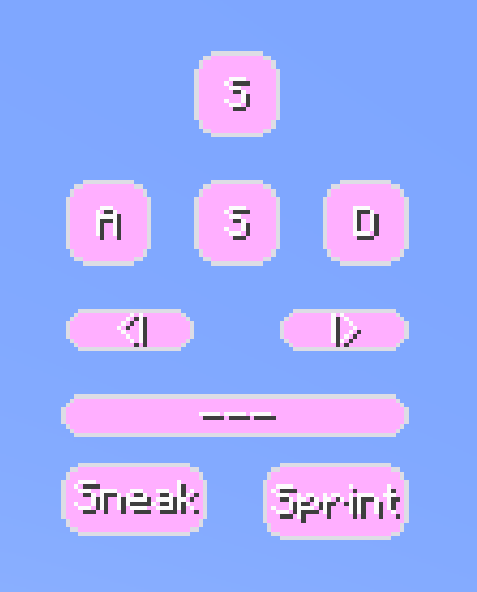
YAKO is a design-focused keystrokes overlay for Minecraft 1. 20. 1 (Fabric). It shows your WASD, mouse buttons, sneak, jump, and sprint inputs — fully customizable to match your layout and visual preferences.
From rounded and transparent strokes to sound profiles and profile switching, YAKO is built with flexibility and user experience in mind.
## Features
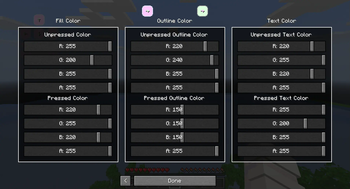
- Visual Keystrokes HUD
- Shows real-time feedback for WASD, LMB/RMB, Shift, Ctrl, and Space. You can customize the layout, look, and text for each key individually.
- Customizable Layout
- Drag and resize each keystroke freely. Supports transparent strokes, outlines, rounded borders, and custom labels.
- Interactive Mouse Controls
- Intuitive mouse-based interactions let you build or edit your layout without menus (see controls below).
- Sound Feedback System
- Enable keystroke sounds for a tactile typing experience. Choose between `linear`, `tactile`, or `clicky` sound profiles. Volume and sound state can be adjusted per layout profile.
- Profile System
- Save and switch between multiple keystroke layouts using the `/yako` command. Each profile stores strokes, layout, sound settings, and more.
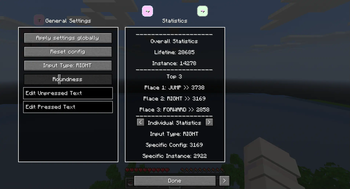
- Command-Based Customization
- Use the `/yako` command to manage layouts, toggle features, switch lettering and adjust sound settings.
- Keypress Counter
- Ever wonder how many times you pressed a specific button? With this feature you would have an answer!
## Controls
> These controls apply to layout editing mode (opened via the R key):
- Left Click:
- - On stroke: Select or drag to move
- - On blank space: Drag to select multiple strokes
- Middle Click:
- - On stroke: Delete it
- - On blank space: Create a new keystroke
- Right Click:
- - Resize a keystroke (drag to scale)
- R (default keybind):
- - Opens the YAKO menu
- - If hovering over a stroke, opens its individual menu
- K (default keybind):
- - Toggle the entire overlay on/off
## Commands (`/yako`)
Use `/yako help` for command hints in-game. Here's what you can do:
### Profile Management
- `/yako list` – List all saved profiles
- `/yako create
### Settings - `/yako settings` – Show all controls and interactions as a quick reference - `/yako lettering` – Toggle alternate keystroke lettering (not profile-persistent)
### Keystroke Sounds
- `/yako sounds` – Toggle sound on/off for keystrokes
- `/yako sounds
### Help Menu
- `/yako help` – Show available command categories
- `/yako help
## Future Features
- Gradient & Rainbow Colors
- Instead of single colors, give your keystrokes gradient or cycling rainbow colors!
- Keystroke Animations
- Add animations to your Keystrokes, on press, while pressing or on release.
- Custom Input Types
- Instead of being limited to the existing Input types, add your own to track new keys!
## Early Development Disclaimer
YAKO is still in its early stages, so you may encounter the occasional bug or jank. Feedback and suggestions are always welcome!
## Dependencies
- Minecraft 1. 20. 1
- Fabric Loader ≥ 0. 14. 0
📊 Mod Details
- Game
- Minecraft Mods
- Author
- loonsthemoons
- Version
- 1.4.1
- Downloads
- 1,942
- Endorsements
- 4
- Category
- fabric
- Created
- 7/24/2025
- Updated
- 7/30/2025
- Game Versions
- 1.20.1
- Tags
- utility
🔧 How to Install Minecraft Mods Mods
Download from Modrinth. Use Prism Launcher or drop into your mods folder.
📖 Full step-by-step install guide for Minecraft Mods →
Visit the official mod page for specific installation instructions for this mod.
🎮 Need cheat codes or console commands? Check ur gaming wiki for Minecraft Mods commands, item IDs, and more.
❓ Frequently Asked Questions
Which Minecraft Mods versions does Yet Another Keystrokes Overlay support?
The author lists 1.20.1. Other versions may work but are untested by the author.
What is the latest version of Yet Another Keystrokes Overlay?
Version 1.4.1, published 2025-07-30 with 1,942 downloads recorded at the source.
Keep browsing — more Minecraft Mods mods await