WorldBinder
🟡 Updated this year⚠️ Install Order · 2 steps
Install in this order, then this mod last — most mods fail to load without their framework and dependencies in place.
🖼️ Gallery (7 images)
🔍 Analysis
- 🏆 #670 of 909 fabric mods in this game by downloads
📋 About This Mod
# WorldBinder WorldBinder is a client-side Fabric mod for capturing loaded Minecraft world data and exporting it into playable vanilla world saves. It is designed for players, server owners, builders, developers and preservation-focused users who want to locally save world data that their Minecraft client has already received. WorldBinder focuses on world capture, export, recovery, inspection and responsible preservation tools. WorldBinder does **not** provide cheats, combat advantages, movement advantages, X-ray features or hidden server bypasses. --- ## WorldBinder 1.3.0 Version 1.3.0 refines WorldBinder's everyday interface for Minecraft 26.2: - visual HUD Widget Editor with drag positioning and direct resize controls - per-widget visibility, accent, background and opacity settings - compact custom toast notifications with readable text - cleaner optional chat feedback - substantially modernized settings screens - improved dropdown appearance and usability - more polished and consistent menus - direct WorldBinder icon access from Minecraft's main menu - direct WorldBinder icon access from Minecraft's pause menu The existing F9 Control Center and F10 live map workflows remain available. --- ## What WorldBinder does WorldBinder captures world data that is already loaded on your client and turns it into a local Minecraft world save. This can be useful for: - backing up your own builds - preserving maps you created or administer - archiving server projects you have permission to save - inspecting captured world data locally - testing exports across different Minecraft versions - recovering captured chunks after crashes or disconnects WorldBinder can only save data that your client actually receives. It cannot reconstruct server-side-only logic, unloaded chunks or hidden data that was never sent to your game. --- ## Main features - Client-side world capture - HotCache-first chunk capture - Durable chunk block cache for large captures - Vanilla world export - Target output version selection - Block, block entity and entity export where available - Map, stats and advancement export where available - Server resource pack export as `resources.zip` - Recovery and autosave tools - Configurable performance presets - Export validation reports - F9 Control Center - F10 live chunk map - Ctrl+C chunk center coordinate copying - Queue Dashboard / Profiler - Visual HUD Widget Editor for status, radar and notification overlays - Compact WorldBinder toast notifications with readable text - Modernized settings, dropdowns and menus - Main-menu and pause-menu WorldBinder icon buttons - Dedicated WorldBinder keybind category - German and English language support - Responsive interface for different window sizes and GUI scales --- ## Direct menu access WorldBinder is available directly from Minecraft's interface. Select the WorldBinder icon button in the main menu to open it before joining a world, or use the WorldBinder icon button in the pause menu while a world is open. The default **F9** keybind continues to open the Control Center as well. --- ## F9 Control Center WorldBinder includes a central Control Center that can be opened with **F9** by default. The Control Center gives quick access to: - capture status - archive progress - recent activity - warnings - capture actions - map tools - recovery tools - settings - profiler / queue dashboard - documentation and about pages It is designed as the main hub for controlling WorldBinder without having to remember every individual menu. --- ## HUD Widget Editor, modern settings and custom toasts WorldBinder's settings, dropdowns and shared menu components use a consistent interface designed to keep configuration readable across different screen sizes and GUI scales. Labels and controls stay correctly inset inside their cards. The compact visual HUD Widget Editor lets you click, drag, proportionally resize, recolor or disable the export status, chunk radar and notification overlays. Its tool panel can be collapsed for an unobstructed canvas, and the visual color picker also accepts exact HEX/ARGB input. Positions are stored relative to the screen so layouts remain stable across window sizes. Important feedback can appear through WorldBinder's custom toast notification system. In 1.3.0, the complete notification scales proportionally, longer messages wrap across additional lines, and exact colors can be customized in the Widget Editor. --- ## F10 live chunk map The F10 map shows captured world data in real time. It can display: - captured chunks - partial chunks - queued chunks - chunks with entities - chunks with block entities - warning and error states - coverage information - inspector tooltips - manual chunk navigation - follow mode and filters You can also select a chunk and copy its center coordinate with **Ctrl+C**, making it easier to teleport to or inspect captured locations. --- ## Durable chunk cache WorldBinder includes a durable
# WorldBinder
WorldBinder is a client-side Fabric mod for capturing loaded Minecraft world data and exporting it into playable vanilla world saves.
It is designed for players, server owners, builders, developers and preservation-focused users who want to locally save world data that their Minecraft client has already received. WorldBinder focuses on world capture, export, recovery, inspection and responsible preservation tools.
WorldBinder does not provide cheats, combat advantages, movement advantages, X-ray features or hidden server bypasses.
## WorldBinder 1. 3. 0
Version 1. 3. 0 refines WorldBinder's everyday interface for Minecraft 26. 2:
- visual HUD Widget Editor with drag positioning and direct resize controls
- per-widget visibility, accent, background and opacity settings
- compact custom toast notifications with readable text
- cleaner optional chat feedback
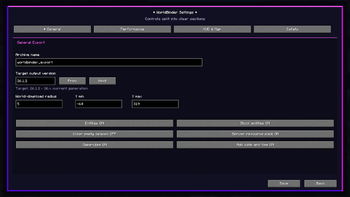
- substantially modernized settings screens
- improved dropdown appearance and usability
- more polished and consistent menus
- direct WorldBinder icon access from Minecraft's main menu
- direct WorldBinder icon access from Minecraft's pause menu
The existing F9 Control Center and F10 live map workflows remain available.
## What WorldBinder does
WorldBinder captures world data that is already loaded on your client and turns it into a local Minecraft world save.
This can be useful for:
- backing up your own builds
- preserving maps you created or administer
- archiving server projects you have permission to save
- inspecting captured world data locally
- testing exports across different Minecraft versions
- recovering captured chunks after crashes or disconnects
WorldBinder can only save data that your client actually receives. It cannot reconstruct server-side-only logic, unloaded chunks or hidden data that was never sent to your game.
## Main features
- Client-side world capture
- HotCache-first chunk capture
- Durable chunk block cache for large captures
- Vanilla world export
- Target output version selection
- Block, block entity and entity export where available
- Map, stats and advancement export where available
- Server resource pack export as `resources.zip`
- Recovery and autosave tools
- Configurable performance presets
- Export validation reports
- F9 Control Center
- F10 live chunk map
- Ctrl+C chunk center coordinate copying
- Queue Dashboard / Profiler
- Visual HUD Widget Editor for status, radar and notification overlays
- Compact WorldBinder toast notifications with readable text
- Modernized settings, dropdowns and menus
- Main-menu and pause-menu WorldBinder icon buttons
- Dedicated WorldBinder keybind category
- German and English language support
- Responsive interface for different window sizes and GUI scales
## Direct menu access
WorldBinder is available directly from Minecraft's interface.
Select the WorldBinder icon button in the main menu to open it before joining a world, or use the WorldBinder icon button in the pause menu while a world is open. The default F9 keybind continues to open the Control Center as well.
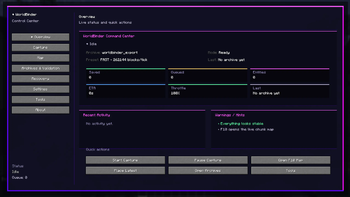
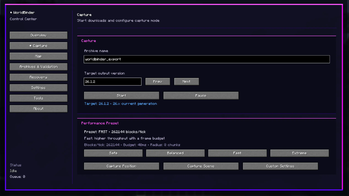
## F9 Control Center
WorldBinder includes a central Control Center that can be opened with F9 by default.
The Control Center gives quick access to:
- capture status
- archive progress
- recent activity
- warnings
- capture actions
- map tools
- recovery tools
- settings
- profiler / queue dashboard
- documentation and about pages
It is designed as the main hub for controlling WorldBinder without having to remember every individual menu.
## HUD Widget Editor, modern settings and custom toasts
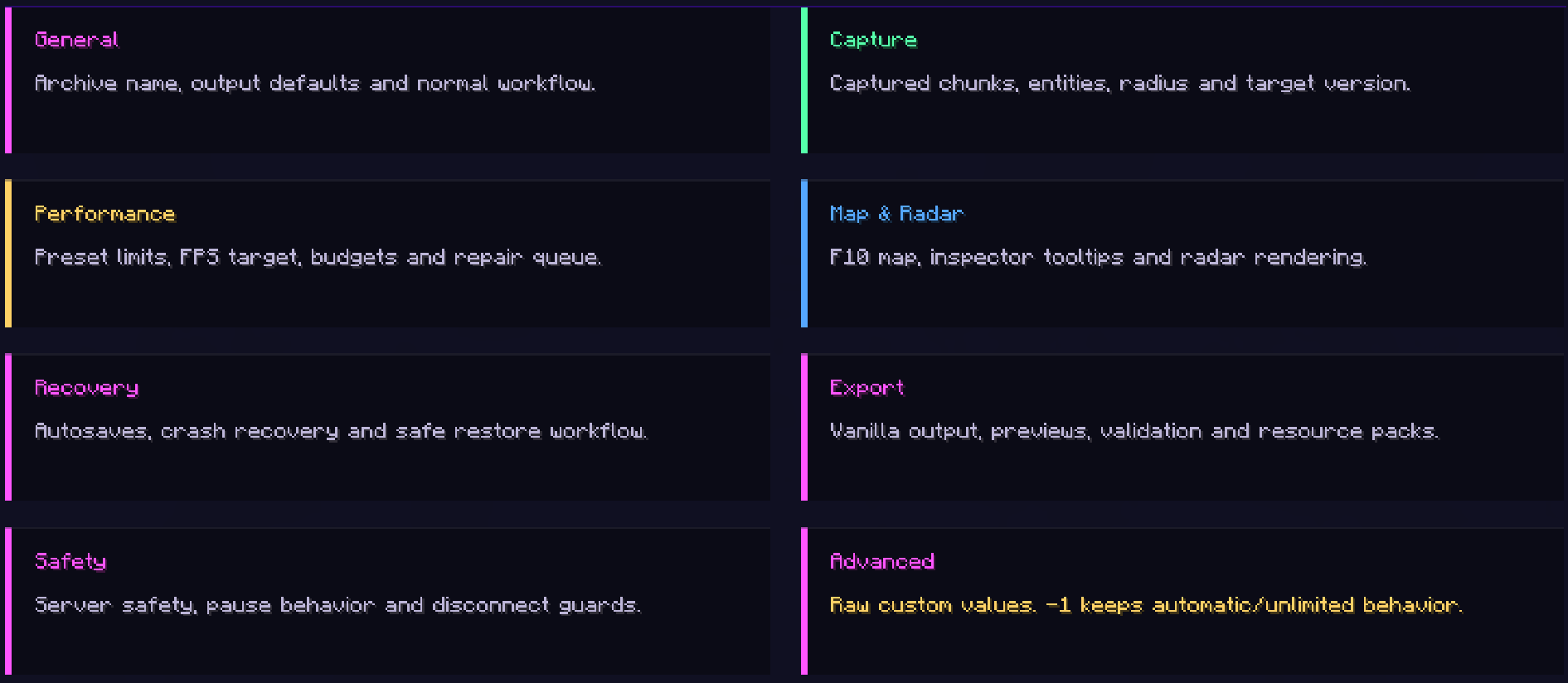
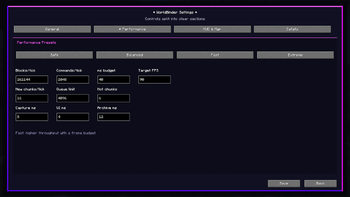
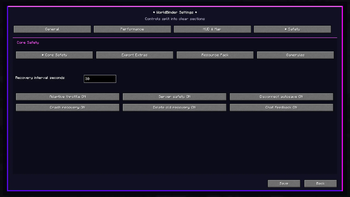
WorldBinder's settings, dropdowns and shared menu components use a consistent interface designed to keep configuration readable across different screen sizes and GUI scales. Labels and controls stay correctly inset inside their cards.
The compact visual HUD Widget Editor lets you click, drag, proportionally resize, recolor or disable the export status, chunk radar and notification overlays. Its tool panel can be collapsed for an unobstructed canvas, and the visual color picker also accepts exact HEX/ARGB input. Positions are stored relative to the screen so layouts remain stable across window sizes.
Important feedback can appear through WorldBinder's custom toast notification system. In 1. 3. 0, the complete notification scales proportionally, longer messages wrap across additional lines, and exact colors can be customized in the Widget Editor.
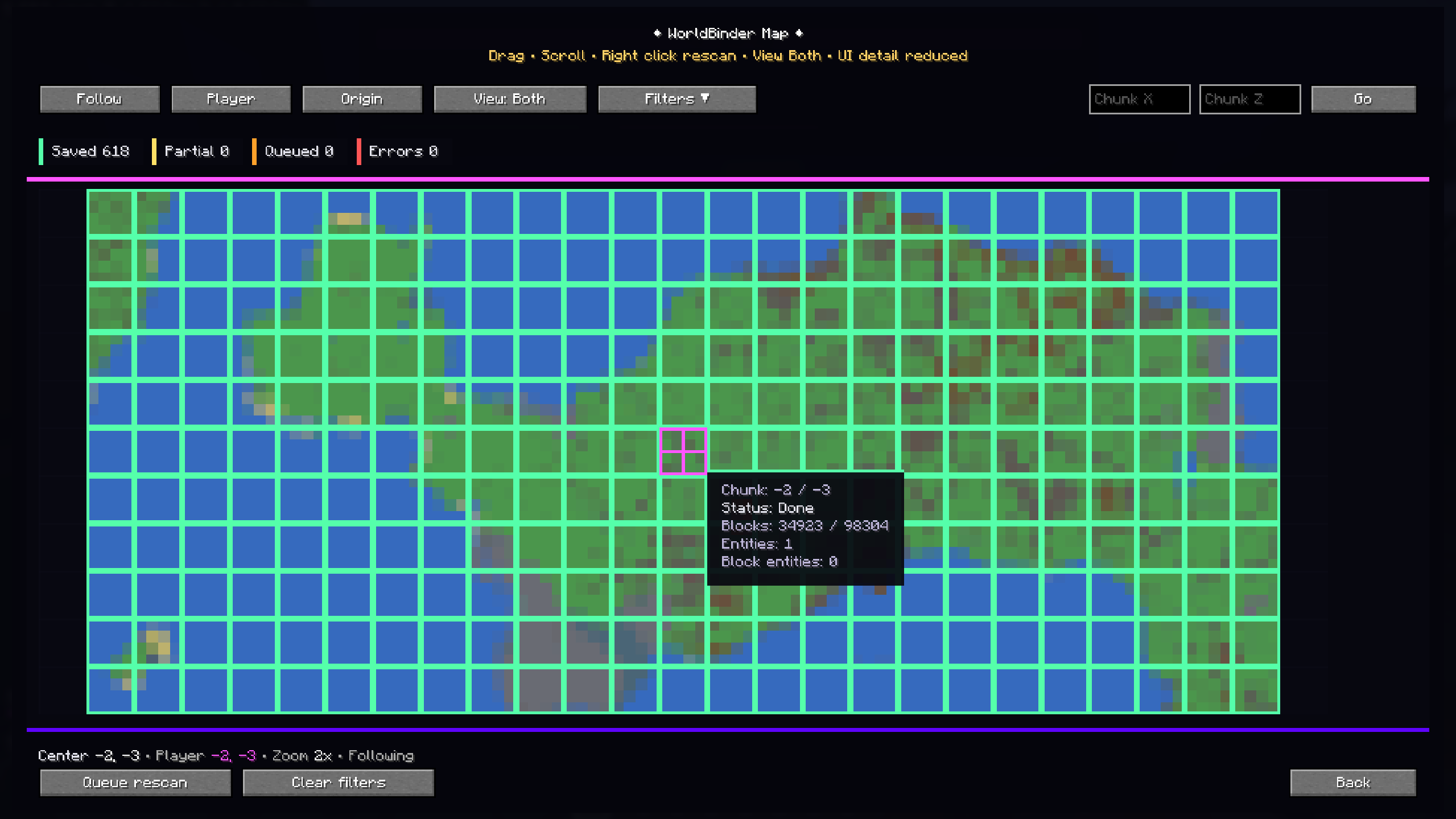
## F10 live chunk map
The F10 map shows captured world data in real time.
It can display:
- captured chunks
- partial chunks
- queued chunks
- chunks with entities
- chunks with block entities
- warning and error states
- coverage information
- inspector tooltips
- manual chunk navigation
- follow mode and filters
You can also select a chunk and copy its center coordinate with Ctrl+C, making it easier to teleport to or inspect captured locations.
## Durable chunk cache
WorldBinder includes a durable
📊 Mod Details
- Game
- Minecraft Mods
- Author
- philiipp06
- Version
- 1.3.0
- Downloads
- 255
- Endorsements
- 1
- Category
- fabric
- Created
- 5/29/2026
- Updated
- 7/28/2026
- Game Versions
- 26.2
- Tags
- management, technology, utility
🔧 How to Install Minecraft Mods Mods
Download from Modrinth. Use Prism Launcher or drop into your mods folder.
📖 Full step-by-step install guide for Minecraft Mods →
Visit the official mod page for specific installation instructions for this mod.
🎮 Need cheat codes or console commands? Check ur gaming wiki for Minecraft Mods commands, item IDs, and more.
❓ Frequently Asked Questions
Which Minecraft Mods versions does WorldBinder support?
The author lists 26.2. Other versions may work but are untested by the author.
What is the latest version of WorldBinder?
Version 1.3.0, published 2026-07-28 with 255 downloads recorded at the source.
Keep browsing — more Minecraft Mods mods await