World Editor
🟡 Updated this year⚠️ Install Order · 2 steps
Install in this order, then this mod last — most mods fail to load without their framework and dependencies in place.
🖼️ Gallery (4 images)
🔍 Analysis
- 👍 0.1% endorsement rate
- 🏆 #68 of 130 datapack mods in this game by downloads
📋 About This Mod
!(https://cdn.modrinth.com/data/cached_images/f89ca75cdcde12747f93b33ec79cc340eb56cbbf_0.webp)






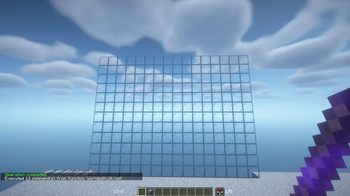
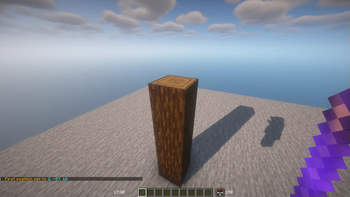
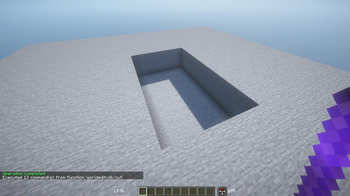
## 📖 Description This datapack adds commands to make building way easier!
Explore the seamless functionality in both single-player and multiplayer modes.
## Commands Operator permission is required to use this datapack/mod.
V2. 4. 0+
``` /function we:tools/cut /function we:tools/set {block:stone} /function we:tools/outline {block:dirt} /function we:tools/replace {old:dirt, new:stone} /function we:tools/copy /function we:tools/paste /function we:tools/move /function we:tools/rotate {degrees:90} /function we:tools/undo /function we:tools/redo
/function we:movement/up {amount:1} /function we:movement/down {amount:1}
/function we:give/wand /function we:give/brush
/function we:misc/outline /function we:misc/deselect_area /function we:misc/phasing ```
## How to use: Use ```/function we:give/wand``` to get the selector item.
When you have selected two positions named #1 and #2, you can start using the tools.
Use ```/function we:give/brush``` to get the brush item.
Instructions are on the item description.
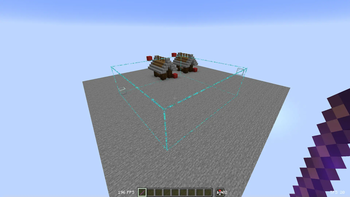
Use ```/function we:misc/outline``` to enable/disable the outline particles that appear when you select two positions.
Use ```/function we:misc/phasing``` to enable/disable the player being able to phase through blocks when flying.
## Copy-Paste info You must have an area already copied to use the paste function.
Pasted areas will be pasted facing up and south-east. You can also use F3. Make sure that the X, Y, and Z axis lines are all facing away from you. The build is also facing that way.
[!(https://www.bisecthosting.com/partners/custom-banners/032f1237-db85-4efe-b680-37f7471726f7.png)](https://bisecthosting.com/vanderflys)
📊 Mod Details
- Game
- Minecraft Mods
- Author
- Vanderflys
- Version
- v2.6.0+mod
- Downloads
- 155,950
- Endorsements
- 121
- Category
- datapack
- Created
- 1/4/2024
- Updated
- 6/28/2026
- Game Versions
- 1.21.9, 1.21.10, 1.21.11, 26.1, 26.1.1
- Tags
- game-mechanics, technology, utility
🔧 How to Install Minecraft Mods Mods
Download from Modrinth. Use Prism Launcher or drop into your mods folder.
📖 Full step-by-step install guide for Minecraft Mods →
Visit the official mod page for specific installation instructions for this mod.
🎮 Need cheat codes or console commands? Check ur gaming wiki for Minecraft Mods commands, item IDs, and more.
❓ Frequently Asked Questions
Which Minecraft Mods versions does World Editor support?
The author lists 1.21.9, 1.21.10, 1.21.11, 26.1, 26.1.1, 26.1.2. Other versions may work but are untested by the author.
What is the latest version of World Editor?
Version v2.6.0+mod, published 2026-06-28 with 155,950 downloads recorded at the source.
Keep browsing — more Minecraft Mods mods await