Workshop for handsome adventurer
🟡 Updated this year⚠️ Install Order · 2 steps
Install in this order, then this mod last — most mods fail to load without their framework and dependencies in place.
🖼️ Gallery (7 images)
🔍 Analysis
- 👍 0.2% endorsement rate
- 🏆 #368 of 386 forge mods in this game by downloads
📋 About This Mod
## Introduction This mod doesn't add new stuff. It's a weird way to start a description but it's unnatural to the author so he had to say it. This mod re-adds blocks that authors lived with in past versions of minecraft and misses now. If you tried Bibliocraft, you miss it without doubt. Tinker's construct is still around but maybe you don't want overpowered tools just because you liked the crafting table. etc. ## Features - **Crafting tables** - you know what they do... ...except maybe you like them to keep remaining contents after closing the crafting screen; ...or, you want to access nearby chests and barrels from the crafting screen? And once you try our dual table you will never go back. Two crafting grids don't sound that amazing but when you get used to it, you'll know. - **Toolracks** - right-click to hang your tool onto it, right-click to take it back. It's not glorious, we won't pretend that it is. But just make one and put it on a tree near your farm - never again forget where your shears are; never again craft a stone hoe to tile a single block. Oh and craft another one and put it in your kitchen - knives and pans easy to reach. - **Potion shelves** and **disc shelves** - right-click to place bottles, right-click to pick them up. Similar to toolracks except single shelf slot accepts multiple bottles even if an inventory slot accepts just one. - **Book shelves** - single click access to your books. Again, nothing glorious but you shouldn't dredge through chests to find instruction books. Will not be dropped in 1.20 onward because chiselled bookshelves aren't as good as we have hoped. - **Task lists** (todo lists) - keep track of plans and tasks. Either keep the item with you or attach it to a wall. ## Third-party mods to use together with this one As of mod version 1.14, this mod provides its blocks in all the wood types offered by your mods that you use. The support is magical and mostly automatic (you may need to add some weird wood to a config file, see (https://github.com/moonfather1/workshop_for_handsome_adventurer/wiki), which makes old addons that I listed here obsolete. The only dependency is (https://modrinth.com/mod/dynamic_asset_generator) and even that one is optional. There is a backup subsystem that does the same, but DAG is still recommended for some rare cases that the backup system dismisses. Editions for 1.18 and 1.19 don't use DAG, only editions for 1.20.1 (game version) and onward.
## Introduction This mod doesn't add new stuff. It's a weird way to start a description but it's unnatural to the author so he had to say it. This mod re-adds blocks that authors lived with in past versions of minecraft and misses now. If you tried Bibliocraft, you miss it without doubt. Tinker's construct is still around but maybe you don't want overpowered tools just because you liked the crafting table. etc.
## Features
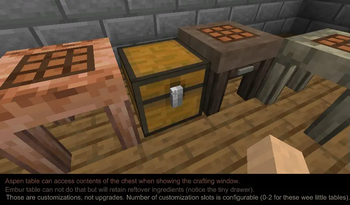
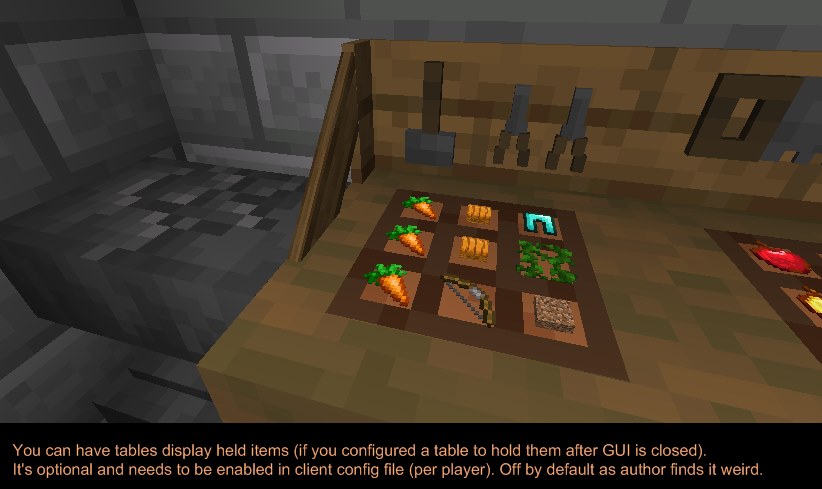
- Crafting tables - you know what they do...
- ...except maybe you like them to keep remaining contents after closing the crafting screen;
- ...or, you want to access nearby chests and barrels from the crafting screen?
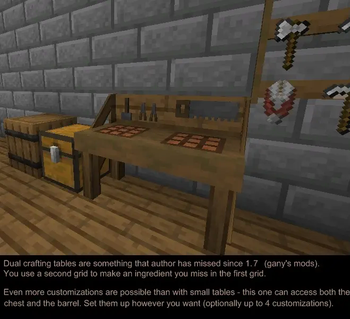
- And once you try our dual table you will never go back. Two crafting grids don't sound that amazing but when you get used to it, you'll know.
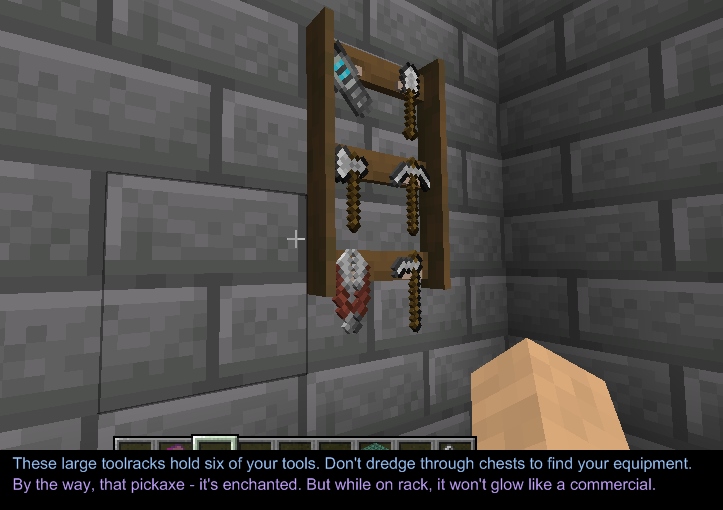
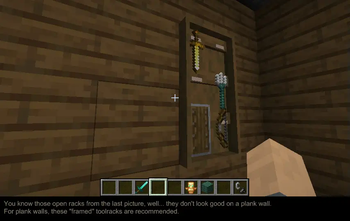
- Toolracks - right-click to hang your tool onto it, right-click to take it back.
- It's not glorious, we won't pretend that it is.
- But just make one and put it on a tree near your farm - never again forget where your shears are; never again craft a stone hoe to tile a single block.
- Oh and craft another one and put it in your kitchen - knives and pans easy to reach.
- Potion shelves and disc shelves - right-click to place bottles, right-click to pick them up.
- Similar to toolracks except single shelf slot accepts multiple bottles even if an inventory slot accepts just one.
- Book shelves - single click access to your books.
- Again, nothing glorious but you shouldn't dredge through chests to find instruction books. Will not be dropped in 1. 20 onward because chiselled bookshelves aren't as good as we have hoped.
- Task lists (todo lists) - keep track of plans and tasks.
- Either keep the item with you or attach it to a wall.
## Third-party mods to use together with this one
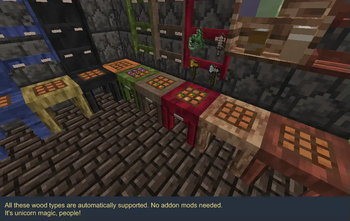
As of mod version 1. 14, this mod provides its blocks in all the wood types offered by your mods that you use.
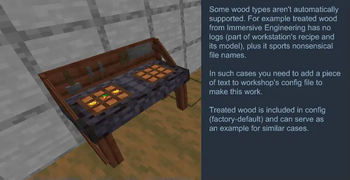
The support is magical and mostly automatic (you may need to add some weird wood to a config file, see (https://github.com/moonfather1/workshop_for_handsome_adventurer/wiki), which makes old addons that I listed here obsolete.
The only dependency is (https://modrinth.com/mod/dynamic_asset_generator) and even that one is optional. There is a backup subsystem that does the same, but DAG is still recommended for some rare cases that the backup system dismisses. Editions for 1. 18 and 1. 19 don't use DAG, only editions for 1. 20. 1 (game version) and onward.
📊 Mod Details
- Game
- Minecraft Mods
- Author
- MoonFather
- Version
- 1.36.0
- Downloads
- 36,353
- Endorsements
- 76
- Category
- forge
- Created
- 6/17/2023
- Updated
- 8/2/2026
- Game Versions
- 26.2
- Tags
- storage, utility
🔧 How to Install Minecraft Mods Mods
Download from Modrinth. Use Prism Launcher or drop into your mods folder.
📖 Full step-by-step install guide for Minecraft Mods →
Visit the official mod page for specific installation instructions for this mod.
🎮 Need cheat codes or console commands? Check ur gaming wiki for Minecraft Mods commands, item IDs, and more.
❓ Frequently Asked Questions
Which Minecraft Mods versions does Workshop for handsome adventurer support?
The author lists 26.2. Other versions may work but are untested by the author.
What is the latest version of Workshop for handsome adventurer?
Version 1.36.0, published 2026-08-02 with 36,353 downloads recorded at the source.
Keep browsing — more Minecraft Mods mods await