Wheel of Wacky
🟠 Updated over a year ago⚠️ Install Order · 2 steps
Install in this order, then this mod last — most mods fail to load without their framework and dependencies in place.
🖼️ Gallery (4 images)
🔍 Analysis
- 👍 0.4% endorsement rate
- 🏆 #61 of 602 adventure mods in this game by downloads
📋 About This Mod
# Wheel of Wacky (https://raw.githubusercontent.com/ModFest/art/v2/badge/svg/carnival/cozy.svg)](https://modfest.net/carnival) A mod that adds a carnival prize wheel that - when spun - has the chance to either fabulously reward or horrifically punish the player that spun the wheel in a hilarious fashion! **You do not need Sinytra Connector and Forgified Fabric API if you are playing on Fabric.** !(https://cdn.modrinth.com/data/JwRk761J/images/9ef74a2ddd388ebb69be750273d560993e74d1a6.gif) <iframe width="560" height="315" src="https://www.youtube-nocookie.com/embed/-UctkRdo6kQ" title="YouTube video player" frameborder="0" allow="accelerometer; autoplay; clipboard-write; encrypted-media; gyroscope; picture-in-picture; web-share" allowfullscreen></iframe> ## Obtaining a Wheel of Wacky In order to get a Wheel of Wacky for yourself, you'll have to find a "basement" structure in your world. Inside <del>Wheel Boy's dungeon prison</del> the basement you'll find a Wheel of Wacky that you can break and collect using a diamond or better pickaxe. !(https://cdn.modrinth.com/data/JwRk761J/images/3e181de53a079fe12fa4e8fc1d930ba3a9d5cb16.png) !(https://cdn.modrinth.com/data/cached_images/d87b3e5ed63bc0d56c75c804302fa09d8d1389d3.png) ## Creating spells To start creating your own custom spells, you'll first have to create a data pack folder. If you don't know how to make a data pack, here is a link to a tutorial to help you get started: (https://minecraft.wiki/w/Tutorials/Creating_a_data_pack). If you haven't already, you'll want to create a `data` folder in your data pack folder. Then you'll want to a create a folder named `wacky_wheel` within your `data` folder. After which you will have to create a folder called `spell_type` in the `wacky_wheel` folder. Your file path should look like this: `<your data pack folder>/data/wacky_wheel/spell_type`. Now you'll want to create a JSON file in `<your data pack folder>/data/wacky_wheel/spell_type`. For the purpose of this example, we'll call it `free_diamond.json`. The first thing we'll want to do is give a spell a name that will be displayed to the player when they roll that spell on the wheel. ``` { "name": "Free Diamond!", } ``` We can also optionally set a specific color for the name text and add some flavor text to be displayed underneath it: ``` { "name": "Free Diamond!", "titleColor": "#ADD8E6", "flavorText": "Enjoy your free diamond :)", } ``` Next, we have to provide our spell with an item id that corresponds to an in-game item. This item will be used to represent the spell on wheel slices. ``` { "name": "Free Diamond!", "titleColor": "#ADD8E6", "flavorText": "Enjoy your free diamond :)", "itemID": "minecraft:diamond", } ``` The next field we have to define is `castingTime`, which represents the amount of time (in ticks) that it will take to cast the spell after the wheel lands on it: ``` { "name": "Free Diamond!", "titleColor": "#ADD8E6", "flavorText": "Enjoy your free diamond :)", "itemID": "minecraft:diamond", "castingTime": 60, } ``` The last step is the provide the name of .mcfunction file that will be used to provide the actual spell effect. ``` { "name": "Free Diamond!", "titleColor": "#ADD8E6", "flavorText": "Enjoy your free diamond :)", "itemID": "minecraft:diamond", "castingTime": 60, "onCastFunction": "give_diamond" } ``` Of course, we'll actually have a create a .mcfunction file named `give_diamond.mcfunction` in `<your data pack folder>/data/wacky_wheel/functions`. ``` give @s diamond ``` Keep in mind that the `onCastFunction` by default will target the player who initially spun the wheel. To test our new command, enter the /wheel free_diamond command into chat and receive your free diamond. ### Spell JSON Properties `name`: The name of the spell. `titleColor` (Optional) : Color of the name text/title. `flavorText` (Optional): Additional information that appears underneath the spell's name. `flavorTextColor` (Optional): Color of the flavor text subtitle. `itemID`: ID of the item used to represent the spell on the wacky wheel. `castingTime`: Time in ticks that it takes to cast the spell. `onCastFunction`: Name of the .mcfunction file that executes to create the spell effect. `executeOnCastFunctionAtPlayer` (Optional): Set to true to execute onCastFunction AT player instead of AS player. `duration` (Optional): Time in ticks that the spell lasts. `onTickFunction` (Optional): Name of the .mcfunction that executes every tick that the spell lasts. `executeOnTickFunctionAtPlayer` (Optional): Set to true to execute onTickFunction AT player instead of as player. `onEndFunction` (Optional) : Name of the .mcfunction file that executes when the spell ends. `executeOnEndFunctionAtPlayer` (Optional): Set to true to execute onEndFunct
# Wheel of Wacky
[!(https://raw.githubusercontent.com/ModFest/art/v2/badge/svg/carnival/cozy.svg)](https://modfest.net/carnival)
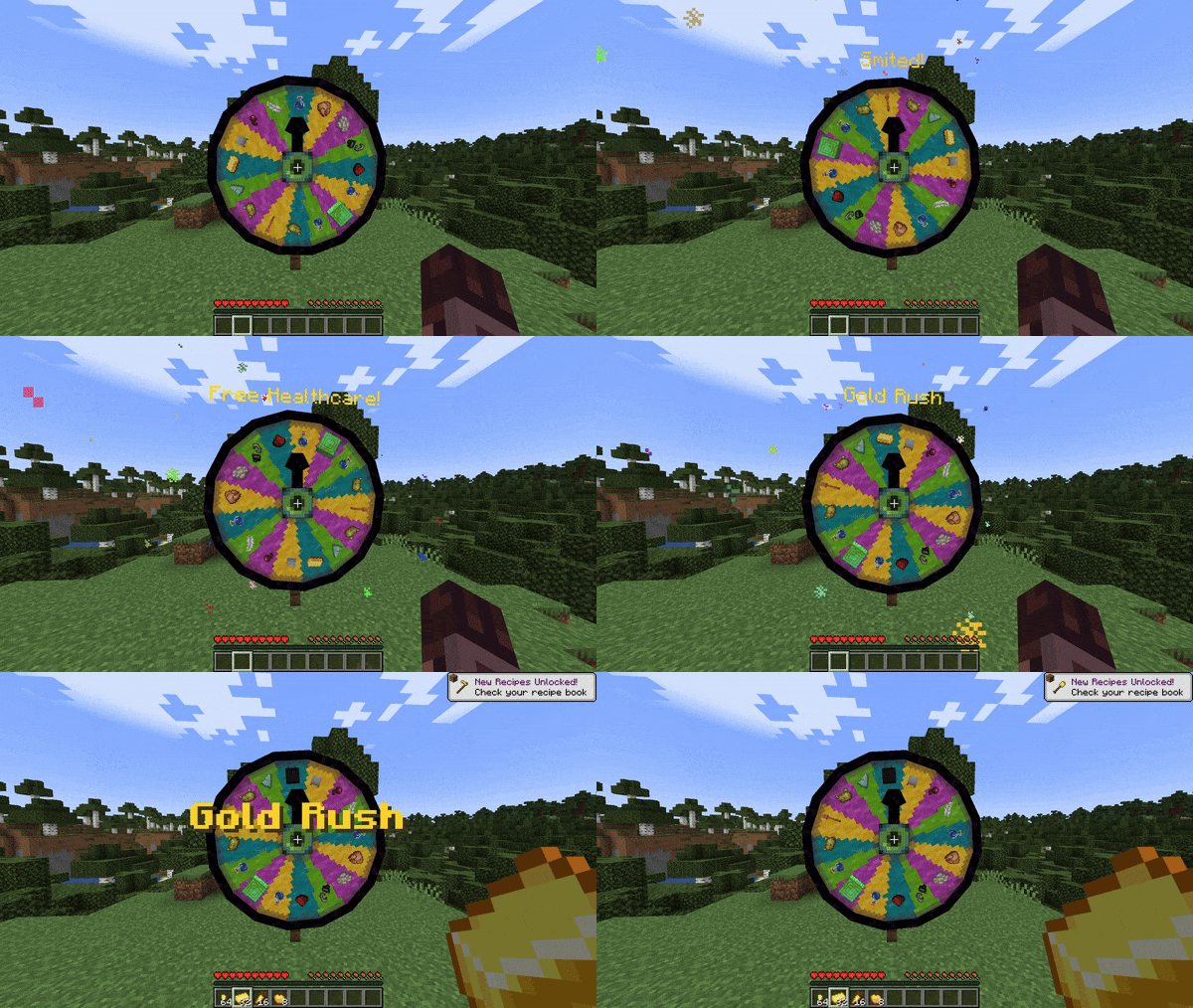
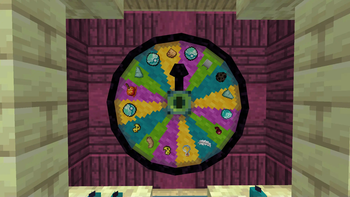
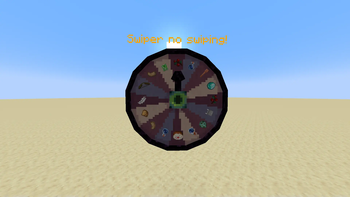
A mod that adds a carnival prize wheel that - when spun - has the chance to either fabulously reward or horrifically punish the player that spun the wheel in a hilarious fashion!
You do not need Sinytra Connector and Forgified Fabric API if you are playing on Fabric.
!(https://cdn.modrinth.com/data/JwRk761J/images/9ef74a2ddd388ebb69be750273d560993e74d1a6.gif)
## Obtaining a Wheel of Wacky
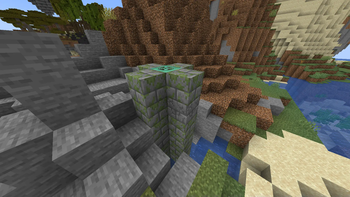
In order to get a Wheel of Wacky for yourself, you'll have to find a "basement" structure in your world. Inside Wheel Boy's dungeon prison the basement you'll find a Wheel of Wacky that you can break and collect using a diamond or better pickaxe.
!(https://cdn.modrinth.com/data/JwRk761J/images/3e181de53a079fe12fa4e8fc1d930ba3a9d5cb16.png)
!(https://cdn.modrinth.com/data/cached_images/d87b3e5ed63bc0d56c75c804302fa09d8d1389d3.png)
## Creating spells
To start creating your own custom spells, you'll first have to create a data pack folder. If you don't know how to make a data pack, here is a link to a tutorial to help you get started: (https://minecraft.wiki/w/Tutorials/Creating_a_data_pack).
If you haven't already, you'll want to create a `data` folder in your data pack folder. Then you'll want to a create a folder named `wacky_wheel` within your `data` folder. After which you will have to create a folder called `spell_type` in the `wacky_wheel` folder.
Your file path should look like this: `
Now you'll want to create a JSON file in `
The first thing we'll want to do is give a spell a name that will be displayed to the player when they roll that spell on the wheel.
``` { "name": "Free Diamond!", } ```
We can also optionally set a specific color for the name text and add some flavor text to be displayed underneath it:
``` { "name": "Free Diamond!", "titleColor": "#ADD8E6", "flavorText": "Enjoy your free diamond :)", } ```
Next, we have to provide our spell with an item id that corresponds to an in-game item. This item will be used to represent the spell on wheel slices.
``` { "name": "Free Diamond!", "titleColor": "#ADD8E6", "flavorText": "Enjoy your free diamond :)", "itemID": "minecraft:diamond", } ```
The next field we have to define is `castingTime`, which represents the amount of time (in ticks) that it will take to cast the spell after the wheel lands on it:
``` { "name": "Free Diamond!", "titleColor": "#ADD8E6", "flavorText": "Enjoy your free diamond :)", "itemID": "minecraft:diamond", "castingTime": 60, } ```
The last step is the provide the name of .mcfunction file that will be used to provide the actual spell effect.
``` { "name": "Free Diamond!", "titleColor": "#ADD8E6", "flavorText": "Enjoy your free diamond :)", "itemID": "minecraft:diamond", "castingTime": 60, "onCastFunction": "give_diamond" } ```
Of course, we'll actually have a create a .mcfunction file named `give_diamond.mcfunction` in `
``` give @s diamond ```
Keep in mind that the `onCastFunction` by default will target the player who initially spun the wheel.
To test our new command, enter the /wheel free_diamond command into chat and receive your free diamond.
### Spell JSON Properties
`name`: The name of the spell.
`titleColor` (Optional) : Color of the name text/title.
`flavorText` (Optional): Additional information that appears underneath the spell's name.
`flavorTextColor` (Optional): Color of the flavor text subtitle.
`itemID`: ID of the item used to represent the spell on the wacky wheel.
`castingTime`: Time in ticks that it takes to cast the spell.
`onCastFunction`: Name of the .mcfunction file that executes to create the spell effect.
`executeOnCastFunctionAtPlayer` (Optional): Set to true to execute onCastFunction AT player instead of AS player.
`duration` (Optional): Time in ticks that the spell lasts.
`onTickFunction` (Optional): Name of the .mcfunction that executes every tick that the spell lasts.
`executeOnTickFunctionAtPlayer` (Optional): Set to true to execute onTickFunction AT player instead of as player.
`onEndFunction` (Optional) : Name of the .mcfunction file that executes when the spell ends.
`executeOnEndFunctionAtPlayer` (Optional): Set to true to execute onEndFunct
📊 Mod Details
- Game
- Minecraft Mods
- Author
- HyperPigeon
- Version
- 0.2.3
- Downloads
- 9,228
- Endorsements
- 39
- Category
- adventure
- Created
- 6/24/2024
- Updated
- 4/30/2025
- Game Versions
- 1.21.1
- Tags
- adventure, cursed, magic
🔧 How to Install Minecraft Mods Mods
Download from Modrinth. Use Prism Launcher or drop into your mods folder.
📖 Full step-by-step install guide for Minecraft Mods →
Visit the official mod page for specific installation instructions for this mod.
🎮 Need cheat codes or console commands? Check ur gaming wiki for Minecraft Mods commands, item IDs, and more.
❓ Frequently Asked Questions
Which Minecraft Mods versions does Wheel of Wacky support?
The author lists 1.21.1. Other versions may work but are untested by the author.
What is the latest version of Wheel of Wacky?
Version 0.2.3, published 2025-04-30 with 9,228 downloads recorded at the source.
Keep browsing — more Minecraft Mods mods await