Universal Shortcuts (Ctrl A fix)
🟡 Updated this year⚠️ Install Order · 2 steps
Install in this order, then this mod last — most mods fail to load without their framework and dependencies in place.
Preview
🔍 Analysis
- 👍 0.0% endorsement rate
- 🏆 #444 of 983 fabric mods in this game by downloads
📋 About This Mod
# Universal Shortcuts This mod fixes (https://bugs.mojang.com/browse/MC-121278), making <kbd>Ctrl</kbd>+<kbd>A</kbd> (select all) and other keyboard shortcuts work on non-QWERTY keyboard layouts, such as AZERTY. ## Q&A ### What shortcuts are supported? This mod does not add shortcuts. It makes the shortcuts that are already supported by Minecraft work on non-QWERTY keyboard layouts. Those shortcuts are: - Select all (<kbd>Ctrl</kbd>+<kbd>A</kbd>), - Copy (<kbd>Ctrl</kbd>+<kbd>C</kbd>), - Paste (<kbd>Ctrl</kbd>+<kbd>V</kbd>), - Cut (<kbd>Ctrl</kbd>+<kbd>X</kbd>), - All (https://minecraft.fandom.com/wiki/Debug_combination).<sup>1</sup> ### How does it work? By implementing the fix that is suggested on (https://bugs.mojang.com/browse/MC-121278). That is, testing for the key name instead of its location on the keyboard. ### What about non-Latin keyboard layouts? This is a good question to which I unfortunately do not have a good answer. There are two possibilities: either your keyboard is capable of producing Latin letters, in which case you may be able to use the shortcuts, or it is not capable of doing so, in which case this mod will completely disable keyboard shortcuts. See (https://github.com/MDLC01/universal-shortcuts-mc/issues/1) for more information. <hr> <small> <ol> <li id="fn-1">The shortcut to toggle the narrator (<kbd>Ctrl</kbd>+<kbd>F3</kbd>+<kbd>B</kbd>) is not supported for technical reasons; see <a href="https://github.com/MDLC01/universal-shortcuts-mc/issues/3">#3 on the issue tracker</a>.</li> </ol> </small>
# Universal Shortcuts
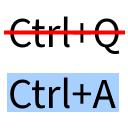
This mod fixes (https://bugs.mojang.com/browse/MC-121278), making Ctrl+A (select all) and other keyboard shortcuts work on non-QWERTY keyboard layouts, such as AZERTY.
### What shortcuts are supported?
This mod does not add shortcuts. It makes the shortcuts that are already supported by Minecraft work on non-QWERTY keyboard layouts. Those shortcuts are: - Select all (Ctrl+A), - Copy (Ctrl+C), - Paste (Ctrl+V), - Cut (Ctrl+X), - All (https://minecraft.fandom.com/wiki/Debug_combination).1
### How does it work?
By implementing the fix that is suggested on (https://bugs.mojang.com/browse/MC-121278). That is, testing for the key name instead of its location on the keyboard.
### What about non-Latin keyboard layouts?
This is a good question to which I unfortunately do not have a good answer. There are two possibilities: either your keyboard is capable of producing Latin letters, in which case you may be able to use the shortcuts, or it is not capable of doing so, in which case this mod will completely disable keyboard shortcuts. See [#1 on the issue tracker](https://github.com/MDLC01/universal-shortcuts-mc/issues/1) for more information.
📊 Mod Details
- Game
- Minecraft Mods
- Author
- MDLC01
- Version
- 1.5
- Downloads
- 56,991
- Endorsements
- 25
- Category
- fabric
- Created
- 4/13/2023
- Updated
- 12/13/2025
- Game Versions
- 1.21.11
- Tags
- utility
🔧 How to Install Minecraft Mods Mods
Download from Modrinth. Use Prism Launcher or drop into your mods folder.
📖 Full step-by-step install guide for Minecraft Mods →
Visit the official mod page for specific installation instructions for this mod.
🎮 Need cheat codes or console commands? Check ur gaming wiki for Minecraft Mods commands, item IDs, and more.
❓ Frequently Asked Questions
Which Minecraft Mods versions does Universal Shortcuts (Ctrl A fix) support?
The author lists 1.21.11. Other versions may work but are untested by the author.
What is the latest version of Universal Shortcuts (Ctrl A fix)?
Version 1.5, published 2025-12-13 with 56,991 downloads recorded at the source.
Keep browsing — more Minecraft Mods mods await