Universal Portals (Portals to anywhere)
🟡 Updated this year⚠️ Install Order · 2 steps
Install in this order, then this mod last — most mods fail to load without their framework and dependencies in place.
🖼️ Gallery (3 images)
🔍 Analysis
- 🏆 #248 of 331 forge mods in this game by downloads
📋 About This Mod
!(https://res.cloudinary.com/djregmuzg/image/upload/q_auto/f_auto/v1775601555/Zrzut_ekranu_2026-04-08_003907_yttvcy.png)
!(https://res.cloudinary.com/djregmuzg/image/upload/q_auto/f_auto/v1775605224/Zrzut_ekranu_2026-04-08_013930_xbdkyo.png)
!(https://res.cloudinary.com/djregmuzg/image/upload/q_auto/f_auto/v1775601219/Zrzut_ekranu_2026-04-08_003323_xzapne.png)
[!(https://res.cloudinary.com/djregmuzg/image/upload/q_auto/f_auto/v1775605698/Zrzut_ekranu_2026-04-05_213153_hxicpu.png)](https://erozeq.click/mods/mod?id=universal-portals)
!(https://res.cloudinary.com/djregmuzg/image/upload/q_auto/f_auto/v1776112907/all_items_pt3gal.png)
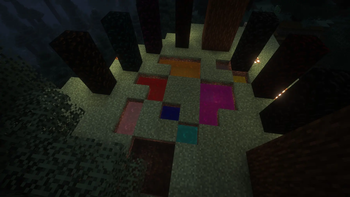
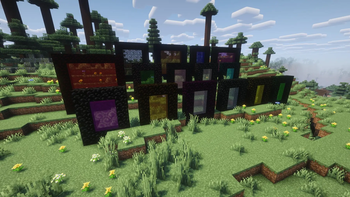
## FEATURES - Colors: 16 different colors - Orientation: Vertical or horizontal - Activation Keys: Set portal color, ID, and exit name - Universal Key: Copy portal ID and change name - Hub Function: Connects 3+ portals, including different colors (toggle in config) - Portal Bucket: Create portals on the ground - Colored Obsidian: Blocks matching portal colors - Cross-Color Linking: Link portals of different colors for flexible teleportation
## INSTRUCTIONS: HOW TO LINK PORTALS
1. Activate the portal using the magic flint
2. Have two activation keys (any color) - Right-click the portal → if you crafted an activation key, you'll receive two - Do the same on the second portal
3. To link a portal of a different color - Craft an activation key of the new color - Right-click the already activated portal (this copies its ID) - Repeat step 2 on the second portal
4. HUB option (3+ portals per ID) - Enabled by default - Can be disabled in the config - Allows multiple portals to share a single ID
5. When you enter a portal and wait a moment, a selection menu will appear
6. Optional: teleportation can cost XP (config setting)
## INSTRUCTIONS FOR A HORIZONTAL PORTAL
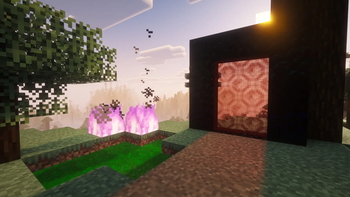
1. Pour an inactive portal using: `inactive portal bucket` 2. The liquid must - Fill the entire area - Not spill outside
3. The portal needs a frame made of any blocks on the ground - (you can simply dig a hole)
4. Ignite the portal using a magic flint
5. Use an activation key (any color)
6. Done — you have a portal
## IMPORTANT - To teleport between portals, the second portal must have the same ID
📊 Mod Details
- Game
- Minecraft Mods
- Author
- EroZeq
- Version
- v2.0.5
- Downloads
- 498
- Endorsements
- 2
- Category
- forge
- Created
- 4/27/2026
- Updated
- 4/29/2026
- Game Versions
- 1.20.4
- Tags
- transportation
🔧 How to Install Minecraft Mods Mods
Download from Modrinth. Use Prism Launcher or drop into your mods folder.
📖 Full step-by-step install guide for Minecraft Mods →
Visit the official mod page for specific installation instructions for this mod.
🎮 Need cheat codes or console commands? Check ur gaming wiki for Minecraft Mods commands, item IDs, and more.
❓ Frequently Asked Questions
Which Minecraft Mods versions does Universal Portals (Portals to anywhere) support?
The author lists 1.20.4. Other versions may work but are untested by the author.
What is the latest version of Universal Portals (Portals to anywhere)?
Version v2.0.5, published 2026-04-29 with 498 downloads recorded at the source.
Keep browsing — more Minecraft Mods mods await