The Lost Cities
🟢 Updated this month⚠️ Install Order · 2 steps
Install in this order, then this mod last — most mods fail to load without their framework and dependencies in place.
🖼️ Gallery (12 images)
🔍 Analysis
- 👍 0.0% endorsement rate
- 🏆 #53 of 618 adventure mods in this game by downloads
📋 About This Mod
Allows the player to play in an old abandoned city instead of the normal overworld
# The Lost Cities
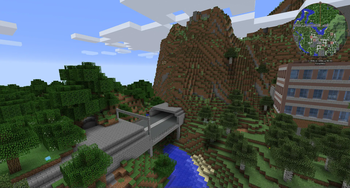
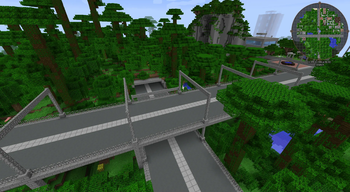
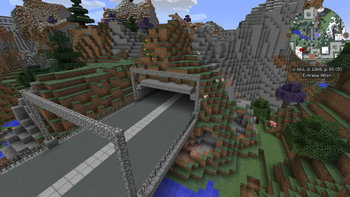
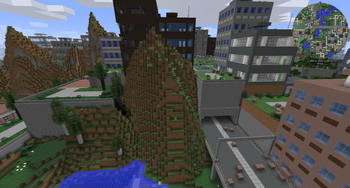
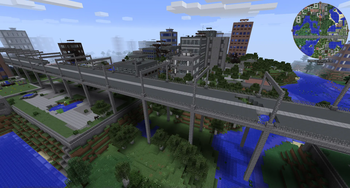
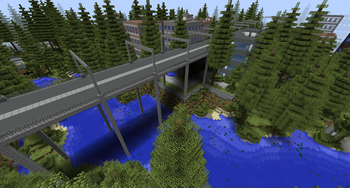
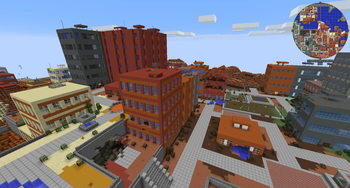
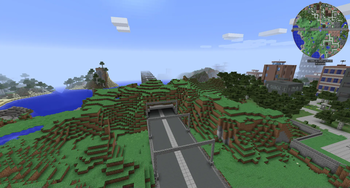
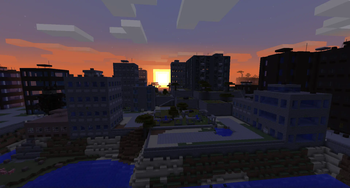
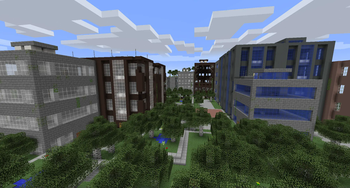
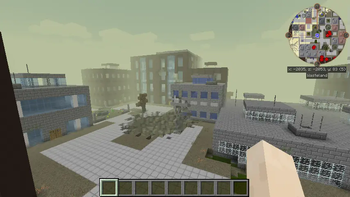
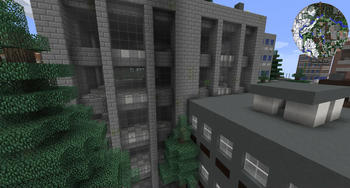
The Lost Cities transforms Minecraft's Overworld into a vast, abandoned civilization. Explore ruined skyscrapers, apartment blocks, factories, roads, highways, bridges, tunnels, subway systems, parks, flooded areas, and underground rooms filled with loot and dangers.
Cities are integrated into the normal terrain, so Lost Cities can be combined with other biome and terrain mods. Depending on the selected profile, the world can contain sprawling city regions, rare cities separated by wilderness, heavily damaged ruins, safer buildings, tall skylines, domed cities, or other specialized landscapes.
## Features
- Large procedural cities with streets, buildings, parks, highways, bridges, railways, tunnels, and subways
- Detailed interiors with loot, spawners, cellars, lighting, and extensive damage and decay options
- Multiple built-in profiles for very different world-generation styles
- An in-game configuration screen for selecting a profile and customizing generation
- Support for biome and terrain-generation mods
- Data-driven buildings, palettes, city styles, world styles, and other assets for modpack authors
- Custom profiles for controlling city frequency, building height, damage, explosions, terrain, infrastructure, loot, and much more
- Server-side-only operation, allowing vanilla clients to connect when no client-side Lost Cities features are required
Note: New Street/Highway layout was commissioned by TqLxQuanZ. Thanks for the support!
## Current Version Documentation
The documentation stored in the GitHub branch for your Minecraft version is the most accurate and up-to-date source. The (https://wiki.mcjty.eu/mods/index.php?title=Lost_Cities) remains useful for older versions and general background, but it may describe legacy behavior that no longer applies.
### Minecraft 1. 20. 1
- (https://github.com/McJtyMods/LostCities/tree/1. 20/docs)
- (https://github.com/McJtyMods/LostCities/tree/1. 20)
### Minecraft 1. 21. 1
- (https://github.com/McJtyMods/LostCities/tree/1. 21_neo/docs)
- (https://github.com/McJtyMods/LostCities/tree/1. 21_neo)
### Minecraft 1. 21. 11
- (https://github.com/McJtyMods/LostCities/tree/1. 21. 11_neo/docs)
- (https://github.com/McJtyMods/LostCities/tree/1. 21. 11_neo)
### Minecraft 26. 1. 2
- (https://github.com/McJtyMods/LostCities/tree/26. 1. 2_neo/docs)
- (https://github.com/McJtyMods/LostCities/tree/26. 1. 2_neo)
## Setting Up a Server
Choose the profile before generating the world. Changing the profile later affects only newly generated chunks and can create abrupt borders or an inconsistent world. If the server has already generated the intended world, stop it, make a backup, and use a new `level-name` or remove the old world before continuing.
The profile name is the identifier shown in the Lost Cities profile selector, such as `default`, `nodamage`, or another installed profile. Names are case-sensitive. A custom profile must also be installed in the server's Lost Cities profile configuration before the world is created.
### Server Setup for 1. 20. 1
The safest way to configure a 1. 20. 1 server is to prepare the settings in single player:
1. Install the same Minecraft 1. 20. 1 mod loader, Lost Cities version, and world-generation mods on the client and server.
2. On the client, create a new single-player world. Open the Lost Cities configuration from the world-creation screen, enable Lost Cities, select the desired profile, and apply any custom settings.
3. Create the world once so Lost Cities writes its world-specific configuration.
4. Stop the dedicated server.
5. Copy `saves/
For an existing server installation that has not generated its world yet, you can instead place a prepared `lostcities-server.toml` directly in `defaultconfigs`. Do not use the old `level-type=lostcities` setting on 1. 20. 1; Lost Cities is selected through its configuration.
### Server Setup for 1. 21. 1, 1. 21. 11, and 26. 1. 2
These versions use the regular server `config` directory instead of a per-world `serverconfig` file:
1. Install the matching NeoForge and Lost Cities versions on the server, together with any biome, terrain, or asset mods required by the pack. 2. Start the server once so the configuration files are created, wait for startup to finish, and then stop it. 3. Open `config/lostciti
📊 Mod Details
- Game
- Minecraft Mods
- Author
- McJty
- Version
- 26.2
- Downloads
- 10,591,107
- Endorsements
- 515
- Category
- adventure
- Created
- 1/27/2023
- Updated
- 9/3/2026
- Game Versions
- 1.20.1
- Tags
- adventure, worldgen
🔗 Required By 1 Mod
These mods list this mod as a dependency.
🔧 How to Install Minecraft Mods Mods
Download from Modrinth. Use Prism Launcher or drop into your mods folder.
📖 Full step-by-step install guide for Minecraft Mods →
Visit the official mod page for specific installation instructions for this mod.
🎮 Need cheat codes or console commands? Check ur gaming wiki for Minecraft Mods commands, item IDs, and more.
❓ Frequently Asked Questions
Which Minecraft Mods versions does The Lost Cities support?
The author lists 1.20.1. Other versions may work but are untested by the author.
What is the latest version of The Lost Cities?
Version 26.2, published 2026-09-03 with 10.6M downloads recorded at the source.
Keep browsing — more Minecraft Mods mods await