TextMod
🟡 Updated this year⚠️ Install Order · 2 steps
Install in this order, then this mod last — most mods fail to load without their framework and dependencies in place.
🖼️ Gallery (1 images)
🔍 Analysis
- 👍 0.1% endorsement rate
- 🏆 #425 of 896 fabric mods in this game by downloads
📋 About This Mod
# TextMod **Textmod 1.5 for forge 1.8.9 is now released!** **Textmod is a mod that allows you to render customizable text on your screen.** **Note:** Fabric API is required for 1.21 fabric versions of this mod **Download Fabric API (https://modrinth.com/mod/fabric-api)** # Features: - Customize the text - Custom Color support (Hex code support) - Color Cycling (rainbow) mode - Custom text position - Placeholders (Forge 1.8.9 only!) # Custom Commands: 1. /textmod text <text> - changes the text 2. /textmod color rainbow - changes the color to default color cycle (rainbow) mode 3. /textmod color custom <HEXCODE> - changes the color to a custom color (Tutorial bellow) 4. /textmod pos <X> <Y> - Changes the text position 5. /textmod help - displays all commands 6. /textmod info - displays info about your textmod release ## Available placeholders (Forge 1.8.9 only!) Note: Placeholders are only available for forge 1.8.9 in the moment, im not sure if i will be bringing the feature to newever fabric versions. There are only a couple of placeholders available, however, if you wish to add your own, the best way is to modify the source. Another way by contacting me on discord, or opening an issue, i will gladly implement your ideas! 1. {coordX} - Displays your X coordinate 2. {coordY} - Displays your Y coordinate 3. {coordZ} - Displays your Z coordinate 4. {health} - Displays your current health level 5. {name} - Displays the player name 6. {maxHealth} - Displays your maximum health 7. {saturation} - Displays your current saturation 8. {hunger} - Displays your current hunger level 9. {heldItemName} - Displays the name of your current held item 10. {score} - Displays your current score 11. {hour} - Displays the current hour based on your local time 12. {minute} - Displays the current minute based on your local time 13. {second} - Displays the current second based on your local time Example usage to configure textmod to display the current time: ``` /textmod text {hour}:{minute}:{second} ``` Which would look like HH:MM:SS. The time placeholders are independent on each other. ## Support & Donations: If you wish to suggest a feature or need help with TextMod, please join this discord server and create a ticket. Im grateful for any feature suggestions or potential improvements, so if you have one, even the slightest, please message me on discord Join (https://discord.gg/tU2js4Z4PR) If you wish to support me and the project for free, the best way to do that is simply by downloading the mod. # Detailed text customization tutorial: **Setting the text:** ``` /textmod text <Text> ``` # How to set the position ``` /textmod pos <X> <Y> ``` # How to customize the color: **Rainbow mode:** ``` /textmod color rainbow ``` **Custom color:** ``` /textmod color custom <HEXCODE> ``` or ``` /textmod color custom ``` which will just use the color in the json config file. Instead of HEXCODE type the hexcode of the color you want, to get the hexcode use a color picker such as this: (https://htmlcolorcodes.com/color-picker/) Copy the Hex code above the color picker, the hexcode starts with "#" Example of setting it to pink: ``` /textmod set color custom #EE0DD3 ```
Textmod 1. 5 for forge 1. 8. 9 is now released!
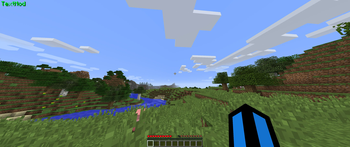
Textmod is a mod that allows you to render customizable text on your screen.
Note: Fabric API is required for 1. 21 fabric versions of this mod
Download Fabric API (https://modrinth.com/mod/fabric-api)**
# Features: - Customize the text - Custom Color support (Hex code support) - Color Cycling (rainbow) mode - Custom text position - Placeholders (Forge 1. 8. 9 only!)
# Custom Commands:
1. /textmod text
## Available placeholders (Forge 1. 8. 9 only!)
There are only a couple of placeholders available, however, if you wish to add your own, the best way is to modify the source. Another way by contacting me on discord, or opening an issue, i will gladly implement your ideas!
1. {coordX} - Displays your X coordinate 2. {coordY} - Displays your Y coordinate 3. {coordZ} - Displays your Z coordinate 4. {health} - Displays your current health level 5. {name} - Displays the player name 6. {maxHealth} - Displays your maximum health 7. {saturation} - Displays your current saturation 8. {hunger} - Displays your current hunger level 9. {heldItemName} - Displays the name of your current held item 10. {score} - Displays your current score 11. {hour} - Displays the current hour based on your local time 12. {minute} - Displays the current minute based on your local time 13. {second} - Displays the current second based on your local time
Example usage to configure textmod to display the current time:
``` /textmod text {hour}:{minute}:{second} ``` Which would look like HH:MM:SS.
The time placeholders are independent on each other.
## Support & Donations: If you wish to suggest a feature or need help with TextMod, please join this discord server and create a ticket.
Im grateful for any feature suggestions or potential improvements, so if you have one, even the slightest, please message me on discord
Join (https://discord.gg/tU2js4Z4PR)
If you wish to support me and the project for free, the best way to do that is simply by downloading the mod.
# Detailed text customization tutorial:
Setting the text:
```
/textmod text
# How to set the position
```
/textmod pos
# How to customize the color:
Rainbow mode:
``` /textmod color rainbow ```
Custom color:**
```
/textmod color custom
``` /textmod color custom ```
which will just use the color in the json config file.
Instead of HEXCODE type the hexcode of the color you want, to get the hexcode use a color picker such as this: (https://htmlcolorcodes.com/color-picker/) Copy the Hex code above the color picker, the hexcode starts with "#"
Example of setting it to pink:
``` /textmod set color custom #EE0DD3 ```
📊 Mod Details
- Game
- Minecraft Mods
- Author
- vaclavak
- Version
- 1.5-Forge-1.8.9
- Downloads
- 3,420
- Endorsements
- 3
- Category
- fabric
- Created
- 3/31/2024
- Updated
- 4/22/2026
- Game Versions
- 1.8.9
- Tags
- utility
🔧 How to Install Minecraft Mods Mods
Download from Modrinth. Use Prism Launcher or drop into your mods folder.
📖 Full step-by-step install guide for Minecraft Mods →
Visit the official mod page for specific installation instructions for this mod.
🎮 Need cheat codes or console commands? Check ur gaming wiki for Minecraft Mods commands, item IDs, and more.
❓ Frequently Asked Questions
Which Minecraft Mods versions does TextMod support?
The author lists 1.8.9. Other versions may work but are untested by the author.
What is the latest version of TextMod?
Version 1.5-Forge-1.8.9, published 2026-04-22 with 3,420 downloads recorded at the source.
Keep browsing — more Minecraft Mods mods await