TabbyChat Unofficial 1.7.10
⚪ Last updated 2023⚠️ Install Order · 2 steps
Install in this order, then this mod last — most mods fail to load without their framework and dependencies in place.
Preview
🔍 Analysis
- 👍 0.6% endorsement rate
- 🏆 #223 of 401 forge mods in this game by downloads
📋 About This Mod
# Features/Functionality TabbyChat is a client-side mod for Minecraft that aims to make the multiplayer chat interface more organized, managable, and user-friendly. ## Primary Features The primary feature of TabbyChat is to organize chat messages into different channels, and to represent those channels via tab-like buttons displayed above the chat interface. There are several different ways to configure TabbyChat to organize chat, including: <ul> <li>Auto-searching for new chat channels or PM messages</li> <li>Selecting the appropriate Chat-Channel delimiters and manually creating the desired tabs</li> <li>Using custom filters to direct messages matching the desired expression to a specific tab</li> </ul> ## Custom Filters Custom filters allow the user to tell TabbyChat to perform various actions when a chat message matches the defined Regular Expression. These actions include the following: <ul> <li>Highlight the matching text (with color and/or formatting)</li> <li>Play a notification sound</li> <li>Send the message to a specific tab</li> <li>Send the message to all tabs</li> <li>Prevent the message from displaying</li> <li>New for this fork: Choose if a filter applies to a world/server or to all servers</li> </ul> ## Additional Features <ul> <li>Unread Message Notifications</li> <li>Timestamps prepended to chat messages</li> <li>Suppress spammed chat messages</li> <li>Log all chat to logfile with timestamps</li> <li>Force Unicode font rendering</li> <li>Interactive scroll bar</li> <li>Dynamically movable/resizable chat box</li> <li>Customize the number of messages retained (displayed) for each tab</li> <li>Customize the length of time a message remains on-screen during normal gameplay</li> <li>Each tab can have a 'command prefix' that can be applied to your messages</li> <li>Multi-line chat with configurable transmission delay</li> <li>New mouse controls and Key-binds added for interacting with TabbyChat</li> <li>Spell-checking</li> </ul> For a rundown of it's features, please see: <iframe width="560" height="315" src="https://www.youtube.com/embed/3tfrV1iPmNI" title="YouTube video player" frameborder="0" allow="accelerometer; autoplay; clipboard-write; encrypted-media; gyroscope; picture-in-picture; web-share" allowfullscreen></iframe> Originally by RocketMan10404, the mod was maintained and further updated by Killjoy1221 & Dykam. 1.7 is the last mc version of the original TabbyChat, as Killjoy rewrote the mod for 1.8+ as TabbyChat 2. This is a separate project which I'm not affiliated with. This fork fixes a crash with Botania's corporea index and an incompatability with lotr's /fmsg command. I also added a toggle for choosing if a filter should apply on all servers or only on the current one. The biggest change though is that this fork is a forge only mod. Previous 1.7.10 TabbyChat builds also had LiteLoader versions. Due to technical limilations I unfortunately had to remove this.
# Features/Functionality TabbyChat is a client-side mod for Minecraft that aims to make the multiplayer chat interface more organized, managable, and user-friendly.
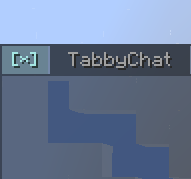
## Primary Features The primary feature of TabbyChat is to organize chat messages into different channels, and to represent those channels via tab-like buttons displayed above the chat interface. There are several different ways to configure TabbyChat to organize chat, including:
- Auto-searching for new chat channels or PM messages
- Selecting the appropriate Chat-Channel delimiters and manually creating the desired tabs
- Using custom filters to direct messages matching the desired expression to a specific tab
## Custom Filters Custom filters allow the user to tell TabbyChat to perform various actions when a chat message matches the defined Regular Expression. These actions include the following:
- Highlight the matching text (with color and/or formatting)
- Play a notification sound
- Send the message to a specific tab
- Send the message to all tabs
- Prevent the message from displaying
- New for this fork: Choose if a filter applies to a world/server or to all servers
## Additional Features
- Unread Message Notifications
- Timestamps prepended to chat messages
- Suppress spammed chat messages
- Log all chat to logfile with timestamps
- Force Unicode font rendering
- Interactive scroll bar
- Dynamically movable/resizable chat box
- Customize the number of messages retained (displayed) for each tab
- Customize the length of time a message remains on-screen during normal gameplay
- Each tab can have a 'command prefix' that can be applied to your messages
- Multi-line chat with configurable transmission delay
- New mouse controls and Key-binds added for interacting with TabbyChat
- Spell-checking
For a rundown of it's features, please see:
Originally by RocketMan10404, the mod was maintained and further updated by Killjoy1221 & Dykam. 1. 7 is the last mc version of the original TabbyChat, as Killjoy rewrote the mod for 1. 8+ as TabbyChat 2. This is a separate project which I'm not affiliated with.
This fork fixes a crash with Botania's corporea index and an incompatability with lotr's /fmsg command. I also added a toggle for choosing if a filter should apply on all servers or only on the current one. The biggest change though is that this fork is a forge only mod. Previous 1. 7. 10 TabbyChat builds also had LiteLoader versions. Due to technical limilations I unfortunately had to remove this.
📊 Mod Details
- Game
- Minecraft Mods
- Author
- mist475
- Version
- 1.12.2
- Downloads
- 1,807
- Endorsements
- 10
- Category
- forge
- Created
- 5/10/2023
- Updated
- 10/18/2023
- Game Versions
- 1.7.10
- Tags
- social
🔧 How to Install Minecraft Mods Mods
Download from Modrinth. Use Prism Launcher or drop into your mods folder.
📖 Full step-by-step install guide for Minecraft Mods →
Visit the official mod page for specific installation instructions for this mod.
🎮 Need cheat codes or console commands? Check ur gaming wiki for Minecraft Mods commands, item IDs, and more.
❓ Frequently Asked Questions
Which Minecraft Mods versions does TabbyChat Unofficial 1.7.10 support?
The author lists 1.7.10. Other versions may work but are untested by the author.
What is the latest version of TabbyChat Unofficial 1.7.10?
Version 1.12.2, published 2023-10-18 with 1,807 downloads recorded at the source.
Keep browsing — more Minecraft Mods mods await