Super Pickaxe Mod
🟡 Updated this year⚠️ Install Order · 2 steps
Install in this order, then this mod last — most mods fail to load without their framework and dependencies in place.
🖼️ Gallery (1 images)
🔍 Analysis
- 🏆 #316 of 323 equipment mods in this game by downloads
📋 About This Mod
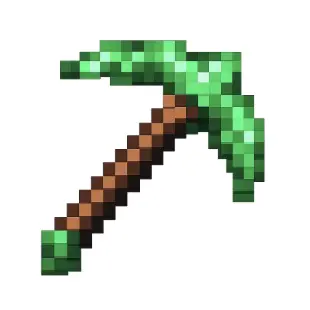
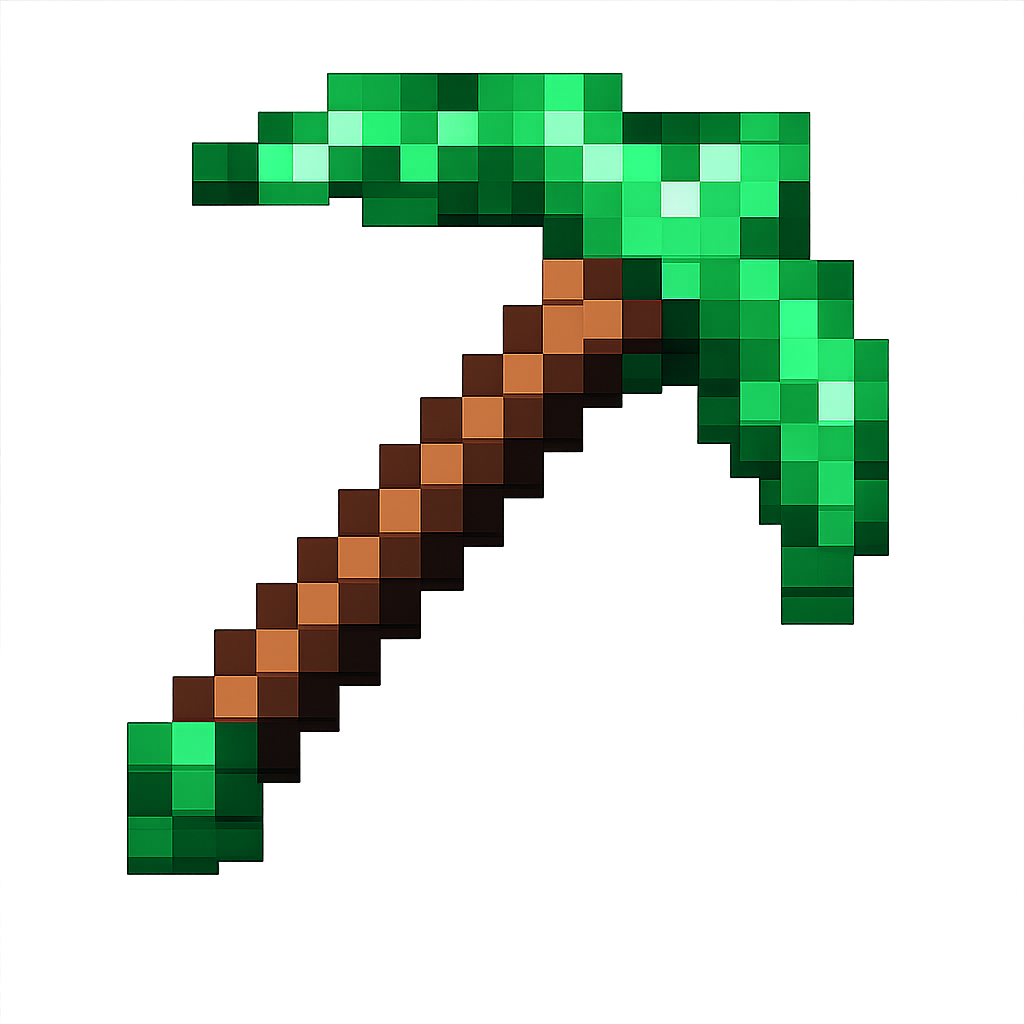
# Super Pickaxe Mod - Build & Installation Instructions <img src="https://raw.githubusercontent.com/rkeplin/super-pickaxe/main/src/main/resources/assets/superpickaxe/textures/item/super_pickaxe.png" alt="Super Pickaxe" width="150" height="150"> ## What This Mod Does This mod adds a **Super Pickaxe** to Minecraft that: - Mines in a **3x3x3 area** instead of just one block - Has the same durability and mining level as a **diamond pickaxe** - Features a **bright green texture** - Has a custom crafting recipe (1 cobblestone, 1 stone, 1 smooth stone on top, 2 sticks below) - Gives you torches as you mine (1 torch per 18 blocks mined) ## Download **(build/libs/superpickaxe-1.0.jar)** ## Prerequisites You need Java 17 installed on your Mac. Check with: ```bash java -version ``` If you don't have Java 17, download it from: https://adoptium.net/ ## How to Compile the Mod 1. Open Terminal and navigate to the mod directory: ```bash cd /Users/<user>/Desktop/Projects/minecraft/super-pickaxe ``` 2. Build the mod using Gradle: ```bash ./gradlew build ``` This will take several minutes the first time as it downloads dependencies. 3. Once complete, your mod JAR file will be located at: ``` build/libs/superpickaxe-1.0.jar ``` ## How to Install the Mod ### Step 1: Install Minecraft Forge 1. Go to https://files.minecraftforge.net/ 2. Download **Forge 1.20.1** (version 47.2.0 or higher) 3. Run the installer and select "Install client" 4. Launch Minecraft and select the "forge" profile ### Step 2: Install Your Mod 1. Locate your Minecraft mods folder: - On Mac: `~/Library/Application Support/minecraft/mods` 2. If the `mods` folder doesn't exist, create it: ```bash mkdir -p ~/Library/Application\ Support/minecraft/mods ``` 3. Copy your compiled mod to the mods folder: ```bash cp build/libs/superpickaxe-1.0.jar ~/Library/Application\ Support/minecraft/mods/ ``` ### Step 3: Enable and Use the Mod 1. Launch Minecraft 2. Select the **"forge"** profile from the launcher 3. Click "Play" 4. Once in-game, the mod is automatically enabled! ## How to Craft the Super Pickaxe Open a crafting table and arrange: ``` ``` This requires cobblestone, stone, and smooth stone, making it progressively more expensive but worth the 3x3x3 mining power! ## Using the Super Pickaxe - Equip the bright green Super Pickaxe - Mine any block that a diamond pickaxe can mine - It will automatically mine a 3x3x3 area (27 blocks total) around the block you mine - Every 18 blocks you mine, you'll receive a torch automatically ## Troubleshooting **Build fails?** - Ensure Java 17 is installed - Try: `./gradlew clean build` **Mod doesn't appear in game?** - Check you're using Forge 1.20.1 - Verify the JAR is in the correct mods folder - Check logs at: `~/Library/Application Support/minecraft/logs/latest.log` **Super Pickaxe has missing texture?** - The texture should be bright green - If it appears purple/black, rebuild the mod: `./gradlew clean build` ## Development To modify the mod: 1. Edit the source files in `src/main/java/com/example/superpickaxe/` 2. Rebuild: `./gradlew build` 3. Copy the new JAR to the mods folder 4. Restart Minecraft Key files: - `SuperPickaxeItem.java` - The pickaxe logic and 3x3x3 mining - `src/main/resources/data/superpickaxe/recipes/` - Crafting recipe - `src/main/resources/assets/superpickaxe/textures/item/` - Bright green texture Enjoy your new 3x3x3 mining pickaxe! 🟢⛏️
# Super Pickaxe Mod - Build & Installation Instructions
## What This Mod Does
This mod adds a Super Pickaxe to Minecraft that: - Mines in a 3x3x3 area instead of just one block - Has the same durability and mining level as a diamond pickaxe - Features a bright green texture - Has a custom crafting recipe (1 cobblestone, 1 stone, 1 smooth stone on top, 2 sticks below) - Gives you torches as you mine (1 torch per 18 blocks mined)
## Download
(build/libs/superpickaxe-1. 0.jar)
## Prerequisites
You need Java 17 installed on your Mac. Check with: ```bash java -version ```
If you don't have Java 17, download it from: https://adoptium.net/
## How to Compile the Mod
1. Open Terminal and navigate to the mod directory:
```bash
cd /Users/
2. Build the mod using Gradle: ```bash ./gradlew build ```
This will take several minutes the first time as it downloads dependencies.
3. Once complete, your mod JAR file will be located at: ``` build/libs/superpickaxe-1. 0.jar ```
## How to Install the Mod
### Step 1: Install Minecraft Forge
1. Go to https://files.minecraftforge.net/ 2. Download Forge 1. 20. 1 (version 47. 2. 0 or higher) 3. Run the installer and select "Install client" 4. Launch Minecraft and select the "forge" profile
### Step 2: Install Your Mod
1. Locate your Minecraft mods folder: - On Mac: `~/Library/Application Support/minecraft/mods`
2. If the `mods` folder doesn't exist, create it: ```bash mkdir -p ~/Library/Application\ Support/minecraft/mods ```
3. Copy your compiled mod to the mods folder: ```bash cp build/libs/superpickaxe-1. 0.jar ~/Library/Application\ Support/minecraft/mods/ ```
### Step 3: Enable and Use the Mod
1. Launch Minecraft 2. Select the "forge" profile from the launcher 3. Click "Play" 4. Once in-game, the mod is automatically enabled!
## How to Craft the Super Pickaxe
Open a crafting table and arrange:
``` ```
This requires cobblestone, stone, and smooth stone, making it progressively more expensive but worth the 3x3x3 mining power!
## Using the Super Pickaxe
- Equip the bright green Super Pickaxe
- Mine any block that a diamond pickaxe can mine
- It will automatically mine a 3x3x3 area (27 blocks total) around the block you mine
- Every 18 blocks you mine, you'll receive a torch automatically
## Troubleshooting
Build fails? - Ensure Java 17 is installed - Try: `./gradlew clean build`
Mod doesn't appear in game? - Check you're using Forge 1. 20. 1 - Verify the JAR is in the correct mods folder - Check logs at: `~/Library/Application Support/minecraft/logs/latest.log`
Super Pickaxe has missing texture? - The texture should be bright green - If it appears purple/black, rebuild the mod: `./gradlew clean build`
## Development
To modify the mod:
1. Edit the source files in `src/main/java/com/example/superpickaxe/` 2. Rebuild: `./gradlew build` 3. Copy the new JAR to the mods folder 4. Restart Minecraft
Key files: - `SuperPickaxeItem.java` - The pickaxe logic and 3x3x3 mining - `src/main/resources/data/superpickaxe/recipes/` - Crafting recipe - `src/main/resources/assets/superpickaxe/textures/item/` - Bright green texture
Enjoy your new 3x3x3 mining pickaxe! 🟢⛏️
📊 Mod Details
- Game
- Minecraft Mods
- Author
- rkeplin
- Version
- 1.0
- Downloads
- 302
- Endorsements
- 0
- Category
- equipment
- Created
- 2/26/2026
- Updated
- 2/22/2026
- Game Versions
- 1.20.1, 1.20.2, 1.20.3, 1.20.4, 1.20.5
- Tags
- equipment, optimization
🔧 How to Install Minecraft Mods Mods
Download from Modrinth. Use Prism Launcher or drop into your mods folder.
📖 Full step-by-step install guide for Minecraft Mods →
Visit the official mod page for specific installation instructions for this mod.
🎮 Need cheat codes or console commands? Check ur gaming wiki for Minecraft Mods commands, item IDs, and more.
❓ Frequently Asked Questions
Which Minecraft Mods versions does Super Pickaxe Mod support?
The author lists 1.20.1, 1.20.2, 1.20.3, 1.20.4, 1.20.5, 1.20.6. Other versions may work but are untested by the author.
What is the latest version of Super Pickaxe Mod?
Version 1.0, published 2026-02-22 with 302 downloads recorded at the source.
Keep browsing — more Minecraft Mods mods await