Stardom's Client
🟡 Updated this year⚠️ Install Order · 2 steps
Install in this order, then this mod last — most mods fail to load without their framework and dependencies in place.
🖼️ Gallery (5 images)
🔍 Analysis
- 👍 0.5% endorsement rate
- 🏆 #378 of 566 adventure mods in this game by downloads
📋 About This Mod
!(https://cdn.modrinth.com/data/cached_images/710e35a9d50fae600cbad9b256effe020eceac05.png)
# Stardom's Client
Stardom's Client is a comprehensive client-side utility mod for Minecraft 1. 21. 6 (Fabric), designed to enhance your gameplay experience with a wide array of visual and quality-of-life improvements.
## Features
### Visual Customization
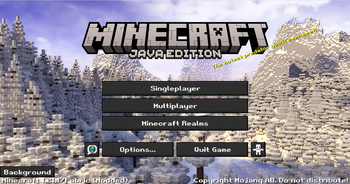
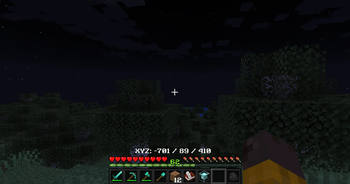
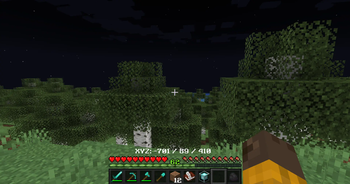
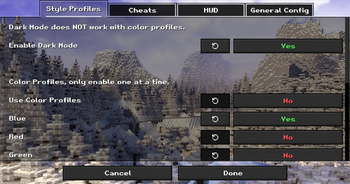
Custom Main Menu: Set a custom panorama as your main menu background. Dark Mode: A sleek, dark theme for all UI screens. Color Profiles & Fonts: Customize the look of your game with various color profiles and font choices. Custom Window Title & Splash Text: Personalize the game's window title and main menu splash text. Fullbright: See clearly in dark areas without needing torches. Unique World Renders: Experience visual modes like "Blue World" and "Australia Mode".
### HUD Enhancements
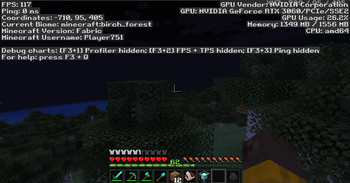
Customizable HUD: Toggle the visibility of the health bar, armor bar, hunger bar, and XP bar. Coordinates & Biome Display: Show your current coordinates and biome directly on the HUD, with configurable positions. Cleaner F3 Menu: A streamlined debug menu that's easier to read.
### Quality-of-Life Tools
In-Game Notes: A complete note-taking system accessible via the `/note` command or a button in the pause menu. Features a multi-line, word-wrapping text editor. Hotbar Tool Sorting: Instantly sort your hotbar with the press of a key, arranging tools, weapons, and blocks according to a set priority. Recipe Viewer: Show an item's crafting recipe by clicking on it in the new section in the player inventory. (NOTE: Only supports vanilla recipes and select mods. If you are a developer and want to make your recipes available, then copy your recipe folder from your data folder into your assets folder)
## How to Use
Settings Menu: Nearly all visual and HUD settings can be configured in a new "Stardom's Client" settings screen, accessible from a button added to the main Options menu. Note System: Use `/note` to manage your notes or click the "Notes" button in the Game Menu (when paused). Calculator: Use `/calculate` to calculate a mathmatical equation fully in-game. Hotbar Sorting: Press the assigned hotkey (check your keybindings) to sort your hotbar.
📊 Mod Details
- Game
- Minecraft Mods
- Author
- Stardom
- Version
- 2.2.0-1.21.11
- Downloads
- 2,338
- Endorsements
- 11
- Category
- adventure
- Created
- 9/7/2024
- Updated
- 12/9/2025
- Game Versions
- 1.21.11
- Tags
- adventure, management, utility
🔧 How to Install Minecraft Mods Mods
Download from Modrinth. Use Prism Launcher or drop into your mods folder.
📖 Full step-by-step install guide for Minecraft Mods →
Visit the official mod page for specific installation instructions for this mod.
🎮 Need cheat codes or console commands? Check ur gaming wiki for Minecraft Mods commands, item IDs, and more.
❓ Frequently Asked Questions
Which Minecraft Mods versions does Stardom's Client support?
The author lists 1.21.11. Other versions may work but are untested by the author.
What is the latest version of Stardom's Client?
Version 2.2.0-1.21.11, published 2025-12-09 with 2,338 downloads recorded at the source.
Keep browsing — more Minecraft Mods mods await