Staffs
🟡 Updated this year⚠️ Install Order · 2 steps
Install in this order, then this mod last — most mods fail to load without their framework and dependencies in place.
🖼️ Gallery (8 images)

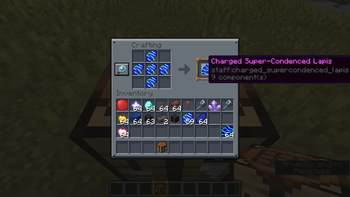
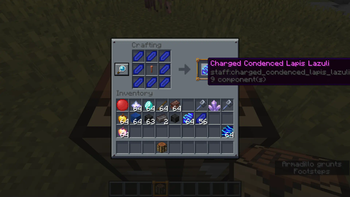
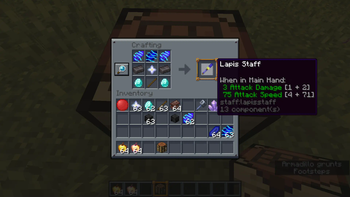
🔍 Analysis
- 🏆 #176 of 302 equipment mods in this game by downloads
📋 About This Mod
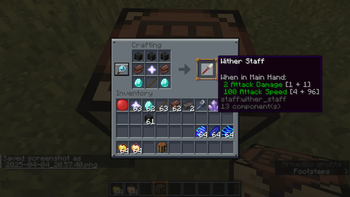
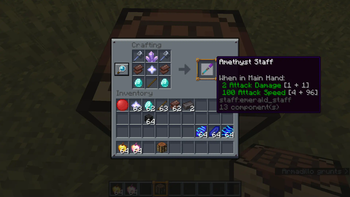
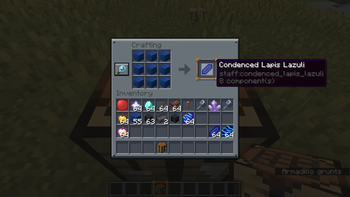
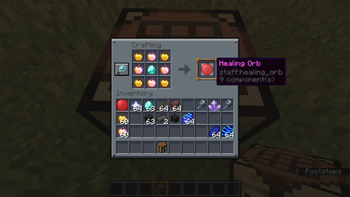
This mod curently adds 6 different staffs for you to craft and collect, with every staff having two unique abillities and a unique crafting recipe, a set of tools, and what I call the "Obliteration Wand".
Introduction This is a simple plugin that shows your players the staff on your server! In the config file you can change the text and colours that players see when they type /staff, or you can put down a sign headed , and the header will automatically change to . Click this sign to see the server's staff! If you right click this sign, and have the permission staff.staffs, you will see the a message that shows you all of the staff from the server. Commands Command Function Permission /staff Shows you the staff of the server, and on which server you are playing staffs.staff /staff help Shows you the commands and some info about the plugin staffs.staff /staff reload Reloads the Staff-Members configuration staffs.admin Permissions For the commands permissions, see the Commands header above. If you want to be able to put down a sign, you need to have the permission staffs.admin . If you want to right click the sign, and get the message, you require the permission staffs.staff . Installation Installing the plugin is easy: Download the jar file Save the jar file in your plugin directory Restart/reload your server, and it will automatically create a configuration file. Edit the config file, adding staff names and ranks, like: Owner: bram3535 - Admin: Notch - Moderator: Jeb_ enz Use /staff reload, and check out the command /staff! Planned features Create a function that the online players color green. Create a function that players can add people using a command. Any suggestions? Leave a comment below. Plugin Staff Name Function DoraKlikOpDora/bram3535 Manager/Author Datdenkikniet Author GitHub Source-Code GitHub: Press this text Thanks to datdenkikniet for helping me by my first plugin, and for helping by GitHub! Servers: Servername ServerIP Squiders.net Hub. Squiders.net Annoyed Network Play. AnnoyedNetwork.net Check out my other plugins! UUID User Checker - http://dev.bukkit.org/bukkit-plugins/uuidcheck
📊 Mod Details
- Game
- Minecraft Mods
- Author
- The_Goated
- Version
- 1.0.5
- Downloads
- 263
- Endorsements
- 1
- Category
- equipment
- Created
- 4/21/2025
- Updated
- 3/17/2026
- Game Versions
- 1.21.8, 1.21.9, 1.21.10, 1.21.11
- Tags
- equipment, magic
🔧 How to Install Minecraft Mods Mods
Download from Modrinth. Use Prism Launcher or drop into your mods folder.
📖 Full step-by-step install guide for Minecraft Mods →
Visit the official mod page for specific installation instructions for this mod.
🎮 Need cheat codes or console commands? Check ur gaming wiki for Minecraft Mods commands, item IDs, and more.
❓ Frequently Asked Questions
Which Minecraft Mods versions does Staffs support?
The author lists 1.21.8, 1.21.9, 1.21.10, 1.21.11. Other versions may work but are untested by the author.
What is the latest version of Staffs?
Version 1.0.5, published 2026-03-17 with 263 downloads recorded at the source.
Keep browsing — more Minecraft Mods mods await