Sounds So Cold
⚪ Last updated 2022⚠️ Install Order · 2 steps
Install in this order, then this mod last — most mods fail to load without their framework and dependencies in place.
Preview
🔍 Analysis
- 👍 2.0% endorsement rate — high engagement, a strong quality signal
- 🏆 #136 of 220 cursed mods in this game by downloads
📋 About This Mod
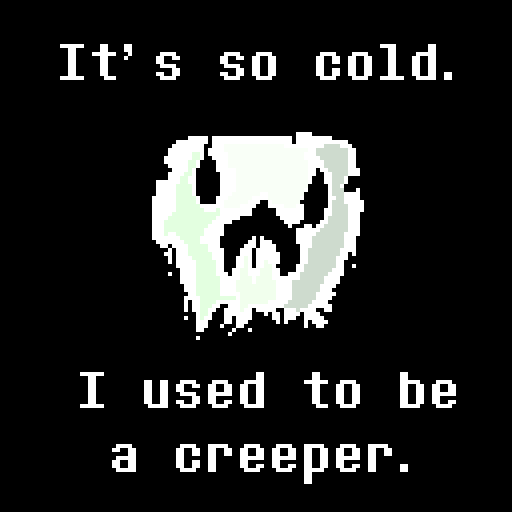
<p><img src="https://i.imgur.com/p2xGzgp.png" alt="It's so cold" width="867" height="228" /></p> <p>When you leave a world to rot... things get cold.</p> <h2><strong>What does this mod do?</strong></h2> <p>This is a recreation of the 'So Cold' effect from Undertale! In Undertale, if you fight a certain monster near the end of the game, music will play, distorted, and slowed down. This mod simply applies that effect to all the music in the game. This does not apply to common sounds such as walking, breaking blocks, or biome ambience, but It does apply to Music Discs! This can be turned off in config<em>.</em></p> <h2><strong>Config</strong></h2> <p>There are a few configuration options in the mod, which can be accessed in the soundscold.json file, or by using Modmenu to change things ingame! You can change the Vibrato Strength, vibrato being the subtle pitch bend. You can change the Resting Pitch, which is the pitch that the music is generally near. Normal, unaltered pitch, is 1.0. You can also control the Pitch Range, which is how much pitch can vary from the Resting Pitch. Minecraft's pitches only work for values 0.5-2.0, but they are capped, so you just wont hear a difference if it goes below or above. Last but not least, you can control whether or not Music Discs are affected by this.</p> <h2><strong>Play Cold Command</strong></h2> <p>The mod does not apply the effect to sounds played using the playsound command, fortunately, there is an alternative. The /playcold command is a clone of the playsound command, but applies the effect to whatever you want to play. This mod can be installed on a server to send this effect to every client, given they have the mod installed as well.</p> <h2><strong>Read Me</strong></h2> <p>This is a Quilt mod. This works for the <span style="color: #ff9900;"><a style="color: #ff9900;" href="https://quiltmc.org/en/">Quilt modloader</a></span>, read about it on their website if you haven't heard of it. No, there are no plans to a Fabric port, but I might make a Forge port.</p>

When you leave a world to rot... things get cold.
What does this mod do?
This is a recreation of the 'So Cold' effect from Undertale! In Undertale, if you fight a certain monster near the end of the game, music will play, distorted, and slowed down. This mod simply applies that effect to all the music in the game. This does not apply to common sounds such as walking, breaking blocks, or biome ambience, but It does apply to Music Discs! This can be turned off in config.
Config
There are a few configuration options in the mod, which can be accessed in the soundscold.json file, or by using Modmenu to change things ingame! You can change the Vibrato Strength, vibrato being the subtle pitch bend. You can change the Resting Pitch, which is the pitch that the music is generally near. Normal, unaltered pitch, is 1. 0. You can also control the Pitch Range, which is how much pitch can vary from the Resting Pitch. Minecraft's pitches only work for values 0. 5-2. 0, but they are capped, so you just wont hear a difference if it goes below or above. Last but not least, you can control whether or not Music Discs are affected by this.
Play Cold Command
The mod does not apply the effect to sounds played using the playsound command, fortunately, there is an alternative. The /playcold command is a clone of the playsound command, but applies the effect to whatever you want to play. This mod can be installed on a server to send this effect to every client, given they have the mod installed as well.
Read Me
This is a Quilt mod. This works for the Quilt modloader, read about it on their website if you haven't heard of it. No, there are no plans to a Fabric port, but I might make a Forge port.
📊 Mod Details
- Game
- Minecraft Mods
- Author
- LudoCrypt
- Version
- 1.1.0
- Downloads
- 640
- Endorsements
- 13
- Category
- cursed
- Created
- 11/12/2022
- Updated
- 11/12/2022
- Game Versions
- 1.19.2
- Tags
- cursed
🔧 How to Install Minecraft Mods Mods
Download from Modrinth. Use Prism Launcher or drop into your mods folder.
📖 Full step-by-step install guide for Minecraft Mods →
Visit the official mod page for specific installation instructions for this mod.
🎮 Need cheat codes or console commands? Check ur gaming wiki for Minecraft Mods commands, item IDs, and more.
❓ Frequently Asked Questions
Which Minecraft Mods versions does Sounds So Cold support?
The author lists 1.19.2. Other versions may work but are untested by the author.
What is the latest version of Sounds So Cold?
Version 1.1.0, published 2022-11-12 with 640 downloads recorded at the source.
Keep browsing — more Minecraft Mods mods await