Smart Storage
🟡 Updated this year⚠️ Install Order · 2 steps
Install in this order, then this mod last — most mods fail to load without their framework and dependencies in place.
🖼️ Gallery (4 images)

🔍 Analysis
- 🏆 #108 of 165 forge mods in this game by downloads
📋 About This Mod
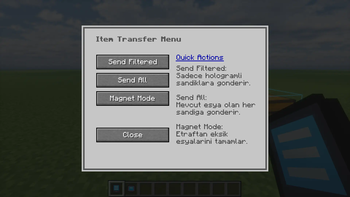
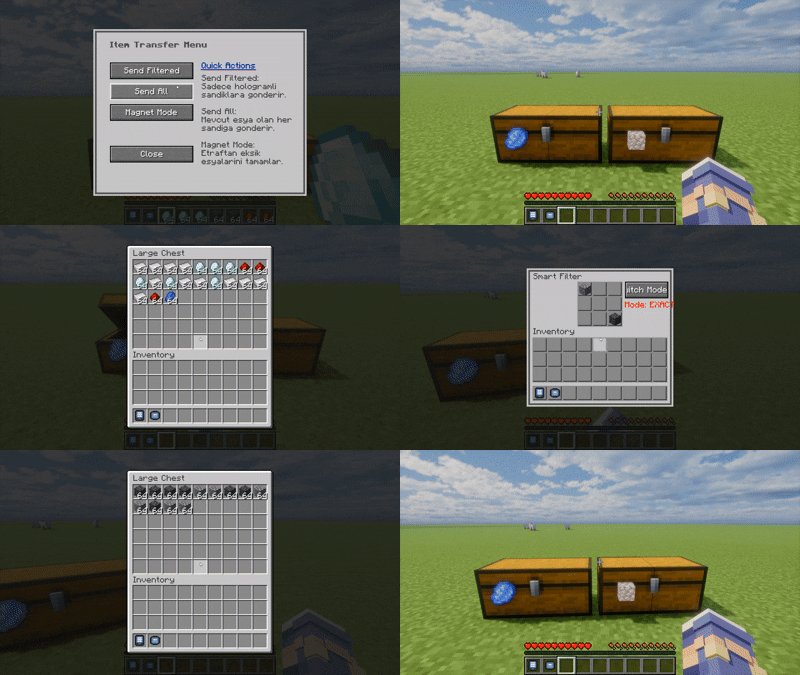
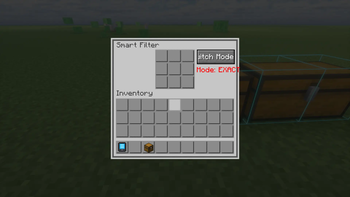
# Smart Storage: Vanilla+ Sorting & Automation Tired of messy chests and endless sorting? **Smart Storage** is a lightweight, Vanilla+ friendly mod that brings intuitive item filtering, automatic sorting, and magnetic item collection directly to your standard Minecraft chests! Unlike complex tech mods with massive pipes and cables, Smart Storage keeps things simple and fits perfectly into the vanilla aesthetic. ## ✨ Features * **Smart Filter Labels:** Shift + Right Click any chest (or compatible storage block) with a Smart Label to attach it. Right-click the label to set up to 9 ghost items as your filter. * **Magnetic Collection:** Thrown items that match a chest's filter will automatically fly toward the chest and deposit themselves! No hoppers or pipes needed for basic drop-off sorting. * **Exact & Group Modes:** Need precise sorting? Toggle between "Exact" match (only identical items) and "Group" match to sort similar items easily. * **AR Network Terminal:** Don't want to run back and forth? Craft the Smart Configurator to see all your storage units within a 20-block radius in augmented reality. Right-click a distant chest to configure its filter remotely! ## 🚀 Quick Start Guide 1. **Craft** a Smart Label and **Shift + Right Click** on any chest to place it. 2. **Right Click** the label to open the filter menu. 3. **Click** with any item in your cursor to set a ghost item in the filter grid (it won't consume your item). 4. **Toss** items matching the filter near the chest, and watch them fly in! 5. **Use** the Smart Configurator item to remotely manage your massive storage rooms. ## 🤝 Compatibility Smart Storage works out-of-the-box with standard Vanilla chests and barrels. It is perfectly compatible with **any modded storage** that uses Forge's standard `IItemHandler` capability!
# Smart Storage: Vanilla+ Sorting & Automation
Tired of messy chests and endless sorting? Smart Storage is a lightweight, Vanilla+ friendly mod that brings intuitive item filtering, automatic sorting, and magnetic item collection directly to your standard Minecraft chests!
Unlike complex tech mods with massive pipes and cables, Smart Storage keeps things simple and fits perfectly into the vanilla aesthetic.
## ✨ Features
Smart Filter Labels: Shift + Right Click any chest (or compatible storage block) with a Smart Label to attach it. Right-click the label to set up to 9 ghost items as your filter. Magnetic Collection: Thrown items that match a chest's filter will automatically fly toward the chest and deposit themselves! No hoppers or pipes needed for basic drop-off sorting. Exact & Group Modes: Need precise sorting? Toggle between "Exact" match (only identical items) and "Group" match to sort similar items easily. AR Network Terminal: Don't want to run back and forth? Craft the Smart Configurator to see all your storage units within a 20-block radius in augmented reality. Right-click a distant chest to configure its filter remotely!
## 🚀 Quick Start Guide
1. Craft a Smart Label and Shift + Right Click on any chest to place it. 2. Right Click the label to open the filter menu. 3. Click with any item in your cursor to set a ghost item in the filter grid (it won't consume your item). 4. Toss items matching the filter near the chest, and watch them fly in! 5. Use the Smart Configurator item to remotely manage your massive storage rooms.
## 🤝 Compatibility
Smart Storage works out-of-the-box with standard Vanilla chests and barrels. It is perfectly compatible with any modded storage that uses Forge's standard `IItemHandler` capability!
📊 Mod Details
- Game
- Minecraft Mods
- Author
- Dyr_
- Version
- 1.0.0-1.19.2
- Downloads
- 20
- Endorsements
- 2
- Category
- forge
- Created
- 8/23/2026
- Updated
- 7/28/2026
- Game Versions
- 1.19.2
- Tags
- storage, technology, utility
🔧 How to Install Minecraft Mods Mods
Download from Modrinth. Use Prism Launcher or drop into your mods folder.
📖 Full step-by-step install guide for Minecraft Mods →
Visit the official mod page for specific installation instructions for this mod.
🎮 Need cheat codes or console commands? Check ur gaming wiki for Minecraft Mods commands, item IDs, and more.
❓ Frequently Asked Questions
Which Minecraft Mods versions does Smart Storage support?
The author lists 1.19.2. Other versions may work but are untested by the author.
What is the latest version of Smart Storage?
Version 1.0.0-1.19.2, published 2026-07-28 with 20 downloads recorded at the source.
Keep browsing — more Minecraft Mods mods await