Simple Custom Early Loading
🟡 Updated this year⚠️ Install Order · 2 steps
Install in this order, then this mod last — most mods fail to load without their framework and dependencies in place.
🖼️ Gallery (2 images)
🔍 Analysis
- 👍 0.0% endorsement rate
- 🏆 #157 of 354 decoration mods in this game by downloads
📋 About This Mod
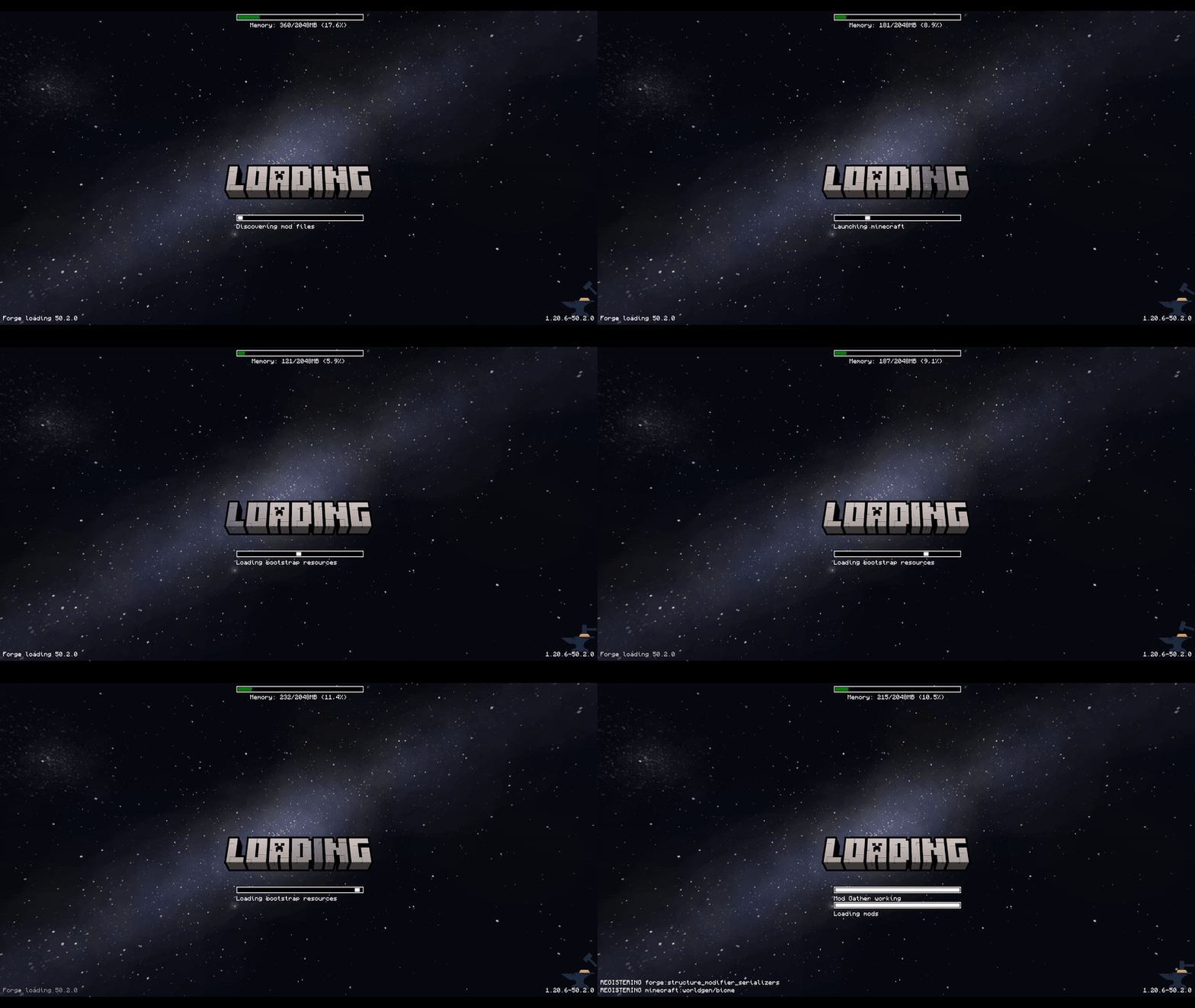
This mod allows the customization of Neoforge's early loading screen.


There is also a quite "hacky" version for Forge `1. 20. 1, 1. 20. 2, 1. 20. 4, 1. 20. 6`. I do not plan to continue supporting any other Forge versions due to technical reasons. For newer versions, please use the NeoForge.
!(https://cdn.modrinth.com/data/Bi8o4aLw/images/562bbd712b285bd32cf917f124394a6cfa5a96de.gif)
Currently, the window is not able to dynamically change its resolution when the window is resized. I won't allow removing the Mojang logo.
## Features: - add and position custom images (see supported image formats) - toggle and change the position of the progress bar - toggle performance bar - toggle NeoForge's fox - toggle bottom left log - toggle NeoForge's version (bottom right)
## Installation - NeoForge:
1. place the jar in the mods folder 2. modify the `config/fml.toml` file
``` # Early window provider earlyWindowProvider = "SimpleCustomEarlyLoading" # ... Other options ... # Optionally set the window to be maximized earlyWindowMaximized = true ```
## Installation - Forge:
1. place the jar in the mods folder 2. forge version requires default `config/fml.toml` value
``` #Early window provider earlyWindowProvider = "fmlearlywindow" ```
3 - Optional: update `options.txt`: `darkMojangStudiosBackground:true`
Unfortunately, the override is applied quite late, which may result in the original red early loading (or a white screen) to "flash" on the very game start. I can't do anything about that.
However, the red color of the original loading can be changed using `darkMojangStudiosBackground:true` in `options.txt`.
## Supported image formats:
Animated images:
- APNG - must be created without unchanged pixels detection (each frame is rendered from scratch).
- The animation will respect the image timing and repeat count.
Static images:
- JPEG baseline & progressive (12 bpc/arithmetic not supported, same as stock IJG lib
- PNG 1/2/4/8/16-bit-per-channel
- TGA (not sure what subset, if a subset)
- BMP non-1bpp, non-RLE
- PSD (composited view only, no extra channels, 8/16 bit-per-channel)
- GIF (renders only single static frame, use APNG instead)
- HDR (radiance rgbE format)
- PIC (Softimage PIC)
- PNM (PPM and PGM binary only)
## Configuration / Source code
For configuration instructions and the source code check the (https://github.com/lukaskabc/SimpleCustomEarlyLoading).
📊 Mod Details
- Game
- Minecraft Mods
- Author
- lukaskabc
- Version
- 2.2-neoforge
- Downloads
- 55,906
- Endorsements
- 21
- Category
- decoration
- Created
- 3/12/2025
- Updated
- 3/19/2026
- Game Versions
- 1.21, 1.21.1, 1.21.2, 1.21.3, 1.21.4
- Tags
- decoration, utility
🔧 How to Install Minecraft Mods Mods
Download from Modrinth. Use Prism Launcher or drop into your mods folder.
📖 Full step-by-step install guide for Minecraft Mods →
Visit the official mod page for specific installation instructions for this mod.
🎮 Need cheat codes or console commands? Check ur gaming wiki for Minecraft Mods commands, item IDs, and more.
❓ Frequently Asked Questions
Which Minecraft Mods versions does Simple Custom Early Loading support?
The author lists 1.21, 1.21.1, 1.21.2, 1.21.3, 1.21.4. Other versions may work but are untested by the author.
What is the latest version of Simple Custom Early Loading?
Version 2.2-neoforge, published 2026-03-19 with 55,906 downloads recorded at the source.
Keep browsing — more Minecraft Mods mods await