Simple Close Button
🟠 Updated over a year ago⚠️ Install Order · 2 steps
Install in this order, then this mod last — most mods fail to load without their framework and dependencies in place.
🖼️ Gallery (4 images)
🔍 Analysis
- 👍 0.2% endorsement rate
- 🏆 #112 of 901 fabric mods in this game by downloads
📋 About This Mod
# Simple Close Button Adds a close button to inventory screens. As of version 3.0, you can add and remove which screens have the button, as well as change it's position and it should work with all vanilla-based implementations of a recipe book, all through the (https://modrinth.com/mod/modmenu) config, made with (https://modrinth.com/mod/yacl). Keep in mind that you will need to know the class path of whichever screen, vanilla or modded, that you want to add a button to in the config. If you are just a casual user, you shouldn't have to worry about any of that, though. All the vanilla screens that this mod should apply to are included by default. If you wish to make (and distibute) a resource pack that changes the textures of the button, feel free to do so. The textures are stored under /assets/close-btn/textures/gui/sprites/widget/. The indevidual textures are named "close_button.png" and "close_button_highlighted.png". You may use this mod in modpacks as you like. Version 3.0 was specifically meant to add better support for this.
# Simple Close Button
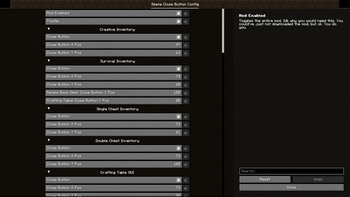
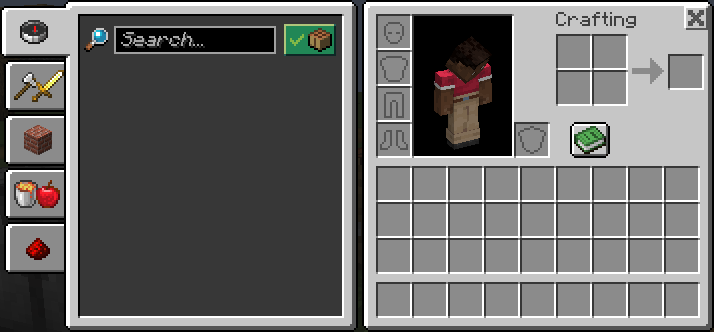
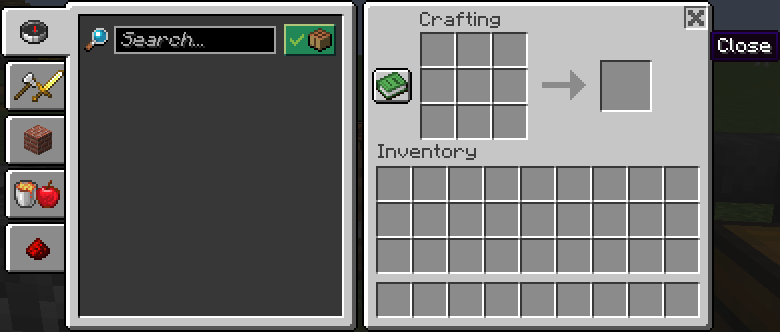
Adds a close button to inventory screens. As of version 3. 0, you can add and remove which screens have the button, as well as change it's position and it should work with all vanilla-based implementations of a recipe book, all through the (https://modrinth.com/mod/modmenu) config, made with (https://modrinth.com/mod/yacl).
Keep in mind that you will need to know the class path of whichever screen, vanilla or modded, that you want to add a button to in the config.
If you are just a casual user, you shouldn't have to worry about any of that, though. All the vanilla screens that this mod should apply to are included by default.
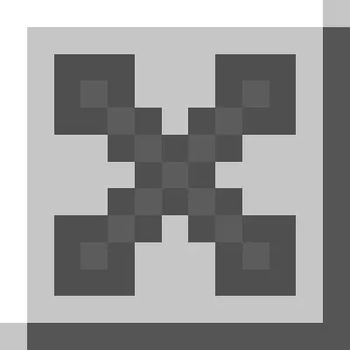
If you wish to make (and distibute) a resource pack that changes the textures of the button, feel free to do so. The textures are stored under /assets/close-btn/textures/gui/sprites/widget/. The indevidual textures are named "close_button.png" and "close_button_highlighted.png".
You may use this mod in modpacks as you like. Version 3. 0 was specifically meant to add better support for this.
📊 Mod Details
- Game
- Minecraft Mods
- Author
- LordEnder_Kitty
- Version
- 3.2+1.21.4-hotfix
- Downloads
- 15,674
- Endorsements
- 30
- Category
- fabric
- Created
- 1/24/2024
- Updated
- 1/6/2025
- Game Versions
- 1.21.2, 1.21.3, 1.21.4
- Tags
- management, utility
🔧 How to Install Minecraft Mods Mods
Download from Modrinth. Use Prism Launcher or drop into your mods folder.
📖 Full step-by-step install guide for Minecraft Mods →
Visit the official mod page for specific installation instructions for this mod.
🎮 Need cheat codes or console commands? Check ur gaming wiki for Minecraft Mods commands, item IDs, and more.
❓ Frequently Asked Questions
Which Minecraft Mods versions does Simple Close Button support?
The author lists 1.21.2, 1.21.3, 1.21.4. Other versions may work but are untested by the author.
What is the latest version of Simple Close Button?
Version 3.2+1.21.4-hotfix, published 2025-01-06 with 15,674 downloads recorded at the source.
Keep browsing — more Minecraft Mods mods await