Show Me Your Skin!
🟡 Updated this year⚠️ Install Order · 2 steps
Install in this order, then this mod last — most mods fail to load without their framework and dependencies in place.
🖼️ Gallery (4 images)
🔍 Analysis
- 👍 0.0% endorsement rate
- 🏆 #19 of 196 equipment mods in this game by downloads
📋 About This Mod
# Show Me Your Skin! > **Note:** > > Armor transparency options have been removed as of version 2.0. Armor can still be hidden separately from trims and enchantment glint, but no gradual transparency can be set. > > The code for this feature was too brittle for me to maintain with the many changes mojang has been making. I'll properly update the description soon™. > > If transparency is important to you, I recommend switching to (https://modrinth.com/mod/zannaghs-armor-hider) by zannagh, which maintains this feature on newer versions. Show Me Your Skin! (the exclamation mark is important) is a client-side mod with optional server-side support that enables extensive customization of armor rendering. Every feature is toggleable and designed to be as flexible as possible. !(https://i.enjarai.dev/u/4Dv46a.png) ## Sliders galore All the armor hiding options you could ever need, in one intuitive GUI. Including: - Individual configuration of each armor piece and elytra/shield: - Arbitrary transparency - Invisibility - Enchant glint hiding - Server-based syncing of settings - Player name tag display toggle - Context-sensitive armor hiding - Per-player settings overrides !(https://github.com/enjarai/show-me-your-skin/raw/master/img/sliders.gif) ## Truly flexible Below are a few examples of the flexibility this mod offers. You can fully cater the settings to your preference, and change them on the fly if needed. !(https://github.com/enjarai/show-me-your-skin/raw/master/img/merged-framed.gif) ## Context-sensitive hiding Armor can be restored to vanilla behavior based on certain conditions, such as being in combat. This means the armor will be shown for a configurable amount of seconds after a player is damaged. !(https://github.com/enjarai/show-me-your-skin/raw/master/img/combat.gif) ## Multiplayer support When the mod is installed on a server, it'll enter "server mode" and any settings you configure for yourself will be visible in real-time to other players. Though admins can enforce certain restrictions on what settings are available if they feel the need for it. !(https://github.com/enjarai/show-me-your-skin/raw/master/img/multiplayer.gif) When the mod is only installed on your client however, you'll be able to configure personal settings for every player on the server. Though these are only visible to you. !(https://github.com/enjarai/show-me-your-skin/raw/master/img/overrides.gif)
# Show Me Your Skin!
> Note: > > Armor transparency options have been removed as of version 2. 0. Armor can still be hidden separately from trims and enchantment glint, but no gradual transparency can be set. > > The code for this feature was too brittle for me to maintain with the many changes mojang has been making. I'll properly update the description soon™. > > If transparency is important to you, I recommend switching to (https://modrinth.com/mod/zannaghs-armor-hider) by zannagh, which maintains this feature on newer versions.
Show Me Your Skin! (the exclamation mark is important) is a client-side mod with optional server-side support that enables extensive customization of armor rendering. Every feature is toggleable and designed to be as flexible as possible.
!(https://i.enjarai.dev/u/4Dv46a.png)
## Sliders galore
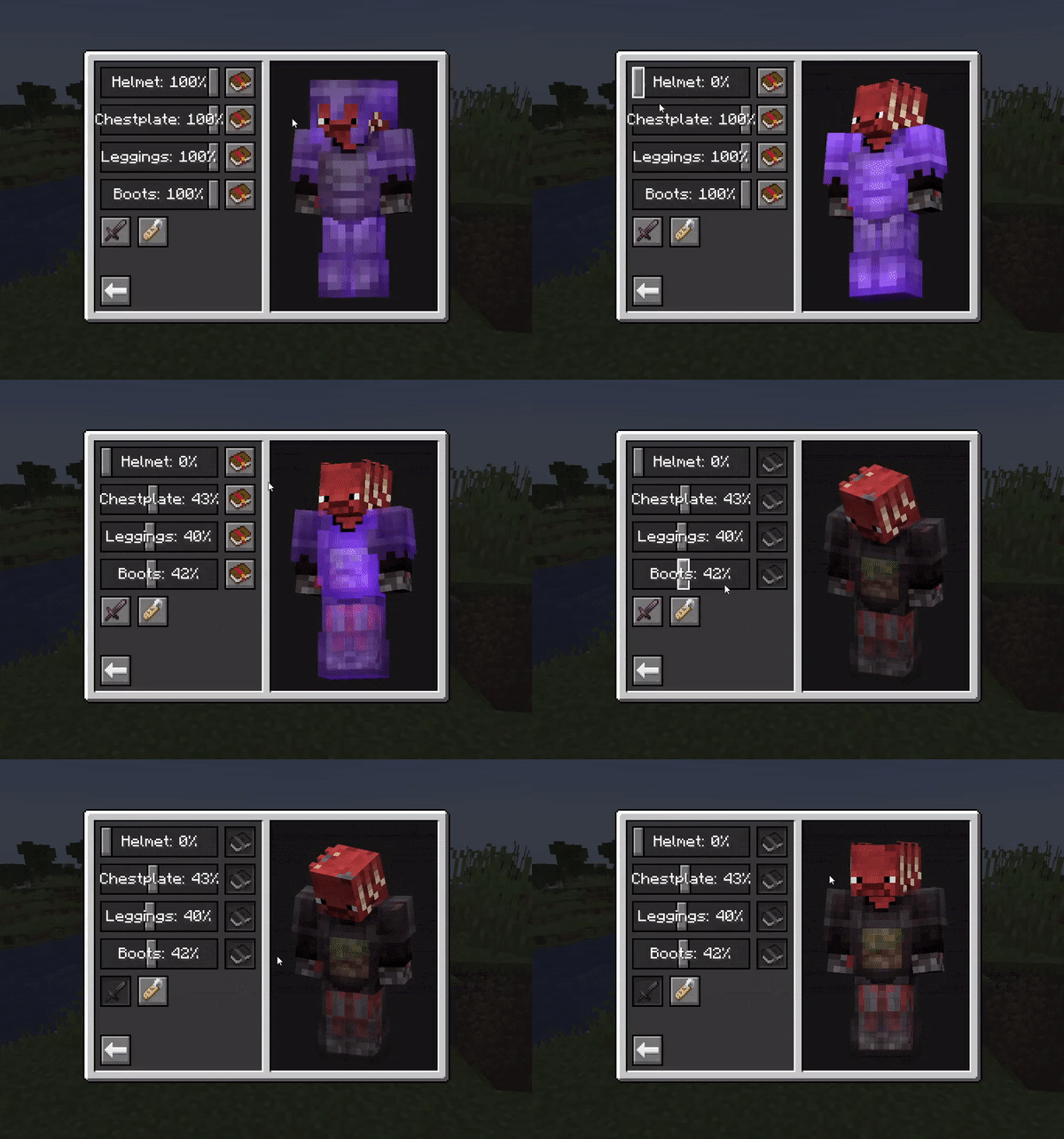
All the armor hiding options you could ever need, in one intuitive GUI. Including:
- Individual configuration of each armor piece and elytra/shield:
- - Arbitrary transparency
- - Invisibility
- - Enchant glint hiding
- Server-based syncing of settings
- Player name tag display toggle
- Context-sensitive armor hiding
- Per-player settings overrides

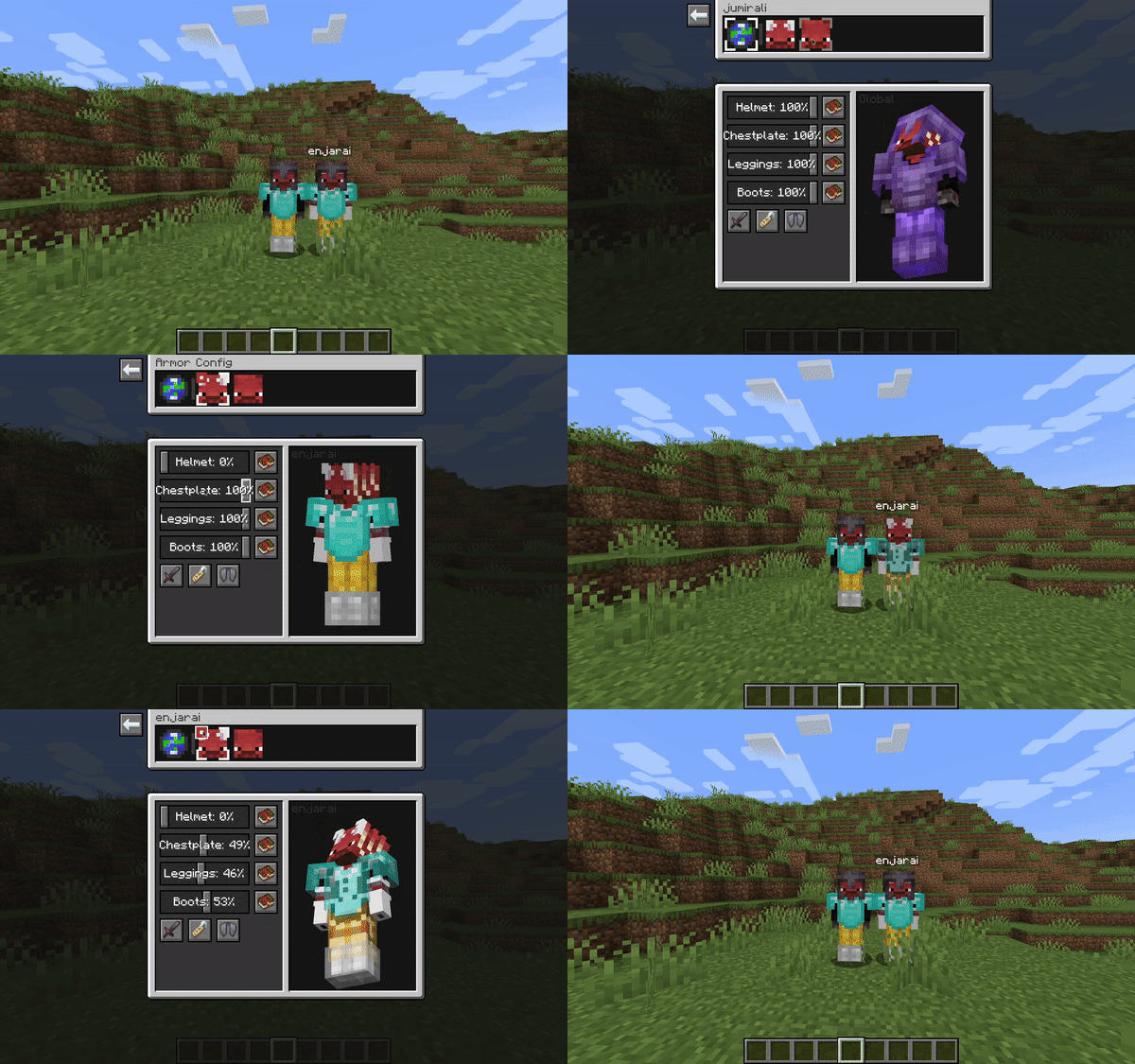
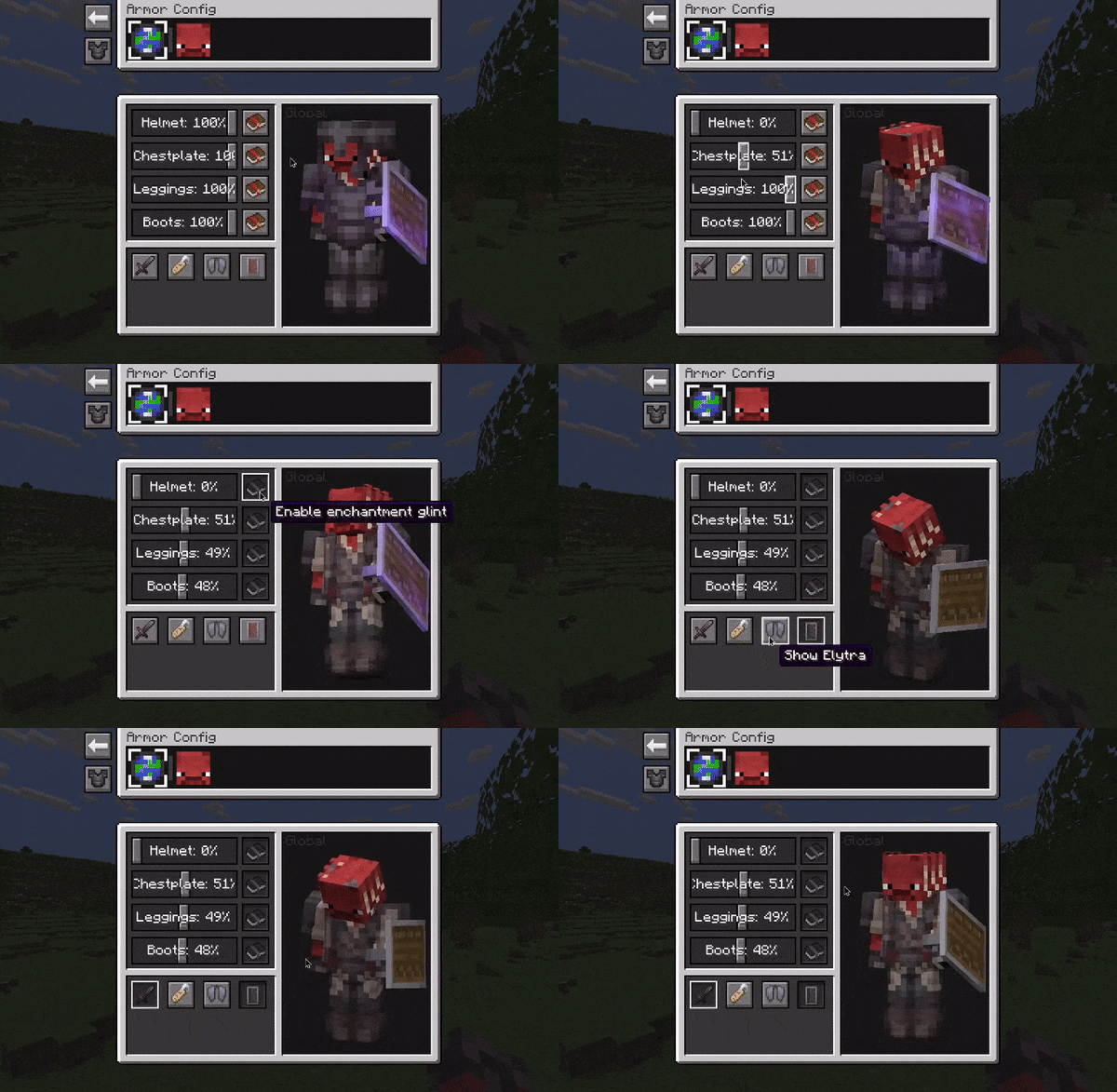
## Truly flexible
Below are a few examples of the flexibility this mod offers. You can fully cater the settings to your preference, and change them on the fly if needed.

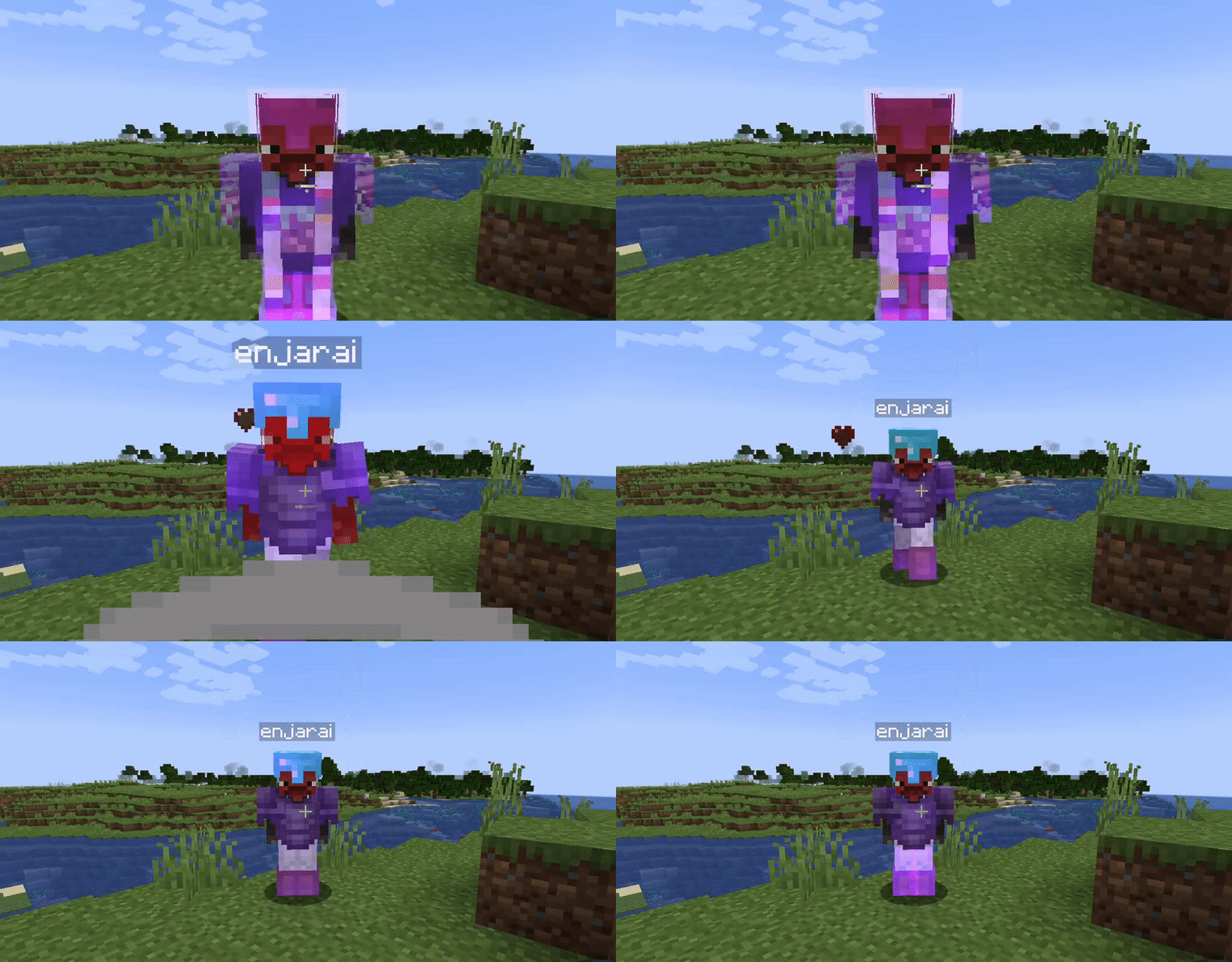
## Context-sensitive hiding
Armor can be restored to vanilla behavior based on certain conditions, such as being in combat. This means the armor will be shown for a configurable amount of seconds after a player is damaged.

## Multiplayer support
When the mod is installed on a server, it'll enter "server mode" and any settings you configure for yourself will be visible in real-time to other players. Though admins can enforce certain restrictions on what settings are available if they feel the need for it.

When the mod is only installed on your client however, you'll be able to configure personal settings for every player on the server. Though these are only visible to you.

📊 Mod Details
- Game
- Minecraft Mods
- Author
- enjarai
- Version
- 2.0.3+26.2
- Downloads
- 6,837,909
- Endorsements
- 2,329
- Category
- equipment
- Created
- 5/9/2022
- Updated
- 8/19/2026
- Game Versions
- 26.2
- Tags
- equipment, utility
🔧 How to Install Minecraft Mods Mods
Download from Modrinth. Use Prism Launcher or drop into your mods folder.
📖 Full step-by-step install guide for Minecraft Mods →
Visit the official mod page for specific installation instructions for this mod.
🎮 Need cheat codes or console commands? Check ur gaming wiki for Minecraft Mods commands, item IDs, and more.
❓ Frequently Asked Questions
Which Minecraft Mods versions does Show Me Your Skin! support?
The author lists 26.2. Other versions may work but are untested by the author.
What is the latest version of Show Me Your Skin!?
Version 2.0.3+26.2, published 2026-08-19 with 6.8M downloads recorded at the source.
Keep browsing — more Minecraft Mods mods await