Sessility
🟡 Updated this year⚠️ Install Order · 2 steps
Install in this order, then this mod last — most mods fail to load without their framework and dependencies in place.
🖼️ Gallery (3 images)
🔍 Analysis
- 👍 0.4% endorsement rate
- 🏆 #683 of 940 fabric mods in this game by downloads
📋 About This Mod
Sessility is a Minecraft Fabric utility mod that keeps track of sessile creatures, more often known as "AFK players".
> ### sessile > > adjective > > 1. (of an organism) permanently rooted in place; lacking mobility > 2. (of a plant) attached without a stalk
## Feature summary
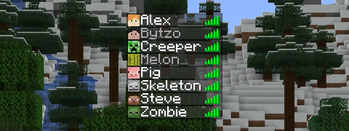
- Change the color of sessile players in the player tab list
- Exclude sessile players from the player sleeping requirement
- Configure the amount of idle time before a player is considered sessile
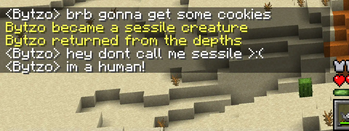
- Broadcast a chat message when a player becomes either sessile or motile
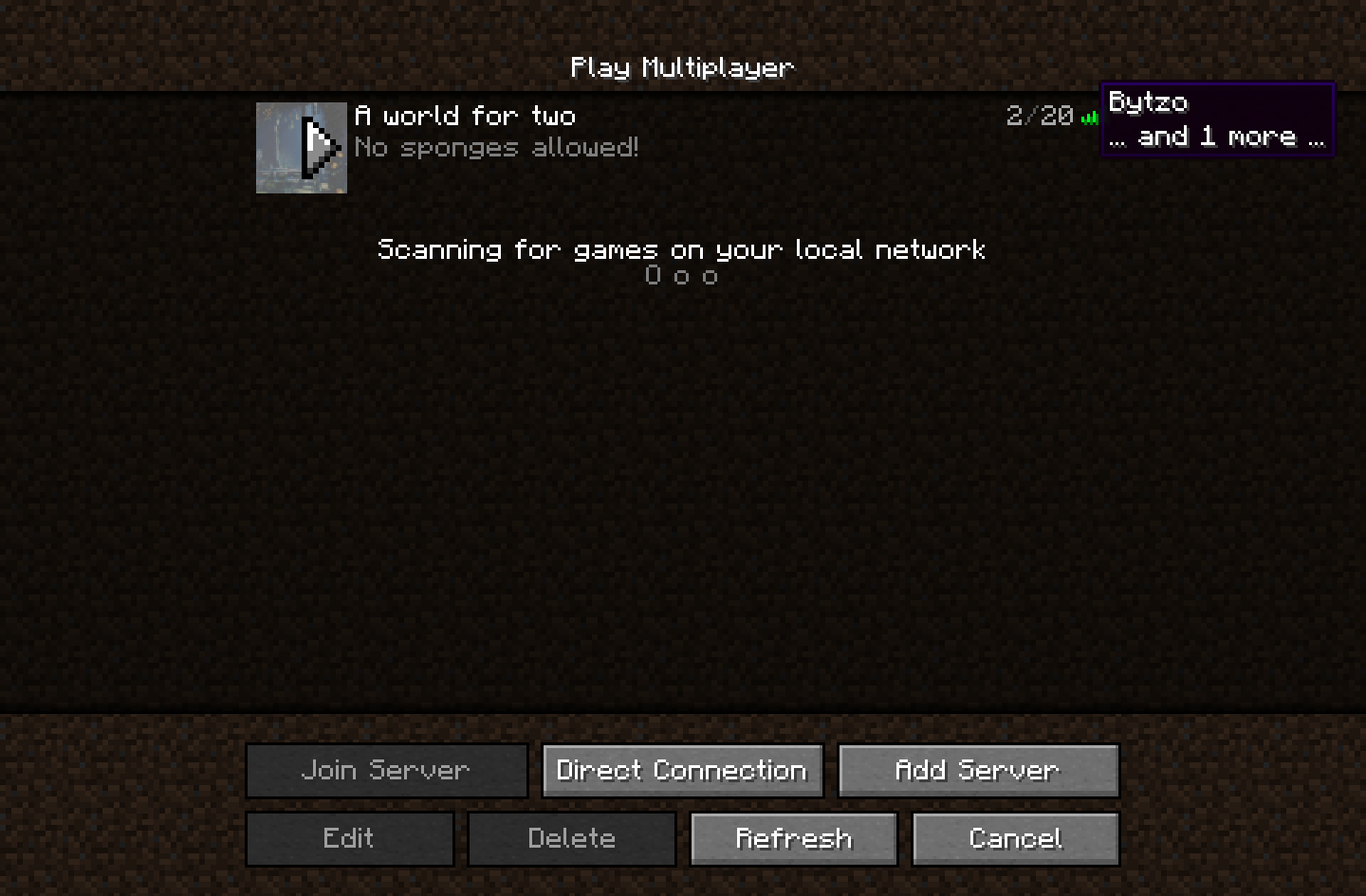
- Hide sessile players in the player tab list, server player list, or server player count
- Choose if player rotation should be used to determine motility

By default, any player idling for more than 120 seconds is considered sessile. Sessile players are given a distinct color in the player tab overlay to distinguish them from other players. The sessile idle time and tab display color are both configurable.

You can also configure custom messages when a player changes their sessility. These messages are disabled by default and will only display if a configured message is present.

Sessility also allows you to configure whether or not sessile players are displayed in the server player list (shown above), the server player count, and the player tab list. Each one of these properties can be toggled individually.
## Configuration file
```properties # Detect player actions (attacking, using, etc.) as motility. # Default: true detect-action=true
# Detect player rotation as motility. # Default: true detect-rotation=true
# Hide sessile players in the server player list. # Default: false hide-sessile-in-server-list=false
# Hide sessile players in the player tab list. # Default: false hide-sessile-in-tab-list=false
# The message to broadcast when a player becomes motile (the opposite of sessile), # formatted as raw JSON text. The arguments of all translatable components will contain # one entry for the player name. See https://minecraft.wiki/w/Raw_JSON_text_format. # (note: leave empty to disable motile messages) # Default: (empty) message-motile={"translate"\:"%s returned from the depths","color"\:"yellow"}
# The message to broadcast when a player becomes sessile, formatted as raw JSON text. # The arguments of all translatable components will contain one entry for the player name. # See https://minecraft.wiki/w/Raw_JSON_text_format. # Default: (empty) message-sessile={"translate"\:"%s became a sessile creature","color"\:"yellow"}
# The color of the sessile display name. This can be either a color name or a six-digit hex code. # Default: gray sessile-display-color=\#aaaaaa
# The idle time (in seconds) before a player is considered sessile. # Default: 240 sessile-timeout=720
# Exclude sessile players from the server player count. # Default: false skip-sessile-in-player-count=false
# Exclude sessile players from the player sleeping requirement. # Default: true skip-sessile-in-sleep-count=true ```
📊 Mod Details
- Game
- Minecraft Mods
- Author
- bytzo
- Version
- 0.7.11
- Downloads
- 20,391
- Endorsements
- 90
- Category
- fabric
- Created
- 6/4/2022
- Updated
- 6/20/2026
- Game Versions
- 26.2
- Tags
- game-mechanics, management, utility
🔧 How to Install Minecraft Mods Mods
Download from Modrinth. Use Prism Launcher or drop into your mods folder.
📖 Full step-by-step install guide for Minecraft Mods →
Visit the official mod page for specific installation instructions for this mod.
🎮 Need cheat codes or console commands? Check ur gaming wiki for Minecraft Mods commands, item IDs, and more.
❓ Frequently Asked Questions
Which Minecraft Mods versions does Sessility support?
The author lists 26.2. Other versions may work but are untested by the author.
What is the latest version of Sessility?
Version 0.7.11, published 2026-06-20 with 20,391 downloads recorded at the source.
Keep browsing — more Minecraft Mods mods await