Screenshot Studio
🟡 Updated this year⚠️ Install Order · 2 steps
Install in this order, then this mod last — most mods fail to load without their framework and dependencies in place.
🖼️ Gallery (3 images)
🔍 Analysis
- 🏆 #262 of 876 fabric mods in this game by downloads
📋 About This Mod
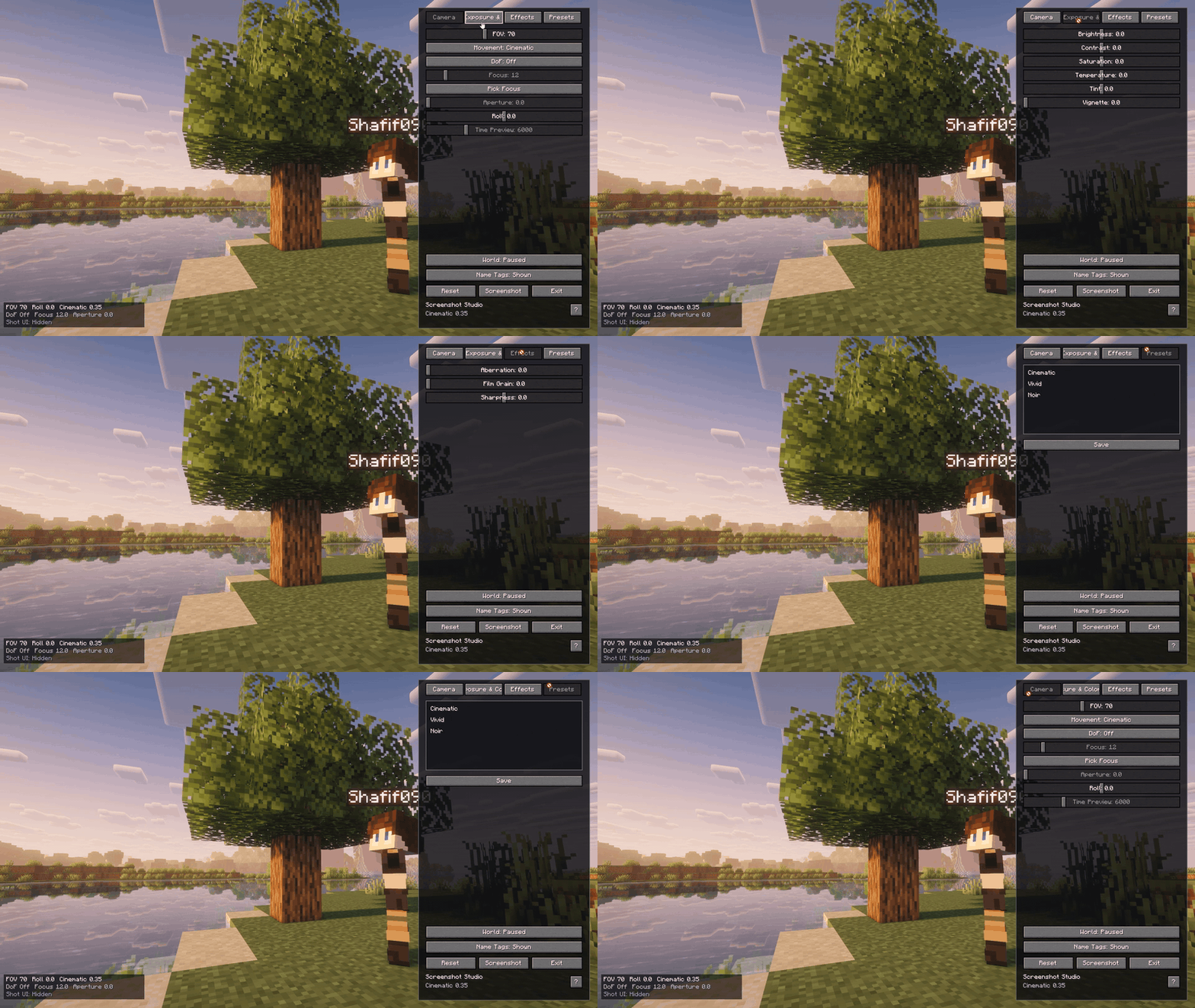
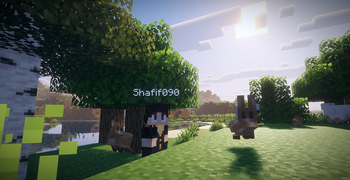
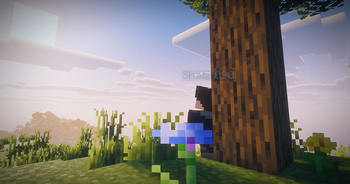
# Screenshot Studio Screenshot Studio is a client-side Fabric mod that turns Minecraft into a cinematic camera studio for capturing high-quality, cinematic screenshots. Capture screenshots with full camera control, visual effects, and presets. !(https://raw.githubusercontent.com/Shafif090/Screenshot-Studio/refs/heads/main/media/demo_2.png) Shader: Complementary Reimagined **** ## Features - Toggleable photo mode with default `F9` keybind. - Singleplayer opens paused by default, with a photo mode button to switch the world between paused and running. - Multiplayer and LAN-published worlds keep running because the server cannot be paused client-side. - Detached free camera with precision, cinematic, and scouting movement modes. - WASD horizontal camera movement, Space/Shift vertical movement, Ctrl boost, Q/E roll, mouse drag look, mouse-wheel FOV, and Alt+scroll speed control. - Hidden vanilla HUD and first-person hand while photo mode is active. - Screenshot flash without capturing the photo mode panel. - Right-side photo panel with camera, color, effects, preset tabs, reset, screenshot, and help controls. - Help popup with the important photo mode keybinds. - Toast notification button for opening the saved screenshot. - Built-in presets: Cinematic, Vivid, Noir. - Custom presets saved as JSON under `.minecraft/config/screenshotstudio/presets/`. - Screenshot panel button using Minecraft's current screenshot API through a small abstraction. - Shader resources for color grading, vignette, chromatic aberration, grain, and DoF fallback math. ## Keybinds - `F9`: Toggle photo mode. - `H`: Hide or show the photo panel while photo mode is open. - `W/A/S/D`: Move the detached camera horizontally. - `Space` / `Shift`: Move camera up / down. - `Ctrl`: Boost camera movement. - `Q` / `E`: Roll camera. - `Mouse drag`: Look around while dragging outside the panel. - `Mouse wheel`: Adjust FOV while scrolling outside the panel. - `Alt + mouse wheel`: Adjust camera movement speed. - `F`: Pick depth-of-field focus from the current target. - `Middle click`: Pick depth-of-field focus while clicking outside the panel. - `M`: Cycle movement mode. - Optional screenshot keybind is registered but disabled by default in `config/screenshotstudio.json`. ## Screenshots and Videos !(https://github.com/Shafif090/Screenshot-Studio/blob/main/media/demo_1.gif?raw=true) !(https://raw.githubusercontent.com/Shafif090/Screenshot-Studio/refs/heads/main/media/demo_2.png) !(https://raw.githubusercontent.com/Shafif090/Screenshot-Studio/refs/heads/main/media/demo_3.png) !(https://raw.githubusercontent.com/Shafif090/Screenshot-Studio/refs/heads/main/media/demo_4.png) !(https://raw.githubusercontent.com/Shafif090/Screenshot-Studio/refs/heads/main/media/demo_5.png) ## Known Limitations - Multiplayer freecam is client-side. Server chunk loading is still limited by the chunks the server sends around the real player. - Minecraft `26.1.2` moved GUI rendering to `GuiGraphicsExtractor`, so post effects are implemented with a safe overlay fallback by default. The GLSL resources are present for a future renderer-specific pipeline hook. - Depth of field uses a screen-space center blur fallback because stable depth-buffer access is not exposed safely here. - The time-of-day slider is disabled gracefully; visual-only sky time needs a version-specific renderer hook. - Mouse look is drag-based while the UI screen is open, which keeps multiplayer input from being sent accidentally.
# Screenshot Studio
Screenshot Studio is a client-side Fabric mod that turns Minecraft into a cinematic camera studio for capturing high-quality, cinematic screenshots. Capture screenshots with full camera control, visual effects, and presets.
!(https://raw.githubusercontent.com/Shafif090/Screenshot-Studio/refs/heads/main/media/demo_2.png) Shader: Complementary Reimagined
## Features
- Toggleable photo mode with default `F9` keybind.
- Singleplayer opens paused by default, with a photo mode button to switch the world between paused and running.
- Multiplayer and LAN-published worlds keep running because the server cannot be paused client-side.
- Detached free camera with precision, cinematic, and scouting movement modes.
- WASD horizontal camera movement, Space/Shift vertical movement, Ctrl boost, Q/E roll, mouse drag look, mouse-wheel FOV, and Alt+scroll speed control.
- Hidden vanilla HUD and first-person hand while photo mode is active.
- Screenshot flash without capturing the photo mode panel.
- Right-side photo panel with camera, color, effects, preset tabs, reset, screenshot, and help controls.
- Help popup with the important photo mode keybinds.
- Toast notification button for opening the saved screenshot.
- Built-in presets: Cinematic, Vivid, Noir.
- Custom presets saved as JSON under `.minecraft/config/screenshotstudio/presets/`.
- Screenshot panel button using Minecraft's current screenshot API through a small abstraction.
- Shader resources for color grading, vignette, chromatic aberration, grain, and DoF fallback math.
## Keybinds
- `F9`: Toggle photo mode.
- `H`: Hide or show the photo panel while photo mode is open.
- `W/A/S/D`: Move the detached camera horizontally.
- `Space` / `Shift`: Move camera up / down.
- `Ctrl`: Boost camera movement.
- `Q` / `E`: Roll camera.
- `Mouse drag`: Look around while dragging outside the panel.
- `Mouse wheel`: Adjust FOV while scrolling outside the panel.
- `Alt + mouse wheel`: Adjust camera movement speed.
- `F`: Pick depth-of-field focus from the current target.
- `Middle click`: Pick depth-of-field focus while clicking outside the panel.
- `M`: Cycle movement mode.
- Optional screenshot keybind is registered but disabled by default in `config/screenshotstudio.json`.
## Screenshots and Videos
!(https://github.com/Shafif090/Screenshot-Studio/blob/main/media/demo_1.gif?raw=true)
!(https://raw.githubusercontent.com/Shafif090/Screenshot-Studio/refs/heads/main/media/demo_2.png)
!(https://raw.githubusercontent.com/Shafif090/Screenshot-Studio/refs/heads/main/media/demo_3.png)
!(https://raw.githubusercontent.com/Shafif090/Screenshot-Studio/refs/heads/main/media/demo_4.png)
!(https://raw.githubusercontent.com/Shafif090/Screenshot-Studio/refs/heads/main/media/demo_5.png)
## Known Limitations
- Multiplayer freecam is client-side. Server chunk loading is still limited by the chunks the server sends around the real player.
- Minecraft `26. 1. 2` moved GUI rendering to `GuiGraphicsExtractor`, so post effects are implemented with a safe overlay fallback by default. The GLSL resources are present for a future renderer-specific pipeline hook.
- Depth of field uses a screen-space center blur fallback because stable depth-buffer access is not exposed safely here.
- The time-of-day slider is disabled gracefully; visual-only sky time needs a version-specific renderer hook.
- Mouse look is drag-based while the UI screen is open, which keeps multiplayer input from being sent accidentally.
📊 Mod Details
- Game
- Minecraft Mods
- Author
- Shafif090
- Version
- 1.1.1
- Downloads
- 352
- Endorsements
- 6
- Category
- fabric
- Created
- 6/14/2026
- Updated
- 6/20/2026
- Game Versions
- 26.2
- Tags
- management, technology, utility
🔧 How to Install Minecraft Mods Mods
Download from Modrinth. Use Prism Launcher or drop into your mods folder.
📖 Full step-by-step install guide for Minecraft Mods →
Visit the official mod page for specific installation instructions for this mod.
🎮 Need cheat codes or console commands? Check ur gaming wiki for Minecraft Mods commands, item IDs, and more.
❓ Frequently Asked Questions
Which Minecraft Mods versions does Screenshot Studio support?
The author lists 26.2. Other versions may work but are untested by the author.
What is the latest version of Screenshot Studio?
Version 1.1.1, published 2026-06-20 with 352 downloads recorded at the source.
Keep browsing — more Minecraft Mods mods await