Screenshot Overhaul
🟡 Updated this year⚠️ Install Order · 2 steps
Install in this order, then this mod last — most mods fail to load without their framework and dependencies in place.
🖼️ Gallery (12 images)
🔍 Analysis
- 🏆 #494 of 876 fabric mods in this game by downloads
📋 About This Mod
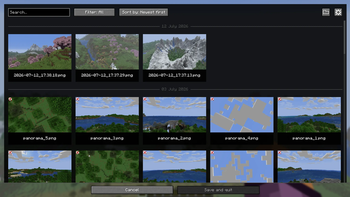
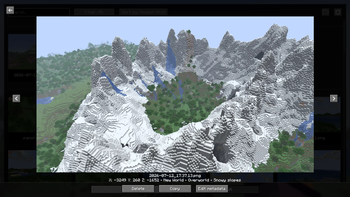
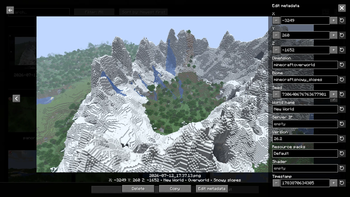
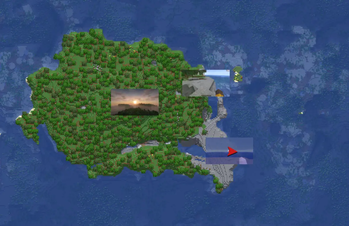
# Screenshot Overhaul !(https://img.shields.io/badge/Loader-Fabric-blue) !(https://img.shields.io/badge/Loader-NeoForge-orange) !(https://img.shields.io/badge/Environment-Client-red) Improve Minecraft screenshots with a built-in gallery, metadata, custom names, previews, panoramas, and map integrations. --- ## Features - Built-in screenshot gallery available from the title screen and pause menu. - Full-screen screenshot viewer with navigation, delete, and copy actions. - Search, sorting, and favorites filtering in the gallery. - Persistent favorites and an option to hide specific screenshots from compatible maps. - PNG metadata added to screenshots: position, dimension, biome, seed, world, server, version, resource packs, shader, and timestamp. - Metadata editing directly from the gallery. - Configurable screenshot directory, with support for subfolders. - Custom screenshot file names using tokens (`<datetime>`, `<worldname>`, `<shader>`, etc.). - Animated screenshot preview after capture. - Options to hide the HUD, chat, or hand only while taking a screenshot. - Optional automatic screenshot capture when an advancement is unlocked. - Panorama capture with a dedicated keybind. - Panorama gallery and support for using a captured panorama as the title screen background. - Optional integration with Xaero's World Map and JourneyMap to display screenshots on the map. - Iris compatibility to save the active shader in metadata and file-name tokens. - Fabric and NeoForge support. > Photo mode exists in the codebase but is gated behind `SCREENSHOT_OVERHAUL_ENABLE_PHOTO_MODE` since this feature is > still in the development phase. --- ## Quick Usage - Open the screenshot gallery from the title screen or pause menu. - Press `F9` to take a panorama screenshot. - Use the `Change panorama` button on the title screen to choose a captured panorama as the background. - Open the settings from the gallery, through Mod Menu on Fabric, or from NeoForge's mod configuration screen. --- ## Configuration The configuration file is created automatically on first launch: `.minecraft/config/screenshot_overhaul.json`. ### General | Option | Description | |-----------------------------------|-----------------------------------------------------------------| | `enableWholeMod` | Enables or disables the mod's features. | | `showScreenshotsOnXaerosWorldMap` | Shows screenshots on Xaero's World Map if the mod is installed. | | `showScreenshotsOnJourneyMap` | Shows screenshots on JourneyMap if the mod is installed. | ### Screenshot | Option | Description | |--------------------------------|-------------------------------------------------------------------------------------------| | `screenshotsFileName` | Pattern used to name screenshots. Can include tokens and subfolders. | | `screenshotsDir` | Directory where screenshots are saved. | | `showChatMessage` | Shows the Minecraft chat message after taking a screenshot. | | `showPreview` | Shows an animated preview after taking a screenshot. | | `hideHudOnScreenshot` | Hides the HUD while taking a screenshot. | | `hideChatOnScreenshot` | Hides the chat while taking a screenshot. Disabled when `hideHudOnScreenshot` is enabled. | | `hideHandOnScreenshot` | Hides the player's hand while taking a screenshot. | | `grabScreenshotOnAdvancement` | Automatically takes a screenshot when an advancement is unlocked. | | `advancementScreenshotDelay` | Delay before taking an advancement screenshot, in ticks. Clamped between `0` and `100`. | ### Panorama | Option | Description | |---------------------------|--------------------------------------------------------------------------------| | `panoramaFolderName` | Pattern used to name panorama folders. | | `panoramaResolution` | Resolution in pixels for each panorama face. Clamped between `256` and `4096`. | | `rotationSpeed` | Title screen panorama rotation speed. Clamped between `0` and `100`. | | `rotationDirection` | Panorama rotation direction. Values: `TO_LEFT`, `TO_RIGHT`. | | `verticalAngle` | Panorama vertical angle. Clamped between `-180` and `180`. | | `startingHorizontalAngle` | Initial panorama horizontal angle. Clamped between
# Screenshot Overhaul
!(https://img.shields.io/badge/Loader-Fabric-blue) !(https://img.shields.io/badge/Loader-NeoForge-orange) !(https://img.shields.io/badge/Environment-Client-red)
Improve Minecraft screenshots with a built-in gallery, metadata, custom names, previews, panoramas, and map integrations.
## Features
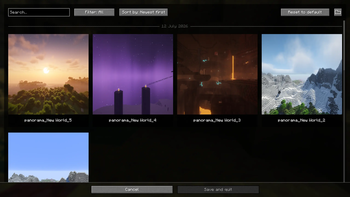
- Built-in screenshot gallery available from the title screen and pause menu.
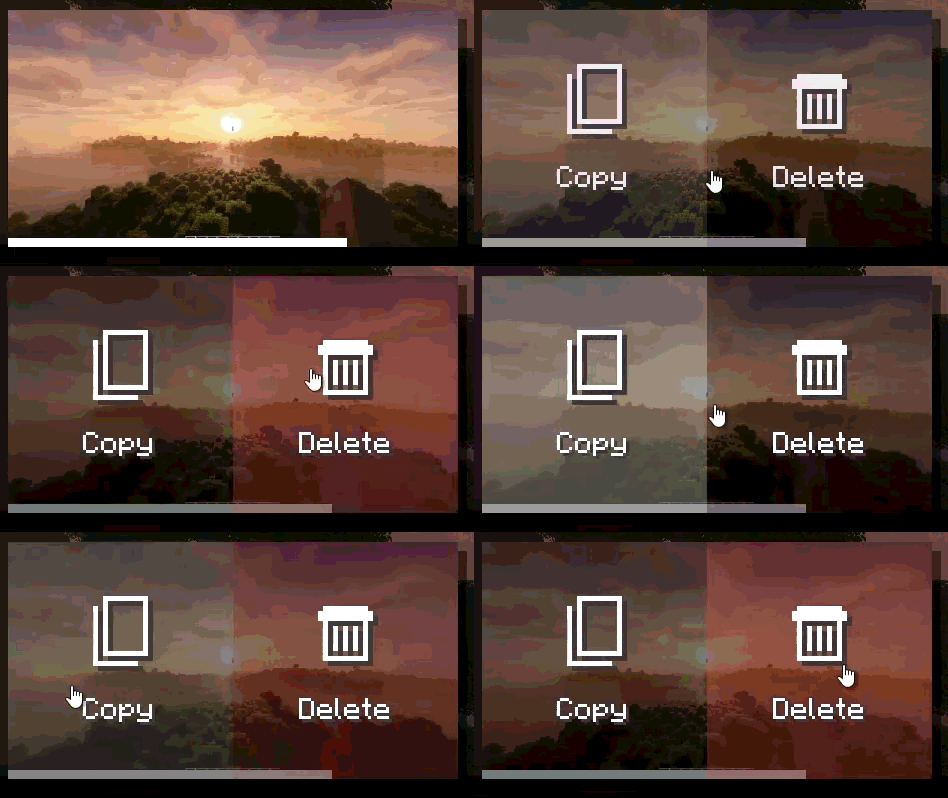
- Full-screen screenshot viewer with navigation, delete, and copy actions.
- Search, sorting, and favorites filtering in the gallery.
- Persistent favorites and an option to hide specific screenshots from compatible maps.
- PNG metadata added to screenshots: position, dimension, biome, seed, world, server, version, resource packs, shader,
- and timestamp.
- Metadata editing directly from the gallery.
- Configurable screenshot directory, with support for subfolders.
- Custom screenshot file names using tokens (`
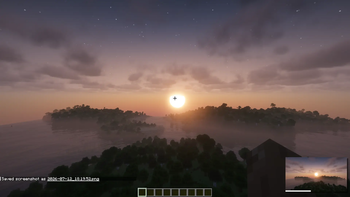
`, ` `, ` `, etc.). - Animated screenshot preview after capture.
- Options to hide the HUD, chat, or hand only while taking a screenshot.
- Optional automatic screenshot capture when an advancement is unlocked.
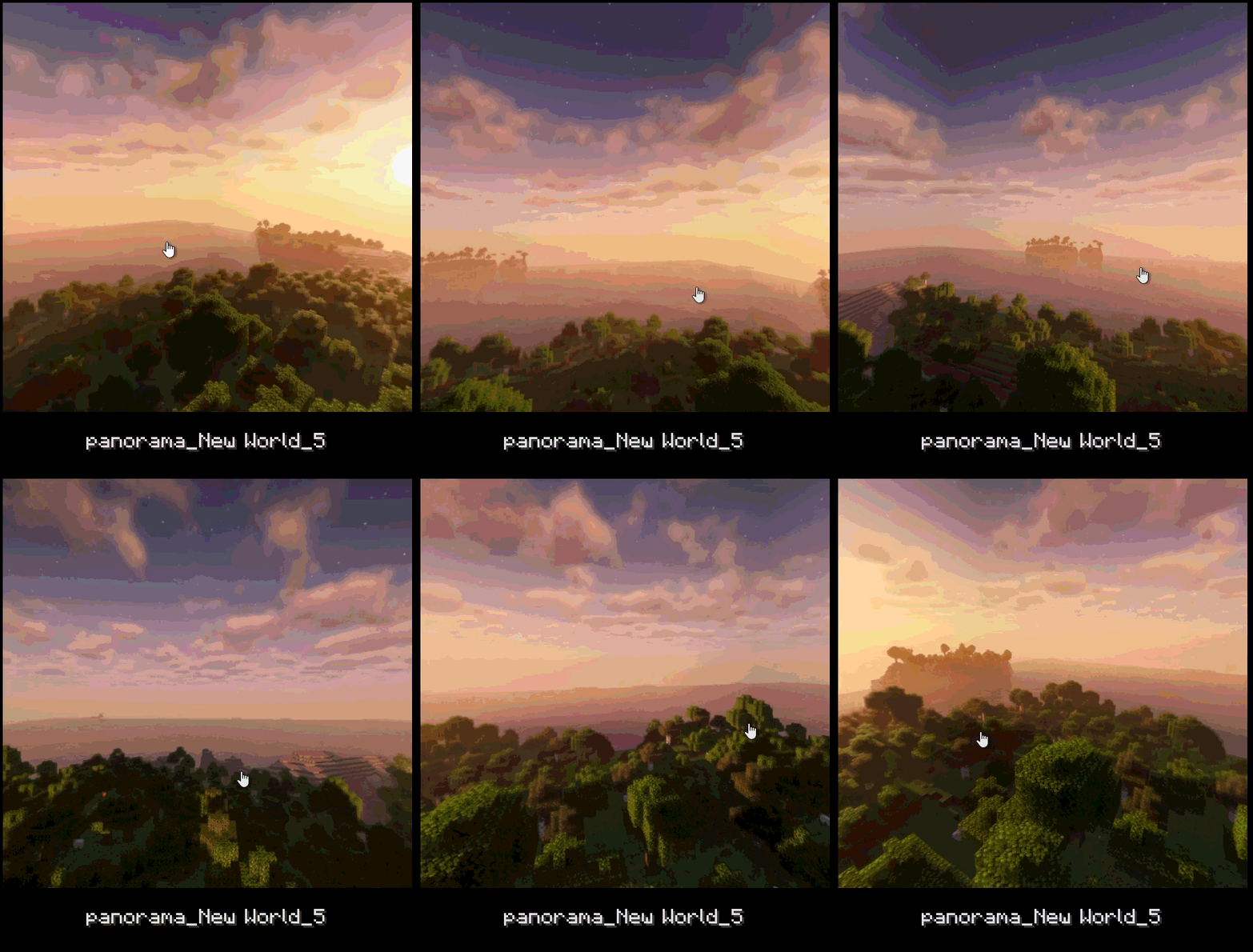
- Panorama capture with a dedicated keybind.
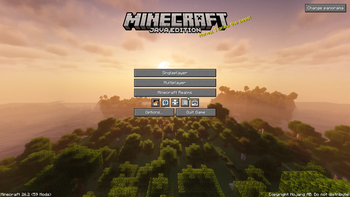
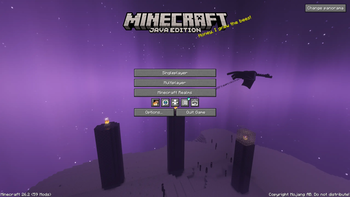
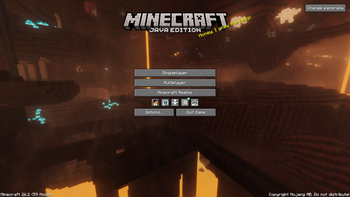
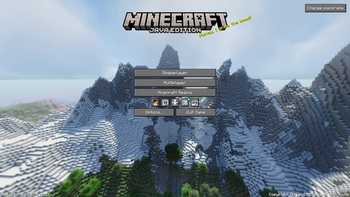
- Panorama gallery and support for using a captured panorama as the title screen background.
- Optional integration with Xaero's World Map and JourneyMap to display screenshots on the map.
- Iris compatibility to save the active shader in metadata and file-name tokens.
- Fabric and NeoForge support.
> Photo mode exists in the codebase but is gated behind `SCREENSHOT_OVERHAUL_ENABLE_PHOTO_MODE` since this feature is > still in the development phase.
## Quick Usage
- Open the screenshot gallery from the title screen or pause menu.
- Press `F9` to take a panorama screenshot.
- Use the `Change panorama` button on the title screen to choose a captured panorama as the background.
- Open the settings from the gallery, through Mod Menu on Fabric, or from NeoForge's mod configuration screen.
## Configuration
The configuration file is created automatically on first launch: `.minecraft/config/screenshot_overhaul.json`.
### General
| Option | Description | |-----------------------------------|-----------------------------------------------------------------| | `enableWholeMod` | Enables or disables the mod's features. | | `showScreenshotsOnXaerosWorldMap` | Shows screenshots on Xaero's World Map if the mod is installed. | | `showScreenshotsOnJourneyMap` | Shows screenshots on JourneyMap if the mod is installed. |
### Screenshot
| Option | Description | |--------------------------------|-------------------------------------------------------------------------------------------| | `screenshotsFileName` | Pattern used to name screenshots. Can include tokens and subfolders. | | `screenshotsDir` | Directory where screenshots are saved. | | `showChatMessage` | Shows the Minecraft chat message after taking a screenshot. | | `showPreview` | Shows an animated preview after taking a screenshot. | | `hideHudOnScreenshot` | Hides the HUD while taking a screenshot. | | `hideChatOnScreenshot` | Hides the chat while taking a screenshot. Disabled when `hideHudOnScreenshot` is enabled. | | `hideHandOnScreenshot` | Hides the player's hand while taking a screenshot. | | `grabScreenshotOnAdvancement` | Automatically takes a screenshot when an advancement is unlocked. | | `advancementScreenshotDelay` | Delay before taking an advancement screenshot, in ticks. Clamped between `0` and `100`. |
### Panorama
| Option | Description | |---------------------------|--------------------------------------------------------------------------------| | `panoramaFolderName` | Pattern used to name panorama folders. | | `panoramaResolution` | Resolution in pixels for each panorama face. Clamped between `256` and `4096`. | | `rotationSpeed` | Title screen panorama rotation speed. Clamped between `0` and `100`. | | `rotationDirection` | Panorama rotation direction. Values: `TO_LEFT`, `TO_RIGHT`. | | `verticalAngle` | Panorama vertical angle. Clamped between `-180` and `180`. | | `startingHorizontalAngle` | Initial panorama horizontal angle. Clamped between
📊 Mod Details
- Game
- Minecraft Mods
- Author
- Azz_9
- Version
- 0.2.1-26.2
- Downloads
- 333
- Endorsements
- 5
- Category
- fabric
- Created
- 7/30/2026
- Updated
- 8/25/2026
- Game Versions
- 26.2
- Tags
- management, utility
🔧 How to Install Minecraft Mods Mods
Download from Modrinth. Use Prism Launcher or drop into your mods folder.
📖 Full step-by-step install guide for Minecraft Mods →
Visit the official mod page for specific installation instructions for this mod.
🎮 Need cheat codes or console commands? Check ur gaming wiki for Minecraft Mods commands, item IDs, and more.
❓ Frequently Asked Questions
Which Minecraft Mods versions does Screenshot Overhaul support?
The author lists 26.2. Other versions may work but are untested by the author.
What is the latest version of Screenshot Overhaul?
Version 0.2.1-26.2, published 2026-08-25 with 333 downloads recorded at the source.
Keep browsing — more Minecraft Mods mods await