Roleplay chat
🟡 Updated this year⚠️ Install Order · 2 steps
Install in this order, then this mod last — most mods fail to load without their framework and dependencies in place.
🖼️ Gallery (10 images)
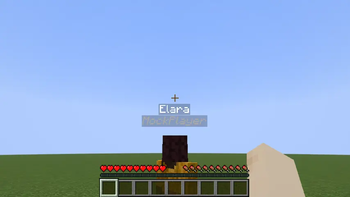
🔍 Analysis
- 👍 0.4% endorsement rate
- 🏆 #882 of 896 fabric mods in this game by downloads
📋 About This Mod
# Roleplay Chat > > Most features described below (RP identity system, nametag visibility, introduction system) require **version 2.0 or later** and **Minecraft 1.21.6**. Earlier versions only include the proximity chat system. A Minecraft Fabric mod (1.21.6) for roleplay servers. It replaces the vanilla chat with a proximity-based system, assigns each player an anonymous hex code identity, and gives them an RP name visible only to players they've been introduced to. --- ## Proximity Chat Every chat message is delivered only to players within a configured range. The range depends on the type of message, triggered by a prefix character or a slash command. | Type | Color | Range | Prefix | Command | |------|-------|-------|--------|---------| | Whisper | 🟪 Violet `#CC33CC` | 4 blocks | `«` or `"` | `/whisper <message>` | | Action | 🟩 Green `#33CC33` | 25 blocks | `*` | `/action <message>` | | Roll | 🟩 Green `#33CC33` | 25 blocks | — | `/roll ` | | Speak | ⬜ White `#FFFFFF` | 30 blocks | _(default)_ | `/speak <message>` | | OOC | 🩶 Gray `#AEC1D5` | 60 blocks | `(` | `/ooc <message>` | | Shout | 🟥 Red `#CC3300` | 80 blocks | `!` | `/shout <message>` | | Global OOC | 🩶 Gray `#AEC1D5` | Unlimited | `(#configuration-server-admins). ### Color fade with distance Messages fade toward black as the receiver moves away from the sender, reaching full black at maximum range. Players outside range receive nothing. !(https://raw.githubusercontent.com/minecraft-fr-net/roleplay-chat/main/src/client/resources/templates/speak_radius_display.png) ### Chat message examples <table> <tr> <td align="center"><img src="https://raw.githubusercontent.com/minecraft-fr-net/roleplay-chat/main/src/client/resources/templates/chat_speak.png" alt="Speak"><br><sub>Speak</sub></td> <td align="center"><img src="https://raw.githubusercontent.com/minecraft-fr-net/roleplay-chat/main/src/client/resources/templates/chat_whisper.png" alt="Whisper"><br><sub>Whisper</sub></td> <td align="center"><img src="https://raw.githubusercontent.com/minecraft-fr-net/roleplay-chat/main/src/client/resources/templates/chat_shout.png" alt="Shout"><br><sub>Shout</sub></td> </tr> <tr> <td align="center"><img src="https://raw.githubusercontent.com/minecraft-fr-net/roleplay-chat/main/src/client/resources/templates/chat_action.png" alt="Action"><br><sub>Action</sub></td> <td align="center"><img src="https://raw.githubusercontent.com/minecraft-fr-net/roleplay-chat/main/src/client/resources/templates/chat_ooc.png" alt="OOC"><br><sub>OOC</sub></td> <td align="center"><img src="https://raw.githubusercontent.com/minecraft-fr-net/roleplay-chat/main/src/client/resources/templates/chat_global_ooc.png" alt="Global OOC"><br><sub>Global OOC</sub></td> </tr> </table> ### Dice Roll `/roll` broadcasts a dice result to nearby players (same range as Action, 25 blocks by default). **Syntax:** `/roll ]` | Example | Meaning | |---------|---------| | `/roll` | Rolls 1d20 (default) | | `/roll d6` | Rolls 1d6 | | `/roll 1d20+3` | Rolls 1d20, adds 3 | | `/roll d8-1` | Rolls 1d8, subtracts 1 | ``` * Alice → 17 (14+3) * Bob → 4 (Critical Failure) ``` Rolling the maximum value shows **(Critical Success)** in bold; rolling 1 shows **(Critical Failure)** in bold. --- ## RP Identity System ### Anonymous hex code Every player is assigned a unique 6-digit hex code at their first connection (e.g. `#15AACF`). This code: - Appears on their nametag (gray italic, below their RP name). - Replaces their Minecraft username in chat until they have an RP name. - Shows as a hover tooltip on their name in chat once they have an RP name. - Works as a target in **all vanilla commands** (`/kick`, `/ban`, `/op`, `/tp`, `/give`, `/kill`, `/damage`, …) — type `#` and autocomplete will suggest codes. ### RP name On first connection, players are shown a screen to choose their RP name: <table> <tr> <td align="center"><img src="https://raw.githubusercontent.com/minecraft-fr-net/roleplay-chat/main/src/client/resources/templates/rp_name_input_screen_empty.png" alt="RP name input screen"><br><sub>Name input</sub></td> <td align="center"><img src="https://raw.githubusercontent.com/minecraft-fr-net/roleplay-chat/main/src/client/resources/templates/rp_name_input_screen_error.png" alt="RP name input screen with error"><br><sub>Validation error</sub></td> </tr> </table> The screen cannot be bypassed with Escape — pressing Escape opens the pause menu, and the screen reappears when the player returns to the game. Rules: - Must be non-empty. - Must be 32 characters or fewer. - Must be unique (case-insensitive). Once set, the RP name can b
# Roleplay Chat
> [!WARNING] > Most features described below (RP identity system, nametag visibility, introduction system) require version 2. 0 or later and Minecraft 1. 21. 6. Earlier versions only include the proximity chat system.
A Minecraft Fabric mod (1. 21. 6) for roleplay servers. It replaces the vanilla chat with a proximity-based system, assigns each player an anonymous hex code identity, and gives them an RP name visible only to players they've been introduced to.
## Proximity Chat
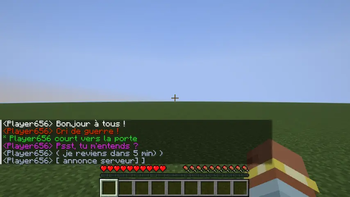
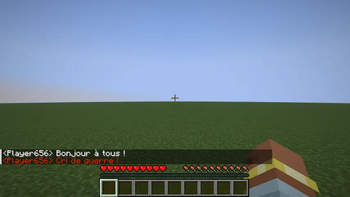
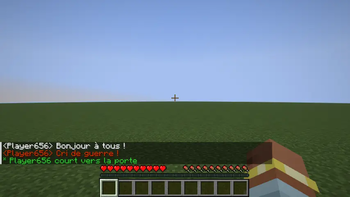
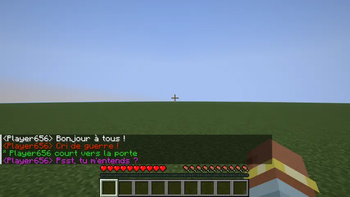
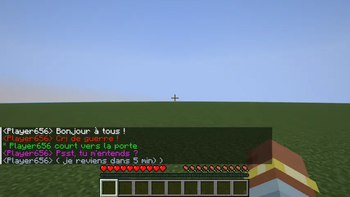
Every chat message is delivered only to players within a configured range. The range depends on the type of message, triggered by a prefix character or a slash command.
| Type | Color | Range | Prefix | Command |
|------|-------|-------|--------|---------|
| Whisper | 🟪 Violet `#CC33CC` | 4 blocks | `«` or `"` | `/whisper
> Support messages are only visible to server operators (permission level ≥ 2) and the sender.
Colors, ranges, and prefix characters are all configurable — see (#configuration-server-admins).
### Color fade with distance
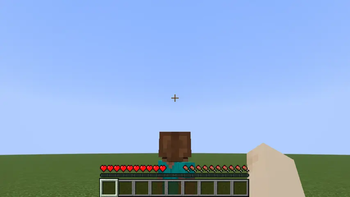
Messages fade toward black as the receiver moves away from the sender, reaching full black at maximum range. Players outside range receive nothing.
!(https://raw.githubusercontent.com/minecraft-fr-net/roleplay-chat/main/src/client/resources/templates/speak_radius_display.png)
### Chat message examples
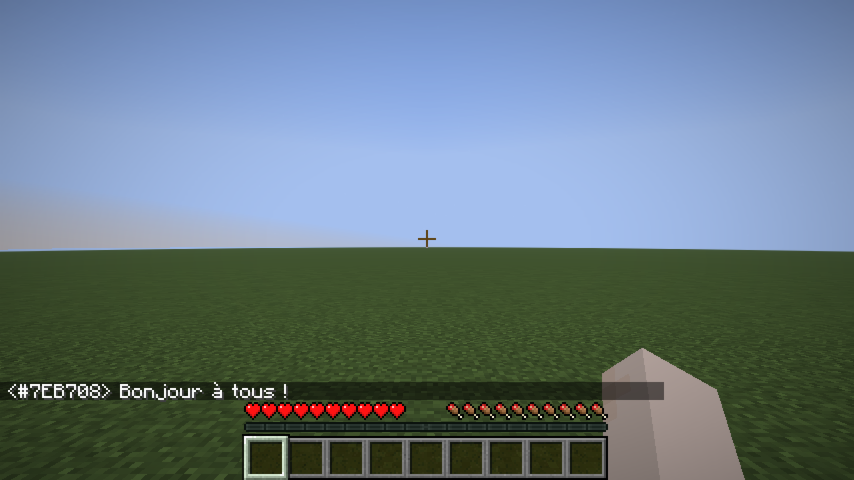 Speak
Speak |
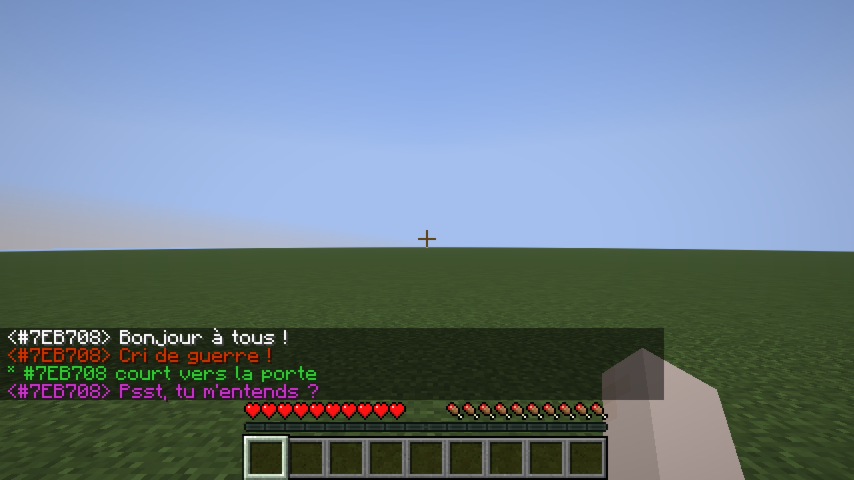 Whisper
 |
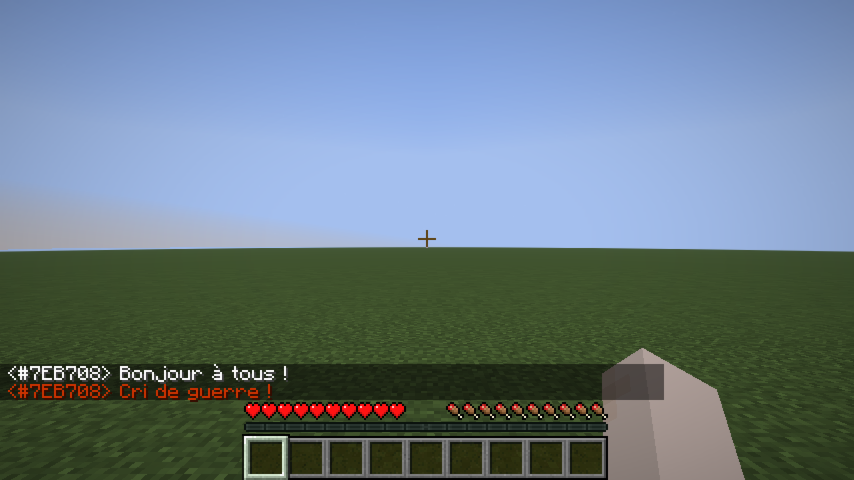 Shout
Shout |
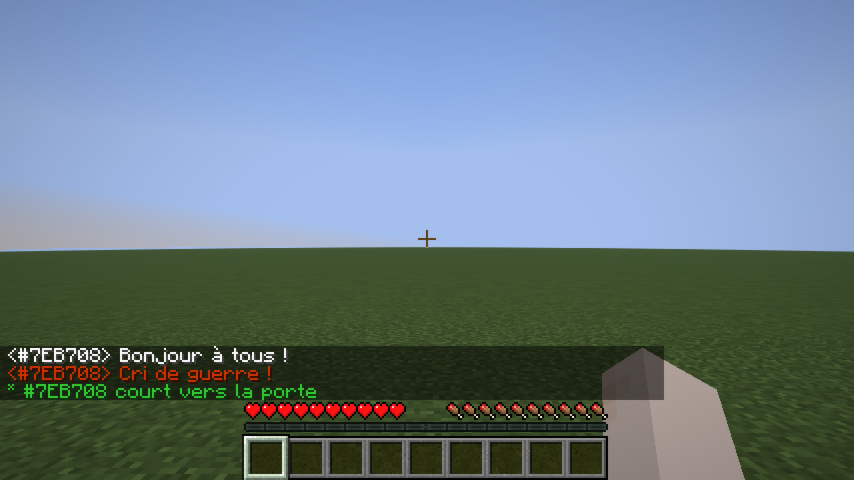 Action
 |
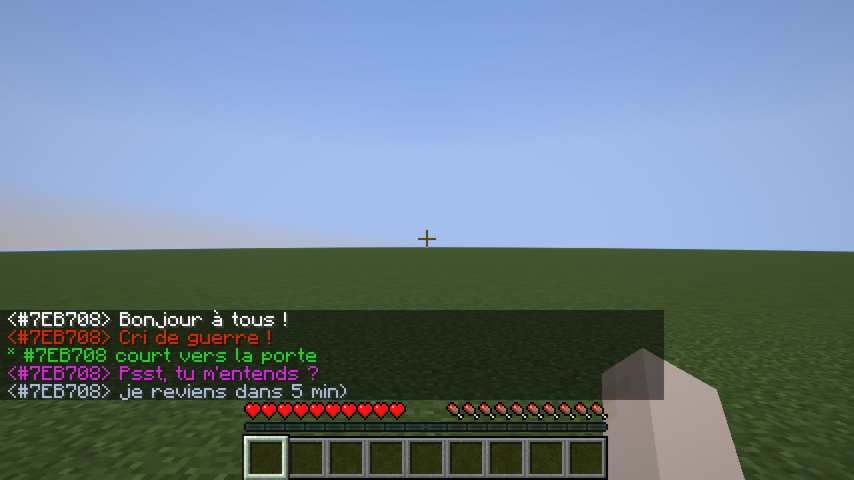 OOC
OOC |
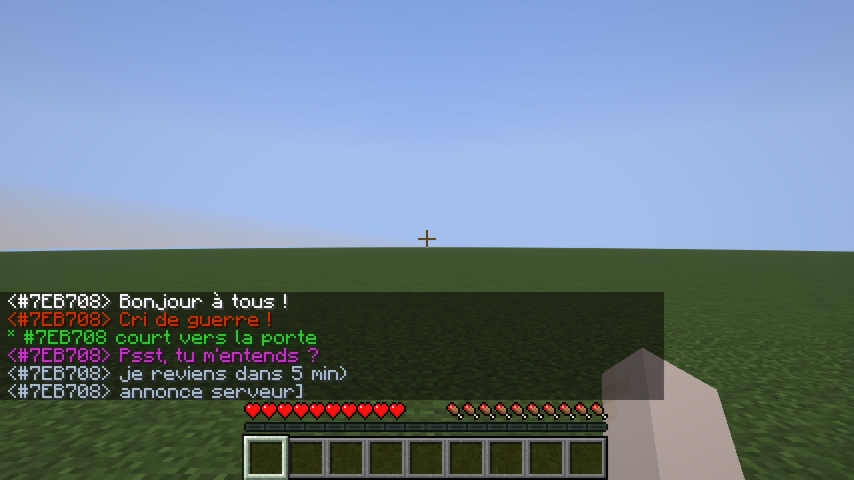 Global OOC
 |
### Dice Roll
`/roll` broadcasts a dice result to nearby players (same range as Action, 25 blocks by default).
Syntax: `/roll ]`
| Example | Meaning | |---------|---------| | `/roll` | Rolls 1d20 (default) | | `/roll d6` | Rolls 1d6 | | `/roll 1d20+3` | Rolls 1d20, adds 3 | | `/roll d8-1` | Rolls 1d8, subtracts 1 |
``` Alice → 17 (14+3) * Bob → 4 (Critical Failure) ```
Rolling the maximum value shows (Critical Success) in bold; rolling 1 shows (Critical Failure) in bold.
## RP Identity System
### Anonymous hex code
Every player is assigned a unique 6-digit hex code at their first connection (e.g. `#15AACF`). This code:
- Appears on their nametag (gray italic, below their RP name).
- Replaces their Minecraft username in chat until they have an RP name.
- Shows as a hover tooltip on their name in chat once they have an RP name.
- Works as a target in all vanilla commands (`/kick`, `/ban`, `/op`, `/tp`, `/give`, `/kill`, `/damage`, …) — type `#` and autocomplete will suggest codes.
### RP name
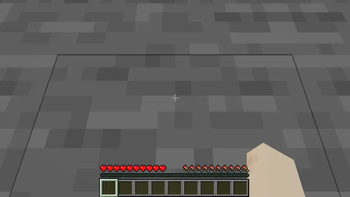
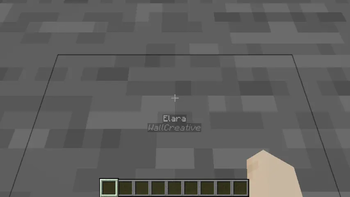
On first connection, players are shown a screen to choose their RP name:
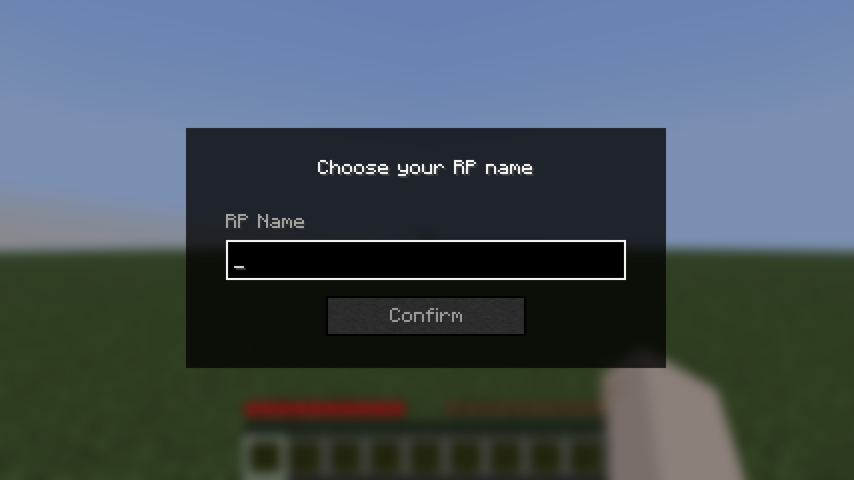 Name input
 |
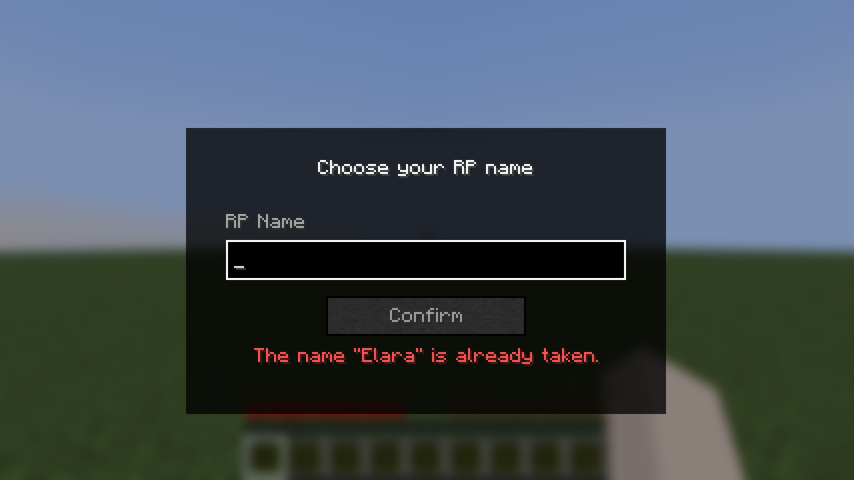 Validation error
 |
The screen cannot be bypassed with Escape — pressing Escape opens the pause menu, and the screen reappears when the player returns to the game.
Rules: - Must be non-empty. - Must be 32 characters or fewer. - Must be unique (case-insensitive).
Once set, the RP name can b
📊 Mod Details
- Game
- Minecraft Mods
- Author
- cprodhomme
- Version
- 2.1.2+1.21.8
- Downloads
- 2,911
- Endorsements
- 11
- Category
- fabric
- Created
- 10/7/2024
- Updated
- 7/30/2026
- Game Versions
- 1.21.8
- Tags
- social
🔧 How to Install Minecraft Mods Mods
Download from Modrinth. Use Prism Launcher or drop into your mods folder.
📖 Full step-by-step install guide for Minecraft Mods →
Visit the official mod page for specific installation instructions for this mod.
🎮 Need cheat codes or console commands? Check ur gaming wiki for Minecraft Mods commands, item IDs, and more.
❓ Frequently Asked Questions
Which Minecraft Mods versions does Roleplay chat support?
The author lists 1.21.8. Other versions may work but are untested by the author.
What is the latest version of Roleplay chat?
Version 2.1.2+1.21.8, published 2026-07-30 with 2,911 downloads recorded at the source.
Keep browsing — more Minecraft Mods mods await