Retrogen
🟡 Updated this year⚠️ Install Order · 2 steps
Install in this order, then this mod last — most mods fail to load without their framework and dependencies in place.
Preview
🔍 Analysis
- 👍 0.8% endorsement rate
- 🏆 #862 of 888 fabric mods in this game by downloads
📋 About This Mod
# Retrogen Add ores and structures from newly installed mods to your existing Minecraft world. Retrogen is a server-side world-generation mod for **Minecraft 1.21.1**. It processes already generated chunks as they are loaded and adds compatible ores and structures from mods that were installed later. Normally, new world-generation content only appears in unexplored areas. Retrogen allows you to continue using your existing world without travelling thousands of blocks just to find newly added resources or structures. ## Features * Adds modded ores to existing chunks * Adds modded structures to existing chunks * Uses the original generation settings from the source mod * Preserves biome, height, frequency, spread, and block replacement rules * Supports imported and custom terrain * Can adjust surface structures to match the existing landscape * Processes chunks gradually to reduce server lag * Remembers completed generation attempts * Prevents repeated generation of the same content * Supports configurable include and exclude lists * Supports Fabric and NeoForge ## Supported Versions * Minecraft **1.21.1** * Fabric with Fabric API * NeoForge Fabric and NeoForge use separate JAR files. On a dedicated server, Retrogen only needs to be installed on the server. Players do not need to install it on their clients. For single-player worlds, install Retrogen in the client’s mods folder. ## How It Works When an existing chunk is loaded, Retrogen adds it to a processing queue. The chunk is processed only after it is fully loaded. Retrogen limits both the number of operations and the amount of processing time used during each server tick. Ore generation uses the original `PlacedFeature` settings provided by the source mod. This means Retrogen keeps the intended: * generation height; * vein size; * frequency; * biome restrictions; * block replacement rules. Structures are created through Minecraft’s standard structure-generation system. Retrogen stores processed content inside each chunk and keeps the world’s generation history in: ```text data/retrogen_manifest.json ``` This prevents the same ore or structure from being generated every time the chunk loads. ## Installation 1. Back up your world. 2. Install the correct Retrogen JAR. 3. Install the mods that provide the new ores and structures. 4. Start the server or single-player world. 5. Check the processing queue with: ```text /retrogen status ``` For Fabric, Fabric API is also required. Retrogen creates its configuration file automatically: ```text config/retrogen.json ``` ## Configuration Default configuration: ```json { "enabled": true, "generateOres": true, "generateStructures": true, "adaptStructuresToExistingTerrain": true, "maxOperationsPerTick": 2, "maxMillisPerTick": 8, "structureReferenceRadius": 8, "maxTerrainShift": 96, "maxTerrainSampleSpread": 32, "maxInhabitedTimeTicks": -1, "automaticNamespaces": , "excludedNamespaces": , "includePlacedFeatures": , "excludePlacedFeatures": , "includeStructures": , "excludeStructures": } ``` Retrogen automatically selects standard modded ore features from allowed namespaces. You can restrict automatic processing to specific mods: ```json { "automaticNamespaces": } ``` You can also manually include or exclude individual features and structures: ```json { "includePlacedFeatures": , "excludePlacedFeatures": , "includeStructures": , "excludeStructures": } ``` The lists support wildcard patterns: * `*` matches any number of characters; * `?` matches one character. Reload the configuration without restarting the server: ```text /retrogen reload ``` ## Custom and Imported Terrain Ores are generated in the blocks that already exist inside the chunk. A modded ore can only replace blocks accepted by the source mod’s generation rules. For example, an ore configured to replace normal Minecraft stone may not generate inside custom stone blocks. Retrogen can also adjust surface structures to match the real terrain instead of relying only on the current chunk generator. When enabled, Retrogen samples the existing surface or ocean floor and moves the structure vertically when necessary. This is a best-effort system. Some unusual structures may still require special support from their original mod developer. ## Important Warning Always create a backup before using Retrogen. Minecraft cannot reliably distinguish naturally generated blocks from blocks placed by players. Ores normally replace only valid target blocks, but structures may intersect: * player buildings; * roads; * farms; * underground bases; * other edited terrain. On its first installation, Retrogen may not know which modded ores were already present when olde
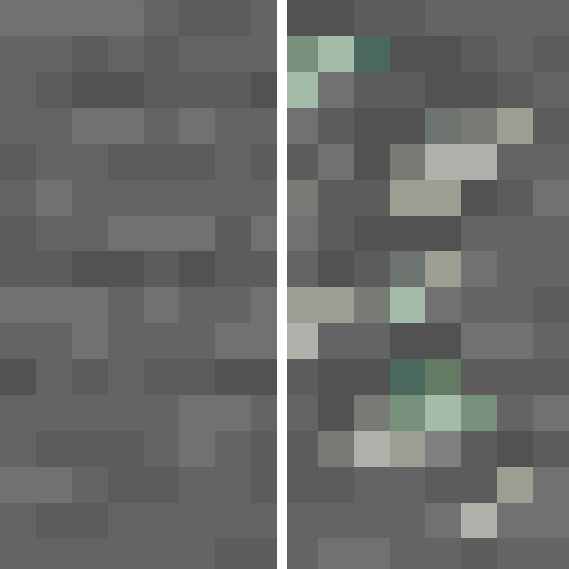
Add ores and structures from newly installed mods to your existing Minecraft world.
Retrogen is a server-side world-generation mod for Minecraft 1. 21. 1. It processes already generated chunks as they are loaded and adds compatible ores and structures from mods that were installed later.
Normally, new world-generation content only appears in unexplored areas. Retrogen allows you to continue using your existing world without travelling thousands of blocks just to find newly added resources or structures.
## Features
Adds modded ores to existing chunks Adds modded structures to existing chunks Uses the original generation settings from the source mod Preserves biome, height, frequency, spread, and block replacement rules Supports imported and custom terrain Can adjust surface structures to match the existing landscape Processes chunks gradually to reduce server lag Remembers completed generation attempts Prevents repeated generation of the same content Supports configurable include and exclude lists Supports Fabric and NeoForge
## Supported Versions
Minecraft 1. 21. 1 Fabric with Fabric API NeoForge
Fabric and NeoForge use separate JAR files.
On a dedicated server, Retrogen only needs to be installed on the server. Players do not need to install it on their clients.
For single-player worlds, install Retrogen in the client’s mods folder.
## How It Works
When an existing chunk is loaded, Retrogen adds it to a processing queue.
The chunk is processed only after it is fully loaded. Retrogen limits both the number of operations and the amount of processing time used during each server tick.
Ore generation uses the original `PlacedFeature` settings provided by the source mod. This means Retrogen keeps the intended:
generation height; vein size; frequency; biome restrictions; block replacement rules.
Structures are created through Minecraft’s standard structure-generation system.
Retrogen stores processed content inside each chunk and keeps the world’s generation history in:
```text data/retrogen_manifest.json ```
This prevents the same ore or structure from being generated every time the chunk loads.
## Installation
1. Back up your world. 2. Install the correct Retrogen JAR. 3. Install the mods that provide the new ores and structures. 4. Start the server or single-player world. 5. Check the processing queue with:
```text /retrogen status ```
For Fabric, Fabric API is also required.
Retrogen creates its configuration file automatically:
```text config/retrogen.json ```
## Configuration
Default configuration:
```json { "enabled": true, "generateOres": true, "generateStructures": true, "adaptStructuresToExistingTerrain": true, "maxOperationsPerTick": 2, "maxMillisPerTick": 8, "structureReferenceRadius": 8, "maxTerrainShift": 96, "maxTerrainSampleSpread": 32, "maxInhabitedTimeTicks": -1, "automaticNamespaces": [""], "excludedNamespaces": ["minecraft", "retrogen"], "includePlacedFeatures": [], "excludePlacedFeatures": [], "includeStructures": [], "excludeStructures": [] } ```
Retrogen automatically selects standard modded ore features from allowed namespaces.
You can restrict automatic processing to specific mods:
```json { "automaticNamespaces": ["create", "alexscaves"] } ```
You can also manually include or exclude individual features and structures:
```json { "includePlacedFeatures": [ "example:underground_dungeon", "anothermod:_ore" ], "excludePlacedFeatures": [ "example:huge_test_ore" ], "includeStructures": [ "minecraft:trial_chambers" ], "excludeStructures": [ "example:unsafe_castle" ] } ```
The lists support wildcard patterns:
`` matches any number of characters; `?` matches one character.
Reload the configuration without restarting the server:
```text /retrogen reload ```
## Custom and Imported Terrain
Ores are generated in the blocks that already exist inside the chunk.
A modded ore can only replace blocks accepted by the source mod’s generation rules. For example, an ore configured to replace normal Minecraft stone may not generate inside custom stone blocks.
Retrogen can also adjust surface structures to match the real terrain instead of relying only on the current chunk generator.
When enabled, Retrogen samples the existing surface or ocean floor and moves the structure vertically when necessary.
This is a best-effort system. Some unusual structures may still require special support from their original mod developer.
## Important Warning
Always create a backup before using Retrogen.
Minecraft cannot reliably distinguish naturally generated blocks from blocks placed by players.
Ores normally replace only valid target blocks, but structures may intersect:
player buildings; roads; farms; underground bases; * other edited terrain.
On its first installation, Retrogen may not know which modded ores were already present when olde
📊 Mod Details
- Game
- Minecraft Mods
- Author
- Cat4blep
- Version
- 1.0
- Downloads
- 749
- Endorsements
- 6
- Category
- fabric
- Created
- 7/19/2026
- Updated
- 7/13/2026
- Game Versions
- 1.21.1
- Tags
- worldgen
🔧 How to Install Minecraft Mods Mods
Download from Modrinth. Use Prism Launcher or drop into your mods folder.
📖 Full step-by-step install guide for Minecraft Mods →
Visit the official mod page for specific installation instructions for this mod.
🎮 Need cheat codes or console commands? Check ur gaming wiki for Minecraft Mods commands, item IDs, and more.
❓ Frequently Asked Questions
Which Minecraft Mods versions does Retrogen support?
The author lists 1.21.1. Other versions may work but are untested by the author.
What is the latest version of Retrogen?
Version 1.0, published 2026-07-13 with 749 downloads recorded at the source.
Keep browsing — more Minecraft Mods mods await